- 1. Key Takeaways
- 2. 15 Web Application Examples You Use Every Day
- How These Examples Were Picked
- 1. Gmail: Email That Behaves Like Desktop Software
- 2. Google Docs: Real-Time Collaboration Done Right
- 3. Figma: Proof That Browsers Can Run Heavy Tools
- 4. Slack: The Hub That Grew From Integrations
- 5. Trello: One Metaphor, Done Well
- 6. Canva: Lowering the Skill Barrier
- 7. Netflix: Personalization as the Product
- 8. YouTube: Two Products in One Domain
- 9. Spotify Web Player: Continuity Across Devices
- 10. Airbnb: Trust Is the Feature
- 11. Shopify Admin: Where Merchants Actually Live
- 12. Stripe Dashboard: Reporting That Prevents Tickets
- 13. HubSpot CRM: Mirroring How Teams Think
- 14. Zoom Web Client: Zero-Install Access
- 15. ChatGPT: A Simple Box Over Huge Complexity
- 3. Types of Web Applications (With an Example of Each)
- 4. How Web Apps Work
- 5. Web Application Examples for Business: What Companies Actually Build
- 6. Web App vs Website vs Mobile App
- 7. How to Pick the Right Example to Model Your Own Build
- 8. Mistakes Founders Make When Copying Big Web Apps
- 9. How Boomdevs Solves the "Where Do I Start" Problem for Web Apps
- 10. Frequently Asked Questions
Summarize with
You probably use several web apps every day. Gmail, Netflix, and Slack all feel like ordinary websites. So where does a website end and a web app begin?
The 15 web application examples below give you a clear answer. Each one runs in a browser tab you already have open, and together they cover every major app type.
Read the lesson under each pick, and you’ll know a web app the moment you see one.
Key Takeaways
- A web application is software that runs on a server and works inside your browser. You log in, act on your own data, and nothing gets installed.
- The 15 web app examples below include Gmail, Google Docs, Figma, Slack, Trello, Netflix, Airbnb, Stripe Dashboard, and ChatGPT.
- Together they cover the main types of web applications: single-page apps, multi-page apps, progressive web apps, marketplaces, dashboards, and AI tools.
- Real web application examples for business look smaller: customer portals, internal dashboards, booking systems, marketplaces, and SaaS products.
- Copy the workflow of the example closest to your idea, not its scale.
15 Web Application Examples You Use Every Day
Common web application examples include Gmail, Google Docs, Figma, Slack, Trello, Netflix, Airbnb, and ChatGPT. Each one runs in your browser, keeps your data on a server, and needs no installation.
How These Examples Were Picked
A web app differs from a website in one way that matters. A website shows everyone the same pages. A web app lets each user log in, create data, and see their own version of the product.
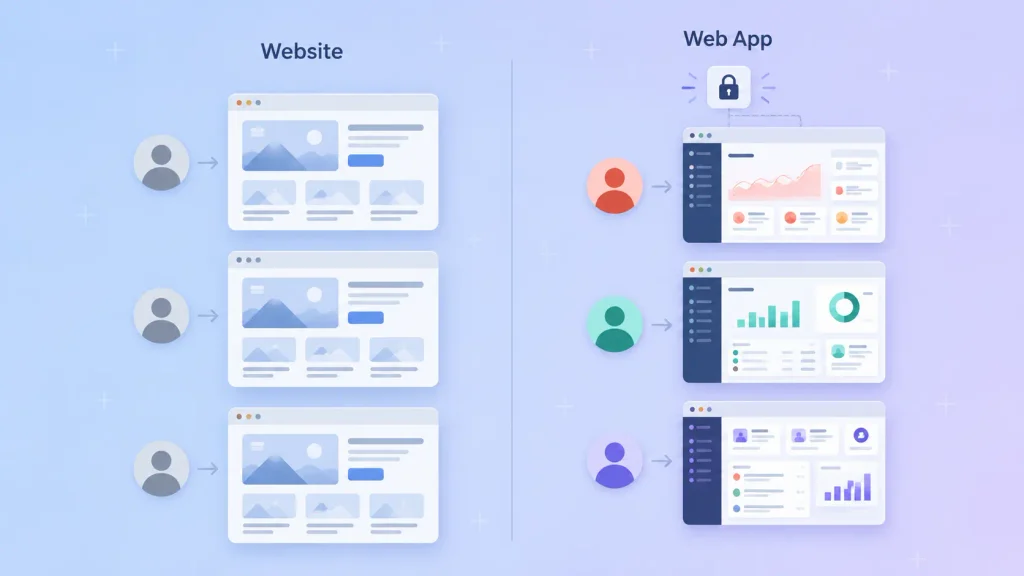
Every one of these web application examples passes that test. Each one also covers a different app type or business pattern, so you can match your idea to at least one of them. Each entry ends with an honest limitation, because the weak spots teach you as much as the features.
Here’s the full list of web app examples at a glance.
| Example | App Type | Category | Lesson for Your Build |
| Gmail | Single-page app | Search and filters become the core product | |
| Google Docs | Real-time collaborative app | Productivity | Autosave and version history earn trust |
| Figma | Rich browser app | Design | Browsers can now run heavy desktop-class tools |
| Slack | Real-time app | Team chat | Integrations turn a tool into a hub |
| Trello | Single-page app | Project management | One simple visual metaphor beats ten features |
| Canva | Rich browser app | Graphic design | Templates lower the skill barrier |
| Netflix | Streaming app | Entertainment | Personalization drives retention |
| YouTube | Content platform | Video | Creator tools are a second product |
| Spotify Web Player | Streaming app | Music | Cross-device continuity feels like magic |
| Airbnb | Marketplace | Travel | Trust systems matter as much as search |
| Shopify Admin | Admin dashboard | E-commerce | The back office is where merchants live |
| Stripe Dashboard | Data dashboard | Payments | Clear reporting reduces support tickets |
| HubSpot CRM | Business app | Sales | Pipelines mirror how teams already think |
| Zoom Web Client | Real-time media app | Video meetings | Zero-install access removes friction |
| ChatGPT | AI web app | Generative AI | A single input box can hide huge complexity |
1. Gmail: Email That Behaves Like Desktop Software
Of all the web application examples here, Gmail is the one most people use daily without thinking of it as an app. You read, label, search, and send mail inside one browser page that updates without reloading.
App type: Single-page application. The interface loads once, then swaps content as you click.
The lesson for your build: Search and filtering stopped being a feature and became the product. If your app stores lots of records, plan search on day one rather than bolting it on later.
Where it falls short: Offline access needs extra setup, so a dropped connection still interrupts your work.
2. Google Docs: Real-Time Collaboration Done Right
Google Docs lets several people edit the same document at the same moment. Every keystroke saves, and you can roll back to any earlier version.
App type: Real-time collaborative web app.
The lesson for your build: People forgive a plain interface. They don’t forgive lost work. Autosave and version history are trust features, and they cost far less to build early than to retrofit.
Where it falls short: Advanced layout and formatting still feel weaker than a dedicated desktop word processor.
3. Figma: Proof That Browsers Can Run Heavy Tools
Figma moved professional interface design into the browser. Whole teams design, prototype, and comment on the same file without installing anything.
App type: Rich browser application. It uses WebAssembly to run performance-heavy code at near-native speed.
The lesson for your build: “It has to be desktop software” is rarely true anymore. Before you commit to native apps, check whether a well-built browser app covers the job. Figma also proves that thoughtful UI/UX design for web apps can become the entire competitive edge.
Where it falls short: Very large files push browser memory hard, especially on older laptops.
4. Slack: The Hub That Grew From Integrations
Slack organizes team conversations into channels, threads, and direct messages. Updates arrive instantly, with no page refresh.
App type: Real-time web app built on persistent connections between your browser and the server.
The lesson for your build: Slack’s stickiness comes from the tools that post into it. If your app can receive updates from the software your users already run, it becomes the place they check first.
Where it falls short: Notification overload. Without good defaults, users mute your app and stop paying attention.
5. Trello: One Metaphor, Done Well
Trello turns projects into boards, lists, and cards. You drag a card from “Doing” to “Done,” and everyone sees it move.
App type: Single-page application with drag-and-drop interactions.
The lesson for your build: Trello won with one clear idea, a physical board on a screen. If you can explain your app’s core screen in one sentence, users learn it in minutes.
Where it falls short: Complex projects with dependencies and resource planning outgrow the simple board quickly.
6. Canva: Lowering the Skill Barrier
Canva lets people with no design training produce social posts, slides, and posters. You start from a template, drag elements around, and export.
App type: Rich browser application with a visual editor.
The lesson for your build: Templates are an onboarding strategy, not just a content library. When users start from a near-finished result, they reach their first win faster.
Where it falls short: Professional print work and strict brand control still push serious designers toward specialist tools.
7. Netflix: Personalization as the Product
Netflix streams films and series straight to your browser. Every profile sees a different home screen built from viewing history.
App type: Streaming web application backed by a content delivery network.
The lesson for your build: Netflix’s catalog matters, but its recommendations keep you subscribed. Even a small app can personalize: recent items, saved filters, a dashboard that remembers you.
Where it falls short: Downloads for offline viewing live in the mobile and desktop apps, not the browser version.
8. YouTube: Two Products in One Domain
On the surface, YouTube is a place to watch videos. Behind it sits YouTube Studio, a full creator app for uploads, analytics, and comment moderation.
App type: Content platform with a separate management dashboard.
The lesson for your build: Many successful web apps serve two audiences. If you have buyers and sellers, or viewers and creators, plan both sides as real products.
Where it falls short: The browser version can’t save videos for offline viewing the way the mobile app can.
9. Spotify Web Player: Continuity Across Devices
Spotify’s web player streams music and podcasts in a browser tab. You can start a song on your laptop and hand playback to your phone.
App type: Streaming web app with app-like behavior.
The lesson for your build: Users notice when your app remembers where they left off. Saving state on the server, not just in the browser, makes switching devices feel seamless.
Where it falls short: Offline downloads aren’t available in the web player, so it depends on a steady connection.
10. Airbnb: Trust Is the Feature
Airbnb connects hosts with travelers. You search, filter, message the host, pay, and review, all inside one platform.
App type: Two-sided marketplace web application.
The lesson for your build: Search gets people in, but reviews, verified profiles, and protected payments get them to book. That’s why trust features belong in a two-sided marketplace MVP from the very first release.
Where it falls short: Marketplaces carry heavy operational load: disputes, local regulation, and support across time zones.
11. Shopify Admin: Where Merchants Actually Live
Shoppers see the storefront. Merchants spend their day in Shopify Admin, managing products, orders, inventory, and payouts.
App type: Admin dashboard web application.
The lesson for your build: For many businesses, the back office is the real product. A clean admin panel saves your team hours every week, even if customers never see it.
Where it falls short: Workflows outside the platform’s model usually need third-party apps or custom development.
12. Stripe Dashboard: Reporting That Prevents Tickets
Stripe Dashboard is the control room for Stripe’s payment gateway. Businesses see their payments, refunds, disputes, and payouts in one place. Finance teams use it to reconcile, and developers use it to debug.
App type: Data dashboard sitting on top of an API-first platform.
The lesson for your build: Every question a dashboard answers is one support ticket you don’t receive. Clear reporting is a cost saver, not decoration.
Where it falls short: The depth that serves finance teams can overwhelm a small founder who just wants a balance.
13. HubSpot CRM: Mirroring How Teams Think
HubSpot CRM tracks contacts, companies, and deals through a visual pipeline. Sales teams log calls and emails against each record.
App type: Business web application with role-based access.
The lesson for your build: The pipeline view works because it matches how salespeople already picture their week. Build your main screen around your users’ existing mental model.
Where it falls short: Costs climb as you add seats and advanced tiers, which pushes some teams toward custom tools.
14. Zoom Web Client: Zero-Install Access
Zoom’s web client lets you join a meeting from a browser link. Guests skip the download and walk straight into the call.
App type: Real-time media web application.
The lesson for your build: Removing one install step can lift completion rates for first-time users. A browser version works well as the low-friction entry point to a richer native app.
Where it falls short: The web client offers fewer features than Zoom’s desktop app, so power users still install it.
15. ChatGPT: A Simple Box Over Huge Complexity
ChatGPT runs in the browser at chatgpt.com. You type a question, and an AI model answers in a conversation thread you can return to later.
App type: AI web application.
The lesson for your build: The interface is a text box and a history list. All the complexity sits on the server. That’s the pattern most AI SaaS products follow: a simple front end, model calls behind it.
Where it falls short: Answers can be wrong with total confidence, so serious use cases need review steps and guardrails.
Types of Web Applications (With an Example of Each)
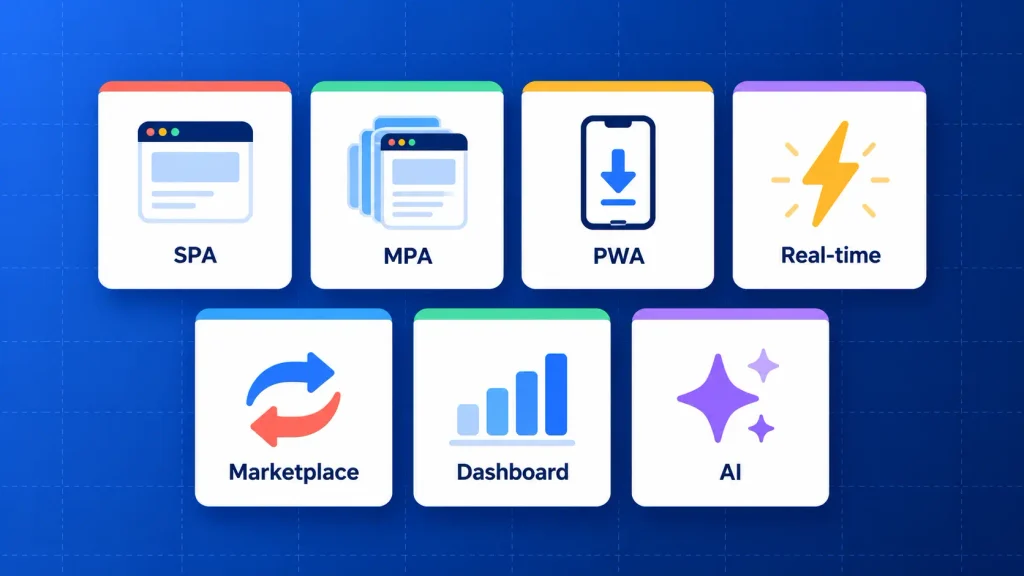
Most web apps fall into a handful of types, and each one suits a different job. The table maps each type to one of the web application examples above.
| Type | How It Behaves | Example From This List | Best For |
| Single-page app (SPA) | Loads once, then updates content without full reloads | Gmail, Trello | Tools people use for hours at a time |
| Multi-page app (MPA) | Loads a new page for each major action | Airbnb search and listings | Large catalogs and content that needs strong SEO |
| Progressive web app (PWA) | Installs to the home screen, can work offline, sends notifications | Spotify features, many retail ordering apps | Mobile reach without app store friction |
| Real-time app | Pushes updates instantly to every connected user | Slack, Google Docs, Zoom | Chat, collaboration and live data |
| Marketplace | Connects two user groups with search, payments, and trust | Airbnb | Platforms that match supply and demand |
| Dashboard or portal | Gives each user a secure, personal view of data | Stripe Dashboard, Shopify Admin | B2B tools, client accounts, internal operations |
| AI web app | Sends user input to a model and returns generated output | ChatGPT | Assistants, copilots, content and analysis tools |
The types of web applications overlap often. Airbnb is a marketplace and a multi-page app at the same time, and Google Docs is both a single-page app and a real-time one.
How Web Apps Work
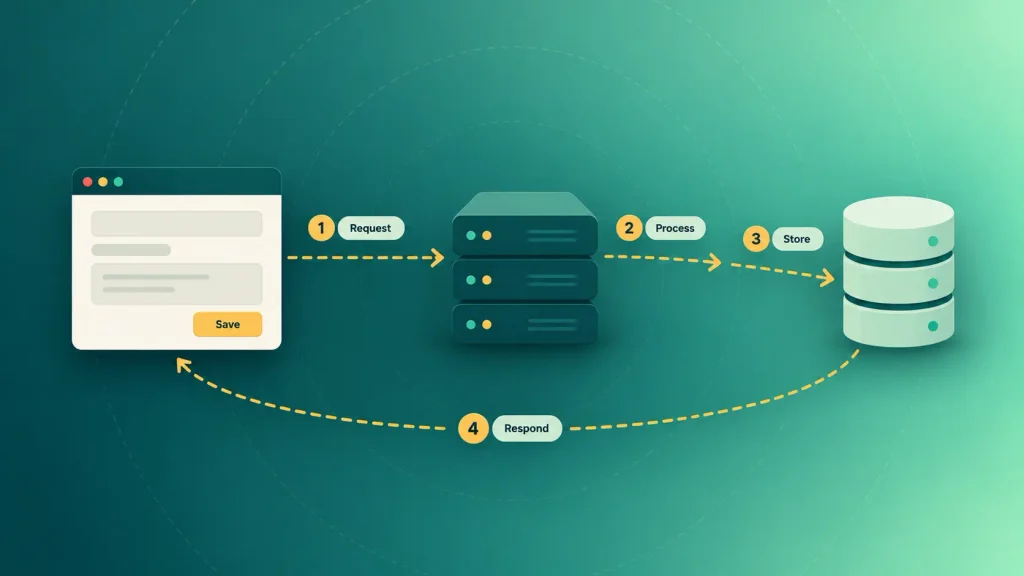
Every web app splits work between your browser and a remote server. Your browser shows the interface. The server does the thinking and stores the data.
Here’s what happens when you click “Save” in an app like Trello:
- Your browser sends a request. The front end packages your change and sends it over the internet.
- The server processes it. Application code checks your permissions and applies the business rules.
- The database stores it. Your card, comment, or order is written to permanent storage.
- The server responds. Your browser updates the screen, and in real-time apps, every teammate’s screen updates too.
That split is why web apps need no installation. Updates happen once on the server, and every user gets them on their next visit. The tech stack you choose for your web app decides how well each of those four steps holds up as you grow.
Web Application Examples for Business: What Companies Actually Build
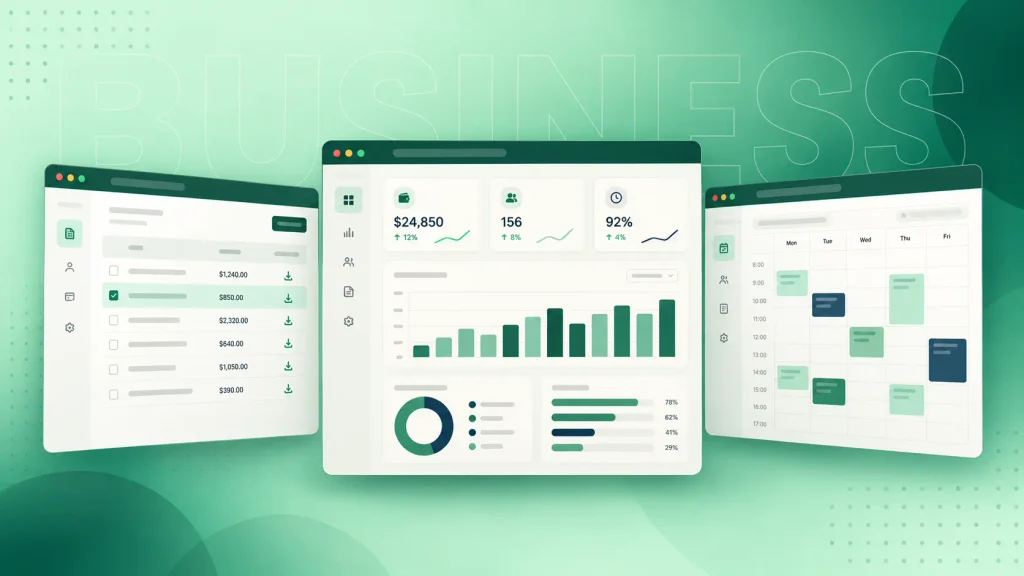
The famous web application examples above are useful references, but most businesses won’t build the next Netflix. What companies actually commission is smaller: sharp custom business software that fixes one expensive workflow.
The money behind this is real. Gartner forecasts that worldwide spending on SaaS, which is mostly web-delivered software, would reach about $299 billion in 2025. Much of that pays for the kinds of apps below.
Customer Portals
A customer portal gives your clients a secure login to view invoices, download documents, track orders, or raise tickets. Every task they handle themselves is one less email for your team.
You’ll see the pattern in Stripe Dashboard and Shopify Admin, scaled down to your own customers.
Internal Dashboards and Admin Panels
An internal dashboard pulls data from your CRM, accounting tool, and operations spreadsheets into one view. Teams stop copy-pasting between tabs and start acting on live numbers.
These rarely need polish. They need accurate data, clear permissions, and fast loading.
Booking and Scheduling Systems
Clinics, consultants, rental businesses, and training providers all live on availability. A booking web app handles calendars, reminders, cancellations, and payments in one flow.
The hard part is never the calendar view. It’s the rules: buffers, staff schedules, time zones and refund policies.
Marketplaces
A marketplace connects two groups, such as freelancers and clients or suppliers and buyers. Airbnb is the famous version, but niche B2B marketplaces are far more common.
Expect to build two products at once, each with its own onboarding and dashboard.
SaaS Products
A SaaS product is a web app that other businesses pay for on a subscription. Trello, HubSpot, and Canva all started here.
The SaaS development process adds stages most internal tools skip: multi-tenant data, billing, plan limits, and self-serve onboarding.
AI-Powered Web Tools
More companies now wrap an AI model inside a focused web app. Think contract summarizers, support copilots, or sales email assistants, each with ChatGPT’s simple-input pattern but trained on one job.
Behind that simple input sits work a plain web app never needs: model integration, guardrails, and usage billing, the core of AI SaaS development.
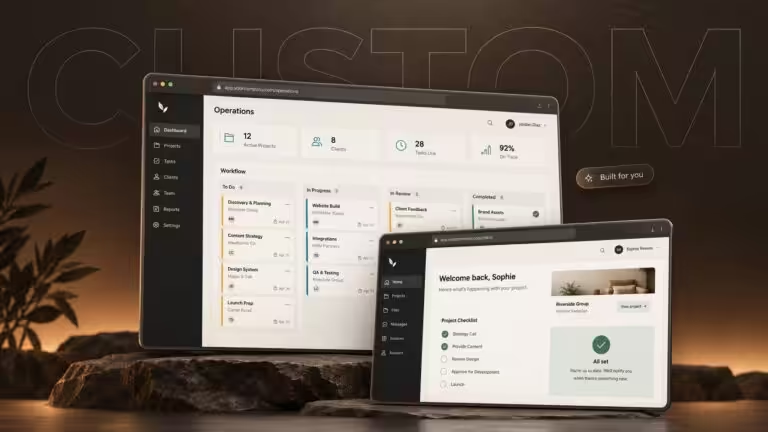
If your idea doesn’t fit an off-the-shelf tool, that’s usually the signal to build a custom web app around your workflow.
Owning the code brings the long-term advantages of a custom web application: no per-seat fees, a roadmap you control, and software that fits how you work.
Web App vs Website vs Mobile App
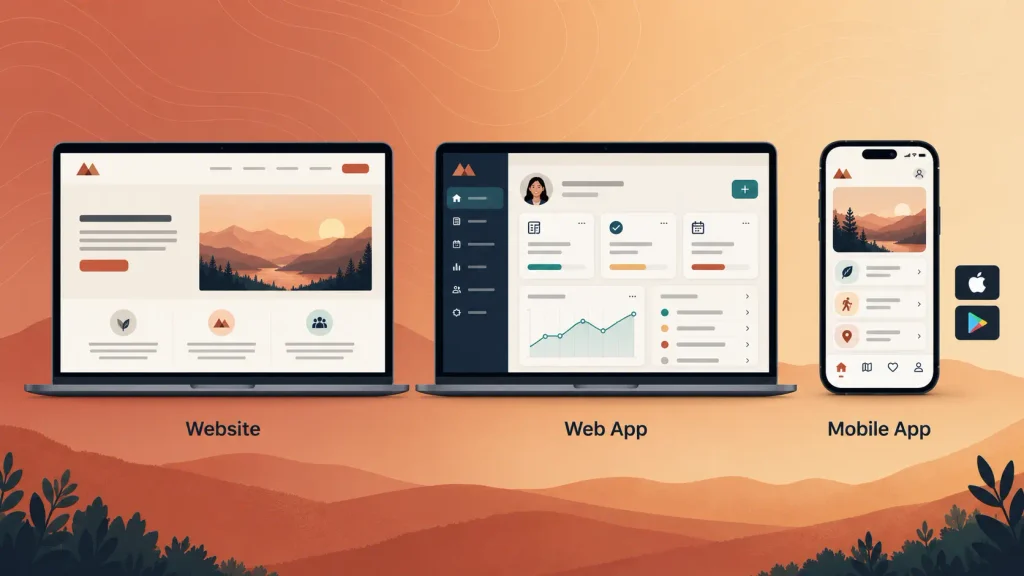
A website informs, a web app lets users do work, and a mobile app does that work from an installed program. The lines blur, but the table shows where they split, and most web app vs website decisions come down to the login and updates rows.
| Factor | Website | Web App | Mobile App |
| Main purpose | Share information | Let users act on their own data | Let users act on data from a phone |
| Login | Usually not needed | Core to the experience | Usually required |
| Installation | None | None | App store download |
| Updates | Instant | Instant, for every user | Users must update the app |
| Offline use | Rarely | Limited, unless built as a PWA | Strong |
| Device features | Minimal | Growing, but limited | Full access to camera, GPS, sensors |
| Reach | Any browser | Any browser | One platform per build |
| Maintenance | Low | Medium | Higher, often two codebases |
For most early products, a responsive web app reaches the most users for the least cost. You can add a native mobile app later, once you know which features people actually use on their phones.
How to Pick the Right Example to Model Your Own Build
The right reference app depends on the job your users need done, not on which brand you admire. Here’s how to pick which of these examples of web applications is worth studying.
Start From the Job, Not the Brand
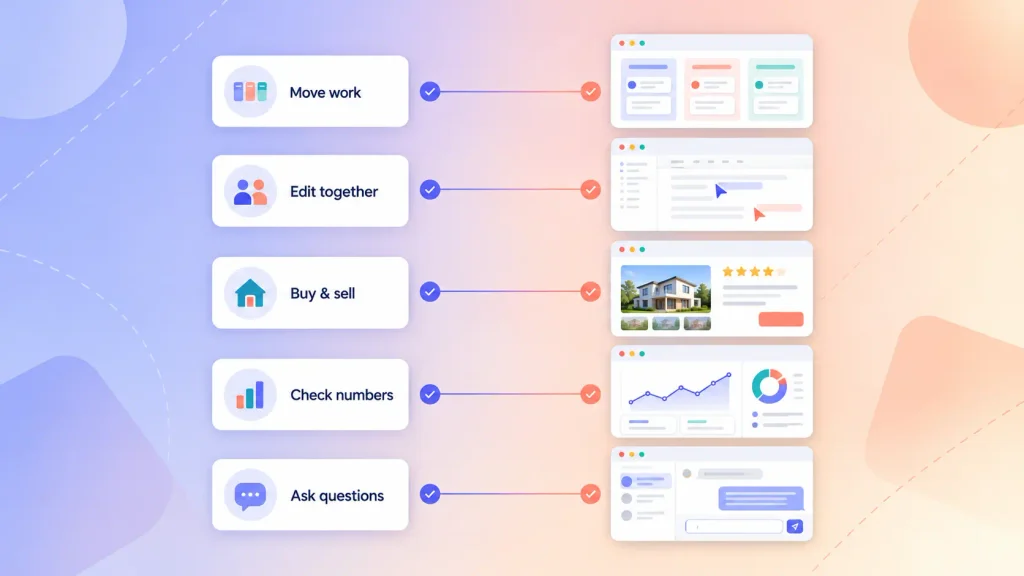
Write down the one task your users will repeat most. Then find which of the web app examples above does that task best.
- Users move work through stages? Study Trello.
- Users edit together? Study Google Docs.
- Users buy from each other? Study Airbnb.
- Users check numbers? Study Stripe Dashboard.
- Users ask questions in plain language? Study ChatGPT.
Match the App Type to How Your Users Work
Think about where and how long people use your app. A tool open all day on a laptop suits a single-page app. A product people find through Google needs multi-page structure for search visibility.
If your users are mostly on phones with patchy signal, a progressive web app is worth the extra effort. These choices shape every screen, so following web app design best practices from the start saves expensive redesigns.
Copy the Workflow, Not the Scale
Netflix-level infrastructure exists because Netflix serves a global audience. Your first version almost certainly doesn’t need it.
Borrow the flow, the screen structure, and the key interaction, then test them with real users during your UI/UX design process. Leave the scale engineering for when real traffic demands it.
Mistakes Founders Make When Copying Big Web Apps
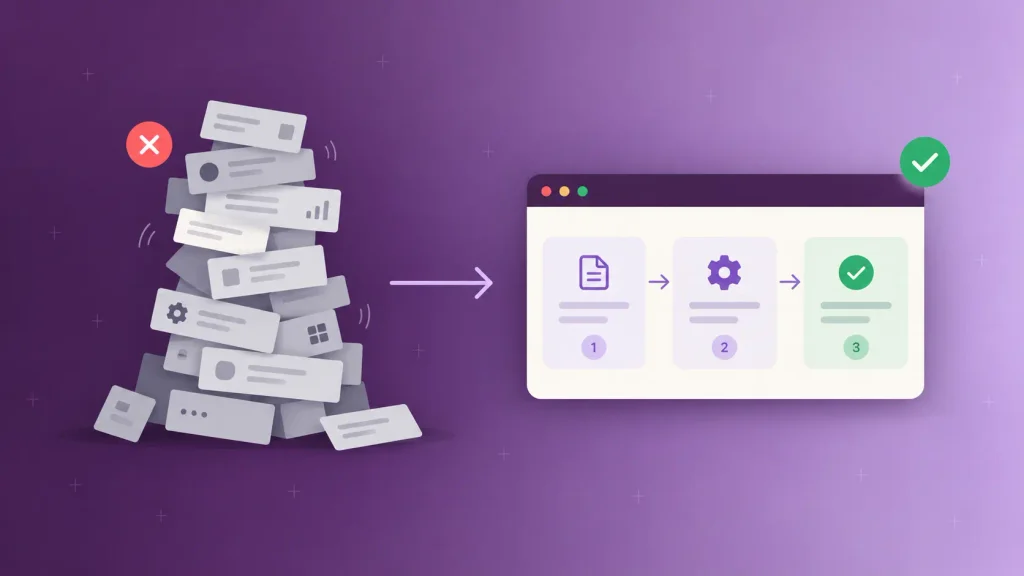
Big web apps look simple because years of iteration hid the complexity. Copying these examples of web applications feature for feature is one of the fastest ways to blow a budget.
Here are the mistakes that show up again and again:
- Building every feature at once. Gmail didn’t launch with smart compose. Ship the core workflow first, then add what users ask for.
- Copying scale before you have users. Microservices and multi-region hosting can wait until traffic proves the need, as long as basic cloud development best practices like backups and autoscaling are in place.
- Ignoring the admin side. Customers see the front end, but your team lives in the back office. Plan it early, as Shopify did.
- Skipping trust features in a marketplace. Reviews, verification, and protected payments aren’t extras. Without them, nobody transacts.
- Treating AI as the whole product. A model call is easy. The review steps, data handling, and cost controls around it are the real work.
- Choosing native apps by default. Many ideas work better as a responsive web app first, with native apps added once usage is proven.
The cleanest fix is a lean first release, like a focused SaaS MVP build, that proves one workflow before you invest in the rest. It also keeps your SaaS MVP cost small enough to absorb a pivot.
How Boomdevs Solves the “Where Do I Start” Problem for Web Apps
Most founders don’t lack ideas. They lack a clear line from “something like Trello, but for our industry” to a scoped, buildable first version.
That’s where Boomdevs starts. The team maps your core workflow, picks the reference patterns that fit, and turns them into a plan you can budget for. After 3.5K+ projects, the same lesson keeps repeating: the strongest web apps solve one painful job very well before they expand.
From there, you get design, development, testing, and launch under one roof. Each phase of the web app development process gets its own scope, so your custom web app development cost stays visible before work begins.
When you’re ready to move from reference app to real product, Boomdevs’ custom web app development services start with exactly that scoping work.
Frequently Asked Questions
What is a web application, in simple terms?
A web application is software you use through a browser instead of installing it. It runs on a remote server, stores your data in a database, and lets you log in and act on that data. Gmail, Google Docs, and Trello are common web app examples.
Is Netflix a web application?
Yes. Netflix’s browser version is a web application that streams video, stores your profiles, and personalizes your home screen. Netflix also offers native apps for phones, TVs, and desktops, which add features like offline downloads.
Is YouTube a web app or a website?
YouTube is a web application. You can browse it like a website, but logging in, uploading, subscribing, and managing a channel in YouTube Studio are all app behavior. The interactive, personalized features are what make it a web app.
What is the difference between a web app and a website?
A website mainly displays information that looks the same for every visitor. A web app lets each user log in, create or change data, and see a personalized experience. Many modern sites mix both, with informational pages wrapped around an app.
What are simple web application examples for beginners?
Good beginner projects include a to-do list, habit tracker, booking calendar, expense tracker, or mini CRM. Each one is small but includes the essentials: a login, a database, and a repeatable workflow. That’s enough to learn how real web apps fit together.
What are the most common web applications people use daily?
The most common web application examples are email clients like Gmail, document tools like Google Docs, streaming services like Netflix and YouTube, and team tools like Slack and Zoom. Online banking, shopping carts, and booking sites are web apps too, even if few people call them that.