


Summarize with
A website is a big part of the internet. It helps people, businesses, and organizations share information, connect with others, and even sell products. But what exactly is a website, and how does it work?
In this guide, we’ll explain everything in simple terms. You’ll learn what a website is, how it works, and why it matters. We’ll also go over different types of websites and how to create one.
So, you’ll have a clear idea of how websites work and how they can help you. Let’s dive in.
What is a Website?
A website is a place on the internet where people, businesses, or organizations share information. It can provide services, sell products, or connect with others. A website has many pages linked under one unique name, a domain (like example.com). These pages can have text, pictures, videos, and interactive tools.
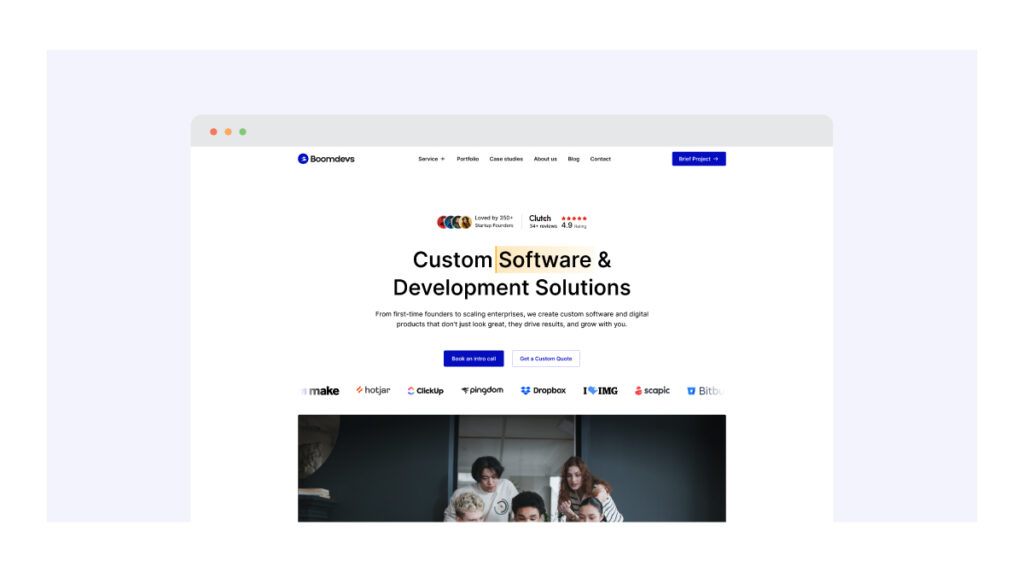
Websites serve different purposes. Some are for learning, some for entertainment, and others for online shopping. Just like a home has an address, a website has a unique web address (URL).
You can visit a website using a browser like Chrome, Safari or any other one. Whether for personal use or business, a website helps you reach more people and build an online presence.
Key Components of a Website
Every website is made up of several key parts. These elements work together to create a smooth and functional online experience. Let’s break them down in simple terms.
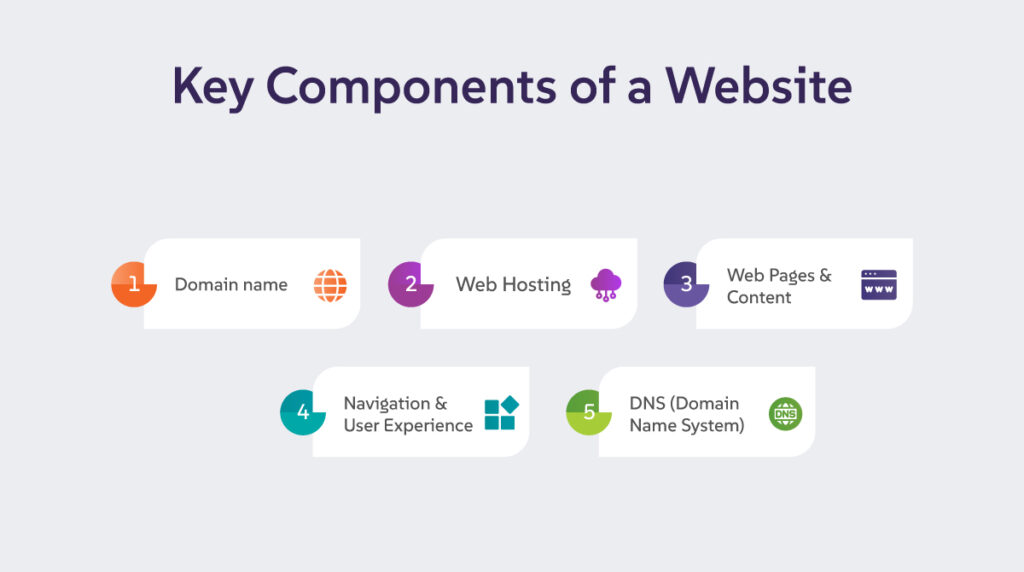
1. Domain Name
A domain name is the website’s unique address on the internet (like example.com). It helps users find your site easily. Just like your home has a street address, a website has a domain name.
2. Web Hosting
Web hosting is where your website’s files are stored. Think of it as a home for your website on the internet. A hosting service keeps your site accessible to visitors 24/7.
3. Web Pages & Content
A website consists of different web pages, such as the homepage, about page, and contact page. These pages contain text, images, videos, and other content providing visitors with information or services.
4. Navigation & User Experience
Navigation refers to the menus and links that help users move around your website. A good website should be easy to explore, making it simple for visitors to find what they need. Clear menus and well-organized pages improve the user experience.
5. DNS (Domain Name System)
DNS is like the phonebook of the internet. It translates domain names into IP addresses, allowing web browsers to load the correct website. Without DNS, users would have to remember long strings of numbers instead of simple domain names.
Types of Websites
Websites come in many forms, each serving a different purpose. Whether you want to start a business, share knowledge, or entertain people, there is a website type that fits your needs. Let’s explore some of the most common types of websites.
1. Business Websites
A business website is like an online office or store. It helps a company show who they are and what they do. It usually includes details about products or services, contact information, and the company’s background.
Having a business website is important because it builds trust. When customers search for a business online, they expect to find a professional website. It gives them confidence that the business is real and reliable.
A good business website should be simple, clear, and easy to navigate. It should have a homepage that explains the business, a services or products page, and a contact page so customers can reach out easily. Some businesses also add customer reviews or blogs to engage visitors.
If you own a business, having a website can help you reach more people, attract customers, and grow your brand. Whether you sell products, offer services, or just want to provide company updates, a website is a must-have tool for success.
Must Read: Business Software Development
2. E-commerce Stores
An e-commerce website is an online store where businesses sell products or services. It works like a digital shop that is open 24/7. Customers can browse items, add them to a shopping cart, and make payments online.
These websites often include features like secure payment options, product descriptions, and customer reviews. Popular e-commerce sites include Amazon and Shopify stores.
Whether you want to sell clothes, electronics, or digital services, an e-commerce website makes it easy to reach customers worldwide. Having a well-designed store can improve sales and grow your business.
3. Blogs & Personal Websites
Blogs and personal websites are great ways to share ideas, experiences, or expertise online. A blog is a website where individuals or businesses post articles, stories, or opinions. People often write about topics like travel, fashion, technology, or personal growth.
A personal website, on the other hand, works like an online resume or portfolio. It helps professionals showcase their skills, achievements, and work samples. Whether you want to share knowledge, build a personal brand, or connect with an audience, having a blog or personal website can be a powerful tool.
4. Informational & Educational Sites
Informational and educational websites help people learn new things. They provide knowledge, facts, and resources on different topics. Examples include Wikipedia, which offers information on almost anything, and online learning platforms like Coursera, where users can take courses.
Schools, universities, and teachers also use these websites to share lessons, study materials, and research papers. Whether you want to learn a new skill, find answers to questions, or explore academic subjects, these websites are a great source of information.
5. News & Media Websites
News and media websites help people stay informed about what’s happening in the world. They cover topics like politics, business, sports, health, and entertainment. Popular examples include CNN, BBC, and online newspapers.
These websites update regularly to share the latest news, videos, and reports. Some also offer live coverage and expert opinions. Whether you want to read breaking news or learn about current events, news websites are a quick and reliable source of information.
6. Forums & Communities
Forums and community websites are places where people can talk about different topics, ask questions, and share ideas. These websites bring people together based on shared
interests. Popular examples include Reddit and Quora, where users can join discussions, get advice, or learn from others. Some forums focus on specific topics like tech, health, or hobbies, while others cover a wide range of subjects. These websites help people connect, learn, and share knowledge interactively.
7. Government & Organization Websites
Government websites provide important official information and services. They may include details about laws, public policies, and available services. These websites also share important announcements and updates for the public. Nonprofit organizations also use websites to share their mission, values, and goals.
They often encourage people to donate or get involved in their causes. These websites play a vital role in informing the public and building support for different initiatives. Whether you’re looking for government services or supporting a cause, these websites provide key information and a way to take action.
8. Landing Pages
A landing page is a simple web page with a specific goal. It is designed to focus on one message and encourage visitors to take action. Businesses use landing pages to promote products, collect emails, or advertise special offers. Unlike full websites, landing pages have fewer distractions.
They usually include a headline, a short description, and a clear call to action, like “Sign Up” or “Buy Now.” A well-designed landing page helps businesses attract customers and increase conversions by guiding visitors toward a specific action.
9. Entertainment & Streaming Sites
These websites provide movies, music, games, and other entertainment content. Examples include Netflix for streaming movies and YouTube for watching videos, both of which behave as interactive web applications once you log in.
Each type of website serves a different role, and choosing the right one depends on your goals. Whether you want to start a business, share knowledge, or entertain people, there’s a perfect website type for you!
How Websites Work?
Websites work by storing information on special computers called servers. When you type a web address into a browser like Chrome or Safari, the browser sends a request to the server. The server then sends the website’s files back to the browser, which displays them on your screen.
Websites are stored on web hosting servers, making them accessible anytime through the internet. Every website has a unique address, known as a domain name, which helps users find it easily.
APIs (Application Programming Interfaces) play a key role in website functionality. They allow websites to connect with other services, like payment systems, weather updates, or social media platforms, making websites more interactive and useful.
Search engines like Google help people discover websites by organizing and ranking them based on keywords and relevance. If a website is well-optimized for search engines, it has a better chance of appearing in search results when users look for related information.
All these elements work together to ensure websites function smoothly, load quickly, and provide a great user experience. Understanding these basics makes it easier to create, manage, or improve a website.
Website Performance and Speed Optimization
Website performance and speed are important for a good user experience. A slow website can frustrate visitors and make them leave. It can also affect search engine rankings, making it harder for people to find your site.
To improve website speed, start by optimizing images. Large images take longer to load, so resizing and compressing them helps. Using a fast and reliable web hosting service also makes a big difference.
Another way to boost speed is by enabling browser caching. This allows visitors to load your site faster when they return. Minifying code (HTML, CSS, and JavaScript) removes unnecessary spaces and makes your site run more smoothly.
A content delivery network (CDN) can also help. It stores copies of your website on different servers around the world, so users can access it quickly from anywhere.
By following these steps, you can create a faster and more efficient website. This keeps visitors happy and improves your site’s visibility in search engines.
Security Measures for Websites
Keeping a website secure is very important. Without proper protection, websites can be attacked by hackers, leading to stolen data or broken pages. Understanding common threats and using strong security measures can help keep your site safe.
Common Threats to Websites
Websites face many security risks. Hackers may try to steal user information, inject harmful code, or crash a site. Common threats include:
- Malware – Software that damages or disrupts your website.
- Phishing – Fake pages that trick users into giving personal details.
- DDoS Attacks – Overloading a site with traffic to make it crash.
- SQL Injection – A method hackers use to access a website’s database.
How to Keep a Website Secure
There are several ways to protect a website from attacks:
- Use SSL Certificates – An SSL (Secure Sockets Layer) encrypts data between the website and visitors. This keeps sensitive information safe. You can check if a website has SSL by looking for “https” in the URL.
- Install Firewalls – A firewall blocks harmful traffic before it reaches the website. It helps prevent hacking attempts.
- Regular Backups – Keeping a backup of your website ensures that you can restore it if something goes wrong. Backups should be stored securely and updated often.
- Keep Software Updated – Websites use software like WordPress, plugins, and themes. Outdated software can have security holes, so always update them to the latest version.
- Use Strong Passwords – Weak passwords make websites easy to hack. Use long, unique passwords and enable two-factor authentication (2FA) for extra security.
Following these steps, you can reduce risks and keep your website safe for visitors. A secure website builds trust and improves user experience, helping your site grow successfully.
Why Websites Are Important
Websites play a big role in today’s world. They help businesses grow, allow individuals to share their work, and support organizations in reaching their goals. Whether you own a company, run a nonprofit, or just want to share ideas, having a website can make a big difference.
Benefits for Businesses, Individuals, and Organizations
A website is like a digital home. It helps people find you, learn about what you offer, and connect with you easily.
- For Businesses – A website allows businesses to reach more customers, showcase products, and sell online. It builds trust and makes a company look professional.
- For Individuals, Personal websites and blogs help people share their skills, build an online portfolio, or even earn money through content.
- For Organizations – Nonprofits, schools, and government agencies use websites to provide information, collect donations, and connect with people.
Also Read: Is jQuery a Front-end Framework?
The Role of Mobile Optimization and SEO
Today, most people use their phones to browse the internet. A website must be mobile-friendly so it looks good and works well on all screen sizes. If a site is hard to use on a phone, visitors may leave quickly.
Another important factor is SEO (Search Engine Optimization). SEO helps websites rank higher on Google and other search engines. This makes it easier for people to find your site. Good SEO includes using the right keywords, fast loading speeds, and clear content.
Having a website that is well-designed, mobile-friendly, and optimized for search engines can help businesses, individuals, and organizations succeed in the digital world.
How Boomdevs Can Help You Create a Website
1. Understand your goals
The team starts with a short discovery session. This helps define your business goals, audience, and success metrics.
2. Plan the right structure
They create a clear sitemap and content flow. This ensures your website is easy to navigate and built to convert.
3. Design a modern experience
UI/UX experts craft clean and user-friendly designs. The focus stays on clarity, speed, and brand consistency.
4. Build with the right tech
Developers choose the best stack based on your needs. The site is fast, secure, and scalable from day one.
5. Optimize for search and performance
SEO basics, speed optimization, and mobile responsiveness are handled during development. Your site launches ready to perform.
6. Test and launch smoothly
Quality checks cover usability, speed, and compatibility. The team manages deployment with minimal downtime.
7. Support and grow
You get ongoing support, updates, and improvements. This helps your website evolve as your business grows.
FAQs
1. How long does it take to create a website?
The time needed to create a website depends on its size and complexity. A simple website can be built in a few hours or days using website builders like Wix or Shopify. A more detailed website, such as a business or e-commerce site, may take a few weeks if designed from scratch. If you hire a professional developer, it might take several weeks or months to complete.
2. What’s the difference between a website and a web page?
A website is a collection of multiple web pages that work together under one domain. For example,www.example.com is a website.
A web page is a single page within a website. For instance, a homepage, an about page, or a blog post are all web pages within a website. If you’re also wondering about website vs web app, here’s how the two differ.
3. Do small businesses need a website?
Yes! A website helps small businesses reach more customers, build trust, and increase sales. Even if your business is local, having a website makes it easier for customers to find you online. It also allows you to showcase products, services, and contact details. In today’s digital world, having a website is essential for business growth.
4. Where are websites stored?
Websites are stored on web servers, which are computers that host and deliver websites to users. These servers are managed by hosting providers like Bluehost, SiteGround, and Hostinger. When someone types your website’s address in a browser, the server sends the web pages to their device so they can view them.
5. What is the easiest way to build a website?
The easiest way to build a website is by using a website builder like Wix, Shopify, or WordPress. These platforms offer pre-designed templates, drag-and-drop tools, and no coding required. If you want a simple website quickly, using a website builder is the best option.
Final Thought
A website is a great way to share information, connect with people, and grow your business or brand. It can help you sell products, offer services, or simply share your ideas with the world.
Today, having a website is more important than ever. It helps you reach more people, build trust, and stand out online.
If you don’t have a website yet, now is a great time to start! There are many simple tools to help you build one, even if you have no experience. Take the first step today and create your online presence!