- 1. Key Takeaways
- 2. Web App vs Website: Head-to-Head Comparison
- 3. Key Differences Between a Website and a Web App Explained
- 4. When a Website Is the Right Choice
- 5. When Your Business Needs a Web App
- 6. The Gray Zone: Is It a Website or a Web App?
- 7. Why Most Businesses End Up With Both
- 8. How to Choose: Seven Questions to Answer Before You Brief a Team
- 9. Mistakes That Cost Founders Time and Money
- 10. How Boomdevs Solves the Website or Web App Decision
- 11. Frequently Asked Questions
Summarize with
You have a product idea, and every agency asks the same first question. Do you need a website or web app? Both run in a browser, so the difference between a website and a web application isn’t obvious at a glance.
The honest answer to web app vs website depends on your situation, not on which one sounds bigger. It comes down to what your users need to do and what you can fund after launch. Here’s how to tell which side of that line you’re on.
Key Takeaways
- Pick a website if your goal is to be found, explain what you do, and capture leads. Visitors read, browse, and reach out.
- Pick a web app if users need to log in, enter data, and get something done, like booking, managing, or collaborating.
- Plan for both if you’re building a SaaS product or platform. The marketing site wins search traffic, and the app delivers the product.
- Budget differently for a website or web app. A website can be finished. A web app is a product you keep funding long after launch day.
Web App vs Website: Head-to-Head Comparison
The short version of web app vs website: a website shows people information, and a web app lets them do something with it. Everything else on this page, from cost to SEO, follows from that one split.
What Is a Website?
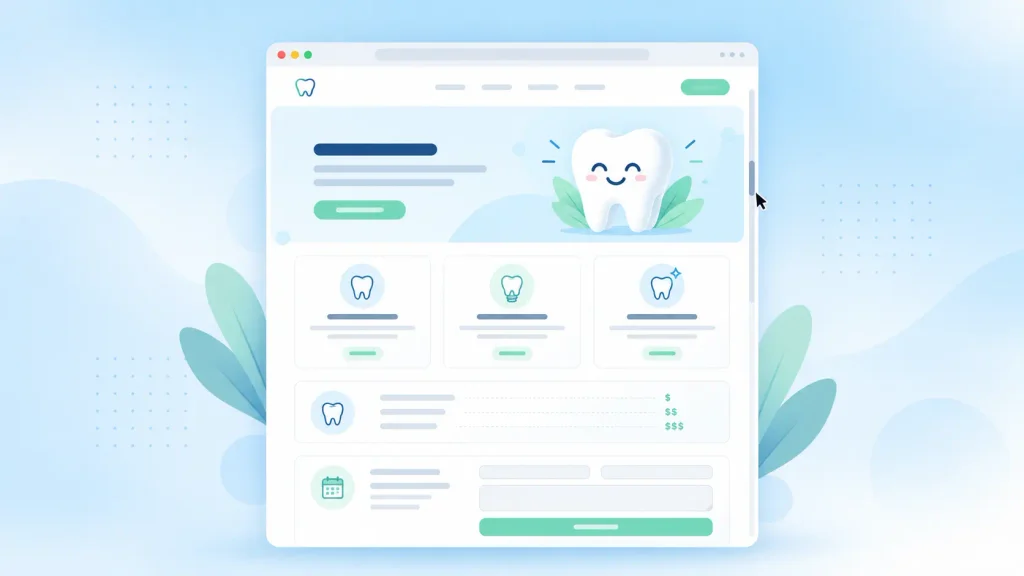
Think of the site you check before booking a dentist. You read the services, scan the prices, maybe fill in a contact form, and leave. Nothing on the page changes because of who you are.
That’s what a website is at its core: a set of linked pages under one domain, built so people can find and absorb information.
Some websites are static and serve the same files to every visitor. Others are dynamic, like a WordPress blog pulling posts from a database. Both are still about content, not tasks.
And there are a lot of them. Netcraft’s July 2026 Web Server Survey received responses from just under 1.5 billion sites. Yours has to earn attention in that crowd, which is exactly what a good website is built to do.
What Is a Web App?
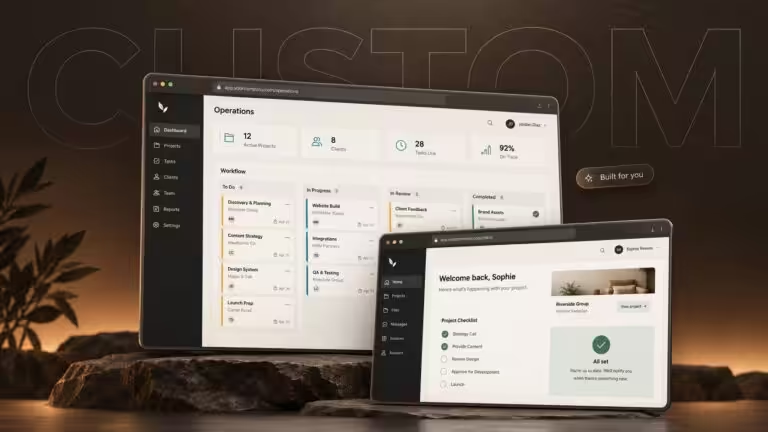
Now open Gmail, Trello, or your bank’s dashboard, three web application examples you probably used this week. You log in, the screen shows your data, and every click changes something. An email goes out, a task moves, a bill gets paid.
A web app is software you use through your browser. You create, read, update, and delete your own data, and the system responds in real time. No download, no app store, just a URL and a login.
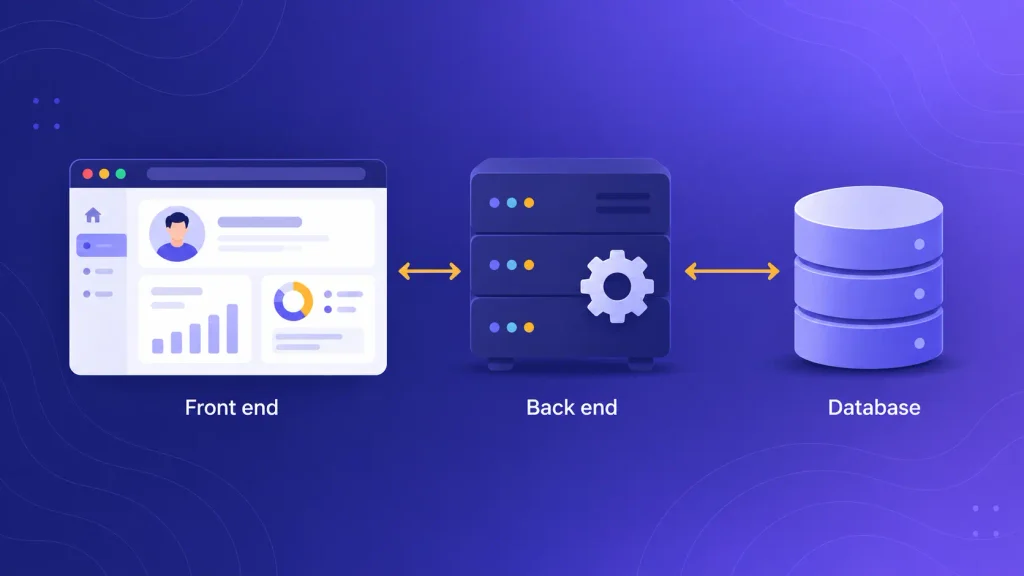
Under the hood, that takes three working parts: the screen users see, the server logic that handles their actions, and a database that remembers everything.
That’s the classic split between front end and back end, and it’s why app projects need more specialists than websites do.
Web App vs Website at a Glance
Here’s a web application vs website breakdown on the factors that actually change your budget and roadmap:
| Factor | Website | Web App |
| Main job | Inform and attract | Let users complete tasks |
| User interaction | Read, browse, contact | Log in, create, edit, manage |
| User accounts | Rare | Almost always |
| Data | Mostly fixed content | Constant reads and writes |
| Typical build | CMS or page builder | Front end, back end, database |
| Team | Designer plus developer | Designer, developers, QA |
| After launch | Periodic content updates | Ongoing releases and fixes |
| Search visibility | Strong by default | Limited behind a login |
If most of your answers land in the website column, a website will do the job. One strong row on the right, like user accounts, usually tips the whole project.
Key Differences Between a Website and a Web App Explained
The table gives you the what. This section explains the why behind each difference between a website and a web application, so you can see which ones actually apply to your project and which ones are noise.
Purpose and Interactivity
A website talks to your visitor. A web app works with them.
On a website, interaction is mostly navigation: menus, links, a form or two. On a web app, interaction is the product. Users filter, upload, schedule, and approve, and each action changes what they see next.
Here’s a quick test. Strip out every form and button in your head. If your product still delivers its value, you’re looking at a website. If it becomes useless, you’re building an app.
User Accounts and Data
Accounts are the clearest dividing line. Most websites never ask who you are. Most web apps can’t show you anything until they know.
Once accounts exist, a stack of work follows behind them:
- Authentication: sign-up, login, password resets, and often single sign-on.
- Roles and permissions: an admin sees everything, while a customer sees only their own records.
- Data storage: every record users create has to be saved, backed up, and protected.
- Privacy duties: you now hold personal data, which brings legal and security obligations.
None of this shows up in a sales demo. Each item still adds build time, testing, and long-term responsibility.
Tech Stack and Architecture
A website can run on a CMS like WordPress or Webflow with a theme and custom styling. For most of it, you won’t need a back-end developer at all.
A web app needs a front-end framework such as React or Vue, a back-end language, a database, and hosting that can grow with you. Even one decision, like choosing between Python and Java for web development, shapes your hiring and speed for years.
The smartest way to choose a tech stack for your web app is to weigh your team’s skills, budget, and growth plans, not the newest framework on the block.
Cost and Timeline
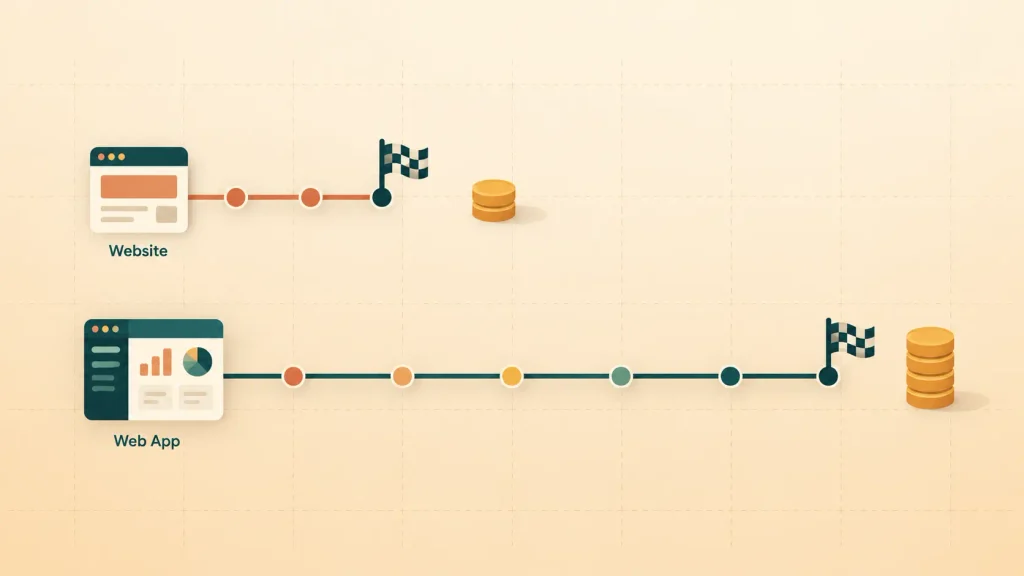
On web app vs website cost, the app almost always costs more and takes longer to build. The gap is wide, not marginal.
Clutch’s pricing data, based on verified client reviews, gives you a useful baseline:
| Project type (Clutch data) | Average cost | Typical timeline |
| Web design projects | $38,105 | About seven months |
| Software development projects | $132,480 | About 13 months |
Treat these as averages, not quotes. Clutch’s web design pricing guide notes that most design projects come in under $10,000. Its software development pricing guide shows how much higher custom builds run.
Your own web app vs website cost depends on features, integrations, and user roles. Every custom web app development process runs through discovery, design, build, testing, and launch, and each phase adds weeks.
A custom web design process is shorter because it centers on pages and content, not logic.
Maintenance After Launch
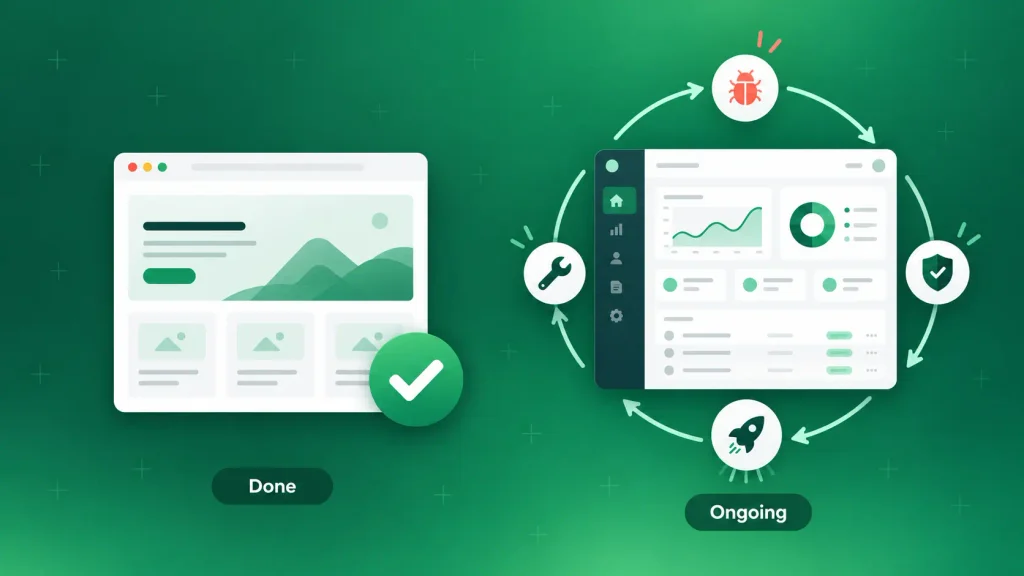
In the web app vs website debate, this is the difference that surprises founders most. A website can be finished. A web app never really is.
Once your website is live, upkeep means new blog posts, plugin updates, and the odd page refresh. One person can often handle it part time.
A web app keeps shipping. Users report bugs, browsers change, dependencies need security patches, and your roadmap grows. You’ll want a team for that, in-house or dedicated web developers from a partner, well past launch.
If that ongoing cost isn’t in your plan, the app slowly decays. That’s a business risk, not a technical one.
SEO and Discoverability
Websites are built to be found. Clean pages, real text, and a clear structure are exactly what search engines crawl best.
Web apps mostly live behind a login, so Google never sees the inside. That’s fine for a dashboard. It’s a problem if you expect the app itself to pull in new users from search.
Apps built as single-page applications add another wrinkle. They load content with JavaScript, which search engines handle less reliably than plain HTML. That’s one reason so many software companies keep a separate, crawlable marketing site.
Security
A brochure site with no logins has a small attack surface. A web app holding payments, health records, or client files has a large one.
That doesn’t make apps unsafe. It means security has to be designed in from day one: encrypted connections, safe session handling, input validation, and regular testing.
Independent software testing and QA before each release is one of the cheapest kinds of insurance you can buy.
When a Website Is the Right Choice
A website is the right call when your main job is to get found, build trust, and turn visitors into conversations. Most service businesses, clinics, consultancies, and early-stage brands sit here.
You’re likely in website territory if these sound familiar:
- Your visitors mainly want to learn what you offer and how to reach you.
- You rely on SEO and content marketing to bring in leads.
- Nobody needs an account to get value from you.
- You want to launch in weeks, not quarters, on a controlled budget.
- Your marketing team should be able to edit pages without a developer.
The trade-off is real, though. A website can’t run your workflows or manage customer data in any meaningful way. Bolt those on with plugins, and you’ll hit limits fast.
Inside the website world, you still have a choice to make. A theme gets you live quickly. A custom build gives you speed, brand control, and room to grow.
Choosing custom web design over a template pays off when your site has to load fast and look like no one else’s. The benefits of custom web design also compound over time, from cleaner SEO foundations to easier updates.
When you’re ready to build it properly, Boomdevs’ custom web design services cover strategy, design, and development.
When Your Business Needs a Web App
You need a web app when people come to get work done, not to read about you. If your product’s value lives in what users can do inside it, a website alone won’t carry it.
These are the signals that point to an app:
- Users log in to see their own data, history, or settings.
- Work happens in the product: booking, ordering, scheduling, approving, or collaborating.
- Different people need different access, such as admins, staff, and customers.
- You’re replacing a manual process, like approvals stuck in spreadsheets and email threads.
- The product is the business, as with a SaaS tool or a marketplace.
Internal tools count too. When you invest in business software development for your own team, the result is a web app even if no customer ever sees it.
The cost is the flip side. You’re signing up for a bigger build, a longer timeline, and ongoing spend. In return, you get software shaped around your exact workflow, which is the heart of the benefits of custom web applications.
Building a subscription product? The SaaS development process adds billing, multi-tenant accounts, and onboarding on top of a normal app build, which is why SaaS development services are a specialty of their own.
For any other custom product, Boomdevs’ custom web app development team builds exactly this kind of software.
The Gray Zone: Is It a Website or a Web App?
Plenty of products sit in between, and that’s where most website or web app confusion starts.
The useful question isn’t the label. It’s how much of your build is content and how much is logic.
Ecommerce Stores
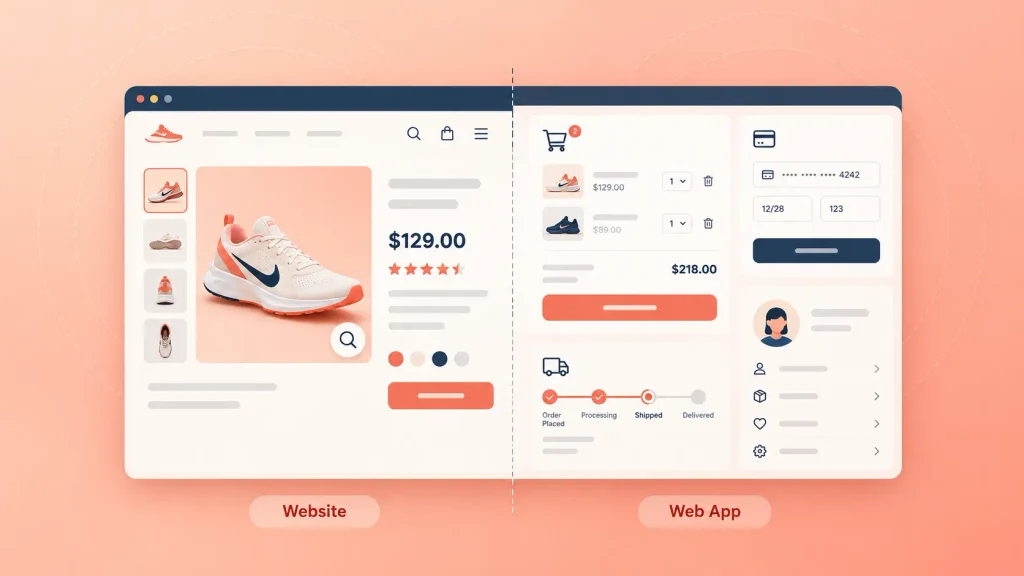
Your product pages behave like a website. They’re public, content-heavy, and you want them ranking.
Checkout is a different story. Carts, accounts, payments, inventory, and order tracking are pure web app behavior. If you plan to create your own payment gateway, expect compliance, fraud checks, and bank integrations on top of the checkout itself.
A hosted platform covers most stores. A custom build makes sense when your model doesn’t fit the template, and an ecommerce MVP lets you test that model before you scale it.
Membership and Login Sites
A login alone doesn’t make something an app. A paywalled publication or a course library where members mostly read and watch is still a website with a gate.
It crosses the line when the logged-in area turns personal and active. Think progress tracking, submissions, messaging, or dashboards.
Customer Portals and Dashboards
Portals are web apps, full stop. Patient portals, client dashboards, partner hubs, and employee intranets all depend on accounts, roles, and live data.
At a larger scale, these often connect to ERPs, CRMs, and other company systems. That moves them into enterprise software development territory.
Progressive Web Apps
A progressive web app (PWA) is a web app that behaves more like a phone app. Users can add it to their home screen, get notifications, and use parts of it offline.
It’s a handy middle step when you want an app-like experience without building separate iOS and Android versions.
Here’s where common products usually land:
| Product | Closer to | Why |
| Company or service site | Website | Content and lead capture |
| Blog or news site | Website | Publishing, no user tasks |
| Online store | Both | Public catalog, app-like checkout |
| Membership library | Website | Login, but users mostly consume |
| Marketplace | Web app | Two-sided accounts and transactions |
| Client portal | Web app | Accounts, roles, live data |
| SaaS product | Web app | The software is the product |
Notice how many rows lean on both sides. For a two-sided platform, a marketplace MVP is usually the smartest first build, since it proves demand before you fund every feature.
Why Most Businesses End Up With Both
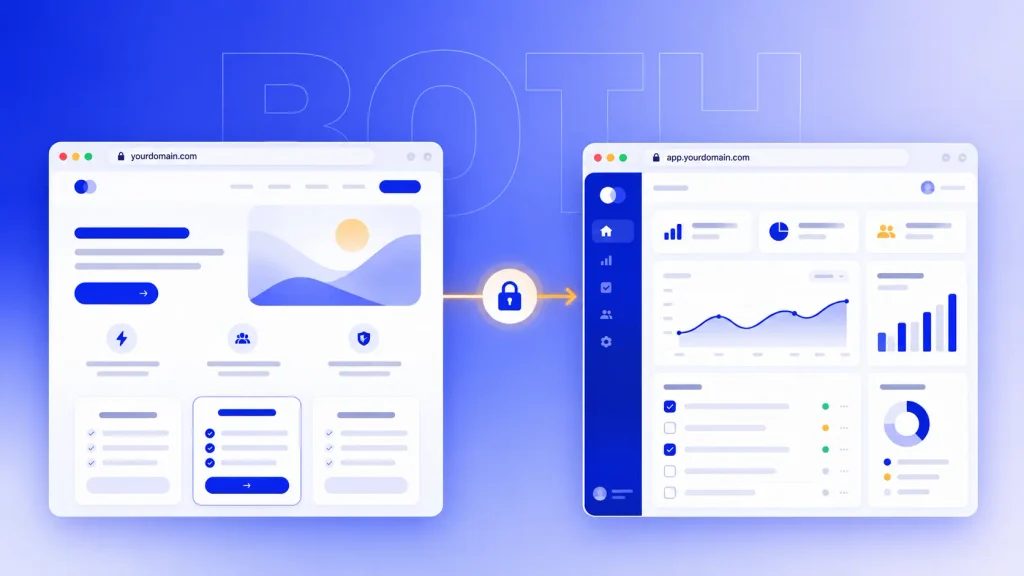
If you’re building a software product, the real answer to web app vs website is usually both. You need a website to win attention and a web app to deliver what people pay for.
Visit almost any SaaS brand while logged out, and you’ll see marketing pages. Log in, and you’re inside the app, often on its own subdomain.
How the Split Works
The cleanest setup gives each job its own home:
- Marketing site on your main domain, with home, features, pricing, blog, and signup.
- Web app on a subdomain or path, such as app.yourdomain.com, behind the login.
- Shared design system so the jump from one to the other feels like one product.
Each side then moves at its own pace. Your marketing team edits pages daily without touching app code, and your engineers ship features without breaking the blog.
Consistency is what holds it together. Thoughtful UI/UX design keeps the hand-off from site to app feeling natural. Inside the product, web app design best practices like clear navigation and instant feedback on every action make logged-in users feel at home.
Why the Marketing Side Should Stay Crawlable
Some teams build everything, marketing pages included, as one big JavaScript app. It looks tidy in a demo. Then the pricing and feature pages struggle to rank.
I’d suggest keeping the public side on a CMS or a server-rendered setup. Your app can use whatever framework your engineers prefer, while the pages that need search traffic stay easy to crawl.
How to Choose: Seven Questions to Answer Before You Brief a Team
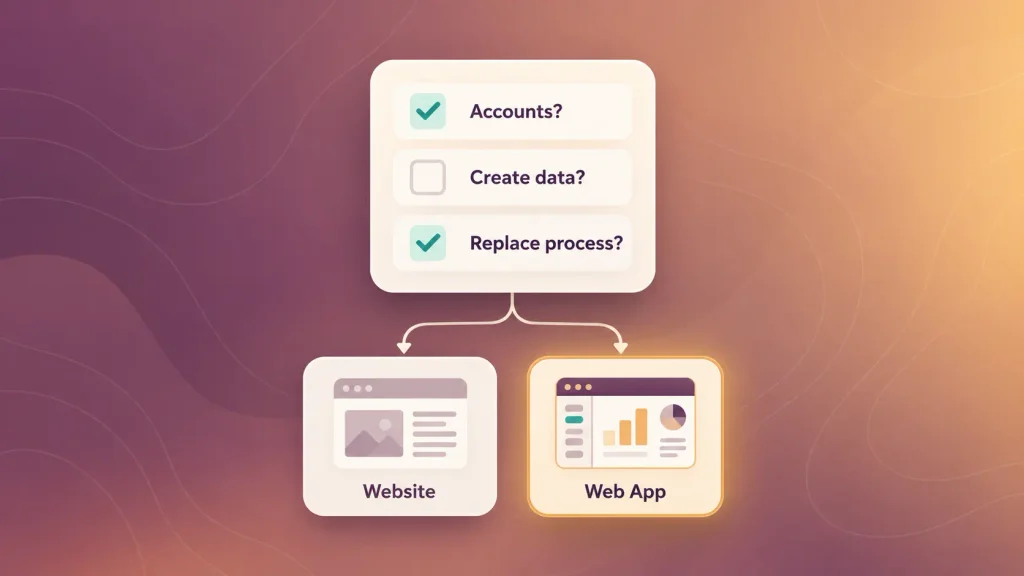
Labels won’t settle the web app vs website decision. Your honest answers to these questions will:
- Do users need an account to get value? If yes, lean web app.
- Will users create or change data, or mostly read? Creating points to an app. Reading points to a website.
- Is search traffic your main growth channel? If yes, you need a strong website, whatever else you build.
- Are you replacing a manual process? Spreadsheets, email approvals, and paper forms are app problems.
- Can you fund the product after launch? If ongoing releases aren’t affordable yet, start with a website or a lean MVP.
- How fast do you need to be live? Weeks favor a website. Months give an app room to be done right.
- Where will this be in two years? If your roadmap includes accounts and workflows, plan the architecture for them now.
Answered yes to questions one, two, or four? You’re building a web app, and question three tells you whether you need a marketing site alongside it. Mostly no? A well-built website will serve you better and cost far less.
Still on the fence? You can talk it through with Boomdevs and get a straight recommendation for your project.
Mistakes That Cost Founders Time and Money
Most expensive web app vs website mistakes come from a mismatch between what got built and what the business actually needed. These are the ones that show up again and again:
- Building an app when a website would do. A complex platform for what is really a brochure burns budget and delays your launch.
- Stretching a website into an app. Stacking plugins until a CMS behaves like software creates something fragile and painful to fix.
- Skipping the MVP. Building every feature before real users try the core one is the slowest way to learn. A focused SaaS MVP gets real feedback far sooner.
- Forgetting the upkeep budget. Launch is the start of web app spending, not the end of it.
- Ignoring scale until it hurts. Hosting choices made early decide how your app copes with growth, so it pays to follow cloud development best practices like autoscaling and backups from day one.
Each of these is cheaper to avoid than to fix. And if you’re already stuck with an aging system, application modernization is often a smarter move than starting from scratch.
How Boomdevs Solves the Website or Web App Decision
Getting the website or web app choice right before anyone writes code saves more money than any later optimization. So that’s where Boomdevs starts.
Over 10+ years and 3.5K+ projects, we’ve built everything from lean marketing sites to full products, including the platform behind Flash.trade, a Solana perpetuals exchange with 1M+ daily active users. That range is what lets us tell you honestly which one you need.
Here’s how we usually help:
- Scoping first: we map what your users need to do, then recommend a website, a web app, or both.
- Website builds: fast, crawlable, conversion-focused sites your team can edit without a developer.
- Web app builds: secure, scalable products through custom software development, designed around your workflow.
- Life after launch: ongoing releases, testing, and support so the product keeps getting better.
Not sure which side of the line your idea falls on? Book a free scoping call with Boomdevs and walk away with a clear plan before you spend a dollar on development.
Frequently Asked Questions
Is an Ecommerce Site a Website or a Web App?
It’s both. Product pages work like a website and should rank in search. The cart, accounts, payments, and inventory are web app functions, which is why serious stores get planned as hybrid builds.
Can a Website Become a Web App Later?
Yes, and many products grow exactly this way. Adding accounts, dashboards, or workflows gradually turns a site into an app. If that’s on your roadmap, pick an architecture that supports it so you don’t have to rebuild.
Is Amazon a Website or a Web App?
Amazon is a web app with website elements. Its product pages are public and searchable. Filters, carts, recommendations, accounts, and order tracking are all application logic.
Which Is Better for SEO: Website or Web App?
A website. Public, text-rich pages are what search engines index best, while app screens behind a login don’t rank at all. If you’re building an app, pair it with a crawlable marketing site.
How Long Does It Take to Build a Web App?
Longer than a website, usually months rather than weeks. Clutch’s review data puts the typical software development project at about 13 months, though a focused MVP can launch much sooner. Scope, integrations, and user roles decide your timeline.
What Is the Difference Between a Web App and a Mobile App?
A web app runs in a browser on any device with no download. A mobile app installs from an app store and is built for iOS or Android. Native apps usually cost more, since you often build a mobile app once per platform, and mobile app development adds store reviews and device testing.