


- 1. Key Takeaways
- 2. PWA vs Native App: Head-to-Head Comparison
- 3. Where a PWA Wins
- 4. Where a Native App Wins
- 5. What PWAs Still Can't Do on iPhone in 2026
- 6. The Real Cost Comparison: Build, Stores, and Upkeep
- 7. Can a PWA Be in the App Store?
- 8. The Third Option: Cross-Platform With React Native or Flutter
- 9. How to Choose Between a PWA and a Native App
- 10. How Boomdevs Solves the PWA vs Native Decision
- 11. Frequently Asked Questions
Summarize with
You have a product to launch, and the PWA vs native app question is stuck on your roadmap. One camp says ship a progressive web app and skip the stores. The other swears users only trust a native app.
The honest answer depends on your product, not on which side argues louder. It comes down to what your app needs from the phone and where your users already are. Here’s a simple PWA vs native app framework for finding your fit.
Key Takeaways
- Pick a PWA if your product is content, commerce, booking, or a dashboard, and most users reach you through search, links, or ads.
- Pick native if a core feature needs Bluetooth, NFC, constant background location, heavy animation, or app store discovery.
- On iPhone, a PWA can send push notifications only after the user adds it to the Home Screen, so your install rate shapes the whole business case.
- A PWA skips store costs: no 15% to 30% commission on digital sales and no yearly Android target-API release.
- Still unsure? Many teams launch a PWA first, then build native once real usage shows which features need it.
PWA vs Native App: Head-to-Head Comparison
In any progressive web app vs native app comparison, the core difference is simple: a PWA opens from a web link and can live on the home screen, while a native app is built for iOS or Android and installed from an app store. Almost every trade-off below traces back to that one difference.
What Is a PWA?
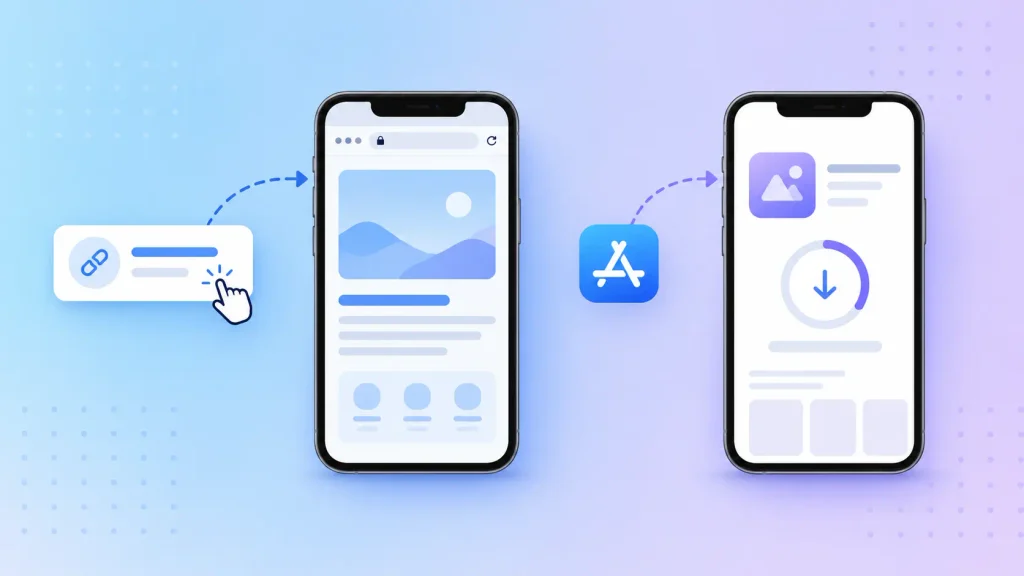
Picture your website with an app’s habits. It opens from a link, keeps working offline once loaded, and can sit on the home screen with its own icon.
Two pieces make that happen. A service worker handles caching and push messages, and a web app manifest tells the phone the app’s name, icon, and launch style. If you’re still deciding whether you need an app at all, our guide to web apps versus websites covers that earlier fork.
What Is a Native App?
A native app is written with one platform’s own tools, usually Swift for iOS and Kotlin for Android. Your users download it from the App Store or Google Play.
That install step is the price of entry. In return, the app gets full access to the phone’s hardware and operating system.
The Side-by-Side Table
Here’s how the two compare on the points that usually decide a real project:
| Install | From a link, optional home screen add | App store download |
| Updates | Live on the next page load | Store review for each release |
| Performance | Strong for forms, feeds, checkout | Best for heavy animation and real-time |
| Offline | Cached pages and stored data | Full offline by design |
| Hardware access | Camera, location, some sensors | Full device APIs |
| Push on iPhone | Only after Home Screen install | Standard |
| Discovery | Search engines and shared links | App store search |
| Store commission | None on web checkout | 15% to 30% on digital sales |
Notice the pattern in this PWA vs native app table. A PWA wins on reach and speed of change, while native wins on depth of access to the device.
Where a PWA Wins
A PWA wins when getting people into your product matters more than what your product does with the phone’s hardware. Most business apps sit on that side of the line more often than founders expect.
Zero Install Friction and Link-Based Reach
Every app store install is a small leap of faith for your user. They have to leave what they were doing, search, wait, and come back.
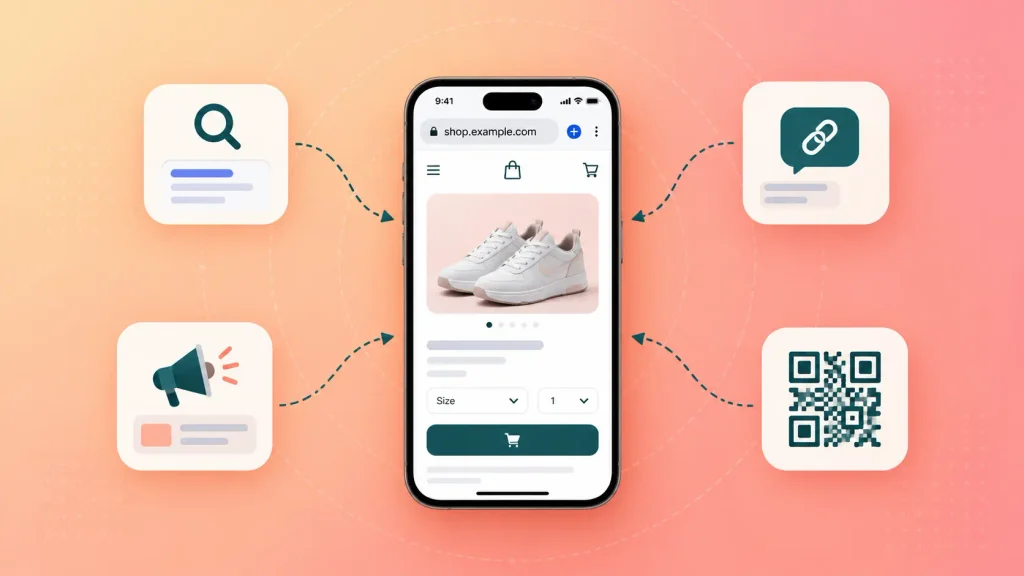
A PWA removes that step. It fits best when your users arrive through:
- Search results, where a product page or booking form can rank like any other web page
- Shared links in emails, chats, and social posts
- Paid ads, which can drop someone straight into checkout
- QR codes on packaging, menus, or event signage
In each case, the first tap opens the product itself. That’s a big deal if your growth depends on traffic you already pay for.
Ship Updates Without a Review Queue
With a PWA, a fix goes live the moment you deploy it. Nobody waits on a reviewer, and nobody has to update anything.
This matters most when your product changes often. Think of a sale weekend where a checkout bug costs real money every hour it stays live.
One Codebase, Lower Build Cost
A single web team can build one PWA that runs on iPhone, Android, and desktop. You skip paying two mobile teams to build the same screens twice.
That’s why PWAs show up so often in custom web app development projects for startups and internal tools. The stack choice still matters, and our guide to choosing a tech stack for web apps walks through it.
What the Results Look Like in Practice
Pinterest is the clearest public case, because its own engineers published the numbers. The company rebuilt its mobile website as a PWA in 2017, and one year later Pinterest Engineering reported weekly active users on mobile web up 103% and new signups up 843% year over year.
One honest caveat: Pinterest kept its native apps. The PWA replaced a slow mobile site, not the app. If you want more patterns like this, our roundup of web application examples shows what different products teach before you build.
Where a Native App Wins
A native app wins when the phone itself is part of how your product works. If a core feature depends on hardware or on running in the background, the web can’t fully follow.
Heavy Interaction and Real-Time Performance
Native code talks to the device directly, so complex animation and live data feel smoother. A workout tracker that redraws charts mid-run, or a camera-heavy social feed, shows the gap fast.
A PWA handles browsing, filtering, and checkout just fine. The strain appears when every second of use is interactive.
Deep Hardware Access and Background Work
Some features aren’t available to the web on iPhone at all. Apple’s WebKit team, whose engine powers every iOS browser, has said it opposes Web NFC and won’t implement it, citing security and privacy risks.
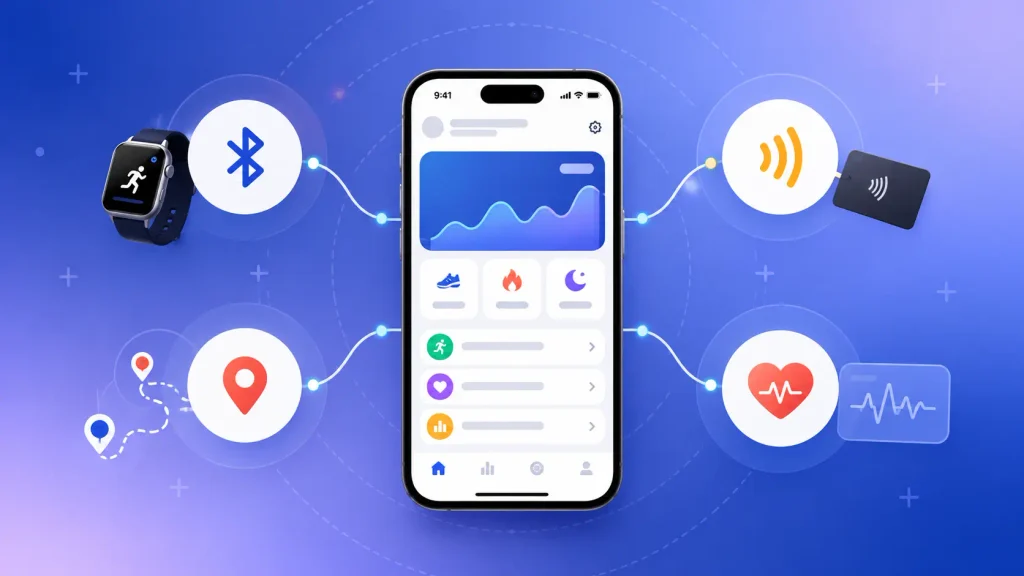
You’ll want native, or a cross-platform framework, if your product relies on:
- Bluetooth or NFC accessories, such as smart locks, wearables, or payment tags
- Continuous background location, the way delivery and ride apps track a route
- Platform health and AR frameworks, like Apple’s HealthKit or ARKit
- Long-running background tasks, such as syncing large files while the app is closed
If one of these is your core feature, the decision is mostly made for you. Our mobile app development team builds exactly these kinds of hardware-dependent apps.
App Store Presence and Trust
For some categories, users expect to find you in the store. Banking, health, and messaging apps all lean on store reviews and ratings as a trust signal.
The store also works as a discovery channel. If your audience browses charts and categories, a web-only product misses that shelf.
Reliable Re-engagement
Native push notifications work without install caveats, and native apps can add widgets and lock screen features. If daily reminders drive your retention, that reliability is worth paying for.
Our step-by-step guide to building a mobile app covers what that path involves once you commit to it.
What PWAs Still Can’t Do on iPhone in 2026
PWAs do work on iPhone in 2026, but Apple sets the limits, and they bite harder than on Android. Every iOS browser, Chrome included, runs on Apple’s WebKit engine, so Safari’s rules apply everywhere.
The PWA iOS limitations you’ll want to plan around:
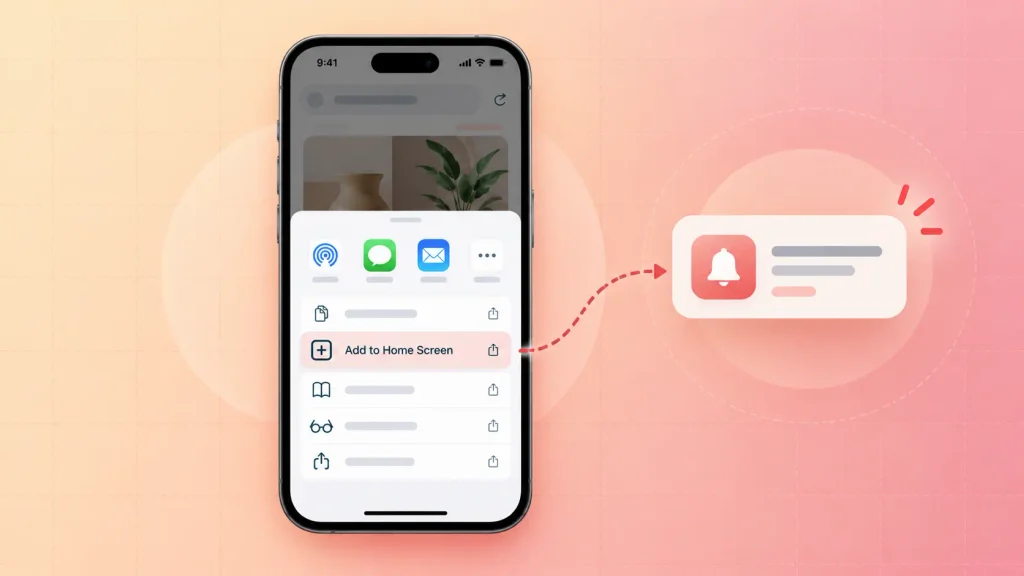
- Push needs an install. Notifications only work after the user adds your PWA to the Home Screen.
- No automatic install prompt. Users have to find Share, then Add to Home Screen, on their own or with your guidance.
- No Web NFC or Web Bluetooth. Hardware-connected features are off the table.
- Weak background work. You can’t count on syncing data while the app is closed.
These PWA iOS limitations don’t block a store, a booking flow, or a dashboard. They do rule out products built around the phone’s hardware.
Push Works, but Only After Install
Apple added Web Push for Home Screen web apps in iOS 16.4. According to WebKit’s announcement, the permission request has to follow a direct user action, such as tapping a subscribe button.
Once granted, those notifications behave like any other app’s. They show on the Lock Screen and in Notification Center.
Why Your iOS Install Rate Becomes a Business Metric
Here’s the part most comparisons skip. If your retention plan depends on push, every iPhone user who never installs your PWA is a user you can’t reach.
So the install step stops being a nice extra and becomes part of your product design. I’d suggest planning a clear “add to Home Screen” moment, asking for push only after install, and tracking install rate from launch day.
The Real Cost Comparison: Build, Stores, and Upkeep
A PWA usually costs less to build, because you pay for one codebase instead of two. It can also cost less to run, because no store takes a cut of web payments and no platform forces a yearly release.
For real budget ranges, our breakdowns of custom web app development cost and mobile app development cost go line by line. The ongoing costs are where the PWA vs native app paths really split:
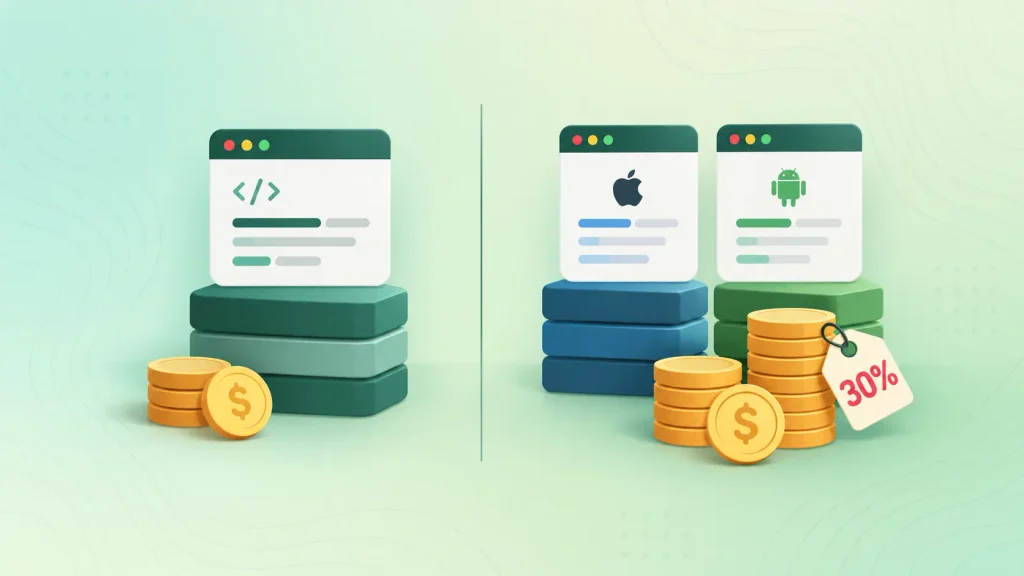
| Build | One web codebase | Two platform builds, or one cross-platform |
| Digital sales commission | None on web checkout | 15% to 30% |
| Yearly platform deadline | None | Android target API update each August |
| Release overhead | Deploy and done | Store review for each update |
The commission line comes from the stores themselves. Apple’s App Store Small Business Program charges 15% if you earned up to $1 million in proceeds the previous year, and 30% above that. Google Play’s service fees work similarly in most markets, with newer rates for new installs in the US, UK, and EEA from June 30, 2026.
Those fees apply to digital goods and services. If you sell coffee, rides, or physical products, commission isn’t your deciding factor.
The deadline line is easy to underestimate. Google requires new apps and updates to target Android 16 (API level 36) from August 31, 2026. That bar rises every year, so even a stable app needs a release, a test pass, and a review.
Can a PWA Be in the App Store?
So, can a PWA be in the App Store or Google Play? Yes, but the two routes work differently. The short version:
| Google Play | Wrapped as a Trusted Web Activity | Inherits Play’s yearly target-API rule |
| Apple App Store | Wrapped in a native container | Rejection as a “repackaged website” |
Neither route is free of trade-offs. A store listing for a PWA buys you discovery, not an escape from store rules.
Google Play via a Trusted Web Activity
On Android, your PWA can ship as a Trusted Web Activity, a thin wrapper that runs your web app full screen. Tools like PWABuilder package it for you, and MDN’s guide to installable PWAs lists Google Play among the supported stores.
The catch: once wrapped, it’s a Play app. A PWABuilder issue from July 2026 shows teams needing a template update to meet the API 36 deadline, the same rule native apps face.
Apple’s App Store and the “Repackaged Website” Rule
Apple accepts web apps in native containers, but its App Store Review Guidelines set a bar in section 4.2. Your app should offer features, content, and UI that go beyond a repackaged website.
In practice, can a PWA be in the App Store as a thin wrapper around your site? Rarely, because that’s a rejection risk. If the App Store matters to you, plan real app-like value into the build, such as offline use, push, or device features.
The Third Option: Cross-Platform With React Native or Flutter
If you need native features but can’t fund two separate apps, the choice often becomes PWA vs React Native vs Flutter, with cross-platform frameworks sitting between the two. With React Native or Flutter, one team writes one codebase that ships as real iOS and Android apps.
Most PWA vs native app comparisons skip this middle path, yet it’s where many consumer products land. Here’s how the three options line up:
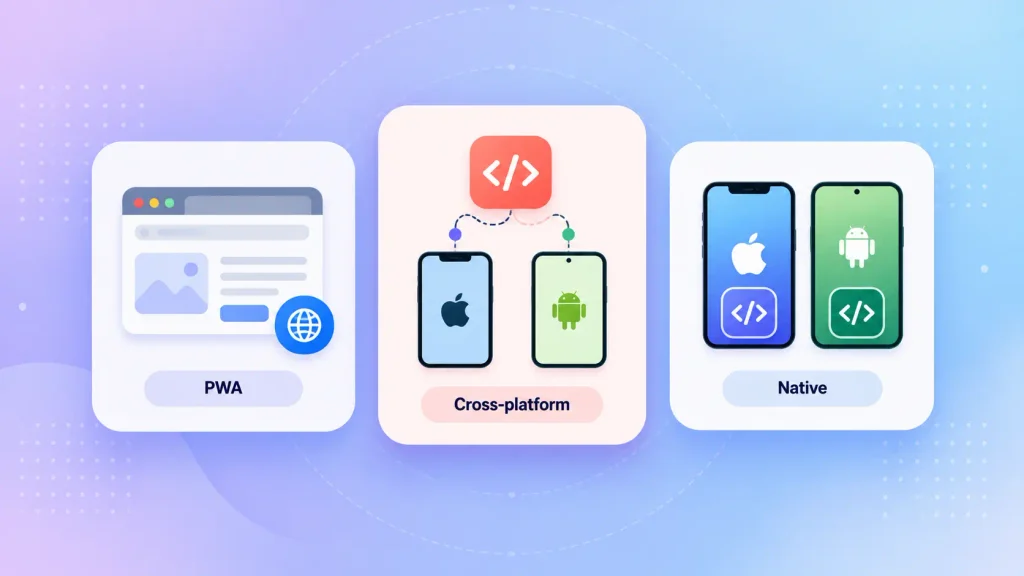
| PWA | One web codebase | Limited on iPhone | Content, commerce, booking, tools |
| Cross-platform | One mobile codebase | Close to native | Consumer apps with device needs |
| Fully native | One per platform | Full | Hardware-heavy or performance-critical apps |
If you’re weighing PWA vs React Native vs Flutter, you can compare Flutter app development and React Native app development side by side. The right pick usually depends on your team’s existing skills and the device features you need.
How to Choose Between a PWA and a Native App
You can settle the PWA vs native app decision by answering five questions about your product. The order matters, because an early “yes” can end the debate on its own.
Five Questions That Decide It
Work through these in sequence:
- Does any core feature need hardware the web can’t reach on iPhone? If yes, go native or cross-platform, and you can stop here.
- How many of your users are on iPhone, and will they install? A heavy iOS audience that needs push notifications makes the install step a real risk.
- How do users find you? Search, ads, and shared links favor a PWA, while store browsing favors native.
- How often will you ship changes? Weekly releases are far easier without a review queue.
- Do you sell digital goods inside the app? If so, store commission becomes a real line in your margin.
Most products get a clear answer by question three. If you still land in the middle, that’s usually a sign the phased path below fits you.
Use-Case Cheat Sheet
Here’s where common product types tend to land in the PWA vs native app debate:
| E-commerce store | PWA | Search traffic, fast checkout |
| Booking or ordering app | PWA | Task-based, link entry |
| Internal tool or dashboard | PWA | No store needed |
| Fitness or health tracker | Native | Sensors and background work |
| Camera-heavy social app | Native or cross-platform | Performance and push |
| Banking app | Native | Store trust and security expectations |
| IoT companion app | Native | Bluetooth access |
Treat this as a starting point, not a rule. Your own answers to the five questions should win any tie.
The Phased Path: PWA First, Native Later
You don’t have to make the PWA vs native app choice forever on day one. Plenty of teams launch a PWA to test demand, learn how people use it, and then build native only for the features that earned it.
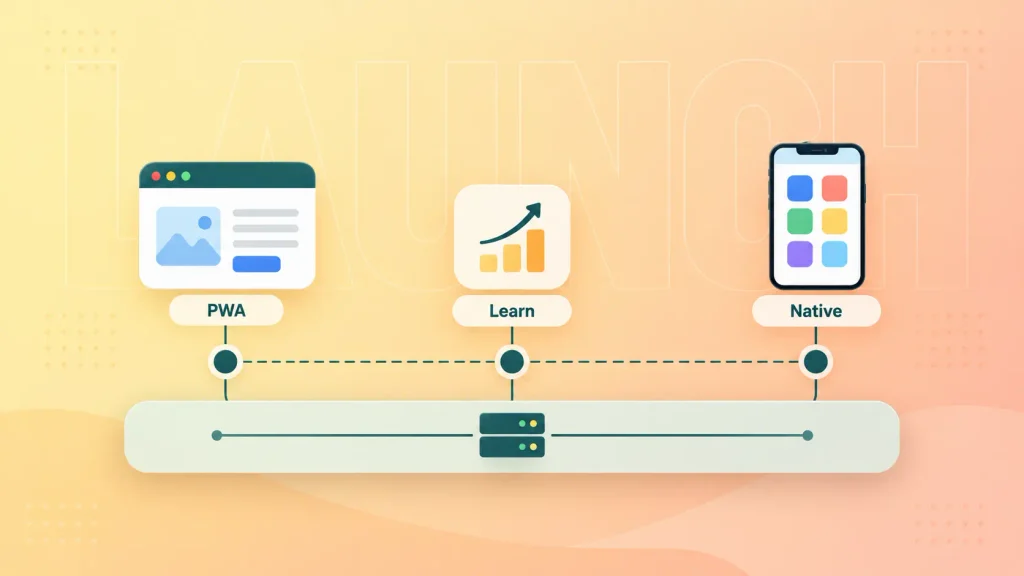
The one thing to get right early is your backend. If your APIs are built cleanly, a later native or cross-platform app can reuse them instead of starting over. A focused web MVP build is a sensible way to start down this path.
How Boomdevs Solves the PWA vs Native Decision
Boomdevs starts with your product’s capability list, not a favorite stack. We map which features need the phone’s hardware, where your users come from, and how you make money, then recommend the lightest build that covers all of it.
That might be a PWA, a cross-platform app, or a native build with a web front door. With 10+ years of experience and work for 350+ startup founders, we’ve seen each path succeed, and each one go wrong.
If you’d like a straight answer for your product, book a free strategy call, and we’ll help you scope the right build before you spend on the wrong one.
Frequently Asked Questions
Is a PWA Cheaper Than a Native App?
Usually, yes. You build one web codebase instead of separate iOS and Android apps, and you avoid store commissions on web payments. The gap narrows if you choose a cross-platform framework for native.
Can a PWA Work Offline?
Yes. A service worker caches pages and data so the app keeps working without a connection. Native apps still offer deeper offline control, which matters for apps used in areas with weak signal.
Do PWAs Work on iPhone?
Yes, PWAs run on iPhone and can be added to the Home Screen. Since iOS 16.4, installed PWAs can send push notifications. They still can’t use Web NFC or Web Bluetooth, and background work is limited.
Will PWAs Replace Native Apps?
Not fully. PWAs have taken over many content, commerce, and tool use cases, but hardware-heavy apps still need native code. Most companies end up using both for different jobs.
Should a Startup Build a PWA or a Native App First?
Start with a PWA if your core features work on the web and you need to validate demand fast. Start native or cross-platform if your product depends on device hardware from day one. In both cases, a clean backend keeps your next step open.