


- 1. Key Takeaways
- 2. The 12 AI Chatbot Builders at a Glance
- 3. What Is an AI Chatbot Builder?
- 4. How These Tools Were Compared
- 5. Best No-Code AI Chatbot Builders for Websites
- 6. Best AI Chatbot Builders for Customer Support Automation
- 7. Best AI Chatbot Builder for Marketing and Social
- 8. Best AI Chatbot Builders for Developers and Custom Agents
- 9. Open-Source and Self-Hosted Chatbot Builders
- 10. Also Worth a Look: Landbot, Chatling, and Dialogflow CX
- 11. A Note on Developer APIs After the Assistants API Shutdown
- 12. How to Choose the Right AI Chatbot Builder for Your Business
- 13. Must-Have Features for a 2026 AI Chatbot
- 14. How Much Do AI Chatbot Builders Cost in 2026?
- 15. Common Mistakes When Choosing a Chatbot Builder
- 16. When a Chatbot Builder Isn't Enough
- 17. Your Next Step
- 18. Frequently Asked Questions
- What Is the Best AI Chatbot Builder for a Website in 2026?
- Are There Free AI Chatbot Builders?
- Which AI Chatbot Builder Works Best With WhatsApp?
- Can I Build an AI Chatbot Without Coding?
- What Is the Difference Between a Traditional Chatbot and an AI Chatbot?
- Can AI Chatbots Replace Human Support Agents?
- How Much Does an AI Chatbot Cost in 2026?
Summarize with
You’ve opened five vendor tabs, and every AI chatbot builder claims to be the best. One charges per message, another per resolution. A third hides the AI behind a paid add-on.
This guide compares 12 AI chatbot builders for website bots, support automation, social DMs, and custom developer agents.
Key Takeaways
- No single “best” tool exists. Boei and Chatbase are strong no-code picks for website bots. Fin and Zendesk AI lead for support at scale. Manychat owns social DMs. Botpress and Rasa are the developer picks.
- Watch the billing model, not the sticker price. Flat plans (Boei from $19/month billed annually) stay predictable. Per-outcome plans (Fin at $0.99 each) and credit systems (Chatbase) can multiply your bill as traffic grows.
- Resolution rates are marketing until you test them. Treat every vendor-published percentage as a best case, then pilot on your own tickets.
- 2026 reshaped this market. Salesforce now owns Fin, Botpress and Manychat repriced, and OpenAI’s Assistants API shut down in August.
- Match the tool to one job. Support deflection, lead capture, social DMs, or a fully custom agent. Buying for the wrong job is the most expensive mistake here.
Quick Decision Table
| If your priority is… | Choose |
| Predictable flat pricing on a small budget | Boei |
| Quick setup from existing documents | Chatbase |
| Ecommerce with a free starting point | Tidio |
| Outcome-based AI support at enterprise scale | Fin (formerly Intercom) |
| Already inside Zendesk | Zendesk AI |
| Keeping your current helpdesk and testing on past tickets first | eesel AI |
| Social DM and comment-to-DM funnels | Manychat |
| Full code control and self-hosting | Rasa |
| SaaS polish with developer extensibility | Botpress |
| Collaborative prototyping before building | Voiceflow |
| Multi-channel support plus form and workflow depth | Jotform AI Agents |
The 12 AI Chatbot Builders at a Glance
Here’s the full shortlist in one table. Prices are entry points, so read the detail sections before you budget.
| Platform | Best For | Starting Price (2026) | Approach | Standout |
| Boei | Small to mid-sized websites | From $19/mo billed annually (2,000 AI messages) | Managed LLM | Flat-rate pricing, 50+ channels |
| Tidio | Ecommerce beginners | Free plan; Starter about $24/mo billed annually; Lyro AI add-on from about $32.50/mo | Managed (Lyro) | Shopify and WooCommerce fit |
| Chatbase | Fast document-grounded bots | Free plan; Hobby $32/mo billed annually (credit-based) | Multi-model, you pick | Live in an afternoon |
| Fin (formerly Intercom) | Enterprise SaaS support | $0.99 per outcome; Intercom helpdesk seats from $29/mo | Managed (Fin) | Outcome-based pricing, now part of Salesforce |
| Zendesk AI | Existing Zendesk users | Suite seats plus a per-resolution AI meter | Zendesk AI | Deep native helpdesk integration |
| SparrowDesk (Zoona) | In-helpdesk automation | Pay-per-resolution (newer entrant) | Zoona AI | AI built into the inbox |
| Manychat | Social and DM marketing | Free (25 contacts); Pro $29/mo; AI add-on $29/mo | Proprietary | Instagram, Facebook, WhatsApp flows |
| eesel AI | Teams on an existing helpdesk | Free 100 credits; paid from $299/mo for 500 credits | Managed | Simulates on past tickets first |
| Voiceflow | Collaborative bot design | Free; Pro $60/mo per editor | Multi-LLM | Shared design canvas for teams |
| Botpress | Developers and custom agents | Free tier; paid plans now conversation-based | Multi-LLM | Autonomous Engine and ADK CLI |
| Rasa | Privacy-sensitive teams | Free Developer Edition; Enterprise by quote | Model-agnostic (CALM) | Self-hosted, strong data control |
| Jotform AI Agents | Multi-channel support plus forms | Free tier; paid from $34/mo billed annually | Proprietary | 7,000+ templates plus form workflows |
Feature Comparison: Who Builds It, Model Choice, Hosting, and Testing
Price is only half the decision. This table shows who on your team will own the bot and how much control you get.
| Platform | Who builds it | Model choice | Hosting | Pre-launch testing |
| Boei | Marketer or site owner | Managed | Vendor cloud | Free trial |
| Tidio | Support lead | Managed (Lyro) | Vendor cloud | Lyro Playground plus free conversations |
| Chatbase | Founder or marketer | You pick the model | Vendor cloud | Free plan |
| Fin | Support ops team | Fin’s own models | Vendor cloud | 14-day trial |
| Zendesk AI | Zendesk admin | Managed | Vendor cloud | Test dialogue widget |
| eesel AI | Support lead | Managed | Vendor cloud | Simulation on past tickets |
| Manychat | Social media manager | Managed | Vendor cloud | Free plan |
| Voiceflow | Product and design team | Multiple LLMs | Vendor cloud | Shared prototypes |
| Botpress | Developer | Multiple LLMs, bring your own key | Mostly cloud | Conversation emulator |
| Rasa | ML engineer | Model-agnostic | Self-hosted | Your own test setup |
| Jotform AI Agents | Ops or marketing | Managed | Vendor cloud | Free plan |
| SparrowDesk | Small support team | Managed (Zoona) | Vendor cloud | Check with vendor |
What Is an AI Chatbot Builder?
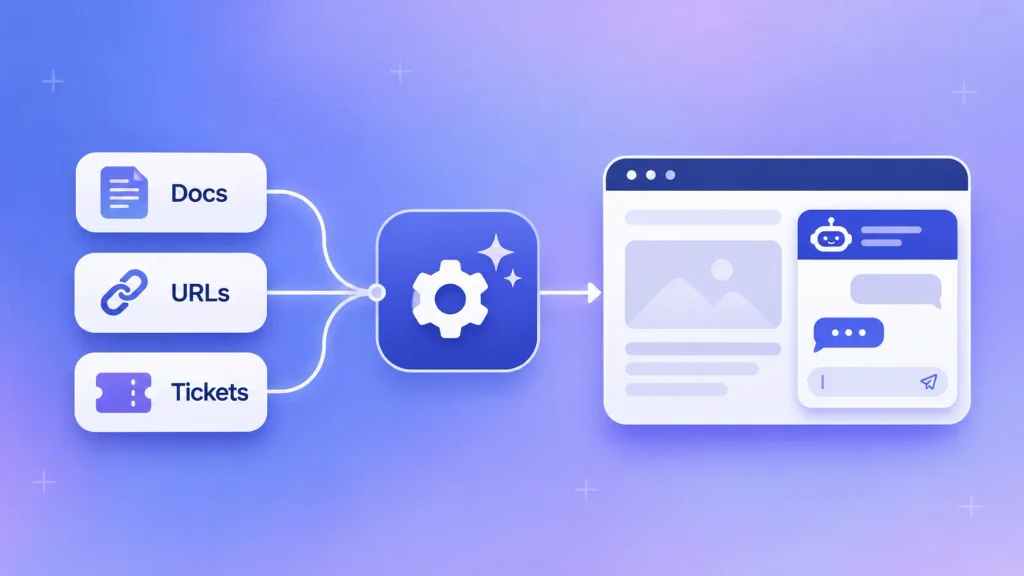
An AI chatbot builder is a platform that lets you create, train, and deploy a conversational bot on your own content without building the AI from scratch. You connect your help docs, URLs, or past tickets. The builder handles the language model, the chat widget, and the channel connections.
That’s what separates a chatbot platform from a general assistant like ChatGPT. Your bot answers your customers, using your knowledge base, inside your website or messaging apps. Most builders use retrieval to ground answers in your content, the same approach behind most custom generative AI development for businesses.
Adoption is moving fast. Gartner predicts that 40% of enterprise applications will feature task-specific AI agents by the end of 2026, up from under 5% in 2025, so the first call is often whether you need a chatbot or a full AI agent. Before you pick a tool, it helps to know the different types of AI agents out there.
AI Chatbot Builders vs Rule-Based Chatbot Builders
“Chatbot builder” now means two very different products. Older tools make you draw decision trees by hand. Newer ones read your content and reason through questions you never scripted.
| Rule-based builder | AI chatbot builder | |
| How it answers | Matches keywords to scripted replies | Interprets intent with a language model |
| Setup work | You map every branch | You connect knowledge sources |
| Unexpected questions | Breaks or loops | Answers from your content or escalates |
| Typos and rephrasing | Often fails | Handled naturally |
| Best for | Fixed flows like bookings and forms | Open-ended support and sales questions |
| Main risk | Rigid, frustrating experience | Confident wrong answers without guardrails |
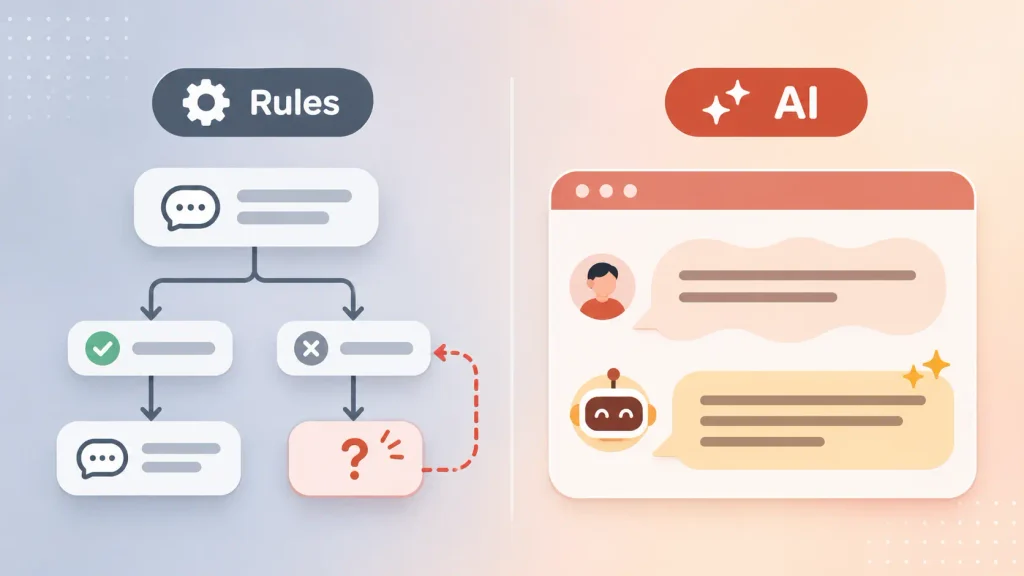
Many platforms on this list now mix both. You’ll still want structure for refunds or bookings, which is why planning your conversation flows matters even when an LLM does the talking.
How These Tools Were Compared
This is an editorial shortlist, not a lab benchmark. There was no standardized test suite and no head-to-head scoring on identical ticket sets.
Each tool was placed in one “best for” bucket based on four factors, checked against vendor pricing pages, product documentation, and independent 2026 reviews:
- Primary use case. What the vendor positions the product for, cross-checked rather than taken at face value.
- Pricing model and transparency. Whether the cost structure is published, and whether independent trackers report add-on costs the pricing page hides.
- Integration depth. Native channel and helpdesk support for that bucket, such as WhatsApp for social tools or Salesforce for support tools.
- Verifiability of claims. Whether a resolution rate or setup-time claim traces to an official source, an independent test, or neither.
No tool was ranked 1 to 12. Where two tools compete for the same job, such as Fin and Zendesk AI, the write-up says so instead of implying a winner.
That matters for one reason. Vendor-reported resolution rates are not guarantees. Your result depends on your documentation, your ticket mix, and your escalation rules.
Best No-Code AI Chatbot Builders for Websites
Want a working AI chatbot for your website today, without touching code? These four take you from “I have a website” to “a bot is answering questions” in well under an hour.
Boei
Boei targets small and mid-sized site owners who want one predictable bill.
Best for: sites with steady or spiky traffic that a per-conversation plan would punish.
Pricing: plans start from $19/month billed annually, with 2,000 AI messages, WhatsApp, and 50+ channels included. Growth runs $49/month and Business $129/month for larger AI allowances.
Watch out for: a message isn’t a conversation. A single chat often uses several AI messages, so check your average conversation length before you assume 2,000 is enough.
Tidio
Tidio is an easy on-ramp for ecommerce, with a drag-and-drop editor and templates for lead capture. Its free plan covers basic live chat, which is what pulls small stores in.
Best for: small Shopify and WooCommerce stores that want live chat, a help desk, and AI in one box.
Pricing: the Starter plan runs about $24/month billed annually. The Lyro AI agent is billed separately, from about $32.50/month for 50 conversations, so meaningful AI usage costs more than the entry price suggests (Tidio pricing).
Watch out for: Tidio markets a 67% average Lyro resolution rate, and its top tier, from $300/month, carries a resolution guarantee. Treat both as best cases and check them against your own chat volume.
Chatbase
Chatbase is a fast path from a folder of documents to a live support bot. Point it at your URLs, PDFs, or Notion pages, and it builds a retrieval-based assistant you can embed the same day.
Best for: founders and marketers who want a document-trained bot without a development project. It also suits teams weighing a chatbot builder with model choice, since you pick the LLM yourself.
Pricing: credit-based. The free plan includes 50 credits. Hobby is $32/month billed annually for 500 credits. Standard models use 1 credit per reply, while stronger models like GPT-5.2 or Gemini 3.1 Pro use 2, and Grok 4 uses 4.
Watch out for: switching to a premium model can quietly double or quadruple your credit burn. Removing the “Powered by Chatbase” badge is a separate yearly fee, and only one AI agent is included below Enterprise.
Jotform AI Agents
Jotform started as a form builder, but its AI Agents product has grown well past that. It now handles conversational support across chat, phone, WhatsApp, SMS, and kiosk channels, with over 7,000 pre-built agent templates (Jotform AI Agents).
Best for: teams that want multi-channel support tied to forms, approvals, payments, or e-signatures.
Pricing: the free plan includes 5 AI agents and 100 conversations. Paid plans start at $34/month billed annually for 25 agents and 1,000 conversations. If phone support is on your list, compare it against what an AI voice agent costs to run before you choose a plan.
Watch out for: its standout is still turning long forms into guided conversations. For high-volume ticket deflection, the dedicated helpdesk tools below are more specialized.
Not sure which lane you’re in? Write down the single outcome you want the bot to hit this quarter, such as “cut first-response time” or “capture 20% more demo requests.” That one sentence eliminates half this list.
Best AI Chatbot Builders for Customer Support Automation
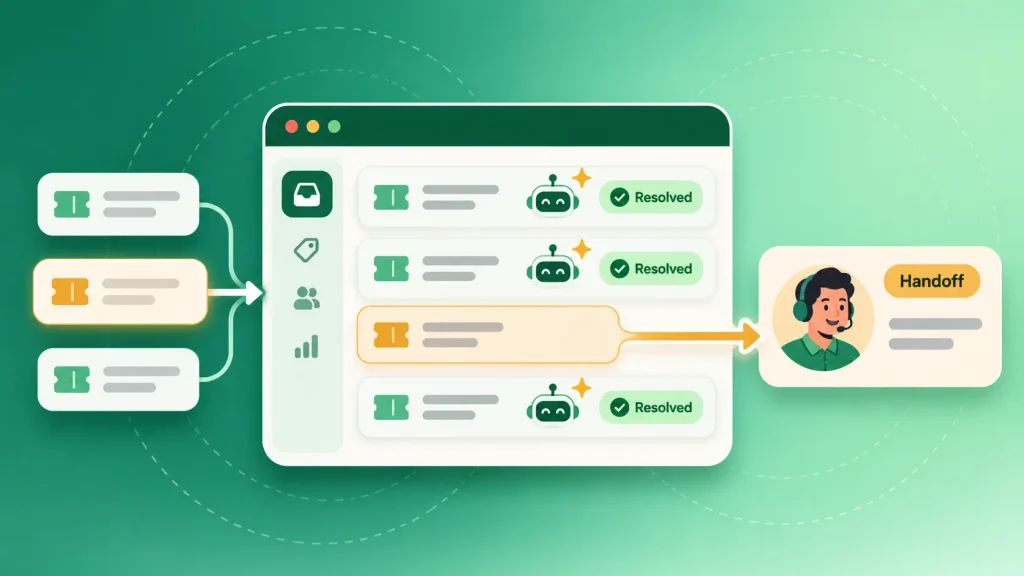
These platforms exist to deflect tickets. They plug into a helpdesk, learn from past conversations, and hand off to a human when things get complicated.
Fin (formerly Intercom)
Intercom renamed itself Fin in May 2026. Salesforce then completed its acquisition of Fin on September 10, 2026, roughly three months ahead of the original timeline. Fin now operates inside Salesforce and serves more than 30,000 companies.
Best for: SaaS and enterprise support teams that want to pay for results rather than seats.
Pricing: $0.99 per outcome (a resolution, procedure handoff, or disqualification), and $9.99 per qualified lead. It runs standalone on other helpdesks like Salesforce, HubSpot, and Zendesk, with a 50-outcome monthly minimum. Paired with Intercom’s own helpdesk, seats start at $29/seat/month billed annually (Fin pricing). Pricing was unchanged when the acquisition closed.
Watch out for: Salesforce reports a 76% average resolution rate for Fin. That’s a vendor average, not your number. And 1,000 billable outcomes in a busy month adds $990 on top of seats, so forecast your volume before you sign.
Zendesk AI
For teams already living inside Zendesk, its native AI is the low-friction choice. Since May 2026, AI agents come with every Suite plan, so there’s no separate add-on to unlock.
Best for: mid-market and enterprise teams that use Zendesk as their system of record.
Pricing: you pay your per-agent seats, plus a meter for each automated resolution beyond your included allowance. Zendesk doesn’t print the rate on its public page, but independent analyses put it at roughly $1.50 per resolution on committed volume and $2.00 pay-as-you-go (Zendesk AI agents).
Watch out for: per-resolution billing means your AI cost tracks your busy season. The value here is integration depth, not cost savings.
eesel AI
eesel takes a different angle: keep your current helpdesk and add the AI on top. It runs inside Zendesk, Freshdesk, Gmail, Slack, and Shopify instead of becoming a new tool your team has to adopt.
Best for: teams that want to see a projected resolution rate on their own tickets before going live.
Pricing: eesel moved to fixed monthly credit plans. The free plan includes 100 credits with no card. Paid plans start at $299/month for 500 credits, with 1 credit per ticket or chat the AI handles, resolved or not. A team putting 1,000 tickets a month through it pays $499/month (eesel AI pricing).
Watch out for: credits count every handled ticket, not just resolved ones. Its standout feature is simulating the AI against your past tickets before launch, a risk-reduction step worth looking for in any tool you evaluate.
SparrowDesk (Zoona)
SparrowDesk is a newer AI-first helpdesk from SurveySparrow Inc., launched in late 2025. Its Zoona AI agent lives inside a unified email and chat inbox. By the company’s own figure, it resolves more than 60% of queries before a human steps in (SparrowDesk).
Best for: a small team that wants AI native to the inbox rather than bolted on.
Pricing: pay-per-resolution. Check the official site for current rates, since this is a newer entrant without a long public pricing history.
Watch out for: newer products fill in features over time. Check its integration list against your current stack, and pilot it on your real volume first.
Best AI Chatbot Builder for Marketing and Social
Manychat
When the conversation happens in a DM, Manychat is one of the most established players. It connects to Instagram, Facebook Messenger, WhatsApp, and TikTok, and it triggers flows from comments, story mentions, and keyword replies.
Best for: DTC brands and creators running comment-to-DM funnels and social lead capture.
Pricing: Manychat restructured into four tiers in March 2026. The free plan now covers just 25 contacts. Essential is $14/month, Pro is $29/month for 2,500 contacts, and Business is $69/month. AI is a separate $29/month add-on on Pro or Business (Manychat pricing).
Watch out for: this is a marketing automation tool with a chatbot inside, not a support deflection engine. If you need website support, look elsewhere on this list.
Best AI Chatbot Builders for Developers and Custom Agents
Need control over logic, data, and hosting? These platforms are built for people comfortable in a codebase. If you’re unsure a platform is enough at all, this comparison of a custom AI chatbot vs chatbot builder walks through that decision.
Botpress
Botpress grew from an open-source framework into a full agent platform. Its LLM-first studio supports OpenAI, Anthropic, Groq, and bring-your-own-key setups. The Autonomous Engine uses model reasoning to steer conversations instead of rigid scripts, and an ADK command-line tool supports code-first agent creation (Botpress).
Best for: engineering teams that want SaaS polish with real extensibility.
Pricing: Botpress changed its pricing on May 14, 2026. New workspaces moved to conversation-based plans with AI usage bundled in, and independent reviews report Plus now lists at $150/month billed annually. Workspaces created before that date keep the older model of $89/month for Plus plus separately billed AI Spend.
Watch out for: older reviews still quote the $89 price, so confirm which model applies to your workspace. The fully self-hosted path can also lag the managed cloud product.
Rasa
Rasa is built for privacy-sensitive and regulated work. You self-host it, which gives you significant control over where your data lives. Its CALM framework blends LLM interpretation with deterministic business logic, so the bot doesn’t improvise on rules that matter.
Best for: banks, healthcare, and teams that need deterministic responses on high-stakes flows.
Pricing: the Rasa Developer Edition is free for up to 1,000 external conversations a month (100 for internal employee bots), with one production bot per company. Larger deployments move to quote-based Enterprise licensing.
Watch out for: you need real machine-learning skill to get the most from it. This is a framework you build with, not a plug-and-play tool.
Voiceflow
Voiceflow sits between design and development. Product, design, and engineering can map and prototype an agent on one shared canvas, with support for multiple LLMs.
Best for: teams where several people need to shape the conversation before anyone ships it.
Pricing: a free Starter plan, then Pro at $60/month for one editor plus $50 for each extra editor. Business runs $150/month with more credits (Voiceflow pricing).
Watch out for: unused monthly credits don’t roll over, and agents stop responding at the credit ceiling. As a pure production support engine, it’s less specialized than the helpdesk tools above.
Open-Source and Self-Hosted Chatbot Builders
If you need a chatbot builder that’s open source or self-hosted, your shortlist gets short fast. Most tools on this list run only in the vendor’s cloud.
Here’s how the self-hosting options compare:
| Tool | License model | Self-hosting | Who it suits |
| Rasa | Commercial, free Developer Edition | Yes, by design | Regulated teams with ML engineers |
| Botpress | Open-source roots, cloud-first today | Possible, but lags the cloud product | Developers who want a managed path |
| Flowise | Open source | Yes | Teams prototyping LLM and retrieval flows |
Self-hosting gives you data control, but you also own uptime, security patches, and model costs. Budget for that operational work before you choose it over a managed platform.
Bonus Mention: Flowise
Flowise isn’t one of the 12 core platforms here, but it’s worth flagging if you’re prototyping LLM and retrieval workflows rather than building a multi-channel bot. It’s an open-source, drag-and-drop layer for building LangChain flows.
Workday acquired Flowise in August 2025 (Workday newsroom). That gives it enterprise backing, though its long-term open-source direction is worth monitoring.
Also Worth a Look: Landbot, Chatling, and Dialogflow CX
These three didn’t make the core 12, but each wins a specific job:
- Landbot turns static lead forms into conversational flows on your website or WhatsApp. Starter runs €32/month billed annually, but WhatsApp needs its own plan from €200/month (Landbot pricing).
- Chatling keeps pricing simple for small businesses. Standard is $32/month billed annually for 3,000 AI credits (Chatling pricing).
- Dialogflow CX is Google’s developer platform, billed per session at roughly $20 per 100 text sessions. New customers get a $600 trial credit (Google Cloud pricing).
A Note on Developer APIs After the Assistants API Shutdown
If you build from raw APIs instead of a platform, the ground shifted this year. OpenAI shut down its Assistants API on August 26, 2026 (OpenAI API deprecations).
The forward path is the Responses API with the Conversations API, which OpenAI says reached feature parity with Assistants. Any bot still calling the old endpoints has stopped working.
The practical takeaway: if a vendor or freelancer built your bot on the Assistants API, ask whether it was migrated. And before you start any custom build, confirm which model APIs it targets.
How to Choose the Right AI Chatbot Builder for Your Business
Skip the feature checklists for a moment. Your decision comes down to five questions, answered in order.
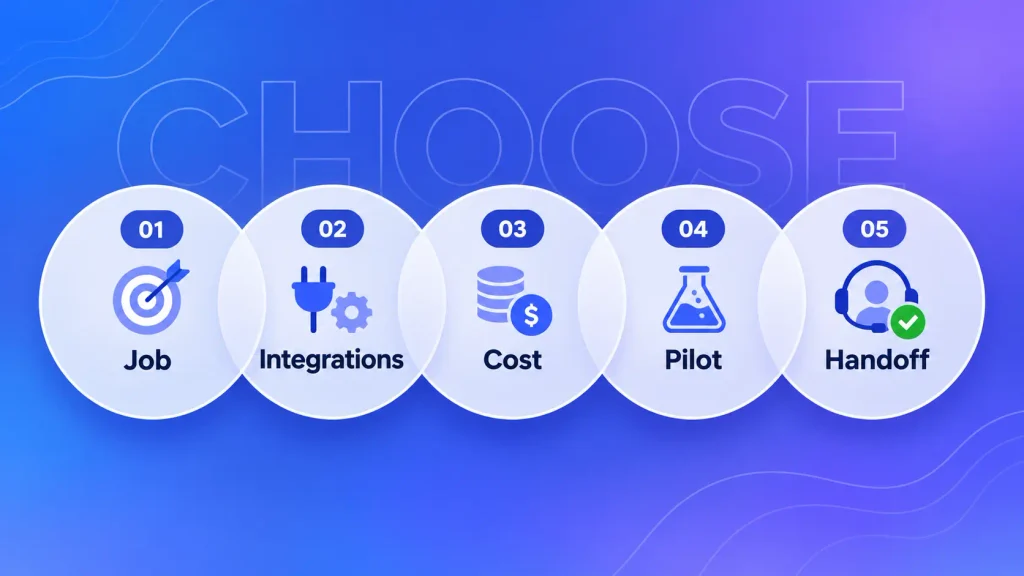
- Name the one job. Is this reducing support tickets, capturing leads, or automating social DMs? A support tool and a marketing tool aren’t interchangeable, and buying the wrong category wastes the most money.
- Check the integrations you already depend on. The bot should plug into your CRM, helpdesk, or ecommerce platform natively. When a builder can’t connect cleanly, custom AI integration is usually more reliable than middleware, which tends to break conversation memory.
- Model the real cost, not the headline. Compare a flat plan against a per-outcome plan at your actual monthly volume. Include credits, seats, white-labeling, and any minimum commitment.
- Insist on a pilot with your own data. Run the tool against a sample of past tickets or chats. Tools that simulate before launch make this easy, and the result exposes hallucinations a demo hides.
- Confirm the escalation path. When the AI can’t answer, does it hand off to a human with full context? Silent failures cost you customers.
If you’d rather have this scoped for you, it’s exactly the kind of decision an AI consulting engagement is built to settle in a few sessions.
Must-Have Features for a 2026 AI Chatbot
The line between a modern AI assistant and an outdated decision tree comes down to a handful of capabilities.
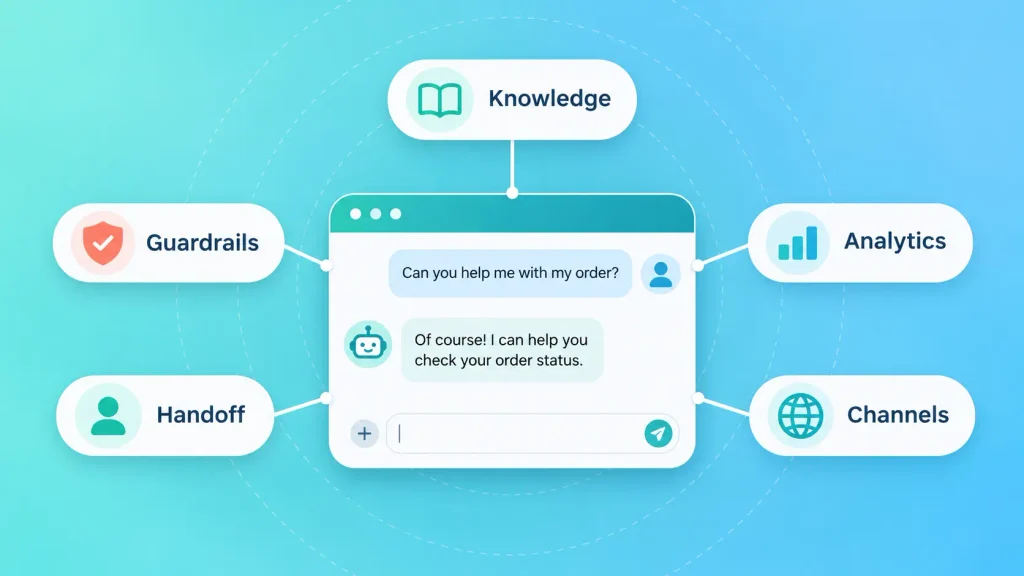
Retrieval-augmented generation (RAG): grounds the bot in your knowledge base so it answers from your content instead of inventing things. It’s one of the most effective ways to reduce hallucinations, though no technique removes them entirely.
Guidance controls and guardrails: you should be able to set tone, banned topics, and on-brand phrasing. For high-stakes flows like refunds, look for deterministic logic the model can’t override.
Persistent memory: the bot should keep context within a conversation and, where privacy rules allow, across sessions.
Agentic tool-calling: the bot should take actions, such as looking up an order or booking a slot, not just answer questions. To see how far that goes, compare the tools teams use to build AI agents.
Clean human handoff: complex or emotional issues should reach a live agent with the full transcript attached, so the customer never repeats themselves.
Analytics and observability: you need visibility into what the bot said, where it failed, and which chats it mishandled. Without this, “resolution rate” is a number you trust blindly.
Omnichannel reach: one place to manage web chat, WhatsApp, Instagram, and email. Phone is the next channel many teams ask about, so it helps to see where voice agents fit beyond chat before you commit.
Multilingual support: if your customers span regions, the bot needs to answer accurately in their language, not just translate word for word.
How Much Do AI Chatbot Builders Cost in 2026?
AI chatbot builders cost anything from a free starter tier to custom enterprise contracts. The pricing model matters more than the number, and four patterns dominate:
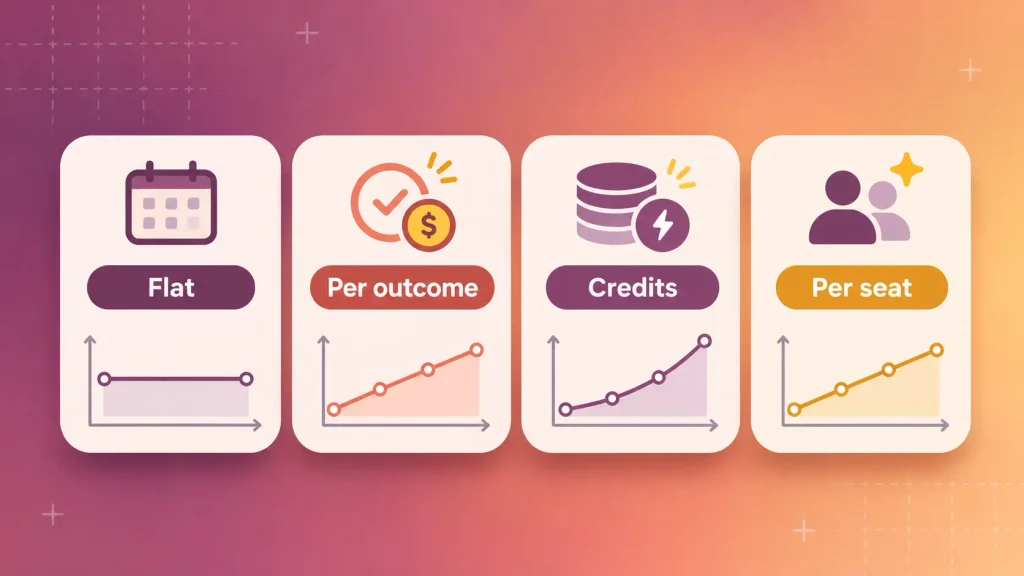
| Pricing model | Example | Predictable? | Best when |
| Flat subscription | Boei from $19/mo (annual) | Very | Traffic is steady or spiky |
| Per outcome or resolution | Fin $0.99; Zendesk about $1.50 to $2.00 | Tracks your volume | Volume is low or variable |
| Monthly credits | Chatbase, eesel, Voiceflow | Medium | You can forecast usage and model choice |
| Per seat plus AI add-on | Tidio, Manychat | Medium | A small team handles most chats |
Here’s what that looks like if your AI handles 1,000 conversations a month:
- Fin: about $990 in outcomes if most chats resolve, plus seats if you use Intercom’s helpdesk.
- Zendesk AI: roughly $1,500 to $2,000 for resolutions beyond your included allowance, on top of seats.
- eesel AI: $499/month flat for 1,000 credits, whether each ticket resolves or not.
- Boei: the $19 plan covers 2,000 AI messages. Whether that covers 1,000 conversations depends on how many replies each one takes.
Also budget for the quiet extras. White-labeling fees, extra editor seats, and premium model credits add up faster than base plans suggest.
The platform bill is rarely the whole cost, either. Implementation, data cleanup, and ongoing tuning matter too, as the breakdown of what AI consulting costs in 2026 shows. And if no platform fits your needs, compare the custom AI chatbot development cost before you decide to build from scratch.
Common Mistakes When Choosing a Chatbot Builder
Most failed chatbot projects aren’t a model-quality problem. They’re a scoping and maintenance problem.
| Mistake | What it looks like | What to do instead |
| Picking on entry price alone | Choosing a $19 or $32 plan without checking real credit or message use | Estimate monthly conversations and replies per chat first |
| Buying a developer tool for a non-technical team | Signing up for Botpress or Rasa with no engineer to own it | Match the tool to who will maintain it |
| Ignoring where customers actually message you | Building a website widget when your buyers live on Instagram or WhatsApp | Confirm the primary channel before you pick a builder |
| Training once and forgetting | The bot quotes last quarter’s pricing | Choose auto-sync or schedule regular retraining |
| Skipping hallucination testing | Launching on compliance-sensitive content without tricky test questions | Test out-of-scope questions, and review common generative AI failure points |
| Assuming AI is in the base plan | Budgeting for Manychat Pro or Tidio Starter without the AI add-on | Read what’s bundled vs. sold separately |
When a Chatbot Builder Isn’t Enough
Builders cover most website and support use cases. But some situations push past what any platform can configure, such as AI agents built for customer service that do more than answer questions:
- Your bot needs deep actions inside internal systems, such as a custom ERP, a legacy database, or multi-step approvals, which is usually when a chatbot should become an agent.
- Your data can’t leave your infrastructure, and Rasa’s self-hosting still doesn’t fit your stack or skills.
- Per-outcome pricing no longer makes sense at your volume, and you’d rather own the cost curve.
- The chatbot is part of your product, not a widget on your marketing site.
In those cases, it often makes sense to build a chatbot on your own stack, with the models, guardrails, and integrations you control, and that goes for voice-based AI receptionists too. Before you commit, it’s worth deciding whether to build in-house or outsource, since that choice shapes your timeline and budget more than the model does.
Your Next Step
The fastest way to a good decision isn’t more reading. It’s a short pilot.
Pick the two tools from this list that match your one job. Run each for 7 to 14 days against your real tickets or chats. Compare the actual resolution rate, the true monthly cost at your volume, and how cleanly each hands off to a human.
Want more context before you shortlist? See why AI chatbots pay off for most businesses. And if you’d rather have a team evaluate and build the right fit for your case, talk to the Boomdevs AI chatbot team.
Frequently Asked Questions
What Is the Best AI Chatbot Builder for a Website in 2026?
There’s no universal winner. For a fast, flat-priced website bot, Boei and Chatbase are strong no-code picks. Tidio suits small ecommerce stores. For enterprise support, Fin is widely used and now part of Salesforce. Match the tool to your primary job and traffic volume.
Are There Free AI Chatbot Builders?
Yes. Tidio, Chatbase, Manychat, Jotform, Voiceflow, and Botpress all offer free tiers, and Rasa has a free Developer Edition. Read the limits closely, though. Manychat’s free plan now covers just 25 contacts, and Tidio’s Lyro AI is a paid add-on.
Which AI Chatbot Builder Works Best With WhatsApp?
Boei includes WhatsApp in its entry plan. Manychat is well suited to WhatsApp, Instagram, and Facebook DM automation. Fin and Zendesk support WhatsApp too, usually on higher tiers.
Can I Build an AI Chatbot Without Coding?
Yes. Chatbase, Tidio, and Boei let you feed in a URL or document and go live without code. Jotform AI Agents is also no-code, built around templates. Botpress and Rasa are the code-first exceptions, and if you want to go further, here’s how to build your first AI agent step by step.
What Is the Difference Between a Traditional Chatbot and an AI Chatbot?
Traditional bots follow fixed decision trees and break on anything unexpected. AI chatbots use large language models to interpret natural language, handle typos and rephrasing, and hold context. The gap shows most when a customer asks something the script never anticipated.
Can AI Chatbots Replace Human Support Agents?
Not fully, and treating them as a full replacement usually backfires. The realistic pattern is AI deflection for routine questions, which frees human agents for complex or emotional cases. A clean handoff between the two is what makes it work.
How Much Does an AI Chatbot Cost in 2026?
It depends on the billing model. Flat plans start around $19/month billed annually (Boei). Credit plans start around $32/month (Chatbase) or $299/month for support-focused tools (eesel). Per-outcome pricing runs $0.99 per outcome on Fin and roughly $1.50 to $2.00 per resolution on Zendesk. Compare the model against your own monthly volume.