


- 1. Key Takeaways
- 2. What Is an AI Implementation Roadmap?
- 3. How to Build an AI Implementation Roadmap in Six Phases
- Phase 1: Pick One Business Problem and Measure Your Baseline
- Phase 2: Score and Prioritize Your AI Use Cases
- Phase 3: Audit Your Data and Choose a Build Path
- Phase 4: Design the Workflow and the Integration Layer
- Phase 5: Run a Time-Boxed Pilot With Go/No-Go Criteria
- Phase 6: Launch, Monitor, and Scale What Works
- 4. Who Owns What in an AI Implementation Roadmap?
- 5. How Long Does AI Implementation Take?
- 6. What to Budget For: Build Costs vs Run Costs
- 7. How the Roadmap Changes for Startups vs Enterprises
- 8. Common AI Implementation Roadmap Mistakes
- 9. How Boomdevs Fixes Stalled AI Pilots
- 10. Frequently Asked Questions
Summarize with
Your team demoed an AI assistant last quarter. The room loved it, and the budget got approved.
Six months later, nobody opens it. Nobody can say who owns it or what it was supposed to fix.
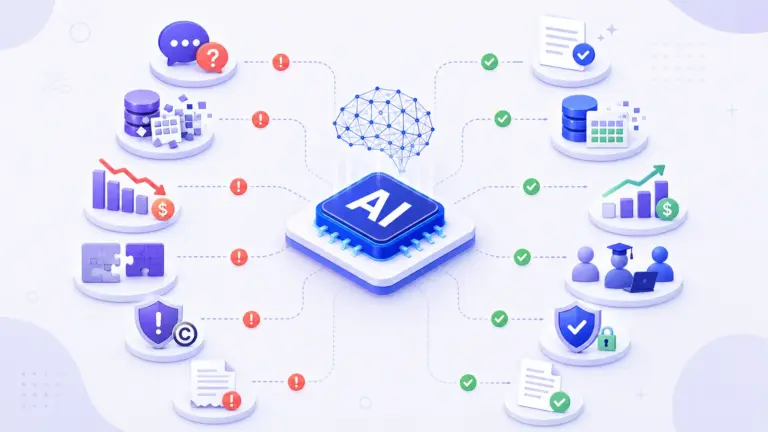
That stall rarely comes from the model. It comes from skipping the AI implementation plan between the demo and daily use. An AI implementation roadmap is that plan, and here’s how to build one in six phases.
Key Takeaways
- An AI implementation roadmap takes one business problem from idea to a tool your team uses daily, with an owner, a build path, and a pass/fail check at every phase.
- The six stages of AI implementation: pick one problem and baseline it, prioritize use cases, choose a build path, design the integration, run a time-boxed pilot, then launch and scale what works.
- Plan for months, not weeks. Gartner puts the average at eight months from AI prototype to production.
- Budget for running costs, not only the build. Inference, monitoring, and retraining keep billing after launch.
- One named owner and clear exit gates do more for your odds than a longer plan.
What Is an AI Implementation Roadmap?
An AI implementation roadmap is the step-by-step plan that moves one AI use case from a promising idea to something your team relies on every day. It names the problem, the person accountable, how you’ll build it, and the proof each phase must show before you spend more.
Think of your AI roadmap as the bridge between “we should use AI” and “this workflow now runs faster.” Without that bridge, you end up with a demo and no adoption.
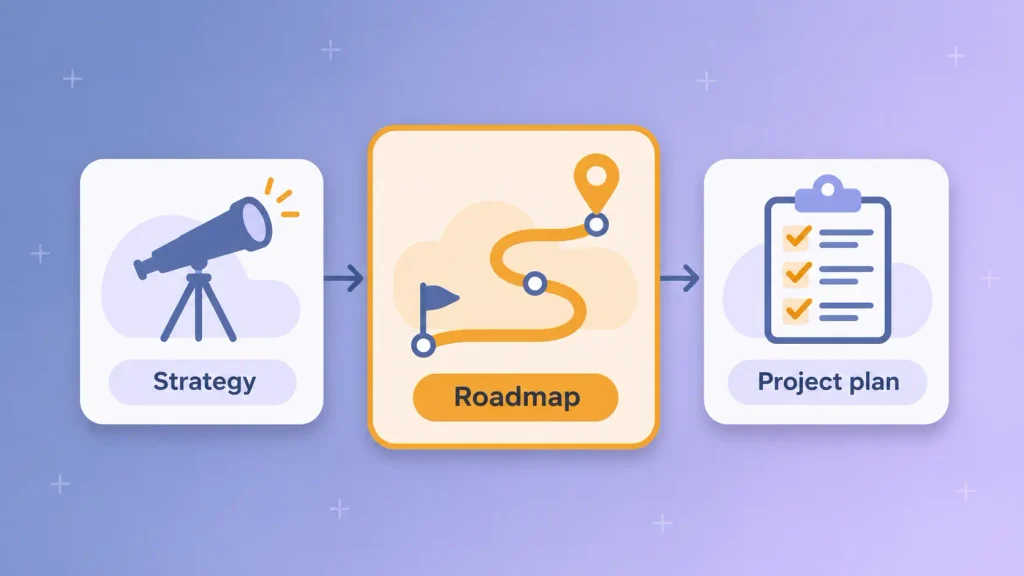
AI Strategy vs AI Implementation Roadmap vs Project Plan
These three documents get mixed up constantly, and the mix-up is costly. Each one answers a different question for a different person:
| Document | Question it answers | Time horizon | Usually owned by |
| AI strategy | Where can AI move our business? | One to three years | CEO or leadership team |
| AI implementation roadmap | How does this one use case reach production? | One quarter to a year | Business owner of the use case |
| Project plan | Who does which task this sprint? | Days to weeks | Delivery or engineering lead |
If you only have a strategy, nothing ships. If you only have a project plan, things ship that nobody asked for. The roadmap sits in the middle and keeps both honest.
Why AI Projects Stall Without One
Most AI projects never reach the finish line. A Gartner survey of AI adoption found that only 48% of AI projects make it into production.
The money picture looks similar. In the McKinsey State of AI 2026 survey, 37% of respondents report any EBIT impact from AI, and only about 6% qualify as high performers. BCG’s 2025 research lands in the same place: just 5% of companies are generating substantial value, while 60% report minimal gains.
When you look at why projects stall, the causes are rarely technical:
- No single owner: the pilot belongs to “the AI team,” so no business leader signs off on whether it worked.
- No baseline: you never measured the old process, so you can’t prove the new one is better.
- Data surprises mid-build: the data you need is scattered, stale, or off-limits, and you find out in week six.
- No exit criteria: the pilot keeps running because nobody agreed what “good enough to scale” meant.
An AI implementation roadmap fixes all four before you write a line of code.
How to Build an AI Implementation Roadmap in Six Phases
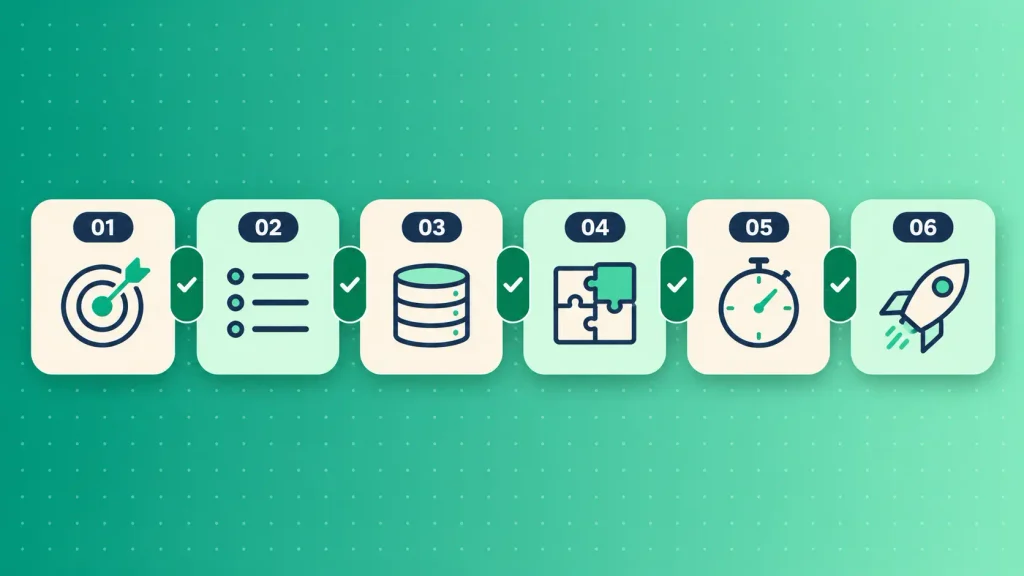
You build an AI implementation roadmap by moving one use case through six phases, each with a decision and an exit gate. The gate matters more than the phase. It’s the checkpoint that stops you from funding the next step on hope.
Here’s the full roadmap at a glance:
| Phase | What you decide | Exit gate | Owner |
| 1. Problem and baseline | Which problem, and how you’ll measure it | Baseline measured, owner named | Business owner |
| 2. Use case priority | Which idea goes first | Top use case scored and signed off | Business owner |
| 3. Data and build path | Buy, integrate, fine-tune, or build | Data access confirmed, path chosen | Tech lead |
| 4. Workflow and integration | Where AI sits in the process | Integration design approved | Tech lead |
| 5. Pilot | Whether it works with real users | Go, revise, or stop decision made | Business owner |
| 6. Launch and scale | What expands next | Monitoring live, support owner named | Tech lead and business owner |
Notice the owner column. Ownership alternates between business and tech on purpose, because neither side can call a phase done alone.
Phase 1: Pick One Business Problem and Measure Your Baseline
Your AI implementation plan starts with one problem that costs you time or money every week. “Use AI in customer support” is a wish. “Cut first-response time on tier-one tickets” is a problem you can measure.
Next, you’ll want to measure how it works today, before anything changes. If tickets take four hours to answer now, write that down. Without a baseline, every result after launch is an opinion.
Before you move on, check that you have these in place:
- A named business owner who will sign off on results, not just attend the kickoff.
- One success metric with today’s number next to it.
- Rough data access: you know where the inputs live and who controls them.
- A budget line for running costs, not only the build.
If you can’t tick those boxes yourself, an outside AI readiness and consulting review can map your data and systems before you commit.
Phase 2: Score and Prioritize Your AI Use Cases
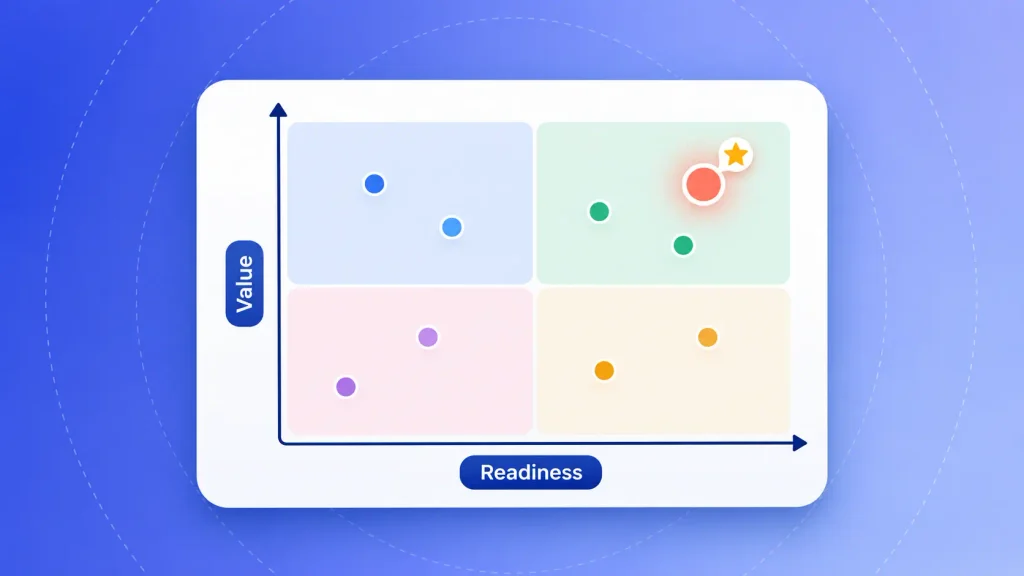
Most teams have more AI ideas than capacity. You’ll want to score each one against the same criteria, so the loudest idea in the room doesn’t win by default.
Use questions like these to compare them:
| Criterion | Question to ask | Red flag |
| Business value | Does it move revenue, cost, or speed you track today? | Value is “nice to have” |
| Frequency | Does the task happen daily or weekly? | Runs a few times a year |
| Data readiness | Can you access clean inputs now? | Data needs a full cleanup first |
| Cost of a wrong answer | What happens when the AI gets it wrong? | Errors hit customers or compliance |
| Adoption fit | Will the people doing the work actually use it? | Adds a step instead of removing one |
For your first AI implementation roadmap, I’d suggest picking the use case that is valuable enough to matter but narrow enough to finish. A high-value idea with messy data usually loses to a medium-value idea you can ship this quarter. The first win buys you the trust for the bigger bets.
Phase 3: Audit Your Data and Choose a Build Path
This phase answers two linked questions: what data the AI needs, and how you’ll get the capability at all. The data answer often decides the build answer for you.
Data comes first. It’s worth listing every input the use case needs, where it lives, who owns it, and whether you’re allowed to send it to an AI model. Customer records, contracts, and health data often carry rules that rule out some options.
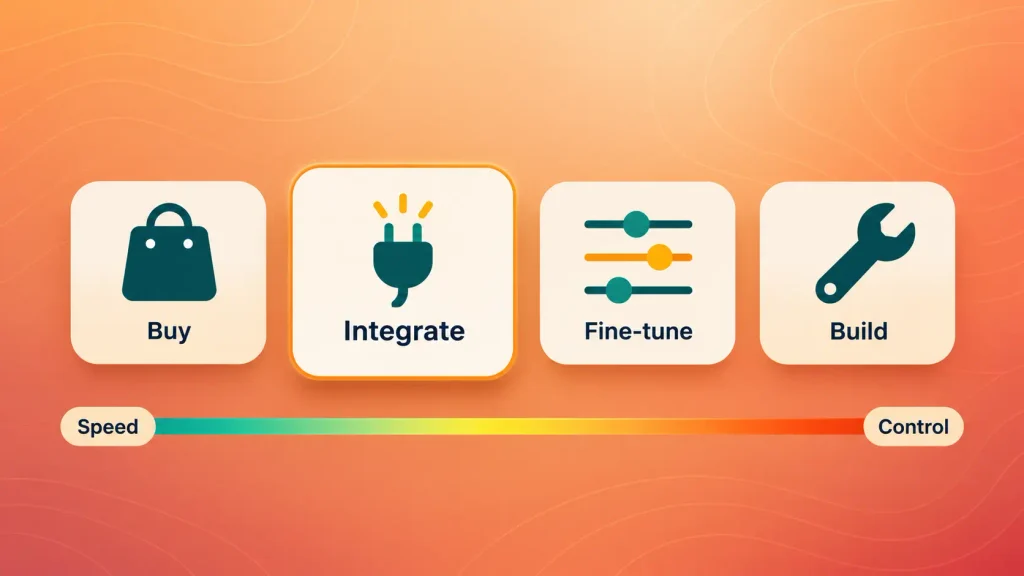
Then pick a build path. You have four realistic choices:
| Build path | Best for | Speed to first version | Main trade-off |
| Buy an off-the-shelf AI tool | Standard tasks like meeting notes or email drafting | Fastest | Little control, data leaves your stack |
| Integrate a model API into your product | Adding AI to software you already run | Fast | You own the integration and its upkeep |
| Fine-tune an existing model | Domain language or formats the base model misses | Slower | Needs labeled data and evaluation work |
| Build a custom model or AI product | AI as the core of what you sell | Slowest | Highest cost, highest control |
Most startups and mid-sized teams land on the second row. It gives you control over the experience without the cost of training a model.
The balance is also shifting toward building. In the same McKinsey survey, 32% of respondents say their organizations skipped buying at least one software product because they could build it in-house with AI coding tools. If AI is the product itself, that’s the moment to look at custom AI product development rather than stitching tools together.
Phase 4: Design the Workflow and the Integration Layer
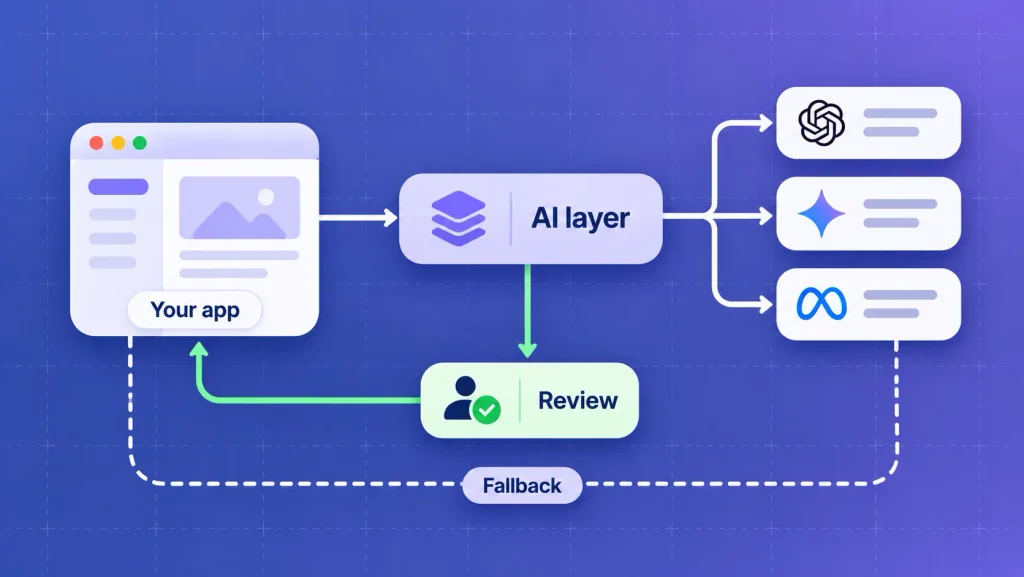
Here’s where most roadmaps stay vague, and where most pilots break. You need to decide exactly where the AI sits in the work, what it receives, what it returns, and who checks it.
Redesigning the workflow is the step high performers refuse to skip. McKinsey’s 2026 data shows nearly three-quarters of AI high performers fundamentally redesign workflows around AI. Only about a quarter of everyone else does.
On the technical side, your integration design should cover these points:
- The connection point: usually an API call from your app or a middleware service, so your core system stays untouched.
- Human review: which outputs a person approves before they reach a customer, and which can go straight through.
- A model abstraction layer: a thin wrapper so you can switch AI providers later without rewriting your product.
- Logging and fallback: every AI call recorded, and a plain non-AI path when the model fails or times out.
Older systems add one more question: can they talk to an AI service at all? Often the answer is middleware rather than a rebuild, and sometimes modernizing legacy applications first is cheaper than forcing the connection.
If your product is SaaS, we’ve covered the hands-on mechanics of adding AI features to a SaaS product you already run separately. For everything else, a partner who handles AI integration services can design this layer around the stack you already have.
Phase 5: Run a Time-Boxed Pilot With Go/No-Go Criteria
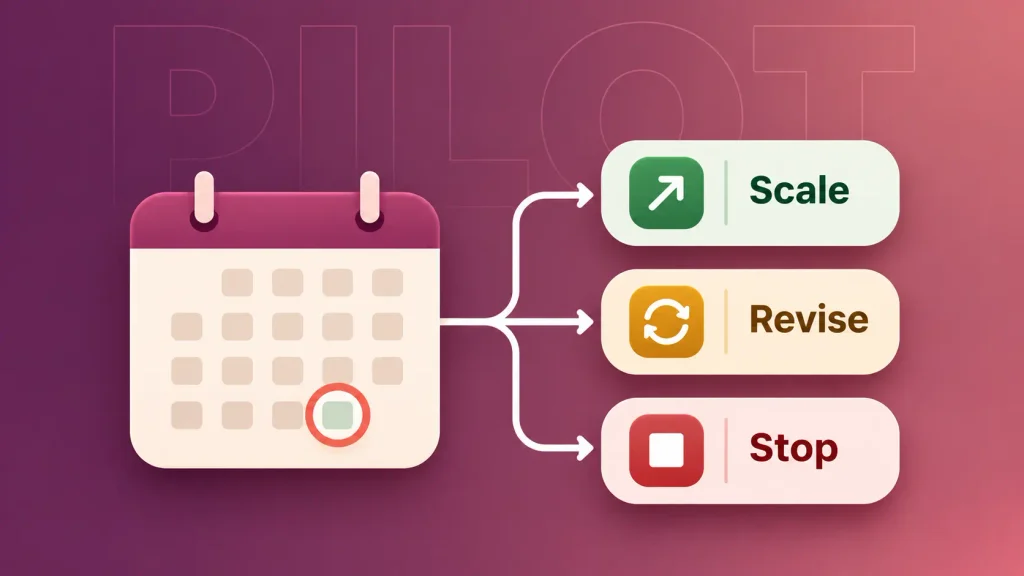
A pilot proves whether the AI improves real work with real users. It is not a demo, and it shouldn’t run forever. You’ll want an end date fixed before it starts.
The exit criteria get agreed up front, in writing, with the business owner. A useful set looks like this:
- The metric moved: your baseline number improved by the amount you agreed in Phase 1.
- Quality held: error rates on a fixed test set of real cases stay within your limit.
- People used it: the pilot group chose the AI path for real work, not only when reminded.
- Costs per task fit: the running cost per ticket, document, or call stays inside budget at pilot volume.
- Risks are covered: security and legal reviewers have signed off on the data flow.
At the end date, you make one of three calls: scale it, revise and rerun it, or stop it. A clean “no” after eight weeks is cheaper than a zombie pilot that eats a year.
Phase 6: Launch, Monitor, and Scale What Works
Taking an AI pilot to production is where the ongoing work starts. AI systems drift as your data, customers, and prompts change, so a model that performed well in the pilot can quietly get worse.
Before you call it live, make sure you have:
- Monitoring: quality, cost, and speed tracked, with alerts when any of them slips.
- A support owner: someone who fixes issues and reviews flagged outputs every week.
- Training: sessions for every user group, including what the AI should never be used for.
- A governance check: risks mapped and reviewed on a schedule.
For governance, you don’t need to invent a framework. The NIST AI Risk Management Framework gives you four functions (govern, map, measure, manage) that scale down well for small teams. If your use case involves AI agents acting on their own, it’s worth reviewing the ethical guardrails for AI agent design before you widen access.
Scaling works best in the order the data supports. I’d expand the proven use case to a new team first, then add the next use case from your Phase 2 list. Running both at once usually means doing neither well.
Who Owns What in an AI Implementation Roadmap?
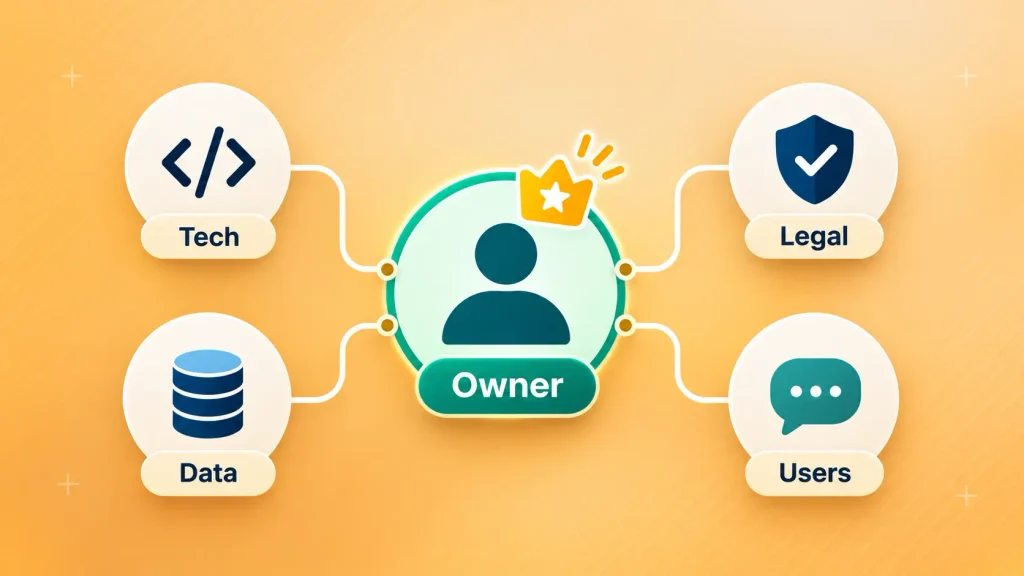
Every AI roadmap needs one business owner who is accountable for the result. Everyone else supports that person. When ownership is split across a committee, decisions slow down and pilots drift.
Here’s how roles usually divide, even on a lean team:
| Role | Owns | Decision rights |
| Business owner | The metric, the budget, the final call | Go, revise, or stop at each gate |
| Tech lead | Build path, integration, monitoring | Architecture and model choices |
| Data owner | Access, quality, and permissions for inputs | What data the AI may use |
| Security and legal reviewer | Privacy, compliance, risk sign-off | Can block launch on risk grounds |
| User champion | Feedback from the people doing the work | Flags adoption problems early |
On a startup team, one person can wear two of these hats. I’d just avoid giving the business owner and tech lead roles to the same person. You need someone whose job is to ask, “Did this actually help?”
If you don’t have AI engineers in-house, that’s a sourcing decision, not a reason to wait. Weigh whether to build in-house or bring in an AI partner, and use these questions to ask before hiring an AI consultancy to filter the shortlist.
How Long Does AI Implementation Take?
A single, focused AI use case usually takes a couple of months to reach production. Enterprise-wide rollouts take quarters. The gap between those two is mostly integration, data, and approvals, not model work.
For a reference point, Gartner found it takes eight months on average to go from AI prototype to production. Boomdevs scopes a focused single-system integration at six to 10 weeks, and enterprise integrations across several platforms at three to six months, as outlined on our AI integration service page.
What usually stretches your timeline:
- Late security and legal review, started after the build instead of in Phase 1.
- Data that needs cleaning before any model can use it.
- Old systems with no API, which need middleware or a modernization step.
- Moving goalposts, when the success metric changes mid-pilot.
Front-load the reviews and the data audit, and the rest of the schedule tends to hold.
What to Budget For: Build Costs vs Run Costs
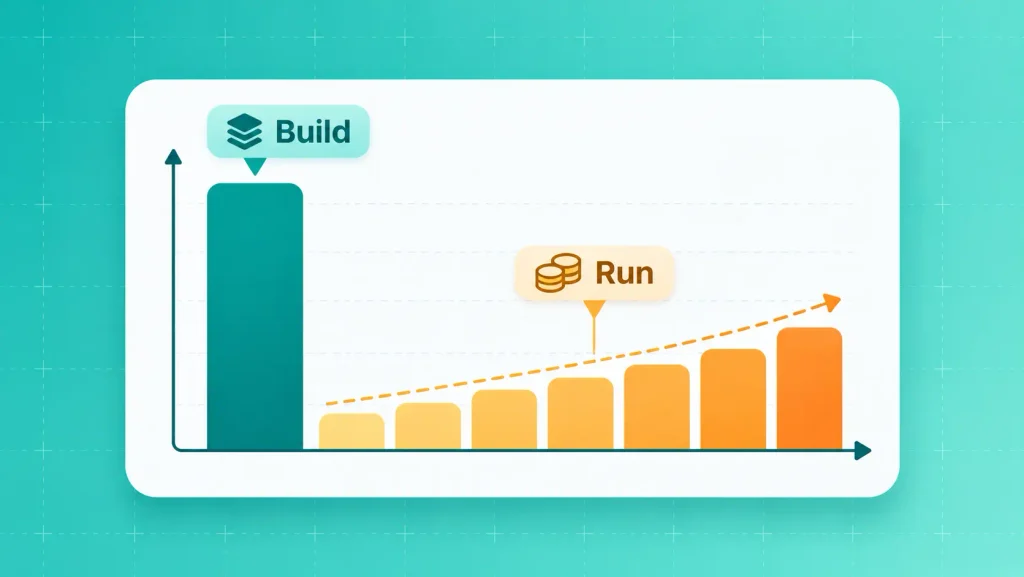
The budget in your AI implementation roadmap has two halves: what it costs to build, and what it costs to keep running. Most first roadmaps plan the first half carefully and guess at the second.
The second half is starting to bite. In McKinsey’s research on AI operating costs, about one in five respondents say their organization limits AI use because of operating costs, including token costs.
Here’s how the two halves usually break down:
| Cost type | What it covers | When it hits |
| Discovery and design | Readiness review, data audit, integration design | Phases 1 to 4 |
| Build and integration | Engineering, testing, security work | Phases 4 and 5 |
| Model usage | Inference or token fees per request | From the pilot onward, rising with volume |
| Monitoring and upkeep | Quality checks, drift fixes, prompt and model updates | Every month after launch |
| Training and change | Onboarding users, updating processes | Launch and each new team |
The usage line is the one to model early. Estimate requests per day at full adoption, not pilot volume, and multiply. If the answer scares you, that’s useful to know in Phase 3, when you can still pick a cheaper build path.
For ranges on the build side, our breakdown of what AI product development costs walks through the main price drivers.
How the Roadmap Changes for Startups vs Enterprises
The six phases stay the same at any company size. What changes is how many use cases you run at once, how heavy the governance is, and who fills each role.
Large companies are moving faster at scale. McKinsey reports that 54% of respondents from organizations with at least $1 billion in revenue are scaling AI across the enterprise, compared with one-third at smaller organizations. A smaller team can close that gap, but only by being more focused, not by copying the enterprise playbook.
Here’s how the same roadmap looks at each size:
| Dimension | Startup or SMB | Enterprise |
| Use cases at once | One | A portfolio, ranked |
| Team | Two or three people sharing roles | Dedicated roles per phase |
| Governance | Lightweight checklist, one reviewer | Formal risk board and audit trail |
| Usual build path | Model API integrated into your product | Mix of bought, integrated, and custom |
| Biggest risk | Running out of runway mid-pilot | Pilots that never leave a single department |
If you’re a startup, your advantage is speed of decision. Take one use case through all six stages of AI implementation, ship it, and let that result fund the next one.
Common AI Implementation Roadmap Mistakes
Most failed roadmaps fail in the same few ways. The good news is that every one of these is visible early, if you know to look:
- Starting with a tool, not a problem. A team buys an AI product, then hunts for a use for it.
- Spending most of the effort on the model. BCG’s 10-20-70 rule puts 10% of the effort on algorithms, 20% on data and technology, and 70% on people, processes, and culture. Most first plans invert that.
- Skipping the baseline. No “before” number means no way to prove the “after.”
- Treating security review as a final step. It belongs in Phase 1, where it shapes the build path.
- Running pilots with no end date. A pilot without exit criteria becomes a permanent experiment.
- Forgetting running costs. The build gets approved, then usage fees surprise the finance team.
Several of these trace back to the specific generative AI challenges teams hit most, especially data quality and cost control. If you recognize two or more in your current AI implementation plan, fix them before the next phase, not after.
How Boomdevs Fixes Stalled AI Pilots
If your AI pilot is stuck, or you want to avoid getting stuck, the fix usually starts before any code. Boomdevs begins every AI integration with a readiness review of your systems, data, and goals, then builds the AI roadmap around what’s actually there.
From there, the same team designs the integration layer, connects the AI to the product or tools you already run, and stays on after launch to monitor quality and cost. With 3.5K+ projects delivered and 50+ full-time experts, we’ve seen most of the ways a pilot can stall, and how to get it moving again.
If you want a second opinion on your plan, book a free AI roadmap strategy call. You’ll leave with a clear first use case, its exit gates, and a realistic timeline.
Frequently Asked Questions
What are the stages of AI implementation?
Most AI implementations move through six stages. You define one problem and its baseline, prioritize use cases, audit data and choose a build path, design the integration, run a time-boxed pilot, then launch and scale. Each stage should end with an exit gate that decides whether you move on.
What is the 10-20-70 rule for AI?
The 10-20-70 rule comes from BCG. It says successful AI programs put about 10% of their effort into algorithms, 20% into data and technology, and 70% into people, processes, and culture. It’s a rule of thumb, but it explains why so many tech-heavy pilots stall at adoption.
How long does an AI implementation roadmap take?
A focused single use case often reaches production within a few months. Gartner’s survey found an average of eight months from prototype to production. Enterprise rollouts across several systems take longer, mostly because of integration, data cleanup, and approvals.
Who should own AI implementation?
A business leader should own each AI use case, with a tech lead accountable for the build. The business owner holds the metric and makes the go, revise, or stop call at each gate. Ownership by “the AI team” alone is one of the most common reasons pilots drift.
How do you know when an AI pilot is ready to scale?
A pilot is ready to scale when it meets the exit criteria you agreed before it started. That means the target metric improved, quality held on real cases, users chose it for real work, and running costs fit the budget. If any of those fail, revise and rerun, or stop.