- 1. Key Takeaways
- 2. How to Add AI Features to an Existing SaaS in Eight Steps
- Step 1: Pick One Workflow Your Users Still Do by Hand
- Step 2: Check Your Data and Architecture Before You Scope
- Step 3: Choose the Lightest Integration Path: API vs RAG vs Fine-Tuning
- Step 4: Add AI as a Separate Layer, Not a Rewrite
- Step 5: Design the Feature Inside Existing Screens
- Step 6: Protect Tenant Data and Meet Disclosure Rules
- Step 7: Test Against Real Examples Before Customers See It
- Step 8: Roll Out Behind Feature Flags and Measure Retention
- 3. Which AI Features Should You Add First?
- 4. What Does It Cost to Add AI to a SaaS Product?
- 5. Should You Build AI Features In-House or With a Partner?
- 6. Common Mistakes When Adding AI Features to an Existing SaaS
- 7. How Boomdevs Solves the AI Retrofit Problem for Live SaaS Products
- 8. Start With One Feature This Quarter
- 9. Frequently Asked Questions
Summarize with
Your biggest customer just asked when your product will “have AI.” Nothing on your roadmap answers that. Your codebase is five years old, and a rebuild feels like the only honest reply.
It usually isn’t. Knowing how to add AI features to an existing SaaS is mostly about where you plug in, not what you tear down.
This guide walks you through eight steps, the real costs, and the mistakes that sink most first launches.
Key Takeaways
- You almost never need a rebuild to add AI to existing SaaS products. AI fits in as a separate layer that reads and writes through the APIs you already have.
- Start with one task your users still do by hand, and tie it to a number like churn or support cost.
- When weighing API vs RAG vs fine-tuning, pick the lightest path that works: a plain model API first, RAG when answers need your data, fine-tuning rarely. RAG when answers need your data, fine-tuning rarely.
- Scope every AI call to one tenant, test it on real examples, and release it behind feature flags.
- Meter cost per customer from day one, because every AI request costs you money.
How to Add AI Features to an Existing SaaS in Eight Steps
You add AI to existing SaaS products by bolting a small AI layer onto the product you already run, not by rewriting it. That layer calls a model, pulls the right data from your app, and hands the result back to a screen your users already know.
Still fuzzy on what makes a product AI SaaS versus a product with a few AI features? That guide covers the difference. This one is about retrofitting AI features for SaaS products that are already live, and the work runs in this order:
- Pick one workflow your users still do by hand.
- Check your data and architecture.
- Choose the lightest integration path.
- Add AI as a separate layer.
- Design the feature inside existing screens.
- Protect tenant data and meet disclosure rules.
- Test against real examples.
- Roll out behind feature flags.
Most teams lose time on steps two and seven. Those are the two worth slowing down for.
Step 1: Pick One Workflow Your Users Still Do by Hand
Your first AI feature should remove a step users already take manually, not add something new to learn. That’s the real starting point for how to add AI features to an existing SaaS: fix a chore people hate, don’t invent a novelty. Think copying fields from a PDF into a form, sorting a support queue, or writing the same status email every Friday.
Your support tickets and product analytics usually point straight at these jobs. Look for the screens where people pause, paste, or open a second tab.
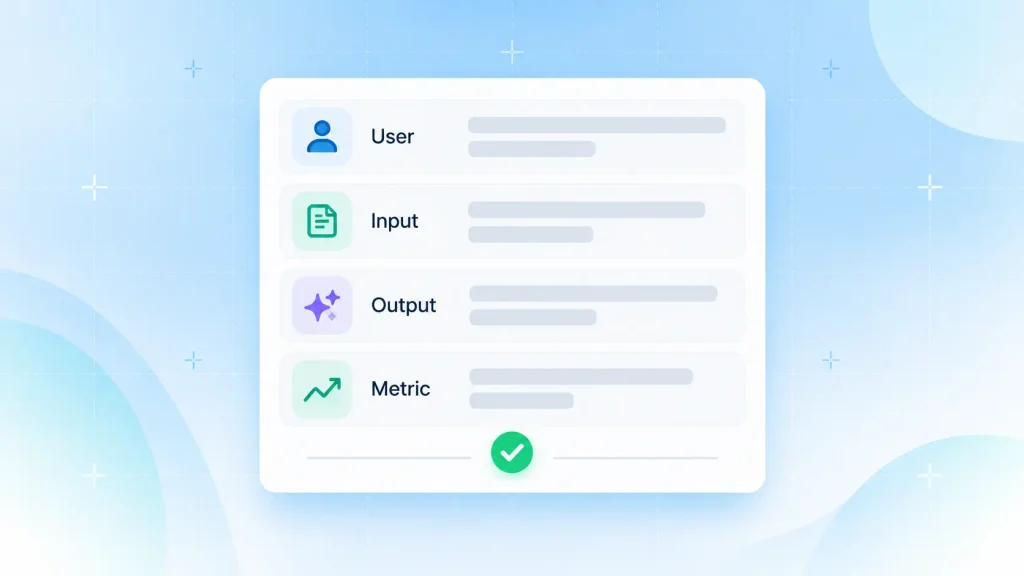
Before anyone writes code, I’d suggest a one-sentence feature brief. It should name four things:
- The user: who does the task today, for example, your customers’ account managers.
- The input: the data the feature reads, such as an uploaded invoice or a ticket thread.
- The output: what comes back, like a pre-filled form, a label, or a draft reply.
- The success metric: the number that should move, such as minutes per ticket or 90-day churn.
Can’t fill in all four? Then the idea isn’t ready yet. That one sentence later becomes your test plan, your cost estimate, and your release note.
Step 2: Check Your Data and Architecture Before You Scope
AI features for SaaS products fail more often from messy inputs than from weak models. So before you add AI to existing SaaS workflows, spend an afternoon checking whether your product can actually feed a model.
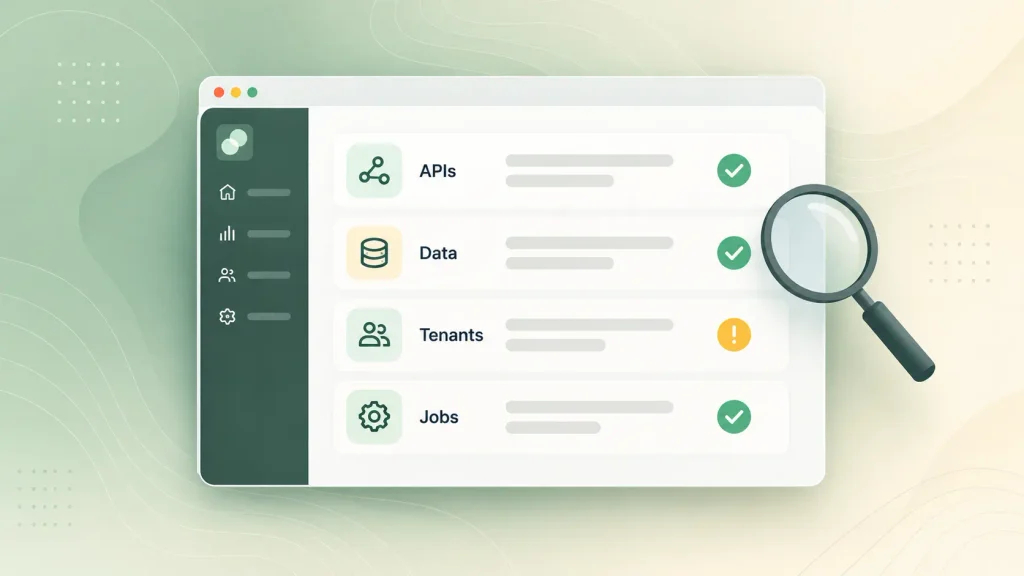
A quick readiness check covers four areas:
| Check | You’re ready if | Fix first if |
| API access | Core records are reachable through internal APIs | Data lives only behind UI code |
| Data quality | Key fields are filled and consistent | One category is spelled three ways |
| Tenant model | Every record carries a clear tenant ID | Customers share tables with unclear ownership |
| Background jobs | You already run a queue for slow work | Every action runs inside a web request |
Two or more “fix first” rows usually mean a small refactor comes before you integrate AI into SaaS platform code. That’s still far cheaper than a rebuild. And if the old product truly is beyond saving, the path for building an AI SaaS product from scratch looks quite different.
Step 3: Choose the Lightest Integration Path: API vs RAG vs Fine-Tuning
Most SaaS features start with a plain call to a hosted LLM API, then add retrieval-augmented generation (RAG) once answers need your own data. Fine-tuning comes last, and plenty of products never need it.
Here’s how the API vs RAG vs fine-tuning options compare:
| Path | Best when | Data it needs | Effort |
| LLM API call | The task is generic: summarize, rewrite, classify | Only the item in front of the user | Lowest |
| RAG | Answers must come from your records or docs | Content indexed as embeddings | Medium |
| Fine-tuning | You need a fixed tone, format, or narrow behavior | A large set of labeled examples | Highest |
RAG is simpler than it sounds. Your content gets turned into embeddings and stored in a vector database, such as pgvector inside the PostgreSQL you may already run. When a user asks something, the most relevant pieces get pulled into the prompt, and the model answers from your data without being retrained.
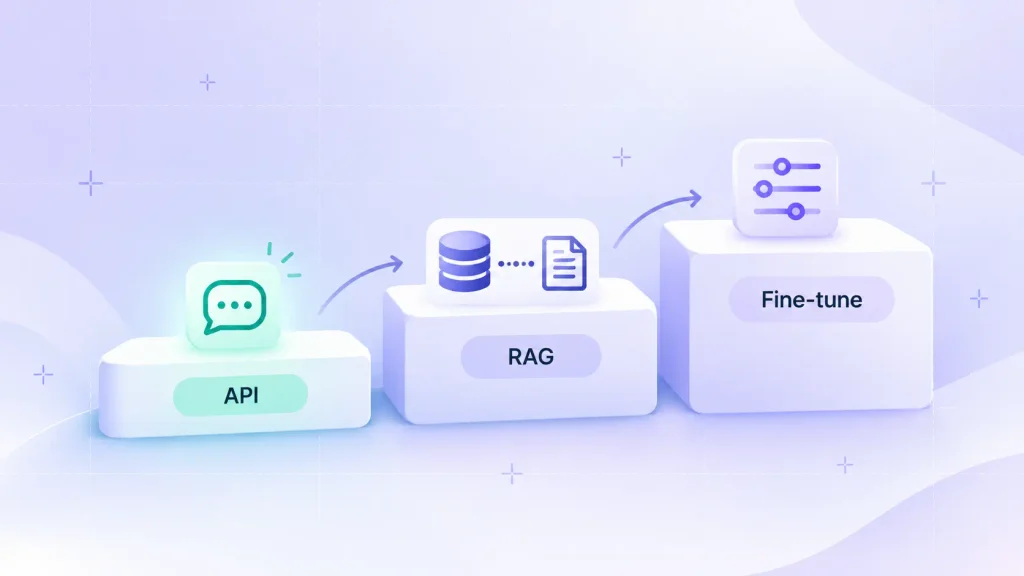
Pick the lightest path that clears your quality bar. Moving up a level later is easy. Explaining an expensive fine-tuning project you didn’t need is not.
Step 4: Add AI as a Separate Layer, Not a Rewrite
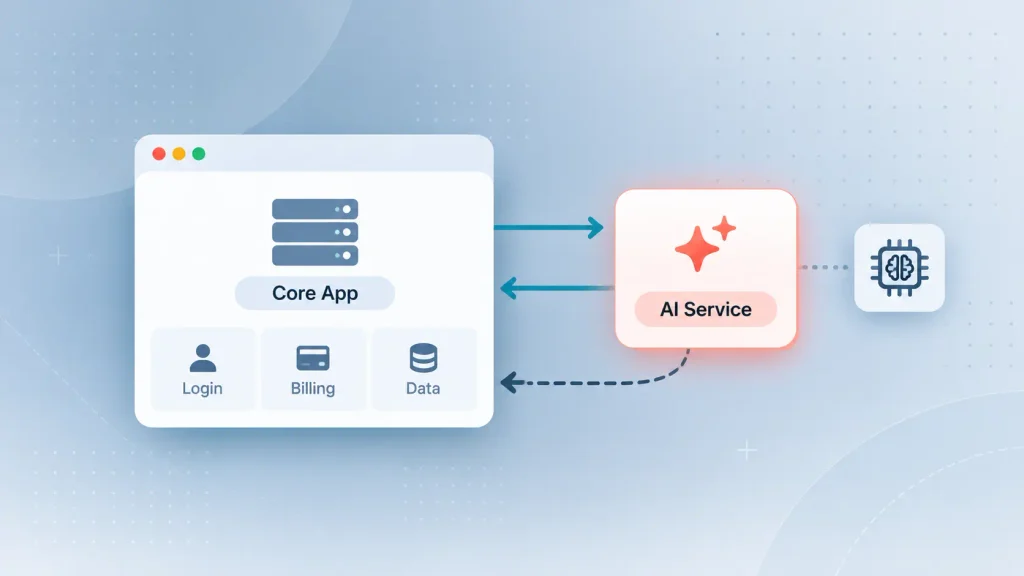
The safest way to integrate AI into SaaS platform architecture is to keep AI code in its own service or module, so a slow or failed model response never takes down login, billing, or saved work. Your core product barely changes. A few new calls appear wherever AI shows up in the UI.
You have three common ways to wire it in:
| Pattern | When it fits | Trade-off |
| Separate AI service (sidecar) | Most teams, any stack | One extra network hop |
| Module inside your app | Small team, single codebase | AI shares your deploys and failures |
| Gateway middleware | Enriching data as it arrives | Poor fit for interactive features |
Whichever you choose, three habits keep the layer maintainable:
- A provider-agnostic model layer: every model call sits behind one interface, so switching providers is a config change instead of a refactor.
- Async by default: extraction, classification, and report generation run as background jobs. Only features users watch in real time need streaming.
- A fallback path: if the provider is down, search falls back to keywords, summaries show the raw text, and classification lets the user pick.
Honestly, this is where most of the effort goes when a Boomdevs AI integration team works on an existing product. The model is the easy part. Fitting it around years of business logic is the real job.
Step 5: Design the Feature Inside Existing Screens
Users ignore AI features that make them switch context. The AI features for SaaS that actually get used sit where the work already happens: inline in the editor, in the ticket sidebar, or as a pre-filled field.
A few design patterns earn trust quickly:
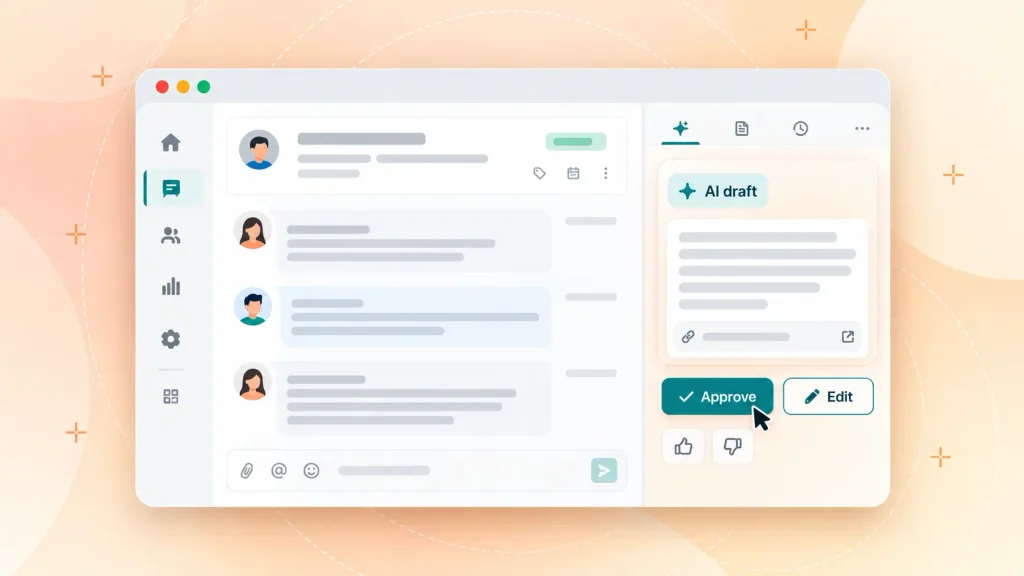
- Draft and confirm: the AI prepares the output and the user approves it before anything is sent or saved. This human-in-the-loop step matters most early on.
- Show the source: each answer links back to the records or documents it came from.
- Label AI output: a small badge separates what the model wrote from what a person wrote.
- An off switch: admins can disable AI features for their workspace without losing anything else.
- Feedback in place: a thumbs up or down on every output becomes your cheapest test data.
Draft and confirm is the one I wouldn’t skip. It turns every AI mistake into a quick edit instead of a support ticket.
Step 6: Protect Tenant Data and Meet Disclosure Rules
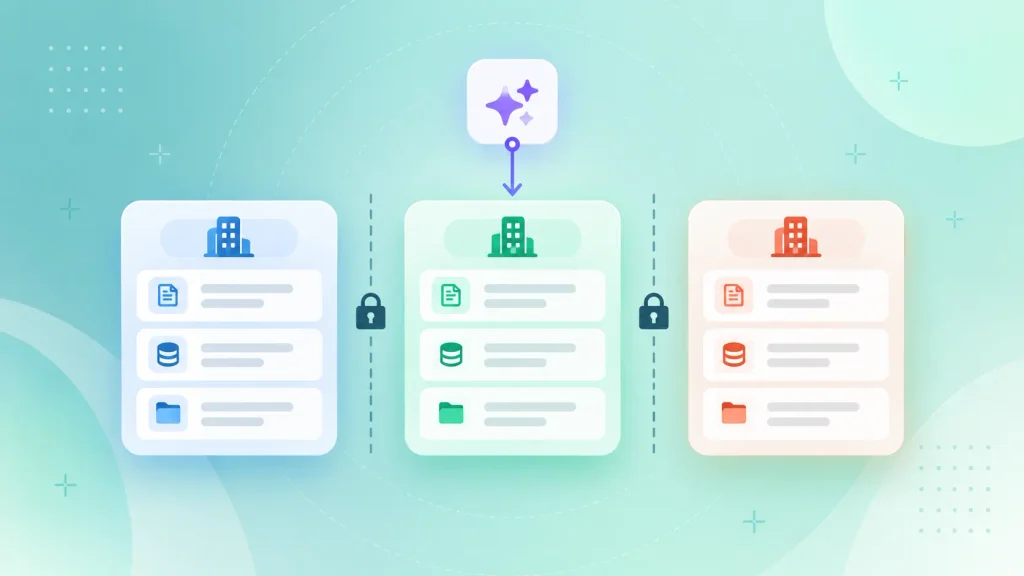
When you integrate AI into SaaS platform workflows, the biggest risk in a multi-tenant product is one customer’s data showing up in another customer’s answer. Tenant isolation fixes it: every retrieval, prompt, and cache gets scoped to a single tenant, exactly like your existing permissions.
Before launch, you’ll want these covered:
- Filter by tenant before retrieval: the tenant ID belongs inside the search query itself, never in a broad search filtered afterward.
- Send only what the model needs: strip personal data and unused fields from prompts. You’ll save tokens too.
- Update your sub-processor list: a new model provider usually counts as a sub-processor, so your privacy policy and contracts may need an update.
- Get the provider’s data terms in writing: confirm how inputs are stored, for how long, in which region, and whether they’re used for training.
- Disclose AI to EU users: the EU AI Act’s Article 50 transparency obligations have applied since 2 August 2026, so people should know when they’re dealing with an AI system.
Whenever you add AI to existing SaaS products, enterprise buyers will ask about all of this in security reviews. A one-page data-flow note per AI feature (fields sent, provider, retention, region) answers most of it before they ask.
Step 7: Test Against Real Examples Before Customers See It
Of every stage in how to add AI features to an existing SaaS, testing is the one teams rush most. An AI feature needs a test set before it needs a launch date. Model output is probabilistic, so one good demo tells you very little about the 500th request.
A simple model evaluation loop looks like this:
- Collect real examples from your own product, including the awkward edge cases.
- Write down what a correct output looks like for each one.
- Agree a pass threshold with whoever owns the outcome before the first run.
- Run the feature, read every failure, and adjust the prompt, model, or path.
- Re-run the same set every time a prompt changes or a model gets upgraded.
Most common generative AI failure points, from confident wrong answers to drift after a model update, surface in this step if you let them. Catching them here is cheap. Catching them through a customer complaint is not.
Step 8: Roll Out Behind Feature Flags and Measure Retention
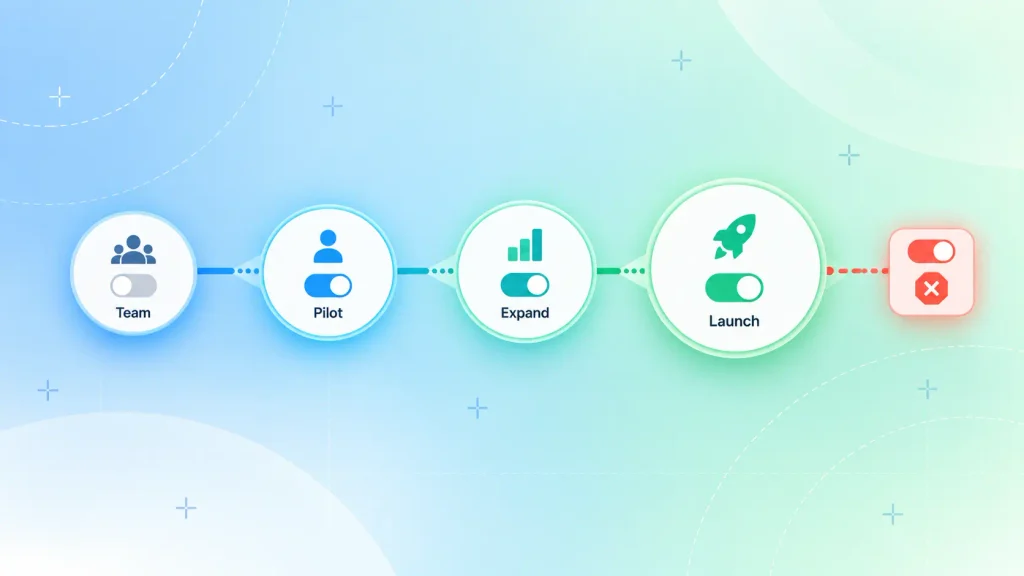
Release AI features for SaaS customers the way you’d release any risky change, only slower. Feature flags let you switch the feature on per tenant and switch it off in seconds if something goes wrong.
A staged rollout usually runs like this:
- Your own team uses it in production for a week or two.
- A handful of friendly customers join a pilot, with their agreement.
- Access widens in stages while you watch quality, cost, and support tickets.
- Full release, with the kill switch still in place.
Then judge it on the metric from step one. Clicks on a shiny new button prove curiosity. A drop in churn or in minutes per task proves value.
Which AI Features Should You Add First?
The strongest first AI features for SaaS teams with a live product are the quiet ones: extraction, summaries, classification, and smarter search. They run on data you already store, users can check the output, and mistakes are cheap to fix.
It’s also where software is heading. Gartner predicts up to 40% of enterprise applications will include task-specific AI agents by 2026, up from less than 5% in 2025. But AI agents come later in your sequence. You earn them by shipping simpler features first.
Here’s how the common options rank as a starting point:
| Feature | What it does | Data needed | Good first pick? |
| Field extraction | Pulls data from documents into records | The uploaded files | Often the best |
| Summaries | Condenses threads, logs, or reports | Existing records | Yes, if the source is visible |
| Classification and routing | Tags and routes tickets, leads, or transactions | Past labeled items help | Yes, and easy to measure |
| Semantic search | Finds results by meaning, not exact words | Content to index | Yes, plan for indexing |
| In-app copilot | Suggests next steps inside a workflow | Form state and history | Better as a second feature |
| Agent that takes actions | Completes multi-step tasks for the user | Your API and permissions | Only after the basics work |
Notice what’s missing: the general chatbot. It demos well, but users rarely want a new window to type into. They want the screen they already use to get smarter.
If you do need conversational help later, it’s worth weighing a custom chatbot vs an off-the-shelf builder before you commit. And once the basics work, an in-app AI copilot built on the same layer from step four is the natural next move.
What Does It Cost to Add AI to a SaaS Product?
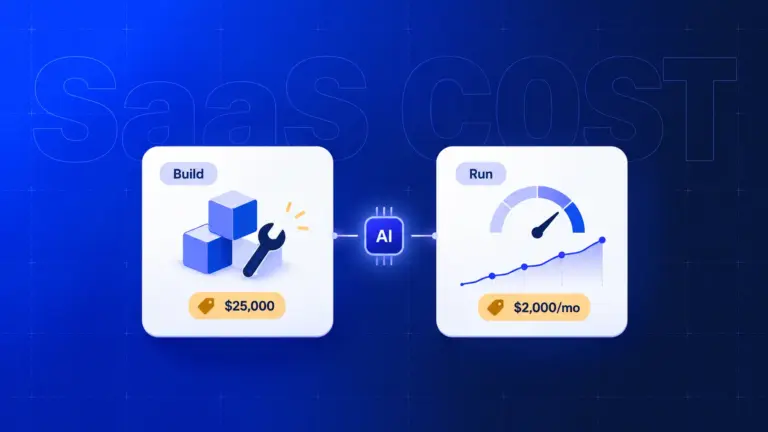
When you add AI to existing SaaS products, you pay two costs: a one-time build cost and a running cost that grows with every request. The second one catches founders off guard, because traditional SaaS features cost almost nothing per extra click.
What Drives the Build Cost
Your build cost depends less on the model and more on the work around it:
- Integration path: in the API vs RAG vs fine-tuning choice, an API-only feature is far lighter than a RAG pipeline or a fine-tuned model.
- Data cleanup: scattered or inconsistent data can take longer to fix than the feature takes to build.
- Architecture gaps: missing internal APIs, no job queue, or a weak tenant model all add refactoring time.
- Compliance scope: healthcare, finance, or EU users bring extra review and documentation.
- Evaluation and rollout: test sets, feature flags, and monitoring dashboards are part of the build, not extras.
For actual ranges by project type, this breakdown of AI product development cost goes deeper than there’s room for here.
What It Costs to Run
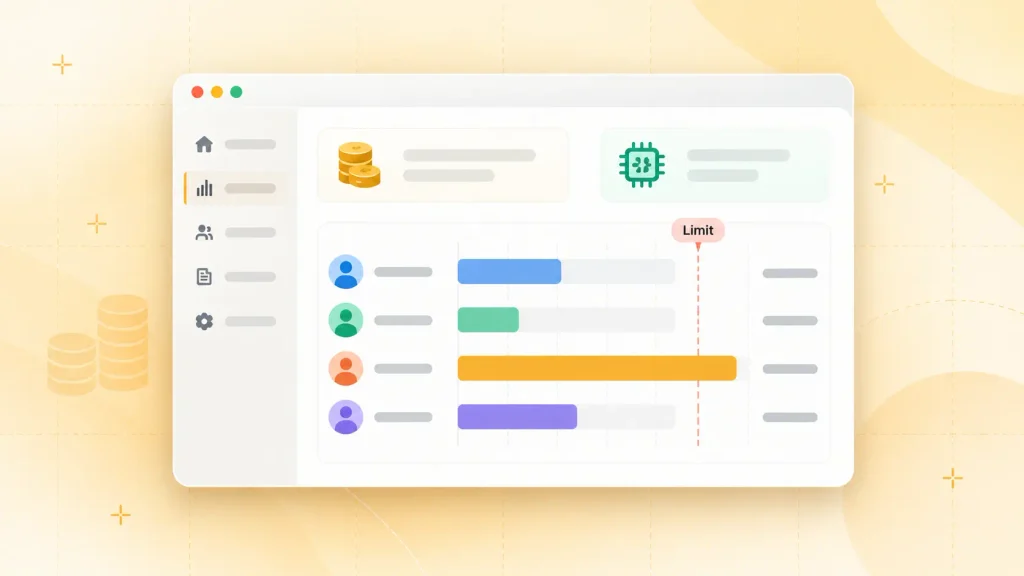
Every AI request is billed by tokens, so model choice drives most of your inference cost. On Anthropic’s current price list, Claude Haiku 5.5 costs $0.10 per million input tokens on prompts up to 100,000 tokens. Claude Sonnet 5.5 costs $2 for the same million, a 20x gap.
Three levers keep the bill predictable:
- The smallest model that passes your tests: classification and extraction rarely need a top-tier model.
- Batching for work that can wait: the same pricing page lists a 50% discount on input and output tokens through the Batch API.
- Caching for repeated context: prompt caching bills reused instructions and documents at a fraction of the normal input price.
Most important of all, meter every call by tenant and by feature. Without that token usage data, you can’t tell which customers cost more than they pay.
Should AI Features Be Free or Paid?
Ship basic AI features to every plan first, then gate heavier usage once you know the real cost per customer. Locking a brand-new feature behind your top tier starves you of the adoption data you need to improve it.
Once you have that data, three pricing models are common:
| Model | How it works | Best for |
| Included allowance | Each plan gets a monthly AI quota | Light, predictable features |
| Tier-gated | Advanced AI lives on higher plans | Features with clear premium value |
| Usage credits | Customers buy or top up AI credits | Heavy or spiky usage |
Whichever you choose, set a monthly ceiling per customer and trigger it once on purpose before launch. Better you find that edge case than a customer’s finance team.
Want a realistic number for your first AI feature? Tell us which workflow you want to automate and how your product is built today. You’ll get a scoped estimate and a recommended integration path, free.
Should You Build AI Features In-House or With a Partner?
Build in-house if your engineers have already shipped AI to production and know how to integrate AI into SaaS platform infrastructure. Bring in a partner if they haven’t, or if your team can’t pause the core roadmap for a quarter.
Most SaaS teams land on one of three setups:
| Option | Best when | Speed | Main risk |
| In-house team | You already have production AI experience | Slow start, fast later | Learning on your live product |
| Staff augmentation | You need AI skills inside your own team | Fast | You still own every architecture call |
| Specialist partner | You want the first feature shipped end to end | Fastest | Knowledge stays outside without a handover |
Plenty of teams mix these. A partner builds the first feature and the AI layer, then your engineers take over the second and third.
If you’re weighing this in detail, the in-house vs outsourced AI development trade-offs are worth reading first. Not sure which feature to build at all? A short AI consulting engagement can settle that before any code gets written.
Common Mistakes When Adding AI Features to an Existing SaaS
When teams get how to add AI features to an existing SaaS wrong, it’s rarely the model. They fail on scope, on data, or on the lack of a plan after launch.
These are the mistakes that come up again and again:
- Building the chatbot first: it’s the most visible AI feature and usually one of the least used.
- Skipping the test set: a prompt that works on the example you wrote it for proves almost nothing.
- Hard-coding one provider: when prices drop, or a better model ships, switching should take an afternoon.
- Shipping without cost metering: a few heavy accounts can quietly eat your margin.
- Paywalling too early: gating a new feature hides the adoption signal you need.
- No owner after launch: models change, data drifts, and someone has to watch the feedback.
Every one of these is cheaper to avoid than to fix. If two or more sound like your current plan, pause before the first sprint.
How Boomdevs Solves the AI Retrofit Problem for Live SaaS Products
Boomdevs helps teams add AI to existing SaaS products the way this guide lays out: one workflow first, a separate AI layer, tenant-safe data, and a staged rollout. The difference is that you don’t have to pause your own roadmap to get there.
A typical engagement covers four stages:
- Architecture audit: a readiness check of your APIs, data quality, and tenant model before scoping.
- Feature selection: one AI feature tied to a metric you already report on.
- AI layer build: provider-agnostic, async, with fallbacks and per-tenant metering.
- Evaluation and rollout: a test set, feature flags, and a pilot with your friendliest customers.
After 10+ years and 3.5K+ projects, the team has seen most of the ways a live product can break under new load. That’s why our AI SaaS development services start from the product you already have, not a blank page.
Start With One Feature This Quarter
You don’t need an AI strategy deck to begin. Figuring out how to add AI features to an existing SaaS starts with one workflow, one metric, and a safe way to ship it.
Pick the task your users complain about most, run it through the eight steps, and let the results decide what comes next.
Ready to add your first AI feature? Book a free strategy call and leave with a scoped plan for one feature, the right integration path, and a realistic timeline.
Book your free AI strategy call
Frequently Asked Questions
Do I Need a Data Science Team to Add AI to My SaaS?
No. Most first AI features for SaaS, like extraction, summaries, classification, and semantic search, run on hosted model APIs, classification, and semantic search, run on hosted model APIs and standard engineering skills. You need developers comfortable with APIs, embeddings, and prompt testing. A data scientist only becomes necessary if you train custom predictive models.
How Long Does It Take to Add AI Features to an Existing SaaS?
It depends mostly on the integration path and how ready your data is. An API-based feature on clean data moves much faster than a RAG pipeline that needs content indexed first. Data cleanup and compliance reviews are what usually stretch the schedule, so the readiness check in step two is your best predictor.
Will My Customers’ Data Be Used to Train the AI Model?
That depends on the provider and the plan you’re on. Retention periods, processing regions, and training policies differ, so confirm them in writing before any customer data leaves your system. Then record what you confirmed in a data-flow note for your customers’ security reviews.
Should AI Features Be Free or Part of a Paid Plan?
Give basic AI features to every plan first, so you collect real adoption data. Once you know the cost per customer, move heavy usage into higher tiers or usage credits. Gating too early hides whether the feature works at all.
Can AI Replace My SaaS Product’s Existing Features?
Rarely, and it shouldn’t be the goal. AI works best as a layer that speeds up existing workflows, with users able to accept, edit, or reject what it suggests. Your core features stay the source of truth.