


- 1. Key Takeaways
- 2. What Are AI Agents for Small Business?
- 3. Why Small Businesses Are Turning to AI Agents Now
- 4. How Small Businesses Use AI Agents: Seven Practical Use Cases
- 5. Is Your Small Business Ready for an AI Agent?
- 6. Off-the-Shelf AI Agent Tools vs Custom AI Agents
- 7. How Much Do AI Agents Cost for a Small Business?
- 8. What AI Agents Still Can't Do, and Where Humans Stay in the Loop
- 9. How to Get Started with AI Agents in Your Small Business
- 10. How to Measure Whether Your AI Agent Is Paying Off
- 11. How Boomdevs Builds AI Agents for Small Businesses
- 12. Frequently Asked Questions
Summarize with
It’s 9 p.m. and you’re still answering the same five customer emails. A lead from this morning hasn’t heard back. The invoices you meant to chase are still sitting in a folder.
None of it needs your judgment. It just needs doing, and you’re the only one around to do it.
That’s the gap AI agents for small business are built to close. Here’s what they handle well, what they cost, and how to start without wasting money.
Key Takeaways
- An AI agent watches for a trigger, decides the next step, and acts inside your tools. A chatbot only answers when asked.
- AI agents for small business pay off fastest on narrow, repetitive work: lead follow-up, support questions, bookings, and payment reminders.
- Off-the-shelf agents fit simple jobs inside one app. A custom AI agent makes sense when the work crosses several systems or follows your own rules.
- Start with one workflow, run it next to your team for two weeks, and expand only after it proves itself.
What Are AI Agents for Small Business?
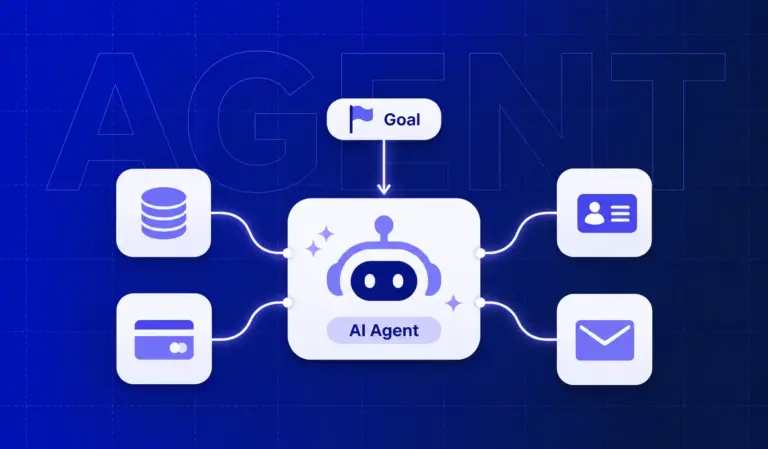
An AI agent is software you hand a job to, not a question. It notices that something happened, works out what should come next, and does it inside the tools you already use.
Picture a quote request landing in your inbox. The agent reads it, checks your price list, drafts the quote, logs the lead in your CRM, and asks you to approve before anything goes out. You didn’t open an app or type a prompt.
That’s what makes an AI agent for small business different from the tools you already have. You stop operating the tool and start reviewing its work.
How an AI Agent Works: Trigger, Decide, Act, Escalate
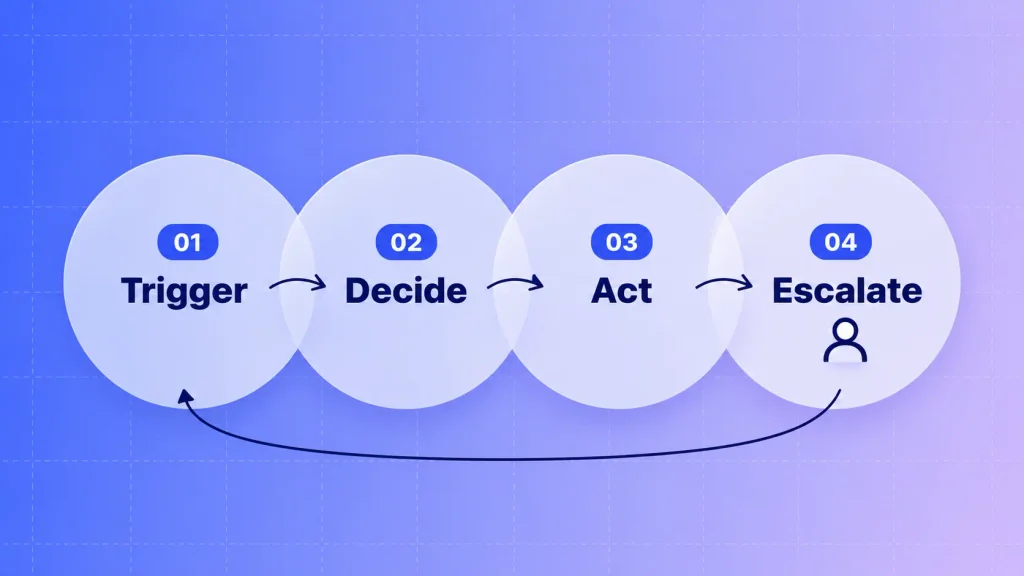
Every useful AI agent for small business runs the same short loop. The steps are simple, but the order matters, because the last one is what keeps you safe:
- Trigger: something happens, like a new form submission, an unpaid invoice, or a missed call.
- Decide: the agent reads the context, checks your rules and data, and picks the next step.
- Act: it sends the reply, updates the record, books the slot, or drafts the document.
- Escalate: anything unusual, risky, or outside its rules goes to a person, with the context attached.
Skip step four and you don’t have an agent. You have a liability that runs at 2 a.m.
AI Agent vs Chatbot vs Automation Tool
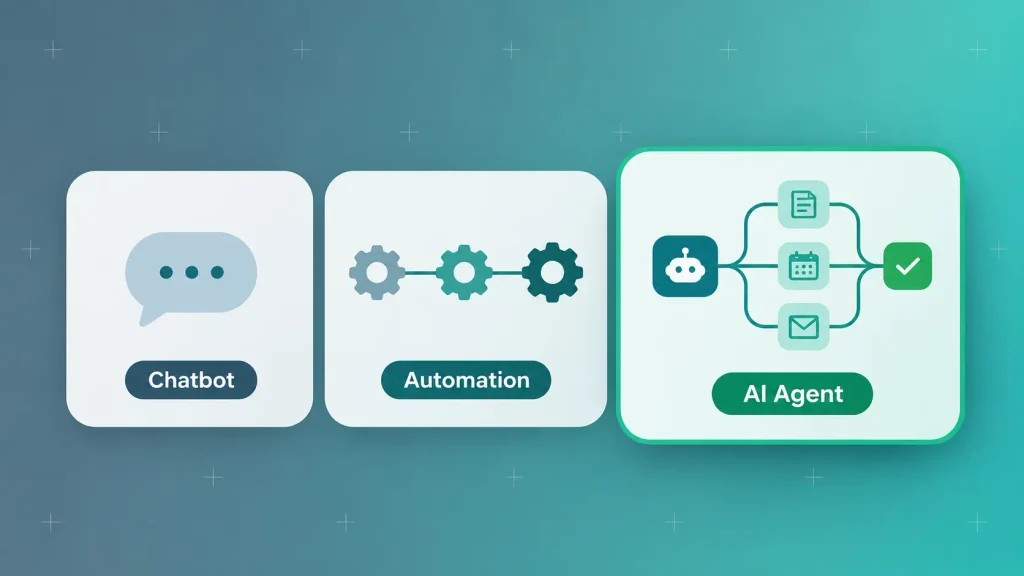
People use these three terms as if they mean the same thing. They don’t, and buying the wrong one is where most small business AI budgets leak. Here’s how they compare:
| Type | What it does | Where it breaks | Best fit |
| Chatbot | Answers questions inside a script | Anything off-script | FAQs on your website |
| Automation tool | Runs fixed if-this-then-that steps | A changed field or odd input | Stable, identical tasks |
| AI agent | Reasons through multi-step work and handles variation | Rare edge cases it wasn’t set up for | Repetitive work with small differences each time |
If you want a deeper side-by-side, this breakdown of AI agents versus chatbots walks through real examples. For most owners, the short version is enough: chatbots talk, automations repeat, agents finish the job.
Why Small Businesses Are Turning to AI Agents Now
You’re probably using AI somewhere in your business already. Far fewer actually run on it, and that gap is exactly where AI agents for small businesses come in.
The numbers show how wide it is:
- Adoption is nearly universal: SBE Council’s 2026 Small Business Technology Use Survey found 82% of small employers have invested in AI tools, with owners saving a median of five hours a week and employees 11.5 hours.
- Integration is rare: in Goldman Sachs‘ 10,000 Small Businesses Voices survey, 76% of owners use AI, but only 14% have it fully built into core operations.
- Agents are still early, even for big companies: McKinsey’s State of AI research shows 62% of organizations experimenting with AI agents and 23% scaling them somewhere in the business.
Put together, those figures say something useful. Your competitors probably have a chatbot and a writing assistant. Hardly any have an agent quietly closing loops in the background, which means you still have room to get ahead.
How Small Businesses Use AI Agents: Seven Practical Use Cases
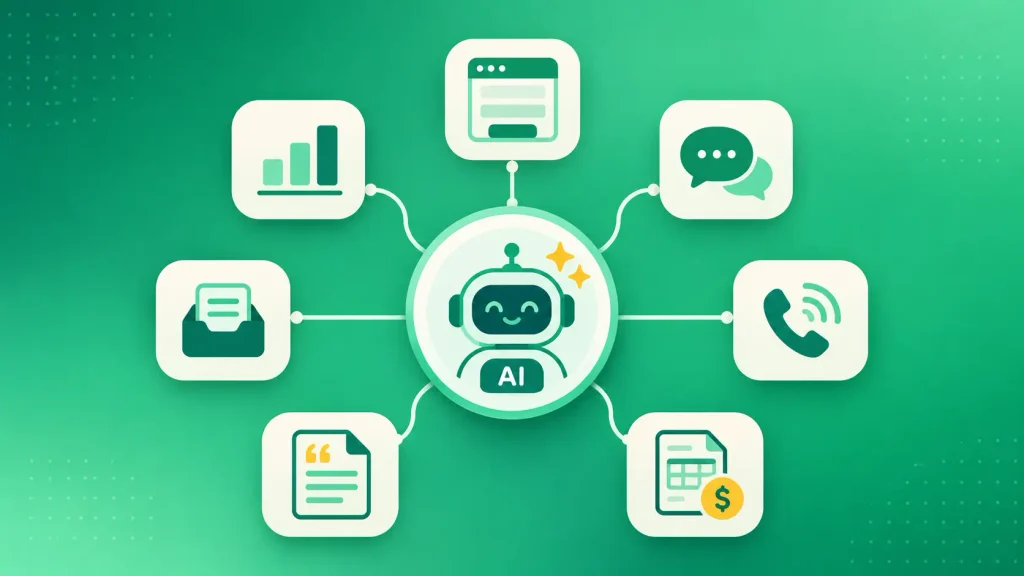
AI agents for small business earn their keep on jobs you repeat dozens of times a week. Here’s how small businesses use AI agents in the seven areas where results show up first.
Lead Response and Qualification
Speed decides a lot of small deals. When a lead fills out your form, an agent can reply within minutes, ask two or three qualifying questions, and book the good ones straight into your calendar.
You keep the sales call. The agent handles the part that used to wait until you had a free hour. If sales is your main bottleneck, this guide to AI agents built for sales teams goes further.
Customer Support and FAQs
Most support inboxes are full of the same questions. Where’s my order? Can I change my booking? Do you ship to my area?
An agent can answer those from your help docs and order data, then pass anything emotional or unusual to a person with the full thread attached. Here’s a closer look at how AI agents handle customer service without frustrating your customers.
Phone Calls and Appointment Booking
For clinics, salons, trades, and local services, the phone is still where work arrives. A voice agent can answer after hours, book the appointment, and text a confirmation.
If calls are your biggest leak, read how an AI receptionist works for a small business. If you need calls tied into your own booking or CRM system, custom AI voice agent development is usually the better route.
Invoice and Payment Follow-Ups
Chasing payments is awkward, so it gets skipped. An agent doesn’t feel awkward.
It can spot an overdue invoice, send a polite reminder, follow up on a schedule you set, and flag the accounts that need a personal call from you.
Quotes and Order Processing
If your quotes follow rules, an agent can apply them. It reads the request, checks your pricing and stock, drafts the quote, and waits for your approval.
The same pattern works for orders that arrive by email or PDF. The agent turns them into entries in your system instead of someone retyping them.
Inbox Triage and Admin
Your shared inbox probably mixes sales leads, supplier updates, receipts, and spam. An agent can sort each message, route it to the right person, and draft replies for the routine ones.
This is rarely glamorous. It’s also where many owners say they get their evenings back.
Weekly Reporting
Instead of someone pulling numbers every Monday, an agent can gather them from your tools, write a short summary, and flag anything unusual. The report waits in your inbox before the meeting starts.
Here’s how the seven use cases compare, including where a person should stay involved:
| Use case | Trigger | What the agent does | Human checkpoint |
| Lead response | New form or inquiry | Replies, qualifies, books | Sales call |
| Customer support | New ticket or chat | Answers from your docs | Refunds and complaints |
| Phone and booking | Incoming call | Books and confirms | Complex requests |
| Payment follow-up | Invoice overdue | Sends reminders | Disputes |
| Quotes and orders | Request or order email | Drafts quote or entry | Approval before sending |
| Inbox triage | New email | Sorts, routes, drafts | Anything sensitive |
| Reporting | Weekly schedule | Pulls data, summarizes | Decisions |
Notice the last column. The agents that work best never remove the person, they move the person to the moment that actually needs judgment.
Is Your Small Business Ready for an AI Agent?
You’re ready when you have one workflow that repeats often, follows a pattern, and lives in tools that can connect. You don’t need a tech team, but you do need those three things.
Signs a Workflow Is Agent-Ready
Before you copy how small businesses use AI agents elsewhere, look at your own week and check which of these describe a real task:
- It happens often: daily, or many times a week. A job you do twice a month rarely pays back the setup.
- It follows a pattern: the steps are mostly the same, even if the details change.
- It’s slow today: customers wait, leads go cold, or someone spends hours on it.
- Mistakes are recoverable: a wrong draft can be caught before it causes harm.
- You can describe it: if you can’t explain the steps to a new hire, an agent can’t follow them either.
A task that ticks four or five of these is a strong first candidate. One or two ticks usually means automation, a template, or a better process will serve you better.
Data and Tool Readiness Check
Any AI agent for small business is only as good as what it can see. Most owners skip this step, and it’s the one that decides whether your agent works in week one or stalls in month two.
Before you buy or build anything, check these:
- Your tools can connect: your CRM, inbox, calendar, and accounting app offer integrations or an API. Paper files and locked legacy software can’t feed an agent.
- Your data is reasonably clean: duplicate contacts, old prices, and outdated help articles become wrong answers, delivered faster.
- The rules are written down: pricing, refund limits, and who handles what live in a document, not only in someone’s head.
- Someone owns it: one person reviews the agent’s output and updates its instructions when your process changes.
- You know your “before” number: hours spent, response time, or leads lost. Without it, you can’t tell if the agent paid off.
If two or more of these fail, fix them first. A short project with an AI development services partner to connect systems and clean up data often does more for your results than the agent itself.
Off-the-Shelf AI Agent Tools vs Custom AI Agents
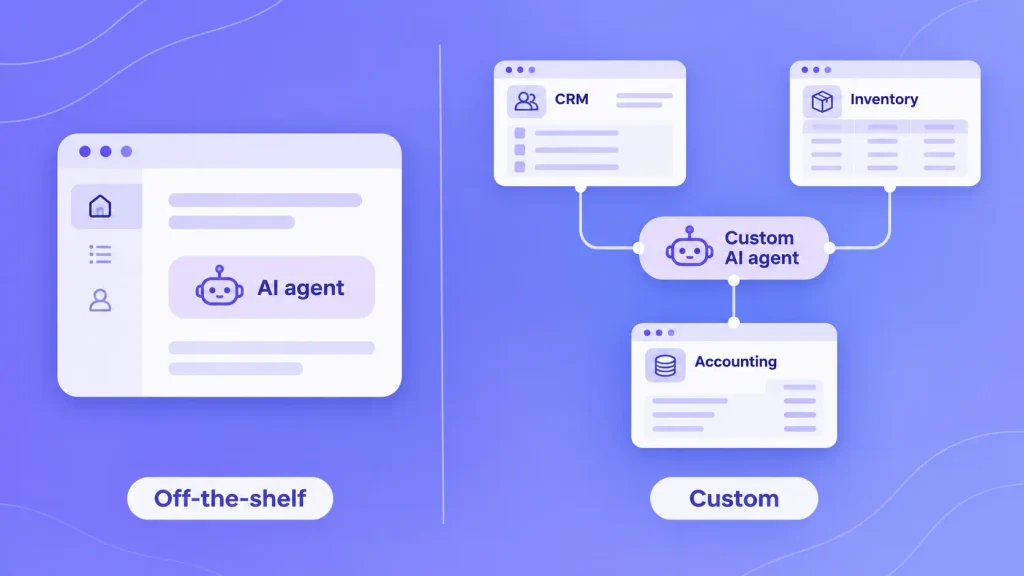
Off-the-shelf agents are faster and cheaper to start. A custom AI agent fits work that crosses several systems or follows rules no template covers.
Neither is better in the abstract. The comparison below shows where each one tends to win:
| Factor | Off-the-shelf agent | Custom AI agent |
| Setup time | Hours to days | Weeks |
| Upfront cost | Low, mostly subscription | Higher, a one-time build |
| Ongoing cost | Seats, credits, or per-use fees | Hosting, model usage, upkeep |
| Integrations | What the platform supports | Whatever your systems allow |
| Your business rules | Limited to built-in settings | Built around your exact process |
| Data control | Lives on the platform | You decide where it lives |
The pattern is simple. Start with a tool when the job lives inside one app. Go custom when the job is the glue between apps.
When an Off-the-Shelf Agent Is Enough
Plenty of small businesses never need a custom build. A ready-made agent usually covers you when:
- The work happens inside one platform you already pay for, like the AI agents built into HubSpot or Zapier.
- Your process looks like most businesses’ process, such as standard FAQ support or meeting scheduling.
- Volume is modest, so per-use pricing stays predictable.
It’s worth testing one on a real task and watching the bill for a month. Usage-based pricing can climb faster than the sticker price suggests.
When a Custom AI Agent Makes More Sense
A custom AI agent pays off when the tools start fighting you. These are the triggers we see most often:
- The job spans three or more systems: for example, a quote that pulls from your CRM, inventory sheet, and accounting app.
- Your rules are your edge: custom pricing logic, approval chains, or a service process competitors can’t copy.
- You’re stacking subscriptions: you’ve glued several tools together and spend more time fixing them than using them.
- Data has to stay put: client or patient data shouldn’t sit on another platform.
- The agent faces customers at volume: reliability matters more than setup speed.
If two or more of these fit, it’s worth scoping custom AI agent development before buying a third tool to patch the first two.
How Much Do AI Agents Cost for a Small Business?
The cost of AI agents for small business depends mostly on whether you subscribe to a tool or build your own. For context, SBE Council’s survey puts the median small business’s annual AI spend at $2,200, spread across the typical five tools.
An agent can cost more or less than that, depending on how you get it. These are the factors that move your number:
- Tool or build: a subscription costs little to start, while a custom agent is a one-time project plus running costs.
- Number of systems: each integration adds setup and testing work.
- Volume: many platforms charge per conversation, task, or credit, so busy months cost more.
- Model usage: agents that read long documents or reason through many steps use more of the AI model.
- Your time: setup, testing, and weekly review hours are a real cost, even if no invoice shows them.
That last one catches people out. A cheap subscription that eats five hours of your week isn’t cheap.
For ranges by agent type and complexity, see our full breakdown of AI agent development cost. If you’d rather have a number for your own workflow, Boomdevs can estimate it from a short description of the job.
What AI Agents Still Can’t Do, and Where Humans Stay in the Loop
AI agents for small business are reliable at narrow, repeatable tasks. They’re unreliable at judgment calls, rare exceptions, and anything where a confident wrong answer causes real damage.
Even large companies get this wrong. Gartner predicts more than 40% of agentic AI projects will be canceled by the end of 2027, citing rising costs, unclear value, and weak risk controls. The fix isn’t to avoid agents. It’s to match their freedom to the risk of the task.
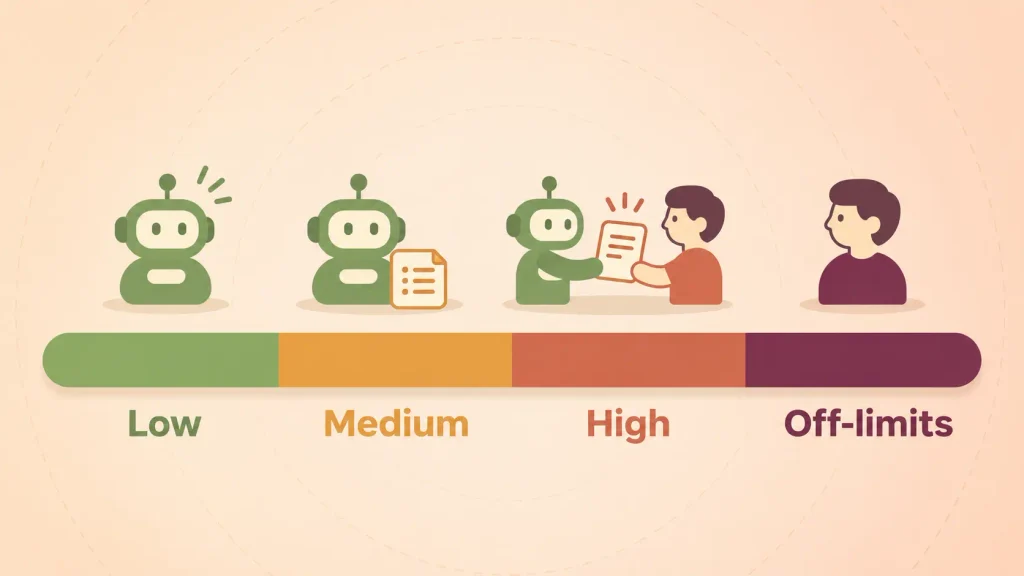
Use this as a starting point:
| Task risk | Example | Agent autonomy | Your role |
| Low | Sorting email, booking slots | Acts on its own | Spot-check weekly |
| Medium | Customer replies, payment reminders | Acts, logs everything | Review samples daily at first |
| High | Quotes, refunds, contract terms | Drafts only | Approve before it goes out |
| Off-limits | Firing, legal advice, medical decisions | None | Fully human |
Most problems come from three habits:
- Set and forget: tools update and processes shift, so output quality drifts unless someone checks it.
- No escalation path: the agent guesses instead of handing off when it’s unsure.
- Too much access: an agent that only needs to read your calendar shouldn’t be able to edit your bank details.
Customer trust matters here too. Tell people when they’re talking to an agent, and give them an easy way to reach a person. Our post on ethical risks in AI agent design covers transparency, bias, and consent in more depth.
How to Get Started with AI Agents in Your Small Business
The safest way to roll out AI agents for small business is to start small and measure everything. One well-chosen agent that works beats five half-working ones.
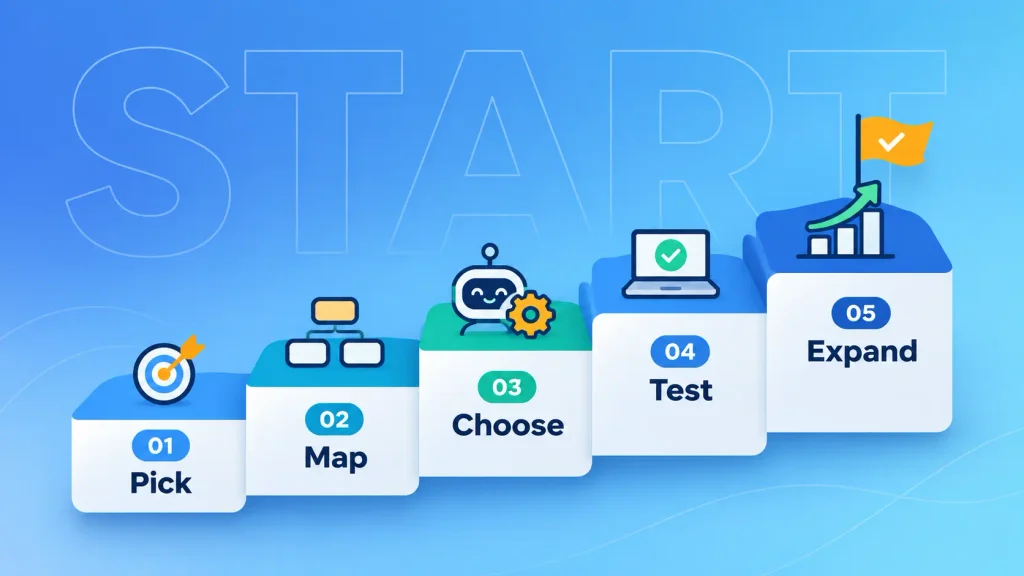
Step 1: Pick One High-Volume Workflow
I’d suggest going back to your readiness check and choosing the task that scored highest. You’ll want something important, but not mission-critical.
Lead follow-up and FAQ replies are popular first picks for a reason. They happen often, mistakes are easy to catch, and the results show up fast.
Step 2: Map the Steps and the Exceptions
It helps to write the workflow down the way you’d explain it to a new hire. Then you can spend more time on the exceptions than on the normal path.
Your map should cover:
- What triggers the task.
- Each step, in order, and the tool where it happens.
- The rules the agent must follow, like price limits or tone.
- The cases that always go to a person.
That last list is your escalation plan. It’s also the part most first agents are missing.
Step 3: Choose a Tool or Scope a Custom Build
The comparison above does most of the work here. If the job lives in one app, you can try that app’s agent first.
If it crosses systems or depends on your own rules, it’s worth scoping a custom build around the map you just wrote. A clear map shortens that project and makes any quote more accurate.
Step 4: Run It Alongside Your Team for Two Weeks
Don’t switch off the old process on day one. Let the agent draft or act while your team keeps doing the work, then you can compare the results side by side.
During the test, keep a shared note open. Every time the agent gets something wrong, jot down what happened and what it should have done. That note turns into your next round of instructions, and you’ll likely see it shrink after week one.
You’ll find gaps you didn’t expect. Once you’ve fixed the instructions and added the missing exceptions, you can let the agent act without approval on low-risk steps.
Step 5: Expand Only After It Proves Itself
Once the first agent beats your “before” number for a few weeks, you’re ready for the next workflow. Everything you learned about data, rules, and review carries over.
Growing one agent at a time keeps maintenance manageable. It also builds the internal confidence you’ll need for bigger projects.
How to Measure Whether Your AI Agent Is Paying Off
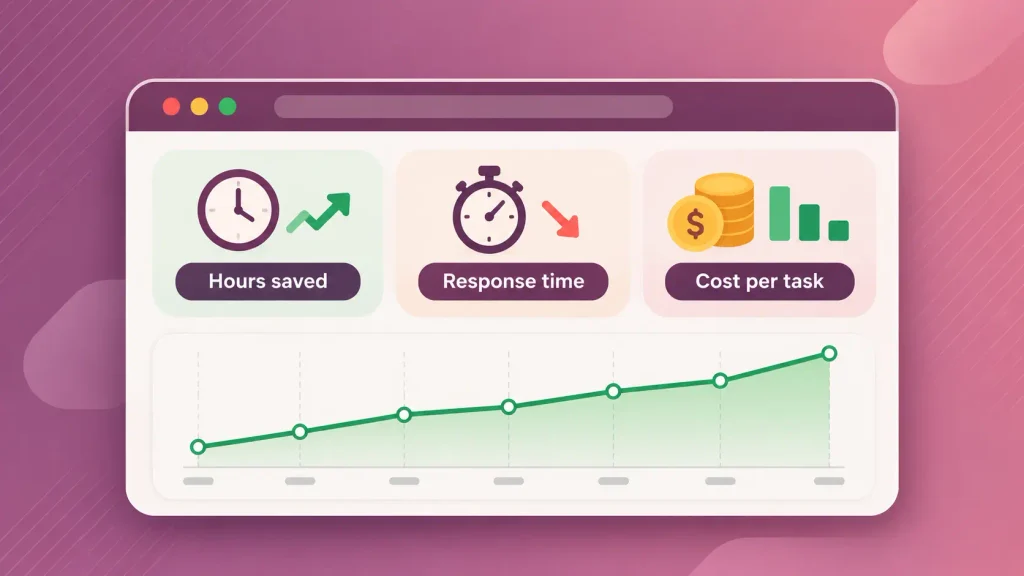
An AI agent for small business pays off when it saves more time or money than it costs to run and review. You can only see that if you track a few numbers from the start.
These are the metrics worth watching:
| Metric | What it tells you | How to track it |
| Hours saved per week | Real capacity returned to your team | Compare task time before and after |
| Response time | Whether customers and leads wait less | Timestamps in your inbox or CRM |
| Resolution or completion rate | Share of tasks finished without a person | Agent logs |
| Escalation rate | Whether the agent knows its limits | Handoffs divided by total tasks |
| Error rate | Quality of what goes out | Weekly sample review |
| Cost per task | Whether the economics hold at volume | Total monthly cost divided by tasks |
You don’t need all six. Three is plenty for a first agent, checked weekly for the first month and monthly after that.
If hours saved stay flat or errors climb, don’t add more agents. Fix the first one or retire it.
How Boomdevs Builds AI Agents for Small Businesses
Boomdevs builds custom AI agents around the workflow you already run, not a template you have to bend your business to fit. Every custom AI agent project starts with one job, mapped step by step with you.
From there, the team connects the agent to your CRM, inbox, phone line, or accounting system and builds the escalation rules into the agent itself. Approval steps sit wherever the risk calls for them. After launch, the agent is monitored and tuned as your process changes.
That approach comes from 10+ years of shipping software and 3.5K+ delivered projects, recognized as a Clutch Champion in 2024. If you have a workflow eating your week, you can talk to the Boomdevs AI agent team about scoping your first agent.
Frequently Asked Questions
Are AI agents worth it for small businesses?
Yes. AI agents for small businesses are worth it when you point them at a frequent, repetitive task and track the results. They pay off fastest on lead follow-up, support questions, and scheduling. They rarely pay off on rare or judgment-heavy work.
Do I need a developer to set up an AI agent?
Not for simple jobs inside one platform. Many tools let you describe a task in plain language. You’ll want developers when the agent must connect several systems, follow custom rules, or keep sensitive data in-house.
Can AI agents replace my employees?
They replace tasks, not people. Agents take over repetitive steps, so your team can spend time on sales, service, and decisions. The best results come when a person reviews the agent’s work and handles exceptions.
Are AI agents safe with customer data?
They can be, if you set them up carefully. Give each agent access only to the data it needs, keep logs of what it does, and check where the platform stores your data. For regulated information, a custom agent lets you control where data lives.
How long does it take to set up an AI agent?
A ready-made agent for one task can run within a day. A custom agent connected to several systems usually takes a few weeks. Either way, plan on a two-week test period before trusting it fully.
Is ChatGPT an AI agent?
On its own, ChatGPT mostly works as an assistant that answers when you ask. It becomes part of an agent when it’s connected to your tools, given rules, and allowed to take actions on a trigger. The model is the brain; the agent is the brain plus the hands.