- 1. AI Agent Development Tools and Platforms: The Short List
- 2. 1. LangGraph
- 3. 2. CrewAI
- 4. 3. Microsoft Copilot Studio
- 5. 4. Google Gemini Enterprise Agent Platform (Vertex AI)
- 6. 5. OpenAI AgentKit
- 7. 6. Salesforce Agentforce
- 8. 7. n8n
- 9. 8. Make
- 10. 9. Dify
- 11. 10. An AI Gateway Layer (for example, TrueFoundry)
- 12. How These AI Agent Development Tools and Platforms Compare
- 13. Off-the-Shelf Tool or Custom Build? What Actually Decides It
- 14. Frequently Asked Questions
- 15. Ready to Build Yours?
Summarize with
You have just been given a budget for an AI agent, and now you are faced with a multitude of frameworks, no-code builders, and enterprise platforms, all of which assert that they are the correct choice.
The following are the 10 best AI agent development tools and platforms worth including on your shortlist in 2026, categorized according to the amount of code you wish to write.
With each selection, the actual limitation is stated, not just the advantages. If a standalone platform isn’t sufficient for your needs, go directly to the build-versus-buy section.
AI Agent Development Tools and Platforms: The Short List
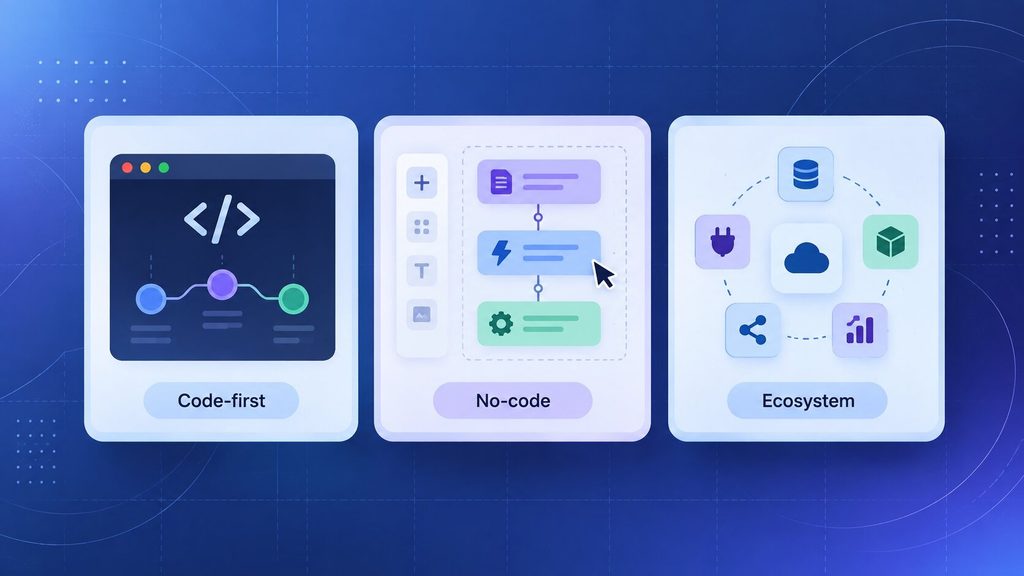
Here’s how the top AI agent development tools and platforms stack up against each other.
- Sixty-two percent of organizations are already experimenting with AI agents, according to McKinsey’s 2025 State of AI survey, though most are still stuck in pilot mode.
- With code-first frameworks such as LangGraph and CrewAI, developers have complete control over the agent’s logic, although they then have to build all the other components themselves.
- No-code builders like Make, n8n, and Dify can get an agent running in a few days. However, they run into limits when workflows become truly complex.
- Ecosystem-native platforms such as Copilot Studio, Agentforce, and Vertex AI perform at their best when you are well within that ecosystem and become less useful quickly when you are outside it.
- The importance of having a governance layer is greater than the choice of framework once an agent comes into contact with real customer data.
Judging the tools listed below, consideration is given to three factors: the amount of engineering time required to deploy the first agent, the extent to which the tool integrates with the systems you currently use, and the situation that arises when the agent does indeed need to be governed.
A no-code tool which takes only an afternoon to set up has no value if it cannot withstand a security review six months later. For this reason, the list begins with the build model and then indicates where each option’s potential limit lies.
1. LangGraph
Among all AI agent development tools and platforms, code-first frameworks give you the most control.
LangGraph is the option that most technical teams choose when a chatbot with memory develops into a genuine, multi-step agent; it is a Python and JavaScript framework that is part of the LangChain ecosystem and represents an agent’s logic in the form of a graph rather than as a single prompt chain.
The framework has more than 33,000 stars on GitHub, and Klarna’s own case study attributes a reduction in average customer query resolution time by 80 per cent among its 85 million active users to LangGraph and LangSmith. Founders cite results like that when asked what their engineers actually use.
- In stateful orchestration, the agent retains context over long, multi-step workflows rather than starting over each time it is called.
- Human checkpoints: pause the run for approval before it carries out a risky action.
- Debugging by means of time travel: run the execution step by step to identify the exact point where it went wrong.
- With the LangSmith integration, built-in tracing means you won’t have to guess when it’s going live.
The problem is that LangGraph comes with no access controls, no cost limits, and no audit trails; you or the person who builds it for you will need to add a governance layer before using it with production data.
2. CrewAI
CrewAI uses a different approach to thinking about the problem than LangGraph. Rather than relying on a graph, you define a “crew” of agents, each with specific roles, goals, and tools, just as you would when putting together a small team.
So the researcher agent passes its task to the writer agent, which in turn passes it on to the reviewer.
This role-based structure has helped teams reduce the time it takes to build agents for standard business processes from days to hours. The system is open source and Python-based, and it doesn’t need the LangChain ecosystem to run.
- Agents based on roles: each one has a specific job, a backstory, and a set of tools, which aligns neatly with how your team currently thinks about workflows.
- For sequential or hierarchical processes: agents can function in order or through a manager agent that delegates.
- Fast prototyping: Rapidly developing a working multi-agent team usually requires less code than its equivalent in LangGraph.
- Active open-source core: There is an open-source core, plus a paid Enterprise level for hosting and observability.
The downside is control. Although CrewAI’s role abstraction is easy to set up, it offers limited support for branching logic when a workflow becomes genuinely complex, and it includes no native cost attribution or audit trail.
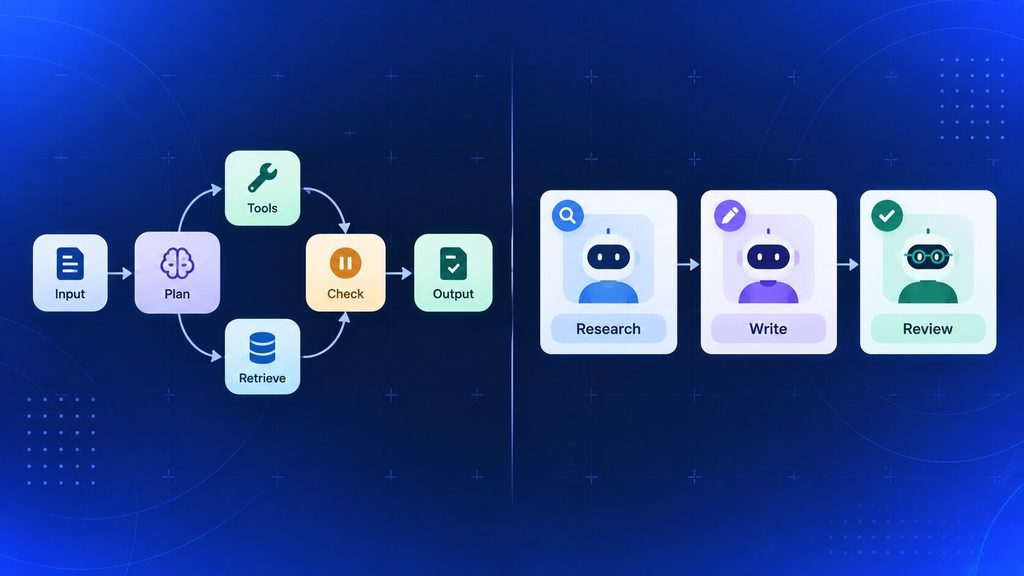
These next AI agent development tools and platforms plug directly into a stack you may already use, the following four need less integration since you stay within one company’s environment.
3. Microsoft Copilot Studio
Copilot Studio is Microsoft’s low-code tool for creating agents that work within Teams, SharePoint, Dynamics 365, and other Microsoft 365 products. For companies that are already using that suite of products, this is generally the quickest way to get an internal agent up and running.
- A designer of visual topics and dialogue, providing generated responses based on your own SharePoint and Dataverse content.
- You can publish natively to Teams, Microsoft 365 Copilot, and Dynamics 365 without additional integration work.
- Governance runs through Microsoft Entra and Purview, tools most IT teams already know how to administer.
- The Copilot Credits pricing begins at about $200 per month for a pack of 25,000 credits, and a pay-as-you-go option is also available.
But outside Microsoft’s ecosystem, the value drops quickly, and Copilot Studio is also far less flexible than a code-first framework when your logic gets complicated.
4. Google Gemini Enterprise Agent Platform (Vertex AI)
Google’s answer is based on Vertex AI and uses Gemini’s long context windows and multimodal reasoning capabilities. This option suits teams already using Google Cloud that need tight control over their retrieval and evaluation pipelines.
- Gemini native access, including support for function calling and long-context processing in document-intensive workflows.
- Deep integration with BigQuery and Cloud Storage for governed data grounding.
- An Agent Development Kit for code-first builds, plus a no-code console for quick prototypes.
- The system includes evaluation and safety filters designed to identify quality issues before they reach the customer.
Pricing is usage-based, with tokens and grounding queries charged separately, making costs harder to forecast than with a fixed subscription. If you want to import the outputs into a non-Google environment, you’ll also need to do custom integration work.
5. OpenAI AgentKit
AgentKit is a toolkit developed by OpenAI for building and evaluating agents using the GPT-5 model family, intended for teams that prefer a first-party solution rather than combining various external frameworks.
- The Responses API comes with built-in support for tool calling, file search, web search, and computer-use actions.
- A tool for monitoring runs and detecting regressions before they are shipped.
- ChatKit allows you to incorporate an agent’s chat interface directly into your own application.
- With token-based pricing, costs rise with usage rather than the number of seats.
Something to know before you proceed: OpenAI will phase out Agent Builder, its visual canvas, on November 30, 2026, so any new projects should plan around the Agents SDK. Also, AgentKit ties your agent logic to OpenAI’s own models.
6. Salesforce Agentforce
Agentforce is the agent platform that is native to Salesforce’s CRM and is based on the Einstein 1 platform along with its Atlas Reasoning Engine; it can read from and write to the records in your Sales Cloud and Service Cloud, enabling an agent to update a case or mark an opportunity as such without the need for a separate integration layer.
- You can achieve direct grounding with CRM without exporting any data to access customer records.
- The Atlas Reasoning Engine enables multi-step planning across records, Flows, and knowledge articles.
- Pricing options are flexible and can be based on a per-conversation basis, a per-action basis, or bundled Flex Credits, depending on the use case.
- An Einstein Trust Layer handles masking, audit logging, and toxicity checks for each interaction.
Outside of Salesforce, Agentforce has little to offer, and its credit-based pricing can be hard to predict at scale. Additionally, it requires an administrator or an Apex developer for any significant extensions.
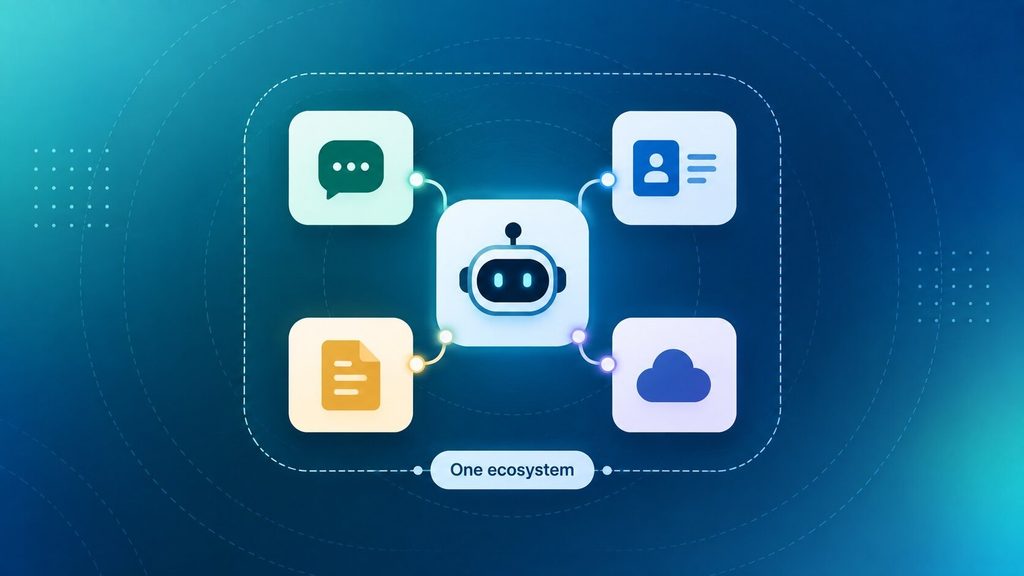
If ecosystem lock-in worries you, these AI agent development tools and platforms offer more flexibility in return for some compromise in polish. You retain control of the infrastructure and write only a small amount of code.
7. n8n
n8n is a self-hostable workflow automation platform popular among engineering teams that want agent capabilities without giving up infrastructure control. You can run it on your own servers or choose the cloud option.
- An fA air-code license means you can view and modify the source, not just use it.
- AI agent nodes with LangChain integration, memory buffers, and the ability to call tools for multi-step workflows.
- There are more than 400 integrations, and in addition, custom JavaScript or Python nodes are available when there is no built-in connector.
- Host it yourself with Docker or Kubernetes. Keep sensitive data inside your own network.
The fact that you self-host also involves you taking on the DevOps responsibilities of running, scaling, and securing it, a cost which most no-code comparisons fail to mention.
8. Make
Make (formerly Integromat) is a visual automation platform with a Scenario Builder canvas, now extended with goal-driven AI agents that adapt in real time rather than requiring all branches to be pre-mapped.
- There are more than 3,000 prebuilt app integrations, enabling an agent to view data in a CRM, search a knowledge base, and open a support ticket all without having to write custom code.
- A step-by-step panel shows exactly which tools the agent invoked and why.
- You can get routing and iteration logic for branching and looping without writing any code.
- The free tier provides 1,000 credits per month, and after that, plans start at about $12 a month.
Since sensitive workflows still run on someone else’s infrastructure, complex agents require careful credit planning, and Make doesn’t offer self-hosting.
9. Dify
Dify is a low-code, open-source platform designed specifically for retrieval-augmented agents; it focuses on linking an agent to your own documents and data rather than general workflow automation.
- The visual builder includes RAG, function calling, and ReAct reasoning strategies right from the start.
- Support for multiple language models spans hundreds of models, with models switched via configuration rather than code changes.
- TiDB offers vector search that enables scalable retrieval at production volume.
- You can self-host it, or use a cloud hosting service for a quicker setup.
Dify’s governance features are limited; while it’s fast for prototyping a knowledge-grounded agent, you should pair it with another tool before using it for regulated data.
10. An AI Gateway Layer (for example, TrueFoundry)
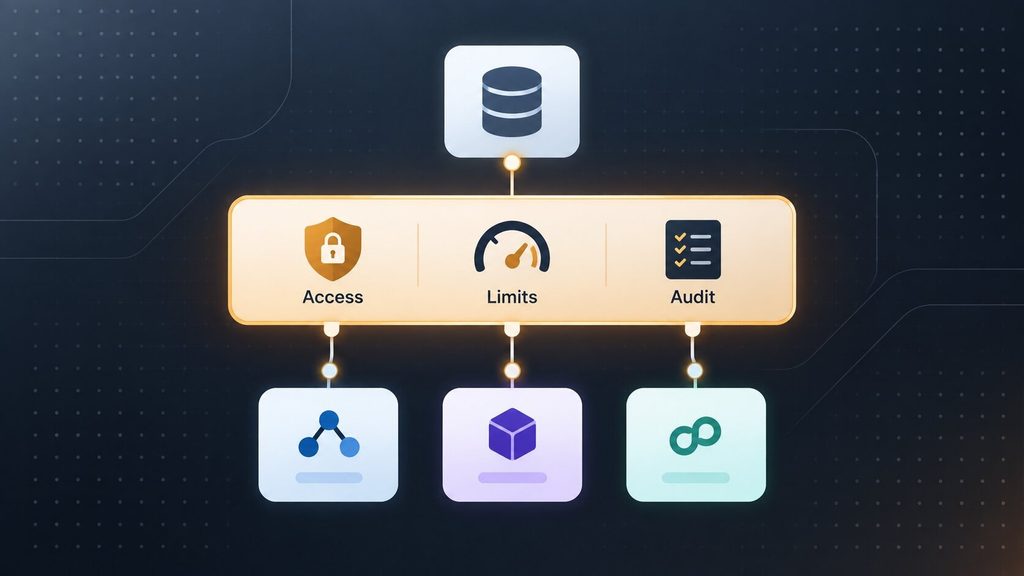
All the tools mentioned address how to build an agent, but none fully address how to show an auditor what the agent accessed and why. This gap is exactly what an AI gateway fills, which is why it deserves its own line item here, since failing to include this step is one of the most common reasons pilots never make it to production.
TrueFoundry is a case in point; it is positioned above the framework you have already chosen, whether that is LangGraph, CrewAI, or one that you have built yourself, and applies the same controls uniformly.
- A single control plane that provides unified access to model routing, tool access, and per-agent cost limits.
- Since the deployment is native to the VPC, inference traffic stays within your cloud account rather than being routed to someone else’s.
- Identity-aware access control that links every agent action back to the person who caused it.
- Audit logging that is immutable and structured to provide compliance evidence without requiring a separate logging stack.
The layer does involve an actual cost in addition to the framework you’re using, with prices beginning at $499 per month for small teams, and it’s unnecessary when you’re at the single-prototype stage; you should only add it when the agent starts to handle customer data or real money.
How These AI Agent Development Tools and Platforms Compare
Comparing these AI agent development tools and platforms side by side makes the trade-offs clearer, here’s the whole shortlist at once:
| Tool | Best For | Key Differentiator |
| LangGraph | Developers building stateful, complex agents | Graph-based control with time-travel debugging |
| CrewAI | Fast multi-agent prototyping | Role-based agents, minimal setup code |
| Microsoft Copilot Studio | Microsoft 365-native teams | Deep SharePoint, Teams, and Dynamics integration |
| Google Gemini Enterprise | Google Cloud-native teams | Long-context Gemini models, BigQuery grounding |
| OpenAI AgentKit | OpenAI-first stacks | Native Responses API, built-in evaluation |
| Salesforce Agentforce | CRM-anchored service and sales agents | Direct read and write access to CRM records |
| n8n | Self-hosted, developer-controlled automation | Fair-code license, full infrastructure ownership |
| Make | Visual, no-code cross-app orchestration | 3,000-plus integrations, full reasoning visibility |
| Dify | No-code RAG-based agent prototyping | Built-in retrieval and multi-LLM switching |
| AI gateway (TrueFoundry) | Production governance across any framework | RBAC, cost limits, and audit logs in one place |
All ten options are correct; the error lies in choosing one simply because it appeared at the top of someone’s list, rather than because it matches the level of control your team needs.
Off-the-Shelf Tool or Custom Build? What Actually Decides It
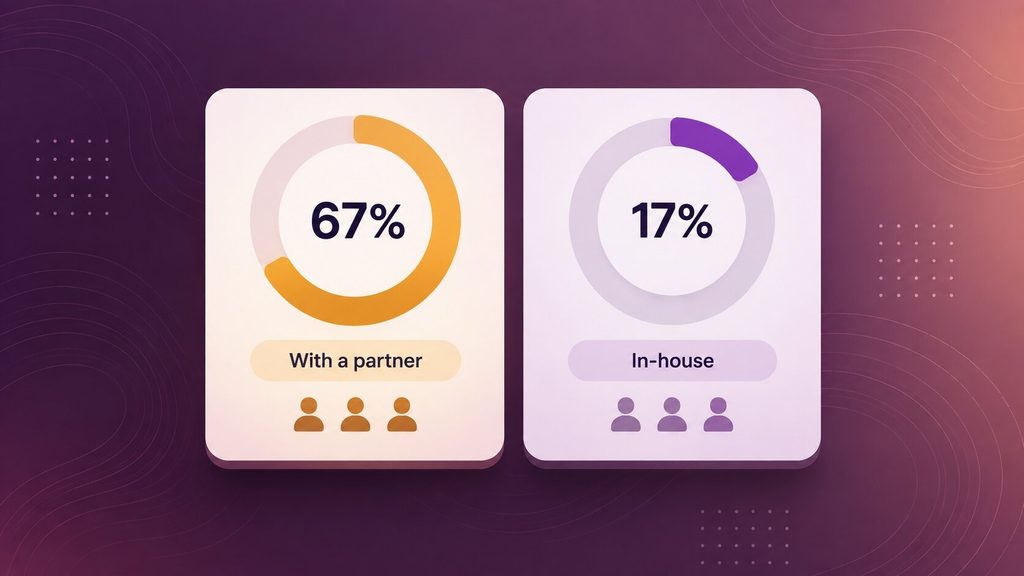
The following point isn’t made in any of the tool comparisons above: choosing a platform isn’t the same as deciding how to build your agent. You can use LangGraph yourself, employ a company to build on it, or have that company put something together on Make. The platform and how you build the product are two independent decisions.
The NANDA initiative at MIT has identified a significant finding. According to its 2025 research into enterprise AI pilots, organizations that purchased AI tools from specialist companies or developed them with a development partner succeeded about 67 per cent of the time; those that built them internally succeeded at about one third of that rate. The tool itself wasn’t the deciding factor; it was who built it and how carefully they scoped it.
What Custom AI Agent Development Actually Costs
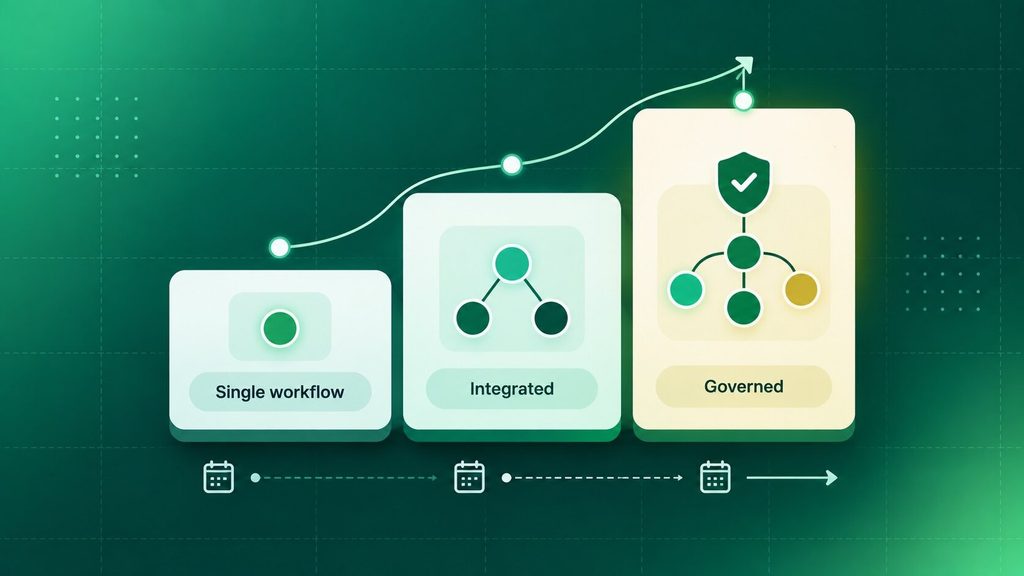
Pricing across several 2026 industry cost guides lands in a fairly consistent range once you sort by scope:
| Project Type | Typical Cost Range | Typical Timeline |
| Single-workflow agent (one tool, one task) | $10,000 to $40,000 | 4 to 8 weeks |
| Standard agent with real integrations | $40,000 to $120,000 | 8 to 14 weeks |
| Multi-agent system with governance | $100,000 to $400,000+ | 12 to 24 weeks |
The figures given refer to the cost of running the build; you’ll generally incur additional costs of 15-30 percent each year for model use, monitoring, and retraining as your data changes.
How Boomdevs Fixes This
If none of the ten tools mentioned above fit your needs by the time you’ve gotten this far, it’s likely a scoping issue, not a tooling one. Boomdevs creates custom AI agents using the framework that best suits the job at hand, rather than forcing your workflow to conform to a single platform’s template, and has more than 10 years of experience building AI and software for teams in the fintech, healthcare, and e-commerce sectors.
You don’t have to choose between learning LangGraph yourself and buying a rigid no-code template. A short scoping conversation with Boomdevs’ AI Agents team usually settles which of the ten tools above fits, and whether it’s worth building in-house at all.
Frequently Asked Questions
What’s the difference between an AI agent framework and an AI agent platform?
Just as LangGraph or CrewAI provides you with the basic components such as orchestration logic, memory, and tool-calling, a platform goes a step further by adding the operational features around them, so you can pick the right AI agent development tools and platforms for your team and run them in production under supervision.
Can I build an AI agent without any coding?
Certainly, tools such as Make, n8n, and Dify use visual builders that let you link different applications and define logic without writing code. Although you will eventually hit limits with genuinely complex branching logic, for most first agents, a no-code solution lets you build a working prototype in a few days.
Which AI agent tool is best for a small team versus an enterprise?
Small teams generally do better starting with a no-code builder like Make or a fast framework like CrewAI, since neither demands a dedicated platform team. Enterprises with compliance requirements tend to need an ecosystem-native platform, like Copilot Studio or Agentforce, or a governance layer added on top of whatever framework they choose.
How much does it cost to build a custom AI agent in 2026?
A single-workflow agent typically runs $10,000 to $40,000. A standard agent with real integrations lands between $40,000 and $120,000. Multi-agent systems with full governance can run $100,000 or more, and ongoing maintenance usually adds 15 to 30 percent of the build cost each year.
Do I need governance tools if I’m prototyping?
Not yet. An AI gateway or similar governance layer earns its cost once an agent touches customer data, spends real money, or needs to survive a compliance review. For an internal proof of concept, the framework or no-code tool alone is usually enough.
Ready to Build Yours?
Choosing among these AI agent development tools and platforms is easier with a second opinion. Scoping the actual build, the integrations it needs, and the governance it’ll eventually require is where most AI agent projects stall before they ship.
If you want a second opinion on which of these ten fits your stack, talk to Boomdevs about your AI agent project before you commit budget to the wrong one.