- 1. Key Takeaways
- 2. Web Application Security Best Practices for 2026
- 1. Design Security In Before Code Is Written
- 2. Lock Down Authentication and Access Control
- 3. Validate Every Input and Encode Every Output
- 4. Encrypt Data in Transit and at Rest
- 5. Handle Sessions and Cookies Safely
- 6. Turn On Security Headers
- 7. Keep Secrets Out of Your Code
- 8. Patch Dependencies and Secure Your Supply Chain
- 9. Secure Your APIs
- 10. Test Continuously With SAST, DAST, and Penetration Testing
- 11. Log, Monitor, and Fail Safely
- 12. Plan Incident Response and Backups
- 3. Why Web Application Security Matters More in 2026
- 4. How These Practices Map to the OWASP Top 10:2025
- 5. Which Security Practices to Prioritize at Each Stage
- 6. Security Questions to Ask Your Web Development Partner
- 7. How Boomdevs Solves Web App Security From Day One
- 8. Make Security Part of the Build, Not the Cleanup
- 9. Frequently Asked Questions
Summarize with
Your web app goes live in three weeks. The demo impressed investors, and your team swears it’s secure. Yet nobody can show you what “secure” actually covers.
That gap is where breaches begin. One missing access check can expose every customer record you hold. The cleanup bill lands on you.
This guide covers the web application security best practices that matter in 2026, which to fix first, and what to ask your developers. If you’ve been wondering how to secure a web application without a security team on staff, this is where to start.
Key Takeaways
- Most breaches start with known gaps. Broken access control, misconfiguration, and unpatched libraries top the OWASP Top 10:2025, and none of them need exotic fixes.
- Twelve web application security best practices cover the bulk of the risk: threat modeling, strong access control, input validation, encryption, safe sessions, security headers, secret management, dependency patching, API security, continuous testing, alerting, and an incident plan.
- The stakes went up this year. IBM puts the average breach at a record $4.99 million, and exploited vulnerabilities are now the most common way attackers get in.
- AI-written code is not a shortcut around review. Treat it like code from a stranger and scan every change.
- You don’t need everything on day one. An MVP needs a solid core, and you add layers as users, data, and compliance demands grow.
Web Application Security Best Practices for 2026
Web application security best practices come down to a handful of habits. Control who can do what, distrust every input, encrypt what matters, keep your libraries current, and test before attackers do.
The 12 below close the gaps attackers exploit most often. They run in roughly the order a well-run project tackles them, so they also show how to secure a web application from planning to launch and beyond.
Why does a web app need more than a website? It holds logins, payments, and private data, which is the core difference between a web app and a website. More moving parts means more doors to lock.
1. Design Security In Before Code Is Written
The cheapest security fix is the one you make on a whiteboard. Threat modeling sounds heavy, but for most products it’s a one-hour conversation before the first sprint.
You sketch how data moves through your app, then ask where someone could abuse it. Four questions cover most of it:
- What are you protecting? Customer records, payment data, admin controls, your source code.
- Who could want it? A bored script runner, a competitor, a disgruntled ex-employee, a logged-in user poking at URLs.
- Where does data cross a trust boundary? Every form, API call, file upload, and third-party integration.
- What happens if each boundary fails? Rank by damage, then fix the worst first.
Teams that skip this step end up bolting security on after launch, which costs more and fixes less. Threat modeling is where secure web application development starts.
It fits naturally into the discovery and planning phase of a custom web app build, where nothing is expensive to change yet.
2. Lock Down Authentication and Access Control
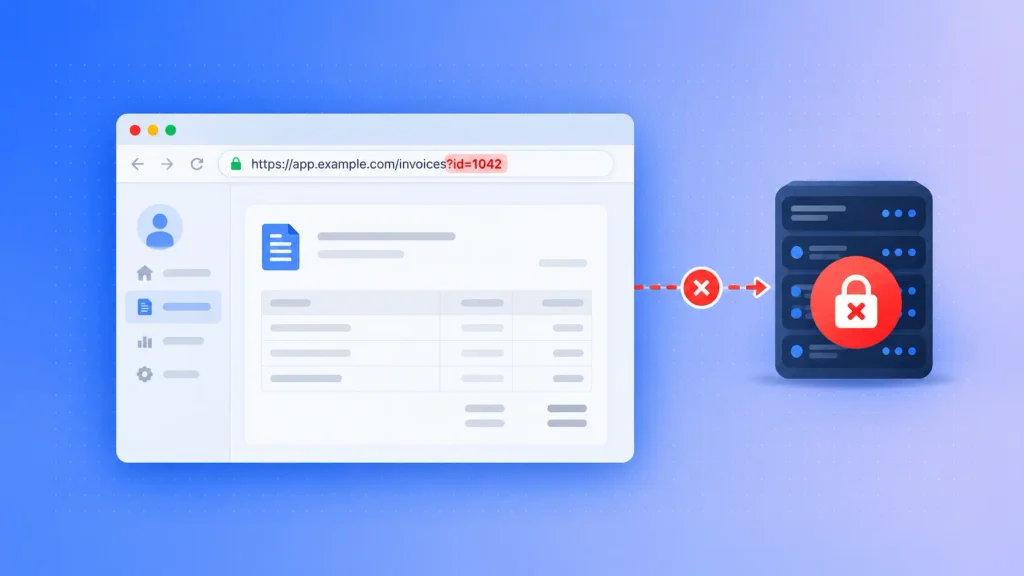
Broken access control sits at number one on the OWASP Top 10:2025. OWASP’s own data shows that, on average, 3.73% of tested applications had at least one flaw in this category.
In plain terms, a user changes an ID in a URL and sees someone else’s invoice. Or a regular account reaches an admin screen nobody thought to protect. Here’s what closes that door:
- Multi-factor authentication: require it for admins and anyone touching sensitive data, and offer passkeys where you can.
- Server-side authorization on every request: the browser can hide a button, but only the server can enforce who may press it.
- Least privilege: each role gets the minimum access its job needs, and nothing more.
- Deny by default: a new endpoint should be locked until someone grants access on purpose.
- Single sign-on for internal tools: one well-managed login beats a dozen homegrown ones.
The weakest pattern I see is authorization checked in some places but not others. One shared access-control routine, used everywhere, removes that inconsistency.
3. Validate Every Input and Encode Every Output
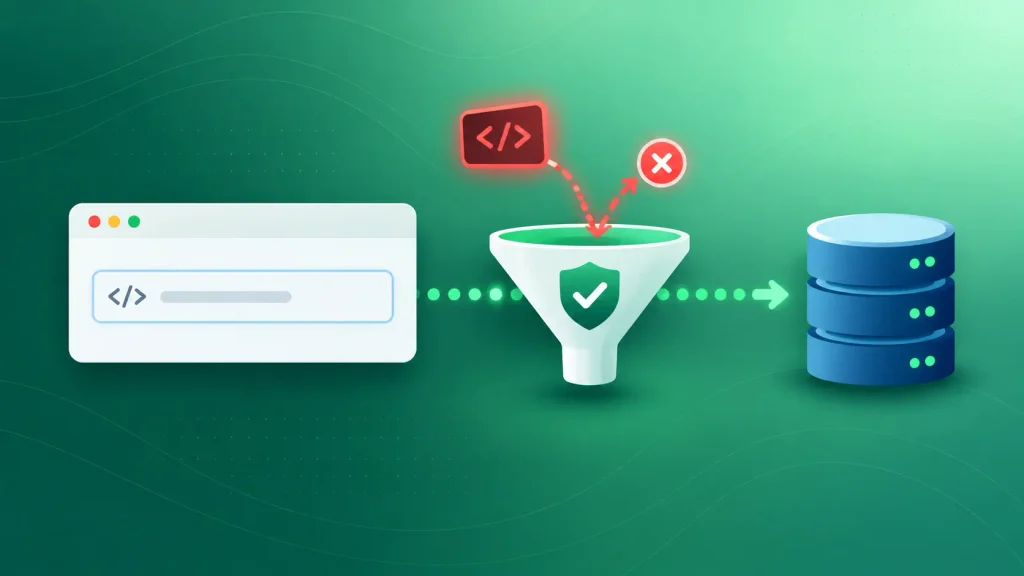
Anything a user can type, upload, or send through an API is untrusted until proven otherwise. Injection attacks happen when that input gets treated as a command.
SQL injection slips database commands into a search box. Cross-site scripting (XSS) hides a script in a comment field that later runs in other users’ browsers. Both have well-known fixes:
- Parameterized queries or an ORM for every database call, so input can never become SQL.
- Server-side validation of type, length, and format, even if the front end already checks.
- Allow-lists over block-lists: define what good input looks like rather than guessing every bad one.
- Context-aware output encoding for HTML, URLs, and JavaScript.
Your framework matters here. Modern frameworks escape output by default, which removes a whole class of mistakes, so it’s worth weighing those defaults when choosing the right tech stack for your web app.
4. Encrypt Data in Transit and at Rest
Encryption won’t stop a breach. It decides how bad one gets, because stolen data that can’t be read is far less useful to an attacker.
For data in transit, you’ll want HTTPS with modern TLS on every page and every API, internal services included. For data at rest, encrypt your databases and backups, and never store passwords as plain text. Hash them with a slow algorithm such as bcrypt or Argon2 instead.
Key management is where teams slip. Store encryption keys apart from the data they protect, ideally in a managed key service from your cloud provider, which a solid cloud development setup gives you from the start.
If your app takes payments, the bar rises again. Tokenization and PCI rules shape the design, so it pays to plan them early when building a payment gateway into your app.
5. Handle Sessions and Cookies Safely
After login, the session token is the key to the account. If someone steals it, they don’t need the password.
A few settings do most of the work here:
- Secure, HttpOnly, and SameSite flags on every session cookie, so scripts can’t read it, and other sites can’t ride on it.
- A fresh session ID after login, which blocks session fixation attacks.
- Sensible timeouts: shorter for banking-style apps, longer for low-risk tools.
- Real logout: invalidate the session on the server, not just in the browser.
None of these change how your app looks or feels. They’re small configuration choices that shut down a whole category of account takeovers.
6. Turn On Security Headers
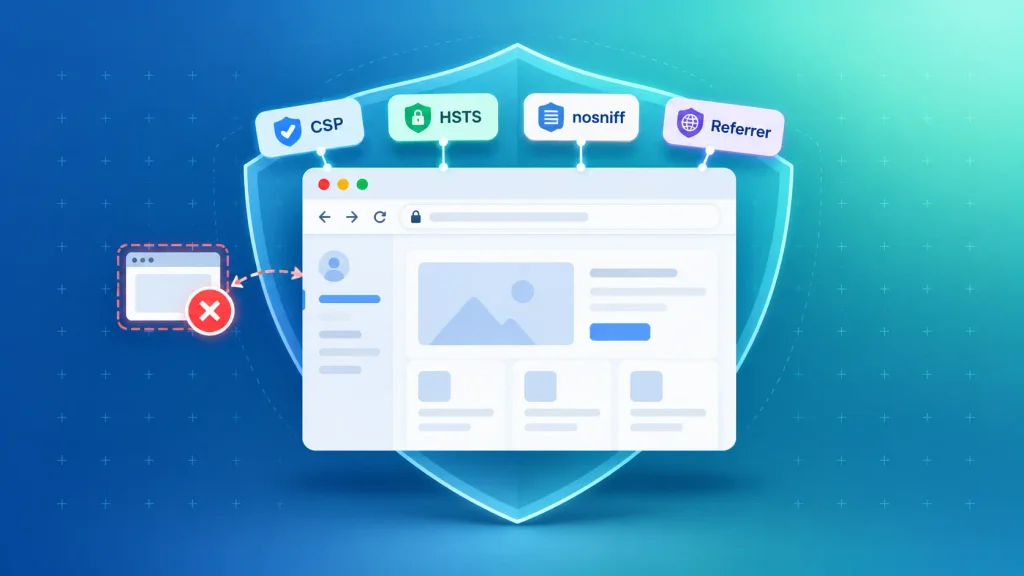
Security headers are instructions your server sends to the browser about what it may and may not do. They’re nearly free to add, yet most of the guides ranking for this topic skip them.
The ones worth setting on almost every web app:
- Content-Security-Policy (CSP): lists which sources may load scripts, styles, and images, which blunts most XSS attacks.
- Strict-Transport-Security (HSTS): forces browsers to use HTTPS, even if someone types http.
- X-Content-Type-Options: nosniff: stops browsers from guessing file types in risky ways.
- Referrer-Policy: controls how much of your URLs leak to other sites.
- frame-ancestors (in CSP): prevents other sites from loading your app inside a frame for clickjacking.
- Permissions-Policy: switches off browser features you don’t use, such as the camera or microphone.
A strict CSP can break inline scripts in older code. I’d suggest rolling it out in report-only mode first, fixing what it flags, and then enforcing it.
7. Keep Secrets Out of Your Code
API keys, database passwords, and signing keys don’t belong in source code or config files. Once a secret lands in a Git repository, assume it has leaked, even if you delete it later.
What good secret handling looks like:
- A dedicated secrets manager, such as AWS Secrets Manager, Azure Key Vault, or HashiCorp Vault.
- Separate secrets for development, staging, and production.
- Regular rotation, plus an immediate change whenever someone leaves the team.
- Automated secret scanning on every commit.
This overlaps with how you configure your hosting. The same cloud setup habits that keep credentials safe also cut misconfiguration risk, which jumped to number two on the OWASP Top 10 2025. Your choice of host matters too, so check the security defaults when you’re comparing cloud service providers.
8. Patch Dependencies and Secure Your Supply Chain
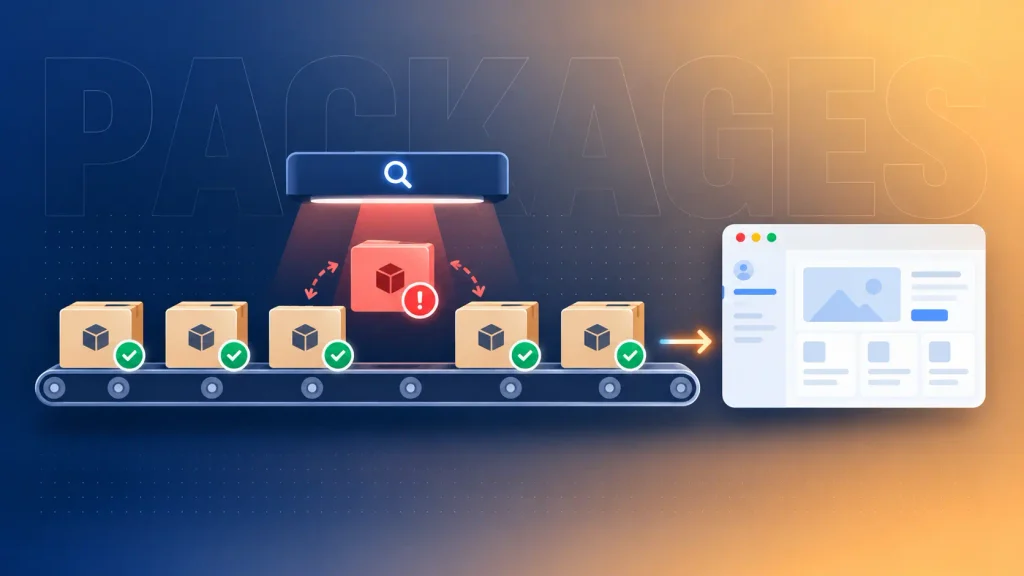
Most of the code in your web app wasn’t written by your team. It comes from open-source libraries, and each one can carry a vulnerability you inherit.
That risk is now official. Software Supply Chain Failures entered the OWASP Top 10 2025 at number three, its first appearance on the list. Here’s how you stay ahead of it:
- Keep an inventory of every library, ideally as a software bill of materials (SBOM).
- Run software composition analysis (SCA) in your build pipeline to flag known vulnerabilities.
- Pin versions so a compromised update can’t slip in on its own.
- Remove what you don’t use, since dead code still ships its vulnerabilities.
Old front-end libraries are a common blind spot. If your app still leans on legacy scripts, it’s worth asking whether jQuery still belongs in your stack and which modern jQuery alternatives fit a gradual migration.
9. Secure Your APIs
Your API is your app without the user interface. Attackers know that, so they skip the screens and call your endpoints directly.
The most common API flaw is broken object-level authorization: the API returns record 1042 to anyone who asks for it. These controls close most API gaps:
- Check ownership on every object, not just whether the user is logged in.
- Rate limits and request size limits to slow down scraping, brute force, and abuse.
- Schema validation, rejecting fields the endpoint doesn’t expect.
- A living API inventory, so forgotten test endpoints don’t stay exposed.
- Strong token handling with OAuth 2.0 or OpenID Connect, short expiry, and protected signing keys.
Multi-tenant products need one more layer: strict isolation between customers’ data. That’s a design decision, so it belongs early in the SaaS development process rather than in a patch after your first enterprise deal.
10. Test Continuously With SAST, DAST, and Penetration Testing
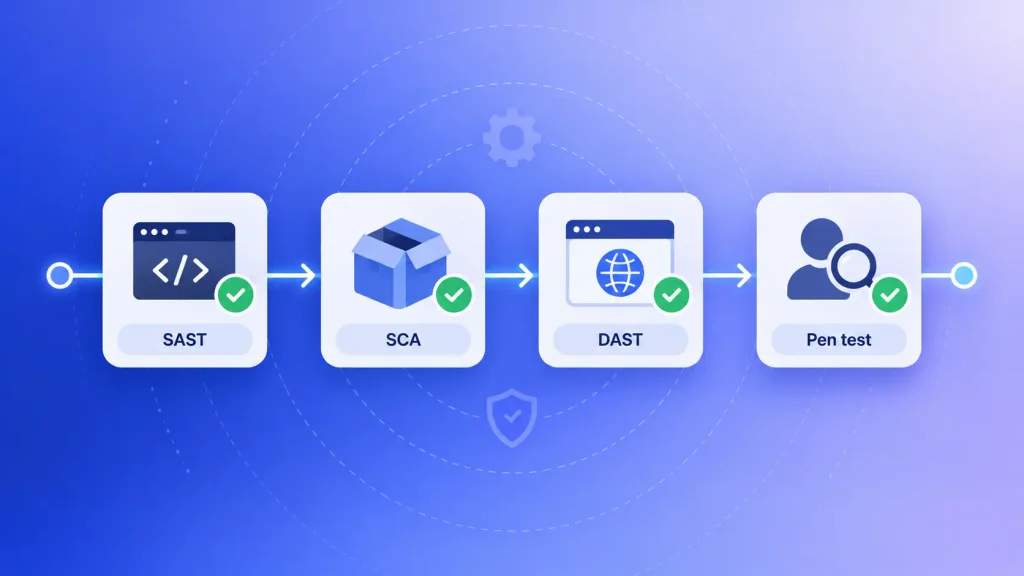
Security testing isn’t one event before launch. Different tests catch different problems, so a mature setup runs several of them at different points:
| Test type | What it catches | When to run it |
| SAST (static analysis) | Insecure code patterns in source | Every pull request |
| SCA (dependency scanning) | Known flaws in third-party libraries | Every build |
| DAST (dynamic testing) | Flaws visible in the running app | Staging, before each release |
| Penetration test | Business logic and chained attacks | Before launch, then yearly or after major changes |
Automated tools are fast and cheap, but they miss logic flaws, such as a discount code that applies twice. That’s where a human tester earns their fee.
If your team doesn’t have that depth in-house, independent software testing can cover the gap without a full-time hire.
11. Log, Monitor, and Fail Safely
You can’t respond to an attack you never see. OWASP even renamed this category to “Logging and Alerting Failures” in 2025, because logs nobody watches don’t help.
Log the events that matter, then make sure someone gets alerted when they spike:
- Failed and successful logins, especially from new locations.
- Permission changes and admin actions.
- Access denied errors, which often signal someone probing.
- Unusual API volume from a single account or IP.
Keep passwords, card numbers, and tokens out of those logs. A leaked log file can be as damaging as a leaked database.
The other half is failing safely. Mishandling of Exceptional Conditions is new at number 10 on the 2025 list. When something breaks, your app should fail closed, deny access, and show users a plain error message instead of a stack trace that maps your internals.
12. Plan Incident Response and Backups
Even a well-defended app can be breached. The difference is whether you lose hours or weeks.
A simple incident plan answers five questions in order:
- Who gets called first, and who makes decisions?
- How do you contain the damage, for example by revoking keys or taking a service offline?
- How do you find out what was accessed?
- Who tells customers and regulators, and by when?
- What changes so it doesn’t happen again?
Backups belong in the same plan. Keep them encrypted, store a copy separately from production, and test a restore at least once a quarter. A backup you’ve never restored is a guess.
Why Web Application Security Matters More in 2026
Three numbers from this year’s research explain why web application security best practices moved from “nice to have” to board-level concerns.
Breach Costs Just Hit a Record
The IBM 2026 Cost of a Data Breach report puts the global average breach cost at a record $4.99 million, up 12% on the prior year. For a startup or mid-size company, a bill like that can end the business.
The same research found that organizations using security AI and automation saved $1.93 million per breach on average. Faster detection is cheaper detection, which is why practice 11 matters as much as practice 2.
Exploited Vulnerabilities Are Now the Main Way In
According to the Verizon 2026 Data Breach Investigations Report, exploiting vulnerabilities has overtaken stolen credentials as the top way attackers break in. It now accounts for 31% of initial access, against 13% for credential abuse.
That shifts your priorities. Patching speed (practice 8) and continuous testing (practice 10) now protect you as much as strong passwords do.
AI-Written Code Needs Its Own Review
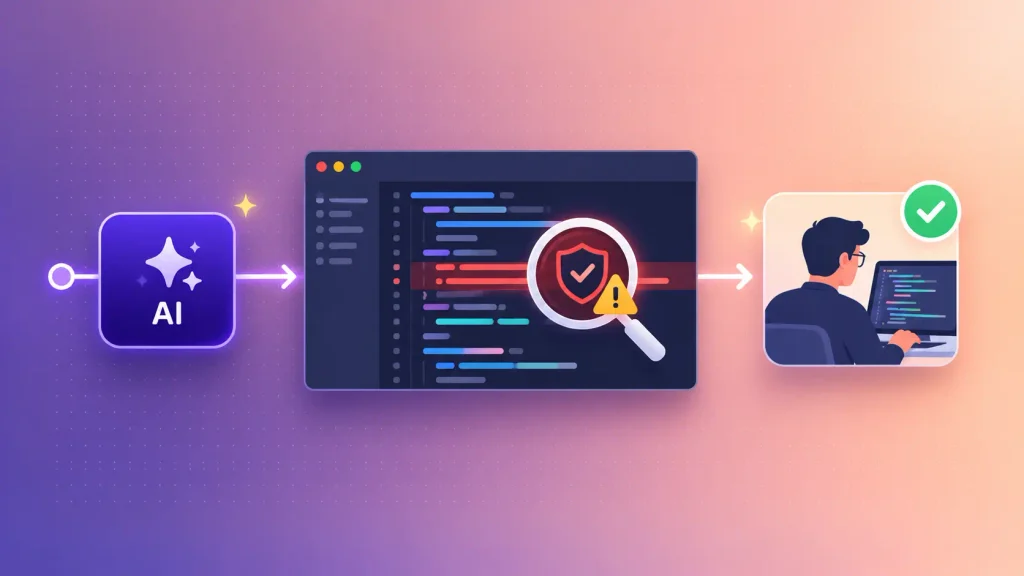
AI coding tools speed up delivery, and most teams now use them. Security hasn’t kept pace. Veracode’s 2026 GenAI Code Security Report found that AI-generated code passed security tests only 56% of the time, even though it compiled almost every time.
Language choice shifts those odds. Pass rates ranged from 63% for Python down to 30% for Java, an angle worth adding if you’re still weighing a Python vs Java comparison for web development.
You don’t have to stop using AI. You just treat its output the way you’d treat code from an unknown contributor:
- Review it like any other pull request, with security in the checklist.
- Run static analysis and dependency scans on every AI-assisted change.
- Keep secrets and customer data out of prompts.
- Hold a human accountable for anything that ships.
The broader shift is real, and it’s reshaping teams, as covered in our look at how AI is changing software development.
AI features inside your app bring their own risks too. A chatbot can be tricked by prompt injection into leaking data or ignoring its rules, one of several common generative AI challenges.
If you’re adding one, look for AI chatbot development that treats prompts as untrusted input, the same way practice 3 treats form fields.
How These Practices Map to the OWASP Top 10:2025
The OWASP Top 10 is the reference list most security teams and auditors use. Many guides still cite the 2021 edition, but the OWASP Top 10 2025 reshuffled the risks and added two new ones.
Here’s how the first five risks map to the practices above:
| OWASP 2025 risk | What it means for you | Practices that close it |
| A01 Broken Access Control | Users reach data or actions they shouldn’t | 2, 9 |
| A02 Security Misconfiguration | Defaults, open ports, debug modes left on | 6, 7 |
| A03 Software Supply Chain Failures (new) | A library or build tool you trust gets compromised | 8 |
| A04 Cryptographic Failures | Sensitive data stored or sent without proper encryption | 4 |
| A05 Injection | Input runs as a database or system command | 3 |
The first five account for most real-world incidents. The second half of the list covers design, identity, integrity, and operations:
| OWASP 2025 risk | What it means for you | Practices that close it |
| A06 Insecure Design | Security was never planned into the architecture | 1 |
| A07 Authentication Failures | Weak logins, stolen sessions, missing MFA | 2, 5 |
| A08 Software or Data Integrity Failures | Unverified updates, plugins, or pipelines | 8, 10 |
| A09 Security Logging and Alerting Failures | Attacks happen and nobody notices | 11 |
| A10 Mishandling of Exceptional Conditions (new) | Errors that fail open or leak details | 11 |
Every risk on the list maps to at least one of the web application security best practices above.
If your developers can explain how they handle each row, you’re in good shape.
Which Security Practices to Prioritize at Each Stage
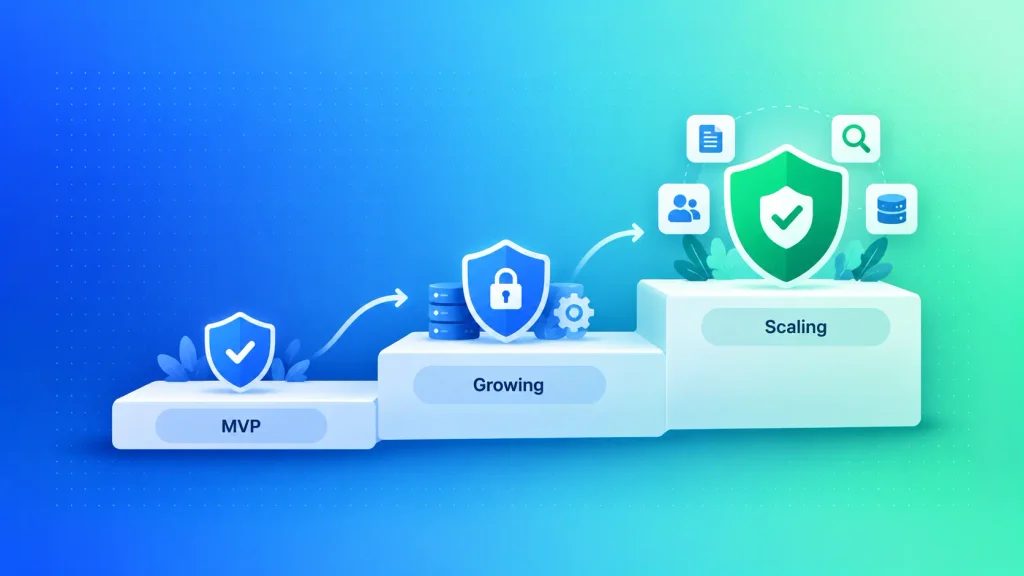
Not every practice needs to be in place on day one. A two-person MVP and a fintech platform with regulators watching carry very different risks, and your security budget should reflect that.
What matters is that the foundation is right from the start, because retrofitting access control into a live product is painful. Here’s a sensible order, which also works as a web app security checklist for each stage:
| Stage | Must-have now | Add next |
| MVP or prototype | Access control, input validation, HTTPS, hashed passwords, no secrets in code | Security headers, dependency scanning |
| Growing product with paying users | MFA, SAST and SCA in CI, logging with alerts, tested backups | DAST, a first penetration test, an incident plan |
| Scaling or regulated (fintech, health) | Yearly pen tests, formal threat models, audit trails | Compliance work such as SOC 2, HIPAA, or PCI DSS |
The MVP row is the one founders most often shortcut. If you’re building a SaaS MVP, the “must-have now” column costs little at the start and a lot to add later.
Ownership matters here as well. With a custom build, you control every one of these layers, while an off-the-shelf tool leaves some of them to someone else, a trade-off covered in our guide to custom software vs off-the-shelf.
Security Questions to Ask Your Web Development Partner
Most founders can’t audit code themselves, and they shouldn’t have to. What you can do is ask the right questions and listen to how they’re answered. The answers show quickly whether a team practices secure web application development or only talks about it.
Use these in your next call with a development team, whether it’s a new partner or the one you already have:
| Question | Strong answer | Red flag |
| How do you handle access control? | Server-side checks on every request, one shared routine | “The front end hides those pages” |
| What security testing runs before release? | SAST and dependency scans in CI, DAST on staging | “We test manually before launch” |
| How do you manage secrets? | A secrets manager, separate keys per environment | Keys in config files or shared chats |
| How do you keep libraries up to date? | Automated alerts, a regular patch cycle | “We update when something breaks” |
| What happens if we get breached? | A written incident plan with named roles | A vague promise to “help out” |
| Who owns security after launch? | A clear maintenance and patching agreement | Silence, or “that’s on your side” |
Vague answers aren’t always bad faith. Sometimes a team just hasn’t been asked before. Either way, you’ll want those answers in writing before the contract is signed.
If you’re unsure how to judge the answers, an outside opinion helps. A short engagement with an independent software development consultant can review architecture and code before you commit further.
How Boomdevs Solves Web App Security From Day One
Boomdevs has shipped 3.5K+ projects over 10+ years, and the lesson repeats: security is cheapest when it’s part of the build plan, not a ticket after launch.
When you work with us on custom web app development, secure web application development is part of scoping: security requirements sit alongside features and budget.
Testing runs through the build rather than in a last-week scramble, and you get a clear answer to every question in the table above.
That approach holds up under real load. Our work on Flash.trade, a trading platform serving 1M+ daily active users, shows what high-stakes, high-traffic products demand.
It’s also one of the quieter benefits of custom web applications: you decide exactly how your data is protected.
Make Security Part of the Build, Not the Cleanup
Web application security best practices aren’t a product you buy at the end. They’re a set of decisions made early and checked often: who can access what, what input you trust, which libraries you ship, and how fast you notice trouble.
Start with the “must-have now” column for your stage, and treat it as your web app security checklist. Ask your developers the six questions above. Then add layers as your users and data grow.
If you’d like a second pair of eyes on your app’s security before launch, book a free consultation with Boomdevs, and we’ll walk through your setup with you.
Frequently Asked Questions
What Are the Most Important Web Application Security Best Practices?
Strong access control, input validation, encryption, and fast patching close the gaps behind most breaches. Add continuous testing and alerting so you catch what slips through. If you can only start with a few, start with those that map to the top of the OWASP Top 10 2025.
Is HTTPS Enough to Secure a Web Application?
No. HTTPS protects data while it travels between the browser and your server. It does nothing about broken access control, injection, weak passwords, or vulnerable libraries, which cause most real breaches.
Do I Need a Web Application Firewall?
A web application firewall (WAF) is a useful extra layer for public-facing apps. It filters common attack patterns before they reach your code. It doesn’t replace secure coding, though, and it needs tuning so it doesn’t block real users.
How Often Should a Web App Be Penetration Tested?
Most teams test before launch, then at least once a year. You’ll also want a test after major changes, such as a new payment flow, a new API, or a big architecture shift. Automated scans should run far more often, ideally on every build.
Who Is Responsible for Web Application Security?
Ultimately, the business that owns the app and its data. Your development partner is responsible for building it securely and should say so in the contract. After launch, someone must own patching and monitoring, so agree on who that is before you go live.