- 1. Key Takeaways
- 2. Is jQuery Dead?
- 3. jQuery 4.0: What Changed in 2026
- 4. The Rise and Impact of jQuery
- 5. Is jQuery Still Relevant in 2026?
- 6. Is jQuery Deprecated or Outdated?
- 7. Comparing jQuery to Modern Alternatives
- 8. Bootstrap and jQuery: What's Changed?
- 9. Should Your Business Keep jQuery or Migrate?
- 10. So, Is jQuery Truly Dead or Going Away?
- 11. Frequently Asked Questions: Is jQuery Dead?
- Is jQuery Still Relevant in 2026?
- Is jQuery Still Maintained?
- Why Is jQuery Considered Outdated by Some Developers?
- Is jQuery Deprecated?
- What Are the Best jQuery Alternatives for Modern Web Development?
- Does Bootstrap Still Require jQuery?
- Does WordPress Still Use jQuery?
- Is jQuery Still a Good Choice for Mobile Development?
- Should I Learn jQuery in 2026?
- 12. Wrapping Up
Summarize with
You’ve heard it for years: jQuery is dead, and nobody should touch it. Yet you still find it in your WordPress theme, your admin panel, or that old client site.
So which is it? Is jQuery dead? Not even close, but its job has changed.
This guide gives you the 2026 verdict with real usage data, what jQuery 4.0 changed, and a clear way to decide whether to keep it or move on.
Key Takeaways
- jQuery is not dead. It still runs on 65.6% of all websites, according to W3Techs.
- It’s actively maintained. The team shipped jQuery 4.0.0 in January 2026, its first major release in about a decade.
- It’s no longer the default for new projects. Native JavaScript and component frameworks now do its old job.
- Keep it where it works; skip it for new builds. If jQuery runs a stable site, removing it is optional. If you’re starting fresh, you probably don’t need it.
Is jQuery Dead?
No. jQuery still runs on 65.6% of all websites, which is 86.1% of sites whose JavaScript library W3Techs can detect. No other library comes close. React sits at about 6.1% of all websites.

What died is jQuery’s role as the automatic first script on every new project. Browsers now ship most of what jQuery once added, so you only reach for it when there’s a specific reason.
The honest picture looks like this:
- Usage: huge, but slowly shrinking. W3Techs measured 68.8% of all websites in late May 2026, down to 65.6% by late September.
- Maintenance: active. A core team still ships releases, including a major one this year.
- New projects: rare. Most modern stacks start without it.
So if someone tells you jQuery is dead, they usually mean it’s dead for new work. For the millions of sites already running it, jQuery is very much alive.
jQuery 4.0: What Changed in 2026
On January 17, 2026, the team announced the final release of jQuery 4.0.0, exactly 20 years after John Resig first showed jQuery at BarCamp in New York City. That alone answers the “is jQuery still maintained” question.
This isn’t a cosmetic update. The team used the major version to clear out years of legacy code that they couldn’t remove in minor releases.
What jQuery 4.0 Removed
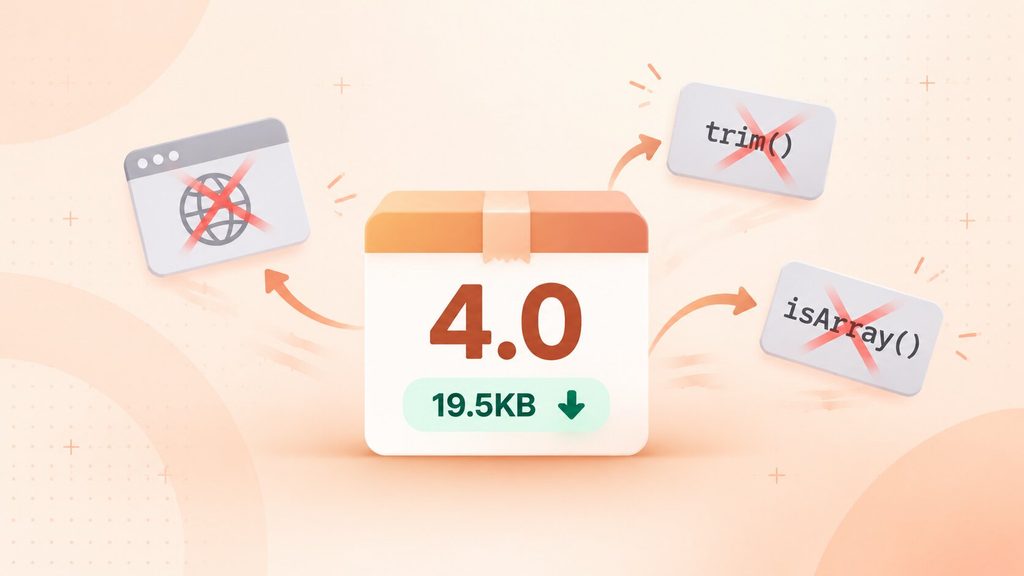
The biggest changes affect old browsers and old APIs. Here’s what the release dropped:
- Old browsers: Internet Explorer 10 and older, Edge Legacy, the Android Browser, and older versions of iOS and Firefox. IE11 still works for now.
- Deprecated utilities: helpers like jQuery.trim(), jQuery.isArray(), and jQuery.isFunction() are gone, since browsers have native versions.
- Internal array methods: push, sort, and splice no longer sit on the jQuery prototype.
- AMD build tooling: the source moved to ES modules, so it works with modern bundlers.
The release also got lighter. Removing deprecated APIs and old IE code cut more than 3KB gzipped, and the slim build now sits around 19.5KB gzipped. It also added Trusted Types support, which helps with cross-site scripting protection.
Who Should Stay on jQuery 3.x
Not every site should jump to 4.0 right away. The jQuery team’s own advice is simple: if you still need to support any of the dropped browsers, stay on jQuery 3.x.
You’ll also want to hold off if your site depends on older plugins that call removed APIs. Version 3 still powers 78.7% of sites using jQuery, so you’re in good company. Version 1 still shows up on 17.1% of them, and that’s the group with the most catching up to do.
If you do upgrade, the team released an upgrade guide and the jQuery Migrate plugin alongside 4.0 to make the move easier.
The Rise and Impact of jQuery
jQuery arrived in 2006, when every browser handled the page differently. A single feature often needed separate code for Internet Explorer and Firefox, and simple tasks took pages of workarounds.
jQuery fixed that with one short, consistent syntax. Its slogan, “Write less, do more,” stuck because it was true. Worth noting: jQuery gives you a library, not a framework. It helps you work with the page, but it doesn’t structure your whole application.
Key Features of jQuery
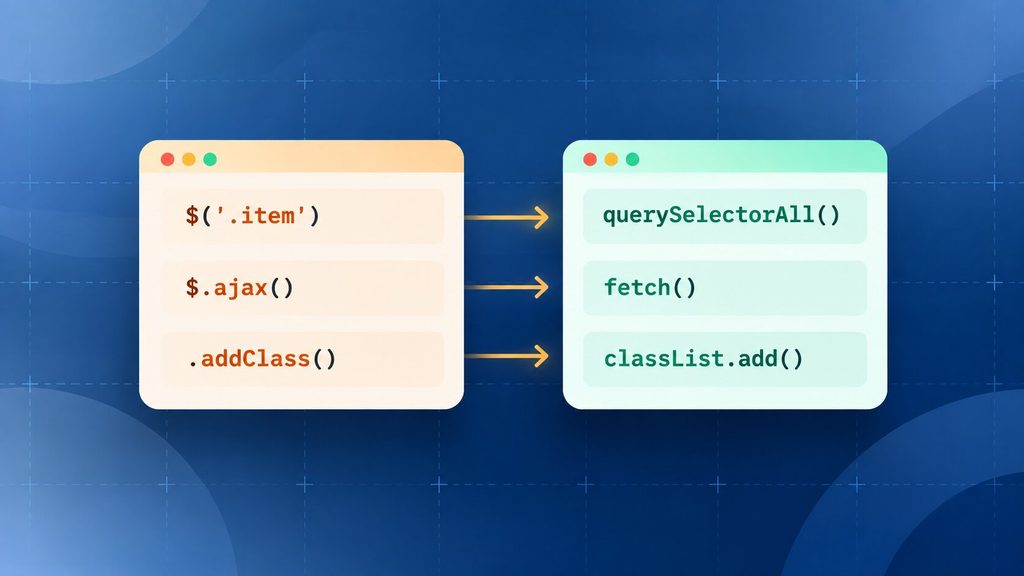
jQuery’s core features solved real problems in 2010. Most of them now have a native browser equivalent, which is the whole story of its decline in one table:
| jQuery Feature | What It Did | Native Replacement Today |
| $(‘.item’) selectors | Found elements with CSS syntax | document.querySelectorAll() |
| $.ajax() | Loaded data without a page refresh | fetch() |
| .addClass() / .removeClass() | Changed element classes | classList.add() / classList.remove() |
| .on(‘click’) | Handled events the same way in every browser | addEventListener() |
| .animate() / .fadeIn() | Animated elements | CSS transitions, Web Animations API |
| $(document).ready() | Ran code after the page loaded | DOMContentLoaded or defer |
Chaining, a huge plugin library, and clear documentation also made jQuery easy to pick up. Those strengths are still real, but they’re conveniences now rather than necessities.
Why Some Consider jQuery Obsolete
jQuery looks obsolete to many developers because browsers caught up. Once querySelector(), the Fetch API, and promises became standard, the main reason to load an extra library went away.
Frameworks changed how apps get built, too. React, Vue, and Angular manage state and re-render components for you, so you rarely touch the page directly. React and Vue do this through a virtual DOM, while Angular uses its own change detection. jQuery’s approach of editing the page directly doesn’t fit that model well.
Then there’s page weight. Every script your visitors download costs load time, especially on mobile. Even jQuery 4.0’s slim build adds around 19.5KB gzipped for features the browser already has. That’s small, but it’s hard to justify when it does nothing new.
Is jQuery Still Relevant in 2026?
Yes, in specific places. jQuery is still relevant wherever it’s already running and working, and wherever a platform ships it for you. It’s much less relevant for anything you’re starting from scratch.
Developer usage tells a similar story. In the 2024 Stack Overflow survey, 21.4% of developers reported using jQuery, third behind Node.js and React. That’s a smaller share than a decade ago, but it’s far from zero.
Here’s how the case for and against jQuery stacks up today:
| Why jQuery Is Still Relevant | Why jQuery Might Not Be Relevant |
| Legacy support: thousands of working sites depend on it | Outdated patterns: direct page editing clashes with modern frameworks |
| Simplicity: quick to learn for small tasks | Extra weight: an added download for features browsers now have |
| Quick prototyping: no build step needed | Modern alternatives: React, Vue, and Angular handle complex apps better |
| Community and docs: 20 years of answers online | Native JavaScript: querySelector() and fetch() cover most jobs |
| Plugin ecosystem: sliders, forms, and widgets ready to use | State management: modern apps are built around components and state |
The takeaway: jQuery’s relevance is about context. It’s a good fit where it already lives, and a weak fit for new architecture.
What Happened to jQuery Mobile?
jQuery Mobile is officially gone. The jQuery team fully deprecated jQuery Mobile on October 7, 2021, and its last version isn’t compatible with the latest jQuery Core.
If you’re building a mobile app today, you’ll want a tool made for it. React Native and Flutter app development now lead the cross-platform space, and both ship real native apps rather than mobile-styled web pages.
For a website that simply needs to work well on phones, you don’t need a mobile library at all. Modern responsive web development handles it with CSS alone.
Around the same time, the team also announced a transition plan for jQuery UI. So if your site still uses jQuery UI widgets, it’s worth checking whether they’ll keep up with your other updates.
Is jQuery Deprecated or Outdated?
jQuery itself is not deprecated. It has no end-of-life date, and it received a major release in 2026. What gets deprecated are individual jQuery functions, which the team flags in one version and removes in a later major release.
That difference matters when you read warnings in your browser console. “Deprecated” there means a specific piece of your code uses an old pattern, not that jQuery has been abandoned.
“Outdated” is a fairer word, depending on your site. Here’s how to read your situation:
- Running jQuery 3.x with no warnings: you’re current enough. There’s no urgent problem.
- Running jQuery 1.x or 2.x: your site is outdated and likely missing years of fixes. An upgrade deserves a place on your roadmap.
- Seeing a flood of deprecation warnings: your code, or a plugin, relies on patterns that will break in a future upgrade.
In short, the library is healthy. The risk usually sits in old versions and old plugins.
What JQMIGRATE Warnings Mean
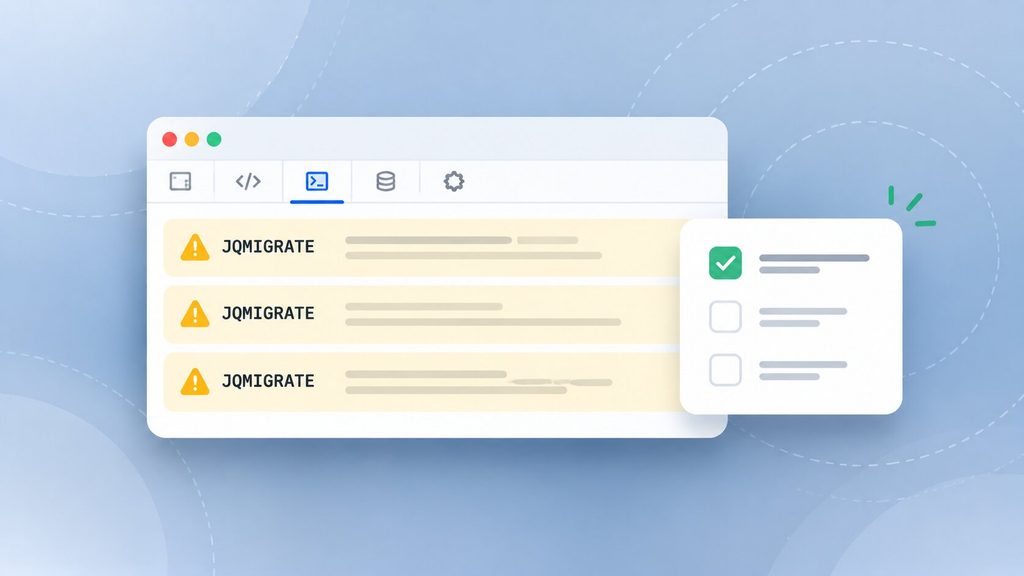
If you’ve opened the console on a WordPress site, you’ve probably seen messages that start with JQMIGRATE:. Warnings like “jQuery.fn.on is deprecated” come from jQuery Migrate, an official plugin that restores old behavior and logs where your code still depends on it.
These warnings aren’t errors. Your site keeps working. They’re a to-do list for whoever maintains the code.
The usual fix is to update the plugin or theme that triggers the warning. If it’s your own code, a developer rewrites the flagged pattern, such as replacing a shorthand like .click(handler) with the explicit .on(‘click’, handler). Once the console stays quiet, you’re ready for a jQuery upgrade.
Comparing jQuery to Modern Alternatives
Choosing between jQuery and a modern alternative comes down to what you’re building. A few interactive touches on a mostly static site need very different tools than a full web app.
This quick comparison shows where each option fits:
| Tool | Type | Best For |
| jQuery | Library | Existing sites, WordPress add-ons, quick fixes |
| Vanilla JavaScript | Built into the browser | Simple interactions on any new site |
| React | UI library | Large, interactive apps with lots of state |
| Vue | Framework | Apps you want to adopt step by step |
| Angular | Full framework | Large enterprise apps with strict structure |
| htmx / Alpine.js | Lightweight libraries | Server-rendered sites that need small interactive pieces |
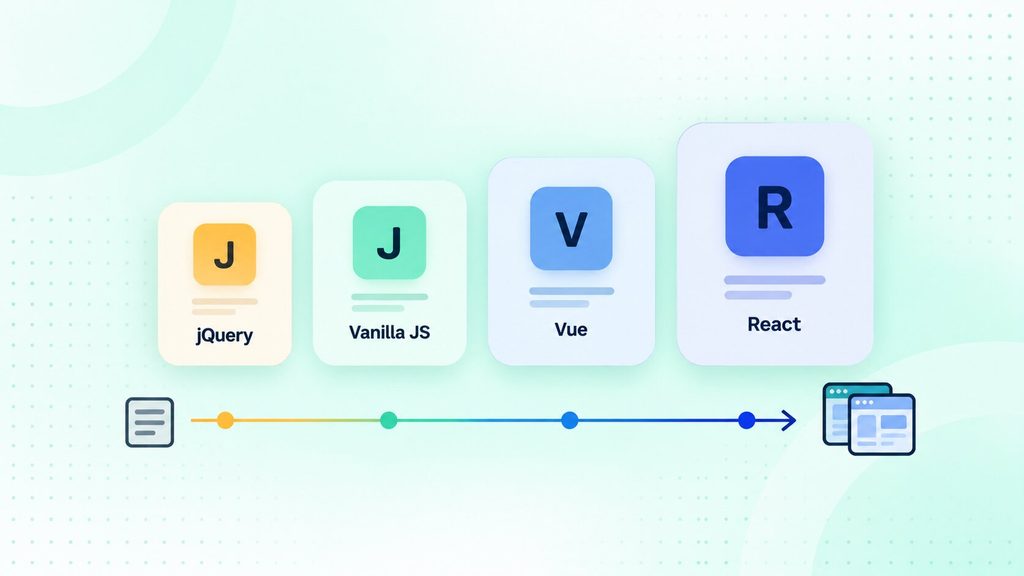
If you want a deeper look at each option, our guide to jQuery alternatives walks through them one by one. Below is the short version for the three you’ll hear about most.
jQuery vs React
React builds your interface from reusable components and updates only what changes through a virtual DOM. It shines when your app has lots of moving parts, like dashboards or live data.
jQuery edits the page directly, one element at a time. That’s fine for a menu toggle, but it gets messy fast in a large app. Mixing the two also causes bugs, because React won’t know about changes jQuery makes behind its back.
jQuery vs Vue
Vue gives you reactive data and components, and you can add it to a page gradually. That makes it a common next step for teams moving off jQuery one screen at a time.
jQuery has no built-in way to keep your data and your page in sync. You write that logic yourself. Vue handles it for you, which is why it scales better for modern web apps.
jQuery vs Angular
Angular is a full framework with routing, forms, dependency injection, and its own change detection. It gives large teams a strict, consistent structure, which is why it shows up so often in enterprise software development.
jQuery gives you none of that structure, and that’s the point. It’s a small tool for small jobs. If you need Angular’s scale, jQuery was never the competition.
Other Modern Alternatives
You don’t always need a framework to replace jQuery. For many sites, a lighter option does the job:
- Vanilla JavaScript: querySelector(), classList, and addEventListener() now cover most jQuery tasks with zero extra downloads.
- Modern CSS selectors: CSS handles many styling and state changes that once needed a script.
- Fetch API for AJAX: fetch() replaces $.ajax() for loading data, and it’s built into every modern browser.
- CSS animations vs jQuery animations: native CSS transitions and animations run smoother than .animate() and don’t need a library.
- HTMX and Alpine.js: small libraries that add interactivity through HTML attributes, a good fit for server-rendered sites.
For most small interactions in 2026, vanilla JavaScript is the default, and the others are optional upgrades.
Why Use jQuery in 2026?
You’d use jQuery in 2026 mainly because it’s already there. If your site runs well on it, keeping it costs less than rewriting working code. That’s a sound business choice, not a technical failure.
It also helps when your platform already loads it, like the WordPress admin. Adding a small jQuery script there costs almost nothing extra.
Why jQuery Is on the Way Out
jQuery is on the way out for new projects, not because it stopped improving. Version 4.0 proves the team is still modernizing it. The problem is that browsers now solve the problems jQuery was built to fix.
Framework momentum adds to that. Bootstrap dropped jQuery in version 5, and most new tools assume modern JavaScript from day one. If you’re planning a new build, your overall stack matters more than any single library, and our guide on choosing the right tech stack can help.
Bootstrap and jQuery: What’s Changed?
Bootstrap 5, released in May 2021, no longer depends on jQuery. It uses plain JavaScript for its components instead. For a lot of developers, that was the moment jQuery stopped feeling required.
So do you need jQuery for Bootstrap? It depends on your version:
- Bootstrap 4 or earlier: yes, its JavaScript components need jQuery.
- Bootstrap 5 and later: no, jQuery isn’t needed at all.
If you’re maintaining an older Bootstrap 4 site, jQuery stays until you upgrade. That upgrade is a good time to check whether anything else on the site still needs it.
Should Developers Still Learn jQuery?
If you’re new to web development, learn modern JavaScript first. It’s what jQuery runs on, and it’s what every framework expects you to know.
jQuery is still worth learning later if you’ll maintain existing sites, especially on WordPress. You can pick up the basics in an afternoon once you know JavaScript. Should you learn jQuery in 2026 as your first tool? I’d suggest skipping that and coming back to it when a real project needs it.
Should Your Business Keep jQuery or Migrate?
If your site runs on jQuery, you don’t have to rip it out just because it’s unfashionable. The right call depends on what jQuery is costing you today and what you plan to build next.
When Keeping jQuery Makes Sense
Keeping jQuery is often the smart, cheaper choice. It usually makes sense when:
- Your site is stable: it works, visitors don’t complain, and the code rarely changes.
- Plugins depend on it: your WordPress theme or key plugins require jQuery, and you can’t replace them easily.
- You’re on jQuery 3.x: you’re on a supported version with no warning flood in the console.
- Rewriting brings no new value: a migration would cost money and add risk without improving anything your users see.
In these cases, your budget usually works harder on new features than on replacing code that already works.
When It’s Time to Migrate
Some signs mean jQuery is holding you back. It’s time to plan a migration when:
- You’re stuck on jQuery 1.x or 2.x: old versions miss years of fixes, and upgrading gets harder the longer you wait.
- You’re adding app-like features: dashboards, live updates, or complex forms are painful to build with jQuery, and this is where the benefits of custom web applications start to outweigh a patched-together site.
- Plugins are abandoned: old jQuery plugins with no updates become a security and compatibility risk.
- You’re rebuilding anyway: a redesign or replatform is the cheapest time to leave jQuery behind, especially if you’re weighing custom web design vs template design for the new site.
If several of these apply, it’s usually worth talking to a team that can modernize a legacy application without breaking what already works.
How a Phased jQuery Migration Works
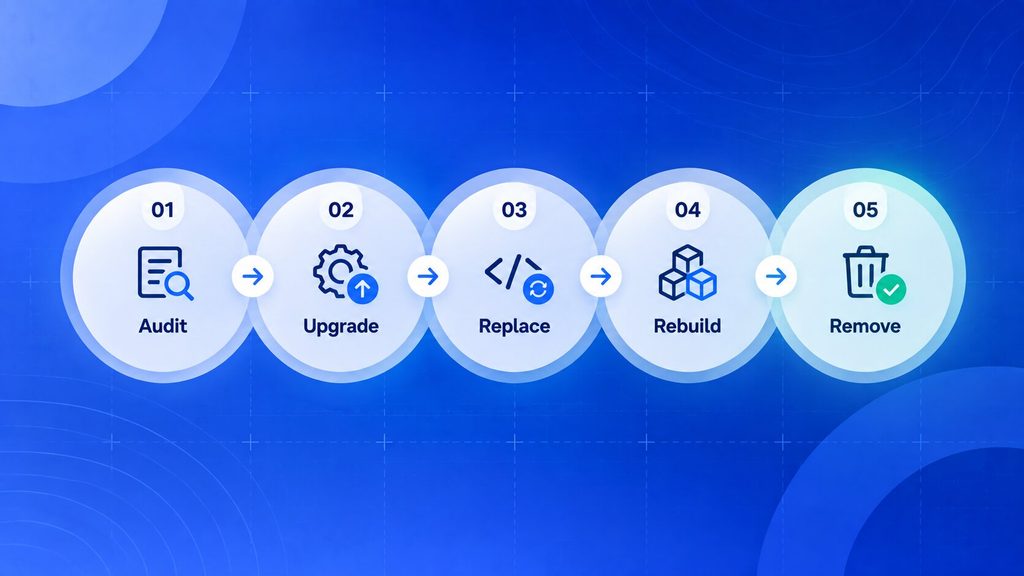
You don’t have to replace jQuery in one risky rewrite. Most successful migrations move in stages:
- Audit: list every place jQuery is used, and split your own code from plugin and theme code.
- Upgrade first: move old versions to the latest 3.x release and clear the JQMIGRATE warnings.
- Replace the easy parts: swap simple selectors, class changes, and click handlers for vanilla JavaScript.
- Rebuild complex features: move app-like sections to a modern framework, one screen at a time.
- Remove jQuery: once nothing depends on it, drop the library and measure the speed gain.
Each step leaves you with a working site, which is what keeps the risk low.
The skills gap is the part many owners underestimate. If your in-house developers know jQuery well but not modern JavaScript, web developer staff augmentation can add that experience for the length of the migration.
So, Is jQuery Truly Dead or Going Away?
jQuery isn’t dead, and it isn’t going away soon. It’s shifting from “the default” to “a legacy layer that still gets maintained.” The data below shows why that shift will take years, not months.
Statistical Evidence
The numbers point to a huge installed base that’s shrinking slowly:
| Metric | Figure | Source |
| Share of all websites using jQuery | 65.6% | W3Techs, Sept 2026 |
| Share of sites with a known JS library | 86.1% | W3Techs, Sept 2026 |
| jQuery 3.x share of jQuery sites | 78.7% | W3Techs, Sept 2026 |
| React share of all websites | 6.1% | W3Techs, Aug 2026 |
| Developers using jQuery | 21.4% | Stack Overflow survey 2024, via Statista |
| Latest major release | 4.0.0, Jan 17, 2026 | jQuery blog |
Put simply, jQuery still runs on more than 10 times as many sites as React. Even at today’s slow rate of decline, it will stay a big part of the web for a long time.
Factors Keeping jQuery Alive
A few structural forces keep jQuery on so many sites:
- WordPress core: WordPress still uses jQuery in its admin area, and many themes and plugins load it on the front end.
- Plugin dependencies: countless sliders, form builders, and page builders were built on jQuery and still require it.
- Rewrite cost: replacing working code costs money and adds risk, so many businesses reasonably leave it alone.
- An active core team: regular releases, including 4.0, mean jQuery stays safe enough to keep running.
That last point is often overlooked. Maintaining older websites is much easier when the library underneath them is still maintained, and it’s why ongoing software maintenance and support for jQuery sites remains a real, practical need.
Areas Where jQuery Still Thrives
These forces show up in specific places. You’ll most often find jQuery thriving in:
- WordPress development: themes, plugins, and admin customizations.
- Legacy system maintenance: older business sites and apps that still do their job.
- Internal tools and intranets: admin panels where speed of building matters more than page weight.
- Simple projects and quick prototypes: small interactive touches without a build step.
- Educational use: some courses still teach it to explain how the page and scripts interact.
While modern tools lead new development, jQuery keeps serving these niches reliably.
Frequently Asked Questions: Is jQuery Dead?
Is jQuery Still Relevant in 2026?
Yes, for existing sites and WordPress work. jQuery still runs on about 65.6% of all websites. It’s much less relevant for new projects, where native JavaScript and frameworks are the usual choice.
Is jQuery Still Maintained?
Yes. The jQuery team released jQuery 4.0.0 on January 17, 2026. It was the first major version in about a decade.
Why Is jQuery Considered Outdated by Some Developers?
Modern browsers now offer native tools like querySelector() and fetch() that replace most of jQuery. Frameworks like React and Vue also manage the page in ways that don’t mix well with jQuery’s direct editing.
Is jQuery Deprecated?
No. jQuery as a library isn’t deprecated and has no end-of-life date. Individual functions get deprecated and then removed in major versions, such as jQuery.trim() in jQuery 4.0.
What Are the Best jQuery Alternatives for Modern Web Development?
Vanilla JavaScript covers most simple tasks. For full apps, React, Vue, and Angular are the main choices. For light interactivity on server-rendered sites, htmx and Alpine.js are popular.
Does Bootstrap Still Require jQuery?
Not since Bootstrap 5, released in May 2021. Bootstrap 4 and earlier still need jQuery for their JavaScript components.
Does WordPress Still Use jQuery?
Yes. WordPress core still uses jQuery in its admin area, and many themes and plugins load it on the front end. That’s one of the biggest reasons jQuery usage stays so high.
Is jQuery Still a Good Choice for Mobile Development?
Not for mobile apps. jQuery Mobile was deprecated in 2021, and tools like React Native and Flutter now lead mobile app development. For mobile-friendly websites, responsive CSS does the job without jQuery.
Should I Learn jQuery in 2026?
Learn modern JavaScript first. jQuery is worth picking up later if you’ll maintain existing sites, especially on WordPress, and it takes little time once you know JavaScript.
Wrapping Up
jQuery isn’t dead. It’s a mature library that still runs most of the web, and it just got its biggest update in years.
The decision rule is simple. If jQuery runs a stable site, keeping it is fine. If you’re starting fresh or adding complex features, modern JavaScript or a framework will serve you better.
Not sure whether your jQuery site needs an upgrade, a phased migration, or nothing at all? Boomdevs has spent 10+ years helping businesses maintain and modernize their web platforms, from WordPress overhauls with ongoing support to full custom web app rebuilds. We’ll look at your code and tell you honestly what’s worth changing.
Book a Free Strategy Call and get a clear keep-or-migrate plan for your site.