- 1. Key Takeaways
- 2. How Much Does UI/UX Design Cost in 2026?
- 3. Why UI/UX Design Quotes Vary So Much
- 4. What Drives UI/UX Design Cost
- 5. UI/UX Design Cost by Deliverable
- 6. UI/UX Designer Rates by Hiring Model and Region
- 7. Pricing Models: Fixed, Hourly, and Retainer
- 8. How to Estimate Your Own UI/UX Design Budget
- 9. Hidden Costs Most UI/UX Quotes Leave Out
- 10. How to Lower UI/UX Design Cost Without Cutting Quality
- 11. How Boomdevs Solves Unpredictable UI/UX Design Budgets
- 12. Frequently Asked Questions
- 13. Get a Free UI/UX Design Estimate
Summarize with
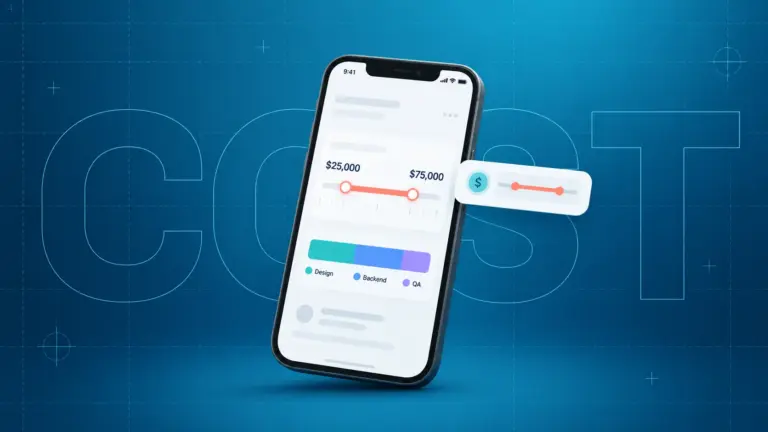
UI/UX design cost usually lands between $10,000 and $49,999 per project, according to Clutch’s verified review data. That range won’t help you budget much on its own. Your real number depends on how many screens you need, how deep your user research goes, which platforms you target, and who you hire. Below, you’ll see what each choice adds to the bill, so you can sanity-check any quote before you sign it.
Key Takeaways
- Typical UI/UX design cost: $10,000 to $49,999, with simple sites starting near $3,000 and enterprise products passing $100,000.
- Biggest driver: screen count multiplied by user roles and states, not the visual style.
- Hourly rates: roughly $20 to $60 in Asia and $100 to $250 in North America, so who you hire can swing your bill several times over.
- Why quotes differ: bidders rarely price the same scope. Hand every bidder the same screen list and the quotes become comparable.
- Watch for: design QA during development, post-launch fixes, and extra revision rounds, which many quotes leave out.
How Much Does UI/UX Design Cost in 2026?
You’ll pay about $3,000 to $10,000 for a simple website, $10,000 to $50,000 for an MVP or mid-complexity app, and $50,000 to $200,000 for SaaS or enterprise products. Those tiers come from Biz4Group’s cost breakdown, and they line up with what most agency guides publish.
Here’s how UI/UX design pricing compares across tiers, timeline included:
| Project Type | Typical Cost | Timeline |
| Simple website or landing page | $3,000 to $10,000 | 2 to 6 weeks |
| MVP or mid-complexity app | $10,000 to $50,000 | 6 to 12 weeks |
| SaaS, enterprise, or multi-platform product | $50,000 to $200,000 | 3 to 6 months |
Timeline matters as much as price. A project that runs longer bills more hours, so a schedule that slips pushes your UI/UX design cost up with it.
Simple Websites and Landing Pages
A marketing site with a handful of templates sits at the bottom of the range. You get a few user flows, light research, and one round of usability checks at most.
Where you can save here is the visual layer. A clean layout on an existing brand costs far less than custom illustration and motion.
MVPs and Mid-Complexity Apps
Most startup founders land in this tier, and it’s where app design cost climbs fastest. You’re designing a core user journey, sign-up and onboarding, a dashboard, settings, and the empty and error states nobody remembers until a developer asks.
A focused team can move quickly here. Purrweb reports delivering a full conceptual design in about six weeks. If you’re designing for a SaaS MVP or a mobile MVP, I’d suggest scoping design to the features you’ll actually launch with, not the roadmap.
SaaS, Enterprise, and Multi-Platform Products
At the top tier, UI/UX design cost is driven by breadth. You may have five or more user roles, admin consoles, permissions, data-heavy screens, and versions for web, iOS, and Android.
Research also gets heavier at this level. According to Clutch’s UX budgeting guide, most UX projects reviewed on the platform average 10 months once research, testing, and refinement are counted.
Why UI/UX Design Quotes Vary So Much
You can send one brief to three studios and get back three prices that are miles apart. Usually nobody is lying. Each bidder is quietly pricing a different project.
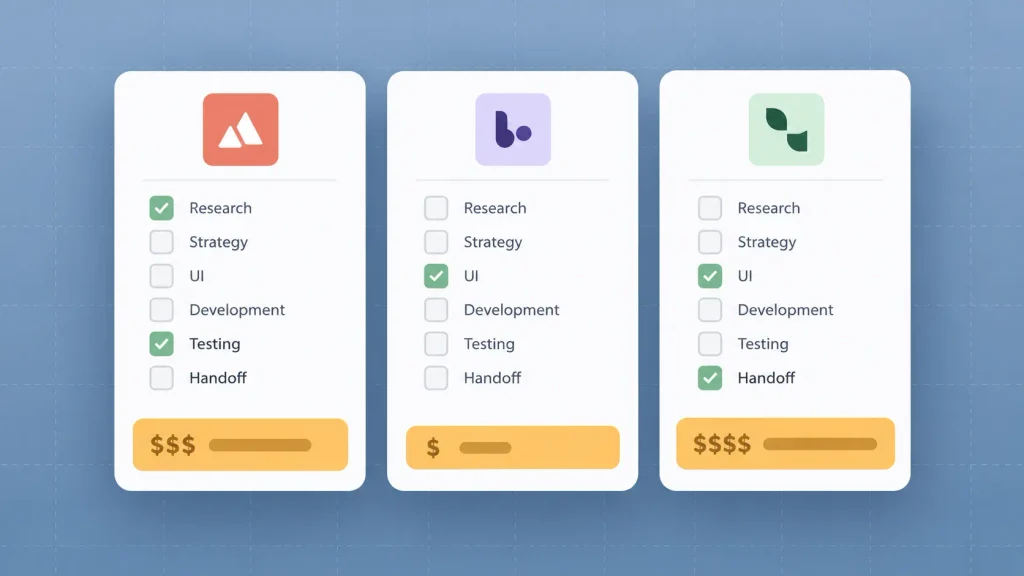
Even published guides on UI/UX design pricing contradict each other. One agency headlines a $5,000 to $10,000 range, then lists its own sample app designs at $75,000 to $85,000. A GoodFirms survey puts app design anywhere from $12,960 to $82,080.
The gap almost always comes from five unstated assumptions:
- What counts as design: some quotes include research and testing, others start at wireframes.
- Screen and state count: a “10-screen app” can mean 10 screens or 40 once loading, empty, and error states are drawn.
- Revision rounds: two included rounds and unlimited rounds are not the same price.
- Deliverables at the end: a UI kit and developer-ready files take real hours that a bare screen set skips.
- Who is on the team: a solo designer and a researcher, designer, and project manager bill very differently.
The fix is simple. Write one screen list with roles and states, attach it to every request, and ask each bidder to price against it. You’ll get UI/UX design cost quotes you can actually compare.
What Drives UI/UX Design Cost
Six choices decide where your UI/UX design cost lands inside those tiers. Some you control fully, like revision rounds. Others, like compliance, come with your industry.
Screens, User Roles, and Flows
Every screen adds to your UI/UX design cost, and every new user role multiplies the screens. Purrweb shows this with two of its own projects: a pet-care app with one user role, and a nightclub platform with five roles (guests, kitchen staff, admins, waiters, and dancers). The second costs far more to design.
States add up quietly too. For a single sign-up form, a designer may need to draw:
- the empty form
- a wrong password or invalid email
- a loading state after submit
- success, plus a “verify your email” screen
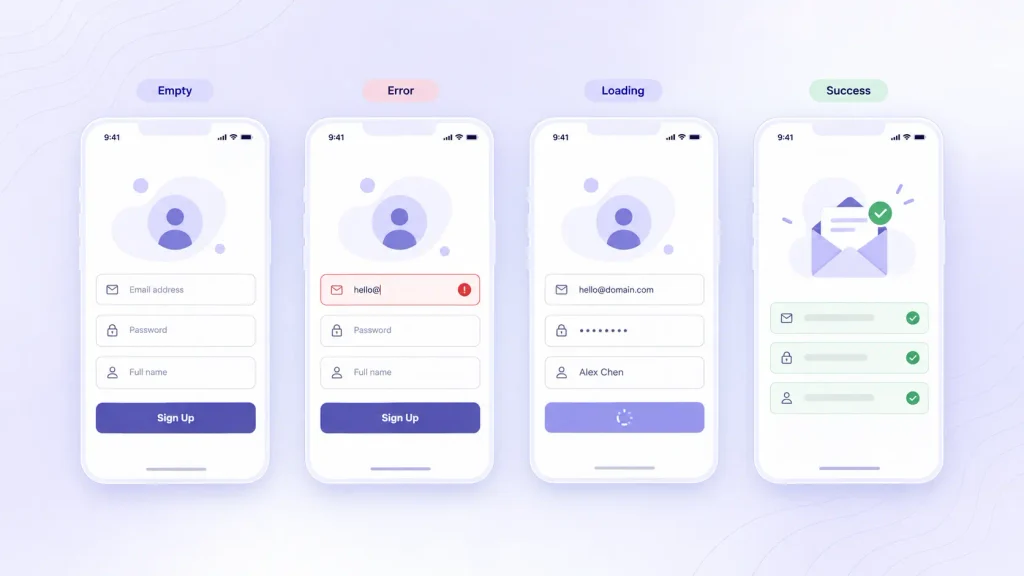
Multiply that across a product, and you’ll see why a screen list beats a feature list when you ask for quotes.
Research and Usability Testing Depth
Research is the line item founders cut first, and often regret. On Twine’s pricing breakdown, moderated usability testing runs $1,000 to $5,000, while unmoderated tests run $500 to $3,000.
That’s small next to the cost of rebuilding a flow after developers have coded it. If your budget is tight, I’d suggest keeping one round of testing on your core flow rather than skipping it.
Custom Visuals vs UI Kits
A UI kit with ready-made buttons, icons, and components cuts hours. Custom icons, illustrations, and animations add them. Purrweb’s comparison makes the split clear:
| Design Element | UI Kit Route | Custom Route |
| Icons and illustrations | Stock or reused | Made from scratch |
| Interface elements | Static | Animated on interaction |
| Branding | Existing brand guide | Brand built during the project |
| Component library | Client’s UI kit | Designers build a new kit |
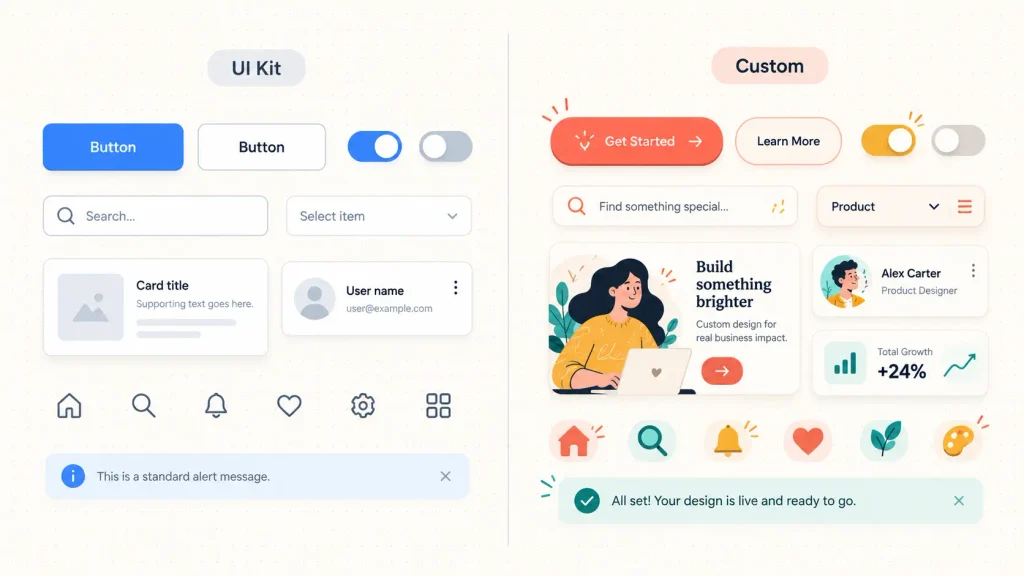
Neither route is wrong. If you’re weighing the trade-off, our breakdown of custom web design vs template design covers when custom earns its price.
Platforms: Web, iOS, and Android
Designing for more platforms means more layouts and more guidelines to follow. Purrweb estimates that mobile app design typically costs 20 to 40% more than a comparable website, because iOS and Android each need their own patterns and gestures.
If you’re still deciding how far to go on mobile, what mobile app design actually covers is a useful primer before you scope it.
Accessibility and Compliance Needs
Healthcare, fintech, and government products carry extra design work for consent flows, secure log-in, and accessibility. Tenet’s estimates put WCAG accessibility work at $5,000 to $20,000 or more, and HIPAA or GDPR compliance design at $10,000 to $30,000 or more.
This isn’t optional padding. If your industry requires it, budget for it from day one.
Revisions and Deadline Pressure
Each revision round is billable time, and unclear scope makes rounds multiply. Purrweb notes that without a defined scope, an estimate can shift 30 to 50% once real complexity surfaces.
Rushed deadlines push the same way. You’ll pay for extra designers or longer days, so a realistic timeline is one of the cheapest ways to protect your budget.
UI/UX Design Cost by Deliverable
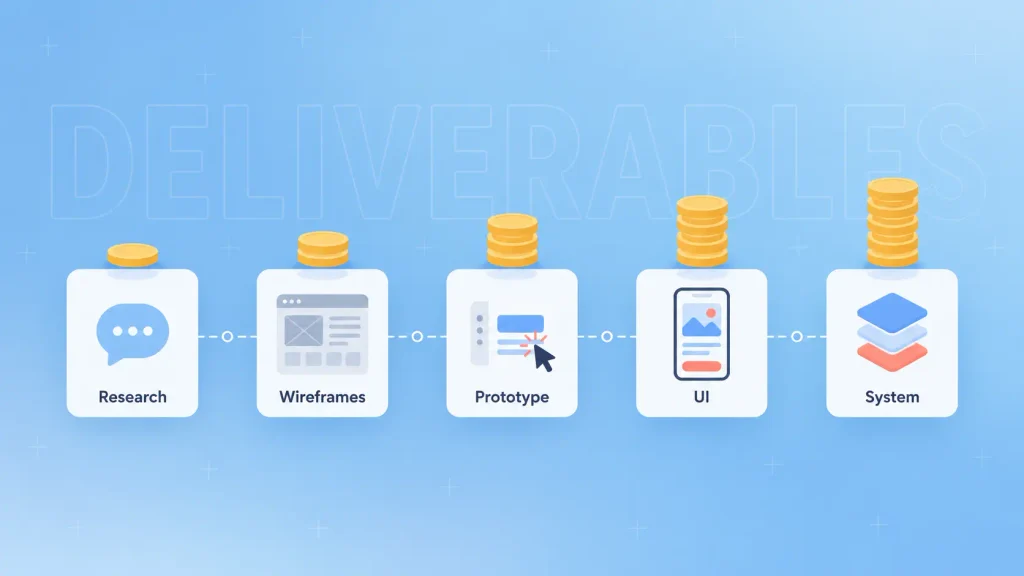
When you break a quote into deliverables, you can see exactly what you’re paying for. It also shows which pieces you could trim.
These are typical ranges from Twine’s UI/UX pricing guide, based on freelance and studio rates:
| Deliverable | Typical Cost | What It Covers |
| User research | $2,000 to $10,000+ | Interviews, surveys, personas, journeys |
| Low-fidelity wireframes | $50 to $100 per screen | Layout and flow, no styling |
| High-fidelity wireframes | $100 to $200 per screen | Near-final layout and type |
| Clickable prototype | $500 to $1,500 basic, $1,500 to $5,000+ advanced | Testable flows before code |
| UI design | $100 to $500 per static screen, $500+ animated | Final visuals |
| Usability testing | $500 to $5,000 | Unmoderated or moderated sessions |
| Style guide or design system | $5,000 to $20,000+ | Components, rules, documentation |
In practice, agencies bundle these into one project price. Still, asking for the line items tells you whether research and a UI kit are actually included, or quietly missing. It also helps to understand the difference between UI and UX work, since research and wireframes sit on the UX side while final visuals sit on the UI side.
UI/UX Designer Rates by Hiring Model and Region
Who you hire changes your UI/UX design cost more than almost any feature decision. The same 30 screens can cost several times more depending on the team and where it sits.
Freelancer vs Agency vs In-House
Each model makes sense at a different stage. Here’s how they compare on cost and fit:
| Hiring Model | Typical Rate | Best For | Trade-off |
| Freelancer | $50 to $150 per hour | Small, well-scoped work | One skill set, little backup |
| Agency (US) | $100 to $250 per hour | Full projects, research to handoff | Highest hourly rate |
| Agency (global average on Clutch) | $25 to $49 per hour | Full projects on a tighter budget | Time zones, vetting effort |
| In-house designer (US) | $104,000 median salary | Constant, ongoing design work | Benefits, hiring time, idle weeks |
Sources: freelancer and US agency rates from Biz4Group, the global agency average from Clutch, and the May 2025 median wage for web and digital interface designers from the US Bureau of Labor Statistics.
A salary only pays off when you have design work every week. If you need senior designers for a few months without a hire, UI/UX staff augmentation sits between a freelancer and a full team.
Rates by Region

Location shapes the UI/UX designer hourly rate more than seniority in many cases. Biz4Group’s regional breakdown looks like this:
| Region | Hourly Rate (USD) |
| North America | $100 to $250 |
| Western Europe | $70 to $180 |
| Eastern Europe | $40 to $90 |
| Asia (India, Philippines, Vietnam) | $20 to $60 |
A lower rate is only a saving if the work holds up. You’ll want to judge a portfolio on shipped products and real case studies, not only polished concept shots.
Pricing Models: Fixed, Hourly, and Retainer
The pricing model decides who carries the risk when scope moves. Pick the wrong one, and a fair rate can still turn into an unfair bill.
Here’s how the three common models compare:
| Pricing Model | Typical Range | Best For | Main Risk |
| Fixed project price | $10,000 to $100,000+ | Clear, locked scope | Change requests billed extra |
| Hourly | $25 to $150 per hour | Small or evolving tasks | Budget drift over time |
| Monthly retainer | $3,000 to $20,000 per month | Ongoing product design | Paying for unused hours |
Fixed and hourly ranges come from Tenet’s pricing guide; the retainer range comes from 925 Studios.
For a first product, a fixed price after a short paid discovery phase usually works best. You lock the scope, then the price. The same logic applies to other expert services too, as our AI consulting cost breakdown shows.
How to Estimate Your Own UI/UX Design Budget
You can get a solid ballpark before talking to anyone. It takes a screen list and the deliverable prices above.
The method works in four steps:
- List every screen your launch version needs, including empty, error, and loading states.
- Decide which deliverables you need: research, wireframes, prototype, UI, testing, style guide.
- Price each deliverable using per-screen or per-item ranges.
- Add headroom for scope changes, since estimates can shift 30 to 50% when scope is loose.
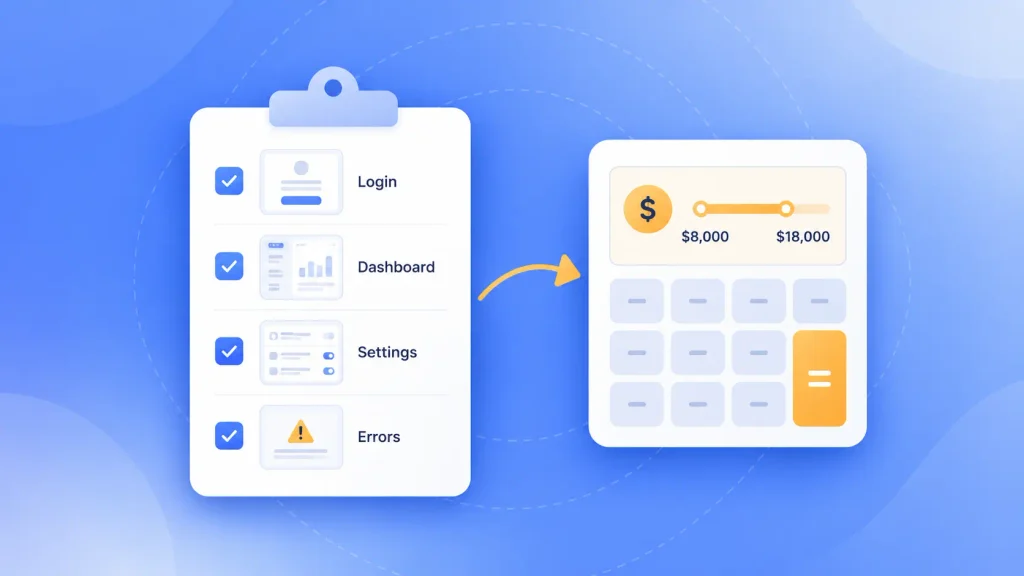
Here’s that method applied to an example: a 25-screen SaaS MVP with one main user role, using Twine’s deliverable rates.
| Line Item | Estimated Cost |
| Light research (interviews plus personas) | $2,000 to $8,000 |
| High-fidelity wireframes (25 × $100 to $200) | $2,500 to $5,000 |
| UI design, static screens (25 × $100 to $500) | $2,500 to $12,500 |
| Basic clickable prototype | $500 to $1,500 |
| One round of moderated usability testing | $1,000 to $5,000 |
| Basic style guide | From $5,000 |
| Total before headroom | $13,500 to $37,000+ |
That total sits right inside Clutch’s typical $10,000 to $49,999 band, which is a good sign the ranges hold up. If a quote for the same scope comes in far below $13,500, ask what got cut.
Want a second pair of eyes on your screen list? You can book a free scoping call with Boomdevs and walk through it together.
Hidden Costs Most UI/UX Quotes Leave Out
The quote you sign is rarely the full cost of design. The gaps show up later, usually once development has started and changes are expensive.
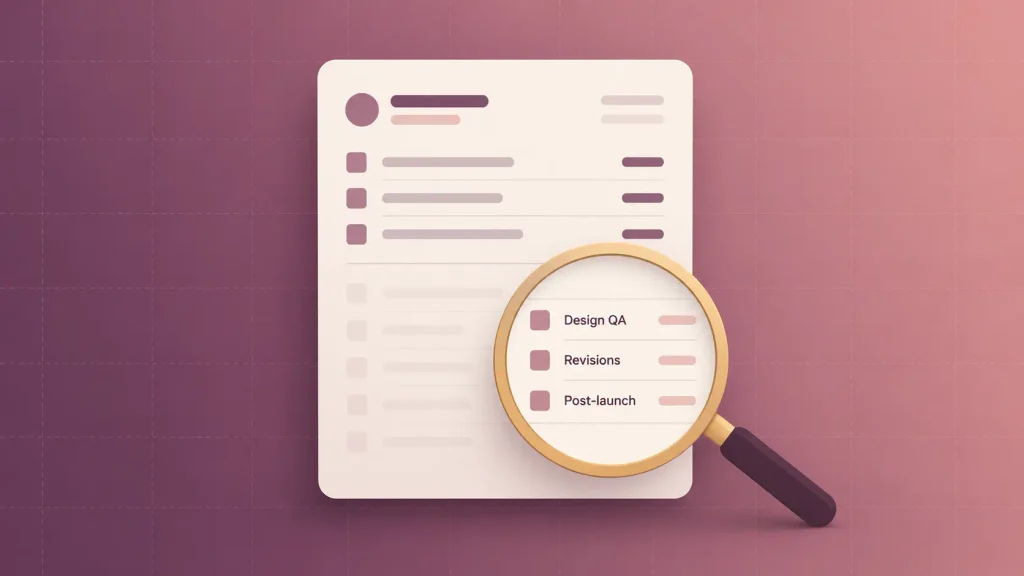
These are the items to ask about before you sign:
- Paid discovery: many agencies run a discovery phase before quoting. Purrweb puts it at $1,500 to $5,000.
- Design QA during development: someone has to check that the built screens match the designs. If the designer isn’t booked for it, you’ll pay later or ship drift.
- Post-launch changes: Orient Software notes that not every agency covers revisions after launch, so user feedback fixes often get billed separately.
- Extra revision rounds: anything past the included rounds is usually hourly.
- Tools and assets: design tool seats, premium fonts, and stock imagery can land on your invoice.
None of these is a scam. They’re simply easy to leave unwritten. Post-launch iteration matters more than most budgets admit, and it ties straight into why mobile apps fail.
Red Flags in a Cheap Quote
A low price can be a real deal. It can also be a quote for half the job. Watch for these signs:
- A per-screen price with no mention of states or edge cases
- No research or testing line anywhere
- “Unlimited revisions” with no defined scope
- No UI kit, style guide, or developer handoff files listed
- A portfolio of concept shots with no shipped products
If you spot two or more, ask for a revised scope in writing. If the bidder can’t give you one, walk away.
How to Lower UI/UX Design Cost Without Cutting Quality
The best savings come from removing wasted hours, not from hiring the cheapest designer. Most wasted hours trace back to unclear scope and slow feedback.
These moves work in roughly this order:
- Lock your launch scope first. Design the version you’ll ship, and park the roadmap features for later.
- Hand over content and brand assets early. Copy, logos, and brand guidelines save designers from guessing and redoing.
- Start from a UI kit where your brand allows. Save custom visuals for the screens users see most.
- Prototype the core flow before polishing everything. Testing one flow early is far cheaper than fixing ten later.
- Batch your feedback on a fixed schedule. One consolidated round beats a stream of small changes.
- Agree on revision rounds in the contract. You’ll know exactly when extra rounds start costing money.
If you want to get more from each design hour, these web app design best practices help you brief a team clearly from the start.
How Boomdevs Solves Unpredictable UI/UX Design Budgets
An unpredictable design budget usually starts with a fuzzy scope. Boomdevs’ UI/UX design team starts by pinning the scope down: the screens, roles, and states your launch version actually needs.
Boomdevs runs teams in New York and Dhaka, so you can work with senior designers across both time zones. Boomdevs has spent 10+ years doing this, across 3.5K+ delivered projects, and was named a Clutch Champion in Fall 2024.
You can bring Boomdevs in for whatever you need:
- Web and mobile app design: wireframes through final UI
- MVP design: a launch-ready product for founders working against a runway
- Embedded designers: UI/UX specialists who join your existing team
Whichever route you pick, I’d suggest bringing the screen list from the estimate above to your first call.
Frequently Asked Questions
How much does a UI/UX designer charge per hour?
Freelance UI/UX designers typically charge $50 to $150 per hour. US agencies charge $100 to $250 per hour, while rates in Asia often run $20 to $60. The global average for design agencies on Clutch sits at $25 to $49 per hour.
Does it cost more to design an app or a website?
An app usually costs more. Purrweb estimates mobile app design runs 20 to 40% higher than a comparable website. That’s because iOS and Android each need their own patterns, gestures, and screen variants.
How long does UI/UX design take?
A simple website takes about two to six weeks. An MVP or mid-complexity app takes six to 12 weeks. Enterprise and SaaS products often run three to six months or longer.
Is a design system worth it for an MVP?
Usually not a full one. A basic style guide or UI kit, starting around $5,000, gives developers consistent components at launch. A full design system makes more sense once several teams build on the same product.
Can I get a fixed-price UI/UX design quote?
Yes, once your scope is defined. Most agencies need a screen list or a short paid discovery phase first. Without that, any fixed price is a guess that can move 30 to 50%.
Get a Free UI/UX Design Estimate
You now know what drives your UI/UX design cost and what a fair quote should include. The next step is putting real numbers on your own screen list.
More than 350 startup founders have trusted Boomdevs with their products. Get your free UI/UX design estimate, and let’s scope it right the first time.