- 1. Key Takeaways
- 2. What Is Mobile App Design
- 3. The Main Parts of Mobile App Design
- 4. Mobile App Design and Development
- 5. How the Mobile App Design Process Works
- 1. Define the Product Goal
- 2. Research Users and the Market
- 3. Map User Journeys and Flows
- 4. Organize the Information
- 5. Create Low Fidelity Wireframes
- 6. Build an Interactive Prototype
- 7. Develop the Visual Interface
- 8. Test the Design With Users
- 9. Prepare the Developer Handoff
- 10. Review the Experience After Launch
- 6. Mobile App Design Deliverables
- 7. Designing for iOS and Android
- 8. What Makes Mobile App Design Effective
- 9. Common Mobile App Design Mistakes
- Designing Screens Before Mapping the Flow
- Prioritizing Visual Trends Over Usability
- Hiding Important Actions Behind Unclear Gestures
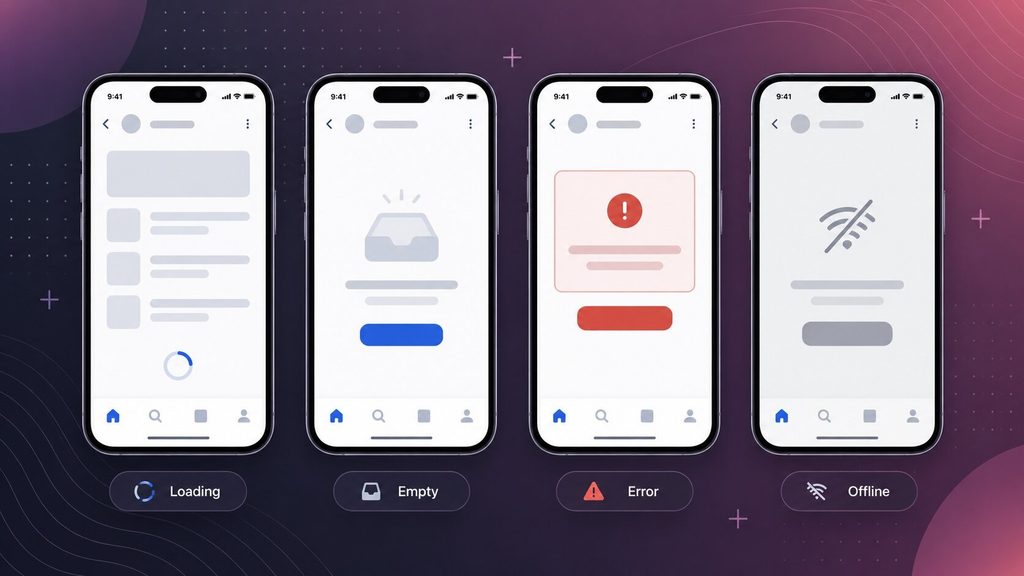
- Ignoring Loading, Empty, Error, and Offline States
- Using Inconsistent Components
- Treating Accessibility as a Final Review
- Testing Only With the Internal Team
- Leaving Behavior Out of the Handoff
- 10. How to Review a Mobile App Design
- 11. How Much Design Your Project Needs
- 12. How Boomdevs Approaches Mobile App Design
- 13. Final Thoughts
- 14. Frequently Asked Questions
Summarize with
A mobile app can look polished and still feel difficult to use. You may struggle to find a feature, understand an icon, recover from an error, or complete a simple task. These problems usually begin with design decisions made long before development.
Mobile app design is the process of planning how an app works, looks, responds, and communicates. It connects user needs with business goals and technical limits. The result should give users a clear path through the product while giving developers enough detail to build it accurately.
This guide explains the main parts of app design, the full UI/UX design process, common deliverables, platform differences, and the questions you can use to review a design before development.
Key Takeaways
- Mobile app design combines user experience, interface design, interaction behavior, accessibility, content, and developer handoff.
- UX design shapes journeys, task logic, and usability, while UI design shapes the visible interface and visual hierarchy.
- Wireframes and prototypes help teams test structure and behavior before development makes changes more expensive.
- iOS and Android can share product logic, but each version should respect its platform patterns and adapt to different screen sizes.
- A development-ready design covers loading, empty, error, offline, and permission states, not only ideal screens.
What Is Mobile App Design
Mobile app design is the process of shaping a mobile application’s user experience and interface. It covers user flows, navigation, screen layouts, visual style, interaction behavior, accessibility, prototypes, and developer handoff. Good design helps people understand the app and complete important tasks with less confusion.
A practical definition of what is mobile app design is the planned structure and presentation of everything a person sees, understands, and does inside an app. It includes visible elements, such as buttons and screens, as well as less visible decisions about navigation, feedback, permissions, errors, and task order.
The work usually balances three inputs:
- What users need,
- What the business wants the product to achieve,
- What the chosen technology can support.
A strong design does not treat one input as automatically more important than the others.
For example, a checkout screen may look clean but still fail if it asks for unnecessary information or hides the total price. A visually simpler screen may work better when it explains the next step and makes errors easy to correct.
What a Mobile App Designer Designs
A designer rarely works on isolated screens. The job is to connect those screens into a complete experience.
- User journeys that describe how people reach an outcome.
- Information architecture that organizes features and content.
- Navigation that helps users understand where they are and where they can go.
- Screen layouts that establish hierarchy, spacing, and reading order.
- Interactions that define what happens after a tap, swipe, input, or system event.
- Interface states for loading, empty results, success, errors, offline use, and permissions.
- Accessible behavior that supports different visual, motor, auditory, and cognitive needs.
- Reusable components that keep patterns consistent across the product.
The Main Parts of Mobile App Design
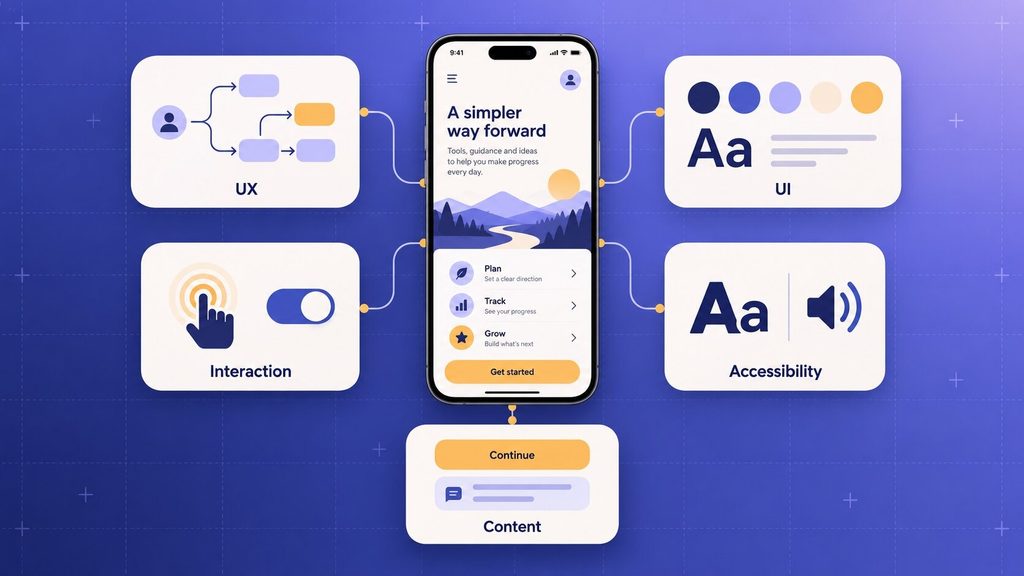
User Experience Design
Mobile app UX design focuses on how the experience works. It asks what users are trying to do, what information they need, which steps feel unclear, and where unnecessary effort appears.
UX work may include user research, task flows, content structure, wireframes, prototypes, and usability testing. Its purpose is to make the product’s logic understandable before visual polish takes over.
User Interface Design
Mobile app UI design shapes the visible interface. It covers typography, color, spacing, icons, buttons, form controls, imagery, and the visual hierarchy of each screen.
UI design should support the underlying task. A bright call-to-action is useful only when its label is clear, its priority is correct, and the user understands what will happen next.
Interaction Design
Interaction design defines how the app responds. It covers touch gestures, transitions, progress feedback, validation, confirmations, and changes between states.
Useful feedback may be as small as a button changing state after a tap. The important point is that the response confirms the action and helps the user understand what is happening.
Accessibility Design
Accessible mobile app design considers people who may use larger text, screen readers, switch controls, voice input, keyboard access, or alternative gestures. It also supports users working one-handed, in glare, or with limited attention.
The W3C’s WCAG2Mobile guidance explains how WCAG 2.2 principles can be applied to native, mobile web, and hybrid apps. The document is informative guidance rather than a separate mobile accessibility standard.
It covers areas such as orientation, reflow, pointer gestures, dragging alternatives, target size, consistent help, and reducing repeated entry.
Content Design
Content design covers the words inside the interface. Button labels, form instructions, permission explanations, onboarding messages, empty states, and error messages all influence whether the app feels clear.
Specific language is usually more helpful than generic language. An error that explains what happened and how to fix it gives you a path forward; “Something went wrong” does not.
| Design area | Primary concern | Typical output |
| UX design | How the app works | Research findings, user flows, and wireframes |
| UI design | How the app looks | High-fidelity screens and visual specifications |
| Interaction design | How the app responds | Interactive prototype and behavior notes |
| Accessibility | Who can use the experience | Inclusive patterns and accessibility requirements |
| Content design | How the app communicates | Labels, instructions, messages, and interface copy |
Mobile App Design and Development
Design and development solve different parts of the same product problem. Design defines the intended experience. Development turns that intent into functioning software.
The boundary is not absolute. Designers need to understand technical constraints, while developers need to understand why the flow and behavior were chosen.
Early collaboration can expose impossible states, missing requirements, and implementation risks before they reach final QA.
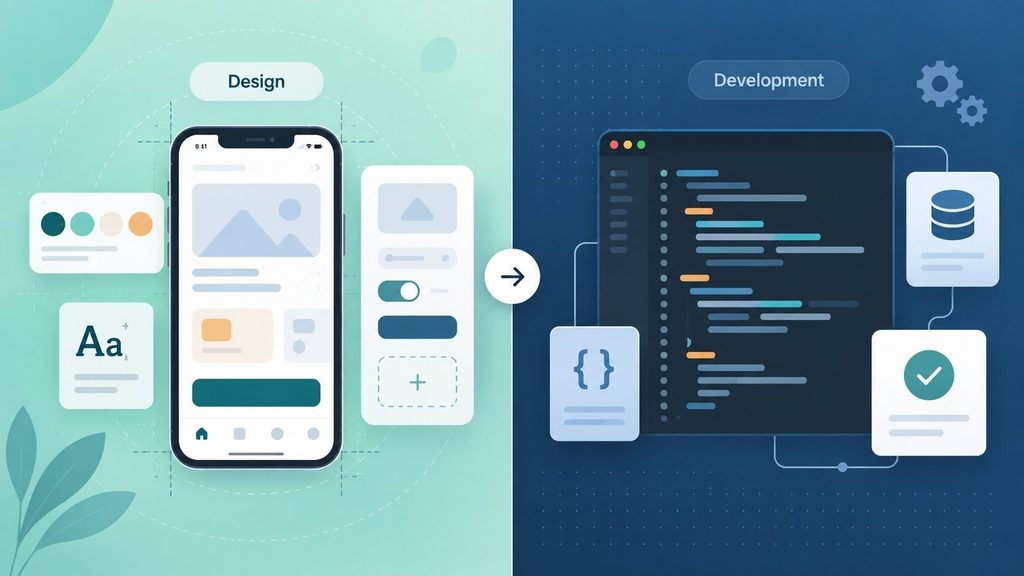
| Area | Mobile app design | Mobile app development |
| Main goal | Define the experience and interface | Build, integrate, test, and release the software |
| Typical work | Research, flows, wireframes, UI, prototypes, testing | Architecture, coding, APIs, data, testing, deployment |
| Primary outputs | Design files, prototype, components, specifications | Working application, services, builds, and technical documentation |
| Common questions | Can users understand and complete the task | Does the product work reliably under defined conditions |
| Shared concerns | Scope, feasibility, accessibility, security, performance, and edge cases | Scope, feasibility, accessibility, security, performance, and edge cases |
If you need help moving from approved designs into implementation, Boomdevs also provides mobile app development services. The service page describes native and cross-platform development, QA, integrations, and post-launch support.
How the Mobile App Design Process Works
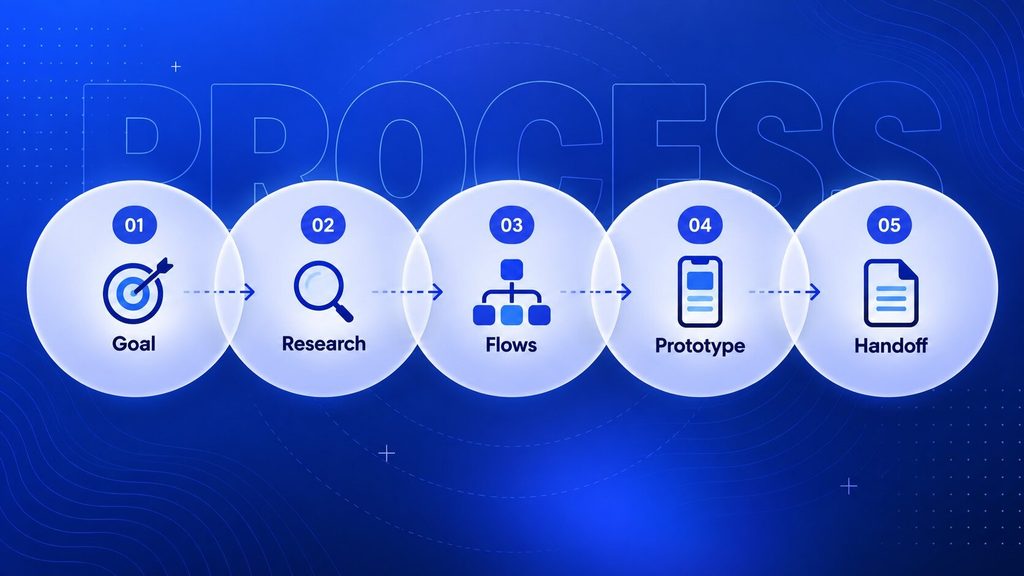
The exact sequence changes with product maturity and risk. A new health or finance app may need deeper research and validation than a small internal tool. Even so, most projects move through the following decisions.
1. Define the Product Goal
Start by describing the problem, target user, business objective, platform, and boundaries of the first release. This keeps early design work tied to a real outcome.
A useful product goal is specific enough to guide tradeoffs. “Help users track a delivery and report a problem” gives the team more direction than “create an easy delivery app.”
2. Research Users and the Market
Research helps you replace assumptions with evidence. Depending on the project, this may include interviews, observation, support tickets, product analytics, competitor reviews, or workflow analysis.
The method should match the question. Interviews may explain why people struggle, while usage data may show where they leave a flow.
3. Map User Journeys and Flows
A user flow shows the steps a person takes to complete a task. It should include decisions, alternate paths, failures, and recovery points rather than only the ideal route.
Mapping the flow before the screens makes missing logic easier to see. It can reveal when users need information the system does not yet collect.
4. Organize the Information
Information architecture determines how features, content, and actions are grouped. It also shapes menus, tabs, labels, search, and the relationship between screens.
The structure should reflect the user’s mental model where possible. Internal department names or technical categories may not make sense to customers.
5. Create Low Fidelity Wireframes
A mobile app wireframe is a simplified screen layout. It focuses on hierarchy, content, actions, and navigation without spending much time on final color or imagery.
Wireframes make structural feedback easier. Stakeholders can discuss whether the right content is present before visual detail makes the design feel finished.
6. Build an Interactive Prototype
A mobile app prototype connects screens so reviewers can experience key flows. It can simulate navigation, input, menus, and transitions without containing a finished application.
A prototype can test comprehension and task flow. It cannot prove production performance, data integrity, security, or the reliability of real integrations.
7. Develop the Visual Interface
The visual stage turns approved structure into a coherent interface. Designers define typography, spacing, color, icons, imagery, component states, and responsive behavior.
Brand expression still matters, but it should not hide the task. Distinctive visuals work best when familiar controls remain recognizable.
8. Test the Design With Users
Usability testing asks representative users to complete realistic tasks with the prototype. The team observes where participants hesitate, misunderstand labels, take unintended paths, or cannot recover.
The purpose is not to ask whether people like the colors. It is to learn whether the design supports the intended behavior.
9. Prepare the Developer Handoff
A useful handoff explains more than static screen measurements. Developers need component states, validation rules, content behavior, responsive logic, assets, accessibility notes, and edge cases.
Questions should remain open during implementation. A handoff works better as a shared reference than as a one-time transfer.
10. Review the Experience After Launch
Real use may reveal conditions that research and prototypes missed. Support requests, analytics, accessibility testing, app-store feedback, and observed behavior can guide later improvements.
Post-launch design should focus on a defined problem. Random interface changes make it harder to learn which decision affected the experience.
Mobile App Design Deliverables
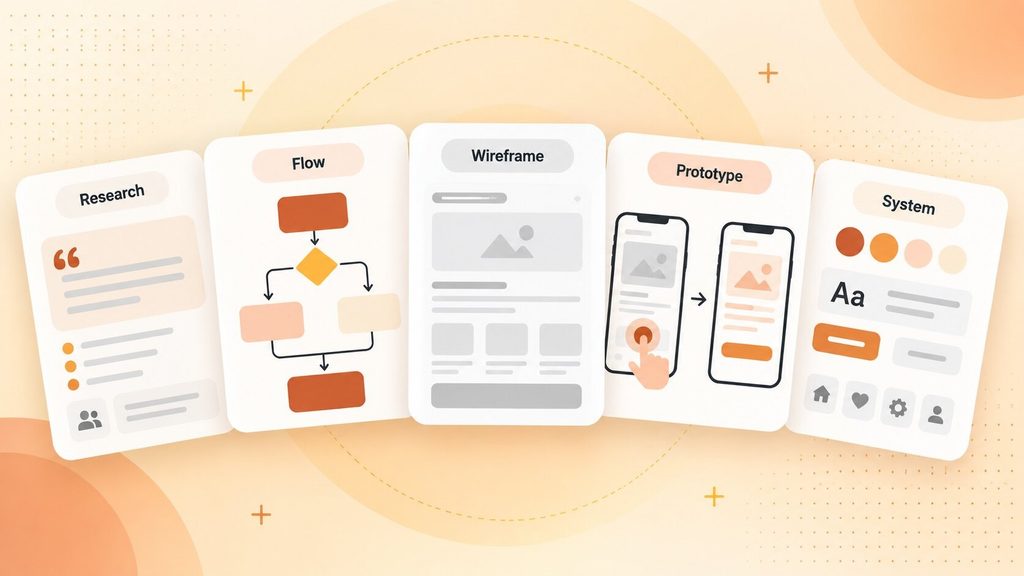
The deliverables depend on scope, but each one should answer a different question. A large set of polished screens is not a complete design package if it omits behavior, states, and reusable rules.
| Deliverable | What it communicates | Who uses it |
| Research summary | User needs, context, evidence, and unresolved questions | Product team and designers |
| User flow | The path through a task and its decisions | Product, design, and development |
| Wireframe | Screen structure and content priority | Stakeholders and designers |
| Prototype | Expected navigation and interaction | Users, stakeholders, developers |
| UI mockup | Final visual direction for key states | Stakeholders and developers |
| Design system | Reusable components, tokens, and rules | Designers and developers |
| Handoff specification | Behavior, states, assets, and implementation details | Development and QA teams |
Designing for iOS and Android
An app can share the same brand and product logic across iOS and Android without forcing both platforms to look identical. Users bring expectations from the operating system and from other apps they already use.
For iOS, designers can check Apple’s Human Interface Guidelines for current platform patterns. For Android, the official guidance covers Material components and adaptive behavior across window sizes.
Android’s adaptive layout guidance recommends layouts that reflow or change presentation across different window sizes instead of assuming one portrait-phone canvas. This matters for tablets, foldables, multitasking, and resizable windows.
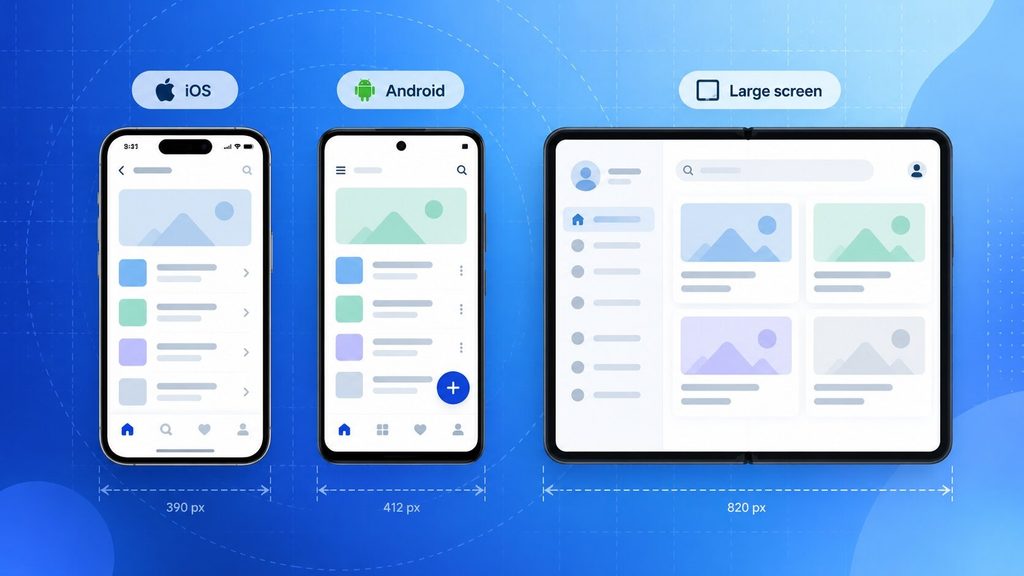
The design decision is therefore broader than choosing between “native” and “cross-platform.” You also need to decide which patterns should remain consistent across the brand and which should adapt to each platform.
What Makes Mobile App Design Effective
Effective design helps people understand the product and complete important tasks under realistic conditions. The following checklist is more useful than judging a few attractive screens, and these mobile app design best practices turn each point into a practical fix.
- Clear purpose so each screen supports a defined user goal.
- Predictable navigation so users can move without memorizing hidden gestures.
- Visible hierarchy so primary content and actions stand out.
- Useful feedback so the app acknowledges input, progress, success, and failure.
- Consistent components so the same pattern behaves the same way across screens.
- Accessible interactions so the experience does not depend on color, tiny controls, or one complex gesture.
- Complete interface states for loading, empty content, validation, errors, permissions, offline use, and success.
- Adaptive layouts so content remains usable across supported screen sizes and orientations.
- Realistic testing using representative tasks, content, devices, and user conditions.
Common Mobile App Design Mistakes
Designing Screens Before Mapping the Flow
Screens can look complete while the journey between them remains broken. Mapping the flow first exposes missing decisions, dead ends, and recovery paths.
Prioritizing Visual Trends Over Usability
A current visual style can support the brand, but unfamiliar controls may increase the effort needed to understand the interface. Trends should serve the task instead of replacing clear interaction patterns.
Hiding Important Actions Behind Unclear Gestures
Gestures can save space, but they are harder to discover when the interface gives no cue. Important actions usually need a visible route or an equivalent alternative.
Ignoring Loading, Empty, Error, and Offline States
The ideal state is only one part of the product. Users also need to understand what is happening when data is delayed, unavailable, invalid, or missing.
Using Inconsistent Components
A control that changes appearance or behavior across screens makes users relearn the interface. A practical design system can document how repeated components work.
Treating Accessibility as a Final Review
Accessibility decisions affect structure, labels, component behavior, content order, gestures, and testing. Adding them at the end may require changes across several screens and components.
Testing Only With the Internal Team
Team members already know how the app is supposed to work. Representative users can reveal assumptions that internal reviewers no longer notice.
Leaving Behavior Out of the Handoff
Static mockups do not explain validation, animation, keyboard behavior, empty states, or error recovery. Missing behavior forces developers to guess.
How to Review a Mobile App Design
You do not need to be a designer to review the product thoughtfully. Instead of reacting only to color or style, walk through the most important tasks and ask what each screen communicates.
- Can a new user identify the primary action without an explanation
- Can the main task be completed without unnecessary steps
- Does every important action produce clear feedback
- Can the user recover from a mistake without losing unrelated work
- What happens when content is empty, data is delayed, or the device is offline
- Does the design remain understandable with larger text or assistive technology
- Are platform permissions requested at a moment that makes sense
- Does the prototype use realistic content rather than ideal placeholder text
- Are component states and edge cases clear enough for development and QA
A useful review records the issue, the affected task, and the evidence behind the concern. “I prefer a different color” is subjective. “The primary action becomes hard to distinguish when this button is disabled” gives the team something specific to test.
How Much Design Your Project Needs
Design scope should follow product risk, complexity, and maturity. Screen count alone is a weak measure because one screen with several states and permissions may require more work than several static content screens.
| Project stage | Likely emphasis | Expected design depth |
| Early concept | Problem definition and core flow | Research questions, journey map, rough flows, concept prototype |
| MVP | Critical tasks and release scope | Wireframes, tested prototype, key UI states, lean component set |
| Existing app redesign | Evidence behind current problems | Audit, analytics or research, revised flows, usability testing |
| Complex operational app | Roles, rules, data, and exceptions | Detailed workflows, permissions, edge cases, full specifications |
| Mature product | Consistency and ongoing change | Design system, governance, accessibility review, continuous testing |
Knowing what is mobile app design at each project stage helps you scope the right amount of work instead of guessing. A small MVP may not need an extensive design system on day one.
It still needs enough definition to prevent developers from guessing about important flows, states, and content. Once the scope is clear, the next step is to plan your budget for app design.
How Boomdevs Approaches Mobile App Design
Boomdevs’ mobile app design service covers user research, wireframing, interface design, interactive prototypes, platform-specific design, design systems, redesign work, and developer handoff. These capabilities are described on the company’s current service page.
That combination may suit you when the product needs both experience design and implementation planning. It also gives the design and development teams a shared reference for flow, components, states, and technical questions.
If you are still validating the direction, the most useful next step may be a focused review of the core user journey.
If the flow is already defined, the conversation can move toward platform behavior, prototype testing, and the detail required for development.
Final Thoughts
Understanding what is mobile app design shows how a product works before it becomes production software. It includes UX, UI, interaction, accessibility, content, testing, and the instructions developers need to reproduce the intended experience.
A good review starts with the user’s task. If the path is understandable, the states are complete, and the design respects both platform expectations and real constraints, visual polish can support an experience that already makes sense.
Frequently Asked Questions
What Is Mobile App Design in Simple Words
Mobile app design is the planning of how an app looks, works, and responds. It includes the screens users see, the paths they follow, the words they read, and the feedback they receive after an action.
What Is the Difference Between Mobile UI and Mobile UX
Mobile UI concerns the visible interface, including layout, color, typography, icons, and controls. Mobile UX concerns the complete experience, including research, flows, navigation, task effort, feedback, accessibility, and usability. For a deeper look, read the difference between UI and UX design.
Do You Need Coding Skills to Design a Mobile App
Coding is not required for many design tasks, but technical awareness helps. A designer who understands platform constraints, data, component behavior, and implementation tradeoffs can make more realistic decisions and communicate more clearly with developers.
How Long Does the Mobile App Design Process Take
There is no reliable universal duration. The timeline depends on research needs, number of user roles, flow complexity, platforms, prototype fidelity, testing rounds, design-system scope, and how quickly decisions are approved.
What Should Be Completed Before App Development Begins
The core scope, primary user flows, key screens, main component states, error handling, content needs, accessibility requirements, and developer handoff should be clear enough to reduce guesswork. Lower-risk details can continue to evolve during development.