


- 1. Key Takeaways
- 2. What Is Legacy App Modernization?
- 3. Signs Your App Needs Modernization
- 4. The App Store Deadlines That Force Mobile Modernization
- 5. Legacy App Modernization Strategies: The 7 Rs
- 6. Refactor or Rebuild? How to Make the Call
- 7. How to Modernize a Legacy App, Step by Step
- Step 1: Audit the App, Backend, and Dependencies
- Step 2: Tie Modernization to Business Goals
- Step 3: Pick an Approach Per Component, Not One for Everything
- Step 4: Put Tests and CI/CD in Place Before You Change Code
- Step 5: Migrate Incrementally With the Strangler Fig Pattern
- Step 6: Protect Users on Old App Versions
- Step 7: Migrate Data and Measure Results
- 8. Common Legacy App Modernization Mistakes
- 9. How Long Does Legacy App Modernization Take, and What Drives Cost?
- 10. Should You Modernize In-House or With a Partner?
- 11. How Boomdevs Fixes Aging Mobile Apps
- 12. Frequently Asked Questions
Summarize with
Your app still works. Users still log in, and orders still go through. But every release takes longer, and your team flinches at certain files.
You’re probably right that something has to change. You’re probably wrong that it means a full rewrite.
Legacy app modernization is usually a series of smaller, safer moves. Here’s how to choose them, and how to ship them without breaking the app your customers rely on.
Key Takeaways
- Legacy is a condition, not an age. An app becomes legacy when it blocks what the business needs next, whether it’s two years old or ten.
- The app stores set a yearly clock. Google Play and Apple now reject updates built on old SDKs, so an app that can’t absorb platform changes is already falling behind.
- Refactor first, rebuild only with a reason. Messy code is rarely enough to justify a rewrite. A broken architecture is.
- Ship in increments. The strangler fig pattern, staged rollouts, and versioned APIs let you modernize while users keep working.
- Cost follows scope. Your number depends on how much of the app and backend you touch, not on a market average.
What Is Legacy App Modernization?
Legacy app modernization means changing an aging app, its backend, or both, so it can keep up with what your business and your users need now. Sometimes that’s a dependency upgrade. Sometimes it’s a new architecture, or a new app entirely.
The goal isn’t new code for its own sake. It’s getting back the ability to ship features, pass security reviews, and meet platform rules without heroics from your team.
What Makes an App “Legacy” (It’s Not Age)
You can’t spot a legacy app by its launch date. A five-year-old codebase can be clean and easy to extend, while a two-year-old one can already be built on a framework nobody maintains.
What matters is whether the app still supports your next move. Here’s what that looks like in practice for a mobile product:
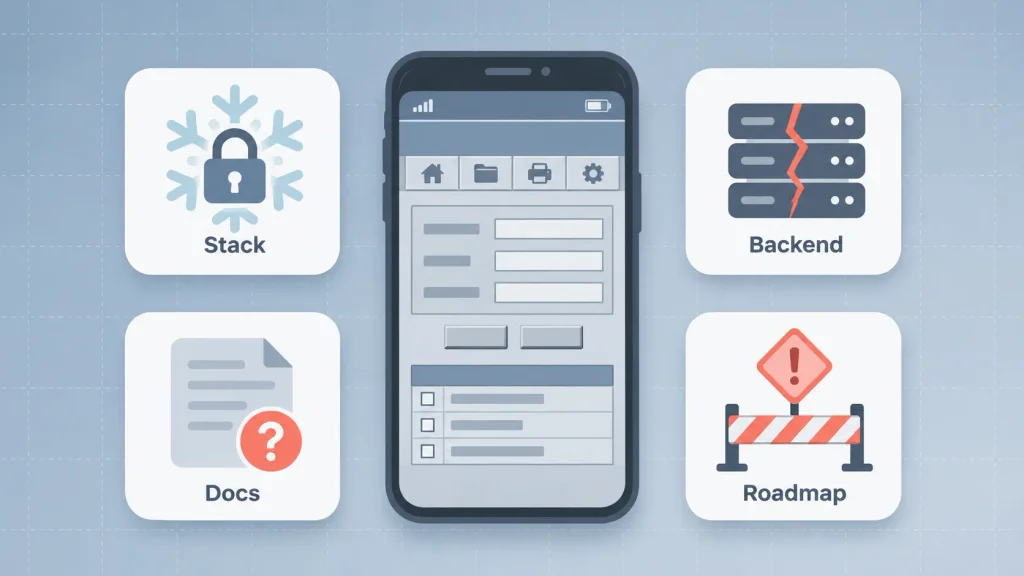
- A frozen stack: the app runs on an SDK version, plugin, or framework that no longer gets updates or security patches.
- A brittle backend: one monolithic API serves the app, and every change risks breaking something unrelated.
- Lost knowledge: the engineers who built it have left, and the documentation left with them.
- A blocked roadmap: features like offline mode, new payment methods, or AI tools keep getting pushed because the code can’t take them.
If two or more of those sound familiar, you’re running a legacy app, whatever its age.
Signs Your App Needs Modernization
The clearest sign you need legacy app modernization is when keeping the app alive costs more attention than improving it. That shift rarely shows up as one outage. It creeps in through slower releases and growing maintenance bills.
You’re not alone in that. In Ensono’s 2025 survey of IT leaders, 49% said legacy maintenance costs ran higher than planned over the previous year. The signs tend to split into two groups.
Business Signals
These show up in planning meetings before they show up in code reviews:
- Releases keep slipping. A small feature takes a full sprint because every change needs manual testing across fragile parts of the app.
- Maintenance eats the roadmap. Most of your team’s time goes to bug fixes, OS compatibility patches, and crash triage.
- You can’t ship what competitors ship. AI features, new integrations, or a modern checkout stay on the wishlist because the app can’t support them.
- Store reviews mention crashes or slowness. Users notice decline long before a dashboard flags it.
Technical Signals
Your engineers will name these if you ask them directly:
- Unsupported dependencies: core libraries or SDKs have reached end of life, so security fixes have stopped.
- No test coverage: nobody can change one screen without worrying about breaking three others.
- A shrinking talent pool: the stack is old enough that hiring for it is slow and expensive.
- Platform friction: each new iOS or Android release triggers a scramble just to keep the app working.
Any one of these is manageable. Several at once usually means patching has stopped paying off.
The App Store Deadlines That Force Mobile Modernization
For mobile apps, legacy app modernization often isn’t optional. Both app stores require you to build against recent platform versions, and they reject updates that don’t comply.
That turns an aging codebase into a release blocker. If your app can’t move to the new SDK, you can’t ship bug fixes either. Here’s where the two stores stand as of November 2026:
| Platform | Requirement | Effective date | If you miss it |
| Google Play (new apps and updates) | Target Android 16 (API level 36) | August 31, 2026 | Submission blocked |
| Google Play (existing apps) | Target Android 15 (API level 35) | August 31, 2026 | Hidden from new users on newer devices |
| Apple App Store | Build with Xcode 26 and the iOS 26 SDK | April 28, 2026 | Upload rejected |
Google’s rules come from its target API level requirements, and the optional extension it offered ran until November 1, 2026. Apple’s rules sit on its upcoming requirements page.
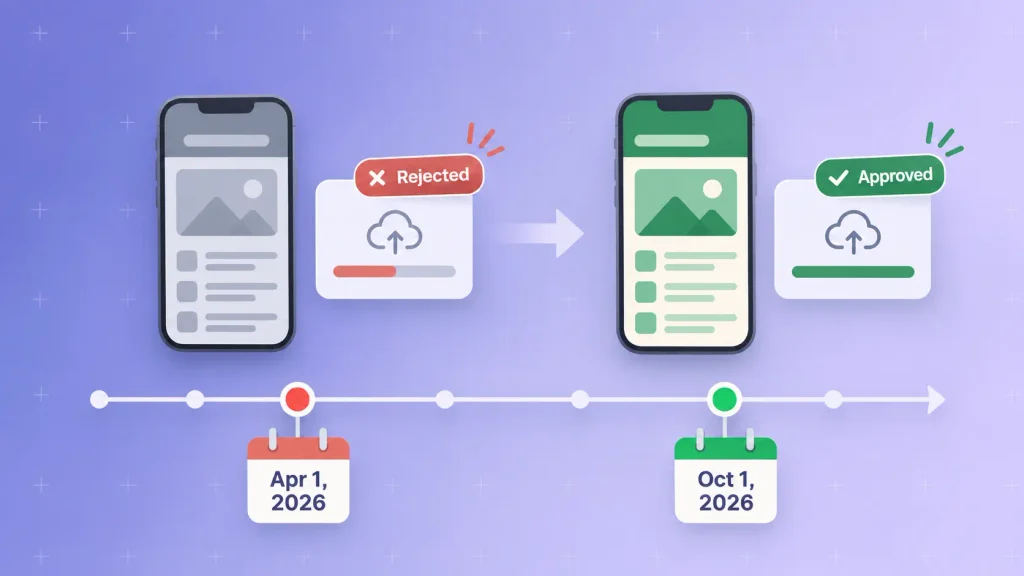
The bigger point is the rhythm. Both stores raise the bar every year, so an app that needs a mini-project to absorb each SDK bump will keep falling behind. If your Android team is unsure what targeting a new API level involves, our guide to what the Android SDK does covers the basics.
Legacy App Modernization Strategies: The 7 Rs
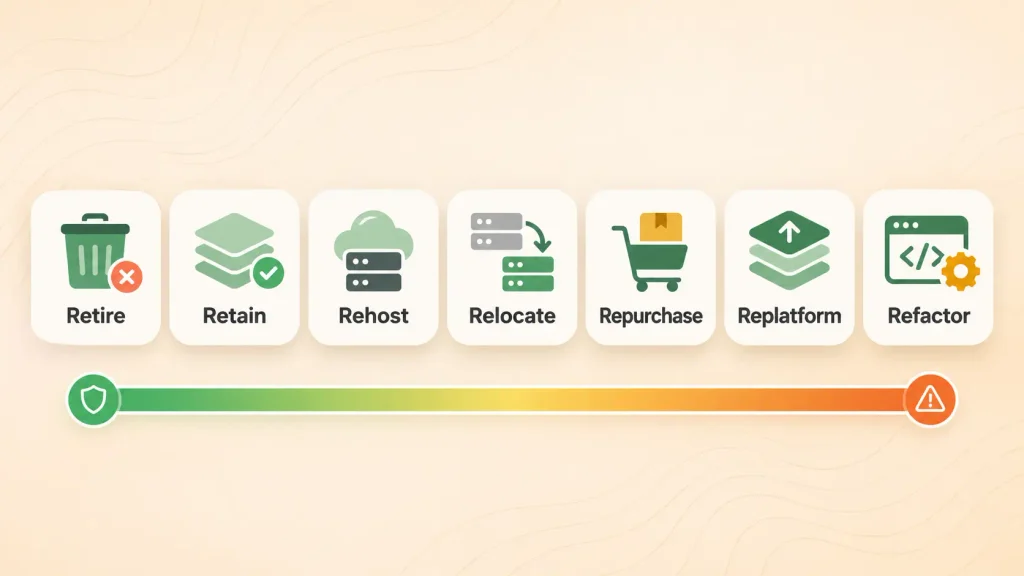
Most legacy app modernization plans pick from a short menu of approaches, often called the 7 Rs. AWS uses them to classify how each workload should move, and they work just as well for deciding what to do with each part of an app.
With application modernization strategies, you rarely apply one R to everything. Here’s how they compare:
| Strategy | What changes | When it fits | Relative risk |
| Retire | Feature or service is switched off | Nobody uses it anymore | Low |
| Retain | Nothing for now | Stable, low-impact parts | Low |
| Rehost | Hosting only, code untouched | Backend must leave old servers fast | Low |
| Relocate | Moves to another cloud setup as is | Infrastructure contract or region change | Low |
| Repurchase | Swapped for a ready-made product | Generic needs like CRM or support chat | Medium |
| Replatform | Runtime or managed services, light code edits | Sound code on an outdated platform | Medium |
| Refactor / re-architect | Code structure or architecture | Core logic worth keeping, design holding you back | High |
AWS itself warns that refactoring is the most complex option and is hard to manage across many applications at once. That’s a useful reminder to save it for the parts of your app where it actually pays off.
If a generic component is the problem, replacing it with an existing product is often smarter than rebuilding it. Our breakdown of custom software vs off-the-shelf tools helps with that call.
How the 7 Rs Apply to a Mobile App and Its Backend
It’s easy to read these application modernization strategies as a server-side idea. For a mobile product, you’re making two sets of decisions: one for the backend and one for the app on your users’ phones.
The backend behaves like any web system, so rehosting, replatforming, and re-architecting all apply directly. The mobile client has a narrower set of moves:
- Upgrade in place: bump SDKs, libraries, and build tools to meet store rules without changing the app’s design.
- Refactor screen by screen: move parts of the UI to a modern toolkit, like SwiftUI on iOS or Jetpack Compose on Android, while the rest keeps running.
- Rebuild the client: write a new app, native or cross-platform, against the same or a modernized backend.
- Replace with the web: retire a low-use app in favor of a responsive web experience.
A common winning combination is a replatformed backend with a refactored app. It fixes the scaling pain without asking users to relearn anything.
Refactor or Rebuild? How to Make the Call
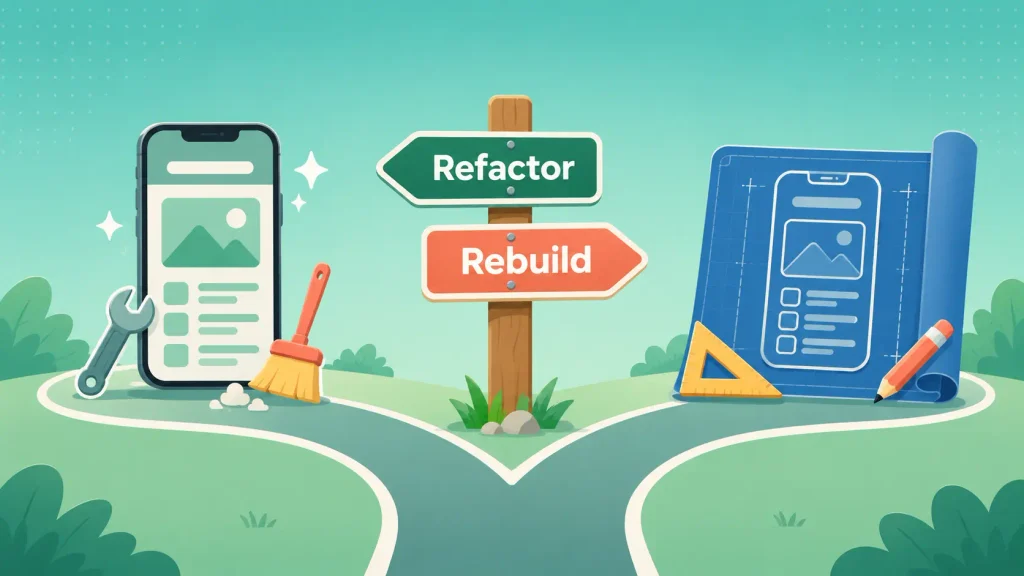
Refactor when the architecture is sound and the code is just messy. Rebuild when the architecture itself can’t support what you need next.
That sounds simple, yet the refactor vs rewrite question trips teams up all the time. Ugly code feels like a rewrite problem, but it’s usually a cleanup problem. A rewrite started for that reason tends to burn a year and land roughly where you began.
Here’s how the signals usually break down:
| Signal | Points to refactor | Points to rebuild |
| Architecture | Fits current scale and features | Can’t support offline, real-time, or new platforms |
| Business logic | Valuable and battle-tested | Mostly obsolete or being redesigned |
| Codebase health | Messy but stable | Unstable, can’t be made to pass basic tests |
| Tech stack | Still supported | Dead framework, no upgrade path |
| Tolerance for parallel work | Low, releases must continue | You can fund two apps for a while |
One more refactor vs rewrite point worth knowing: refactoring generates information. A few months in, you’ll understand the app far better and can judge whether the remaining work is more cleanup or a real rebuild.
When a Cross-Platform Rebuild Makes Sense
If you’re rebuilding the client anyway, it’s worth asking whether you still need two separate native apps. One cross-platform codebase shrinks the surface area you maintain from then on.
It suits apps that are mostly forms, lists, and content, with standard device features. Heavy graphics or deep OS integrations can still favor native. Our comparison of native vs cross-platform app development covers the trade-offs, and Flutter app development is one route if that’s where you land.
How to Modernize a Legacy App, Step by Step
Legacy app modernization stays safe when you audit first, decide per component, and ship in small, reversible steps. Here’s the sequence that keeps risk low.
Step 1: Audit the App, Backend, and Dependencies
Your first job is finding out what you actually have. Skip it, and hidden dependencies surface halfway through the migration, when they cost the most.
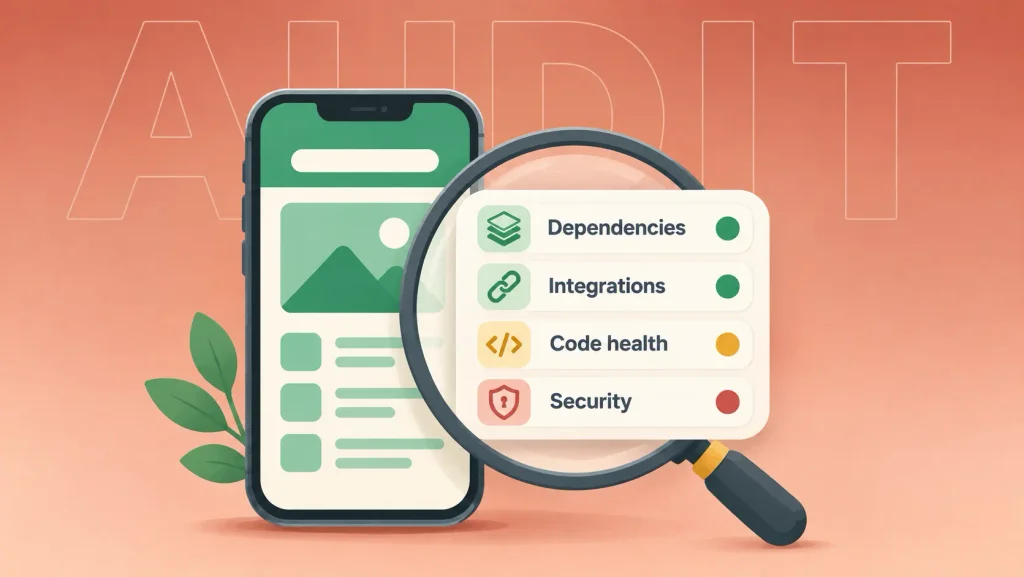
A useful audit covers:
- Dependencies: every SDK, library, and third-party service, with its support status.
- Integrations: payment providers, analytics, push notifications, and any internal APIs.
- Code health: test coverage, crash rates, and the modules that change most often.
- Security exposure: outdated encryption, deprecated auth flows, and unpatched libraries.
If your team is too close to the app to assess it objectively, an outside mobile app consulting review gives you an honest baseline and a prioritized fix list before you commit budget.
Step 2: Tie Modernization to Business Goals
Legacy app modernization only gets funded, and finished, when it moves a number your leadership cares about. It’s worth agreeing on a few metrics before anyone touches code.
Good candidates include release frequency, crash-free sessions, time to ship a typical feature, and maintenance hours per sprint. These give you a before-and-after story that justifies each next phase.
Step 3: Pick an Approach Per Component, Not One for Everything
With the audit in hand, you can map each part of the app to one of the Rs. The payments module might need a refactor, the admin panel might stay as is, and an unused reporting screen might simply go.
This is where most of the savings hide. You avoid spending rebuild money on parts that only needed a dependency bump.
Step 4: Put Tests and CI/CD in Place Before You Change Code
Automated tests capture how the app behaves today, edge cases included. Without them, every change is a guess about what you might have broken.
I’d suggest setting up a CI/CD pipeline at the same time, so each change gets built and tested automatically. Teams that add this last end up deploying their riskiest changes by hand. If you need help with coverage, dedicated software testing can close the gap quickly.
Step 5: Migrate Incrementally With the Strangler Fig Pattern
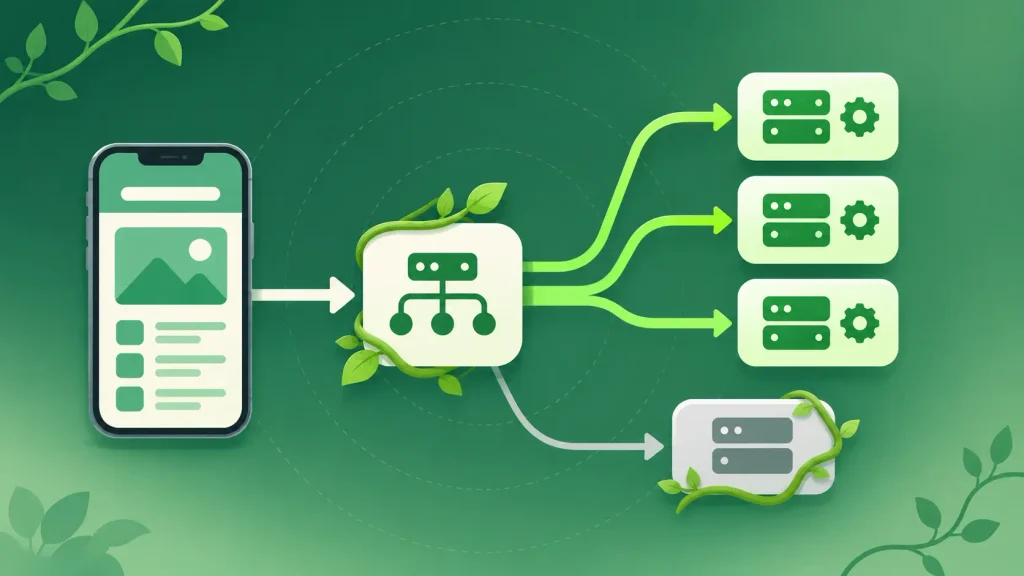
The strangler fig pattern grows new code around the old system and moves functionality over piece by piece. Martin Fowler named it after a vine that slowly replaces its host tree, and he describes it as a gradual approach to legacy system modernization.
In practice, your team puts a routing layer in front of the old backend. New or rewritten endpoints take over one feature at a time, while everything else still hits the legacy code. Fowler’s core argument is reduced risk compared with a cut-over rewrite, because value ships steadily and each step can be checked.
Step 6: Protect Users on Old App Versions
This is where legacy app modernization on mobile differs most from web work. Unlike a website, you can’t force every user onto your newest app overnight. Older versions stay installed and keep calling your backend long after you ship an update.
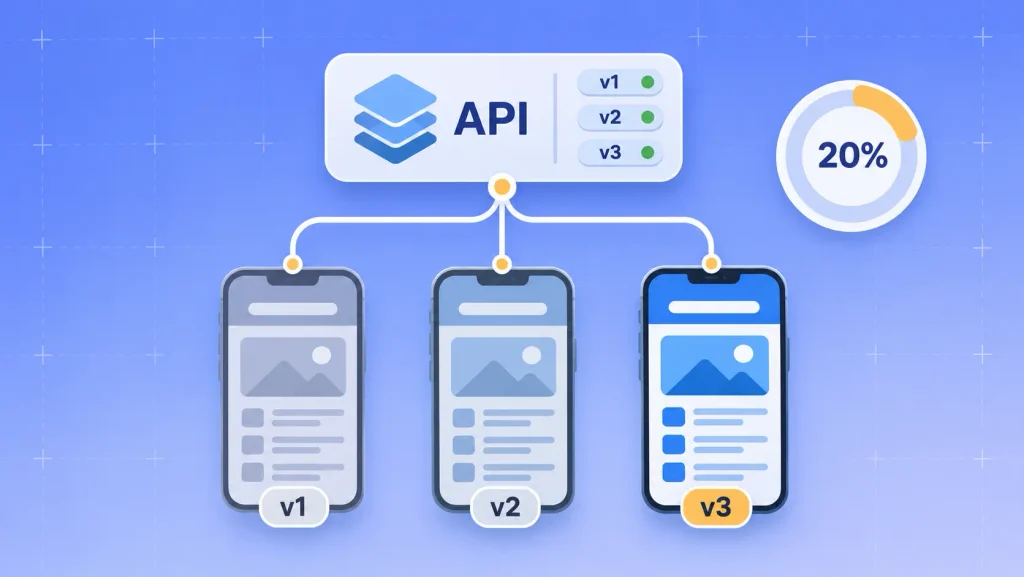
That changes how you migrate. A few habits keep those users safe:
- Version your APIs. Keep old endpoints alive, or translate requests, until usage of older app versions drops to a level you can accept.
- Use staged rollouts. Google Play lets you release an update to a percentage of users and halt it if problems appear.
- Add a minimum-version check. A remote flag that prompts users to update gives you a clean way to retire old versions on your schedule.
- Watch crash reports by version. Regressions often hit one app version and not the others.
Get this right, and users never notice the migration happening underneath them.
Step 7: Migrate Data and Measure Results
Data migration deserves its own plan, especially if you’re changing databases or local storage on the device. Where you can, you’ll want to run old and new systems in parallel and compare outputs before switching over.
Then check the metrics from step 2. If the numbers moved, you have the case for the next phase. Ongoing mobile app maintenance and support keeps the app from sliding back into legacy territory.
Common Legacy App Modernization Mistakes
Most legacy application modernization projects fail for organizational reasons, not technical ones. The same few mistakes come up again and again:
- The big-bang rewrite. Development freezes for months, the old app keeps changing underneath you, and the new one chases a moving target.
- Forgetting installed app versions. Shipping a new backend that breaks every app version older than last week.
- Testing last. Without a baseline, you only find regressions when users complain in store reviews.
- Modernizing without a business case. New tech that doesn’t move a metric loses funding halfway through.
- Losing undocumented logic. Old code often hides rules nobody wrote down, like a discount edge case or a regional tax quirk.
Many of these overlap with the reasons mobile apps fail in the first place. The fix is usually discipline, not budget.
How Long Does Legacy App Modernization Take, and What Drives Cost?
Timelines range from weeks to well over a year, depending on how much you change. MobiDev’s guidance puts simple rehosting at weeks and full rewrites at months or longer, which matches what most teams see.
Cost follows the same logic. There’s no honest market average, because two “modernization” projects can differ enormously in scope. What actually moves your number:
- Scope: a dependency upgrade, a backend replatform, and a full client rebuild are different projects.
- Code quality and test coverage: the less you can trust the code, the more analysis comes before any change.
- Integrations: every payment provider, partner API, and internal system adds migration and testing work.
- Platforms: separate iOS and Android codebases mean two sets of client-side work.
- Data migration: moving years of user data safely is often underestimated.
The cheapest legacy app modernization is usually the one you start before a store deadline or a security incident forces the timeline. For a sense of build costs if a rebuild is on the table, see our breakdown of mobile app development cost.
Should You Modernize In-House or With a Partner?
Modernize in-house if your team knows the stack, has spare capacity, and can step back from daily firefighting. Bring in a partner when any of those is missing.
Most organizations end up with some outside help. A 2025 Ensono survey reported by CIO.com found that 95% of IT leaders use outside service providers to modernize legacy IT and reduce technical debt.
A legacy application modernization partner tends to earn its fee in three places: an objective audit, experience with the migration patterns above, and extra hands so your team can keep shipping. If you’re unsure what that engagement looks like, here’s what a mobile app consultant actually does.
How Boomdevs Fixes Aging Mobile Apps
Boomdevs starts every legacy application modernization project with an audit of your app, backend, and dependencies, then maps each component to the lightest approach that solves the problem. You get a phased plan tied to your business metrics, not a pitch for a rewrite.
From there, the team handles the work that usually stalls projects. That includes SDK upgrades for store compliance, backend replatforming, screen-by-screen refactors, cross-platform rebuilds when they’re justified, and backward-compatible APIs so existing users stay unaffected. It’s the same approach behind 3.5K+ projects delivered over 10+ years.
If your app is falling behind store rules or slowing your roadmap, talk to Boomdevs about application modernization and get a clear plan for what to fix first.
Frequently Asked Questions
What Is an Example of a Legacy App?
A shopping app built years ago on an unsupported framework is a typical example. It still works, but it can’t target the latest Android API level, crashes on new OS versions, and can’t add modern payment options without major rework.
Is Legacy App Modernization Always Necessary?
No. If an app is stable, secure, compliant with store rules, and not blocking your roadmap, retaining it is a valid choice. Modernize when the cost of keeping it running starts to outweigh what it delivers.
What’s the Difference Between Legacy Modernization and Digital Transformation?
Legacy system modernization is a technical effort focused on updating specific apps, code, or infrastructure. Digital transformation is broader and also changes processes, teams, and business models. Modernization is often one part of a transformation, but it can stand alone.
Can You Modernize an App Without Downtime?
Yes, in most cases. Incremental approaches like the strangler fig pattern, combined with versioned APIs and staged rollouts, let you replace parts of the system while users keep working. Big-bang cutovers are where downtime usually happens.
Does Building With the Latest iOS SDK Mean Dropping Older iOS Versions?
Not necessarily. Apple’s rule covers which SDK you build with, not which OS versions your app runs on, so an app built with the iOS 26 SDK can still support older iOS versions. Your deployment target is a separate decision you control.