- 1. Key Takeaways
- 2. Native vs Cross-Platform App Development: Head-to-Head
- 3. Native App Development: Where It Wins and What It Costs You
- 4. Cross-Platform App Development: Where It Wins and Where It Bites
- 5. The Third Option: Kotlin Multiplatform and Hybrid Splits
- 6. Cost, Timeline, and Maintenance: Where the Numbers Actually Differ
- 7. How to Choose: A Five-Question Decision Test
- 8. What Switching Later Really Costs
- 9. Questions to Ask Before an Agency Picks Your Stack
- 10. How Boomdevs Solves the Native vs Cross-Platform Decision
- 11. Frequently Asked Questions
Summarize with
You’re about to hire a team for your app, and the first question they’ll ask is native or cross-platform. Both camps have smart people defending them. Either choice sticks for years.
The honest answer to native vs cross-platform app development depends on your product, not on which approach is better. It comes down to how much your app leans on phone features and how fast you need both stores. Here’s how to work out where you sit.
Key Takeaways
- Building an MVP or a content, commerce, or booking app? Cross-platform (Flutter or React Native) usually gets you to both stores faster on one budget.
- Is the phone itself the product? If your roadmap depends on new OS features, heavy hardware use, or on-device AI, native is the safer call.
- Need identical business rules but a native feel on each platform? Kotlin Multiplatform shares the logic and keeps each UI native.
- Already have a strong React web team? React Native often wins on hiring alone.
- Still unsure in the cross-platform vs native debate? The cost of switching later is the number to weigh, not the cost of the first build.
Native vs Cross-Platform App Development: Head-to-Head
At its core, native vs cross-platform app development is a choice about how much code reuse you want between your iOS and Android apps. Native shares none. Cross-platform shares most of it, and that one decision shapes your cost, speed, and hiring for years.
What Native Development Means
A native app gets built twice, once per platform. Your iOS app is written in Swift with SwiftUI, and your Android app in Kotlin with Jetpack Compose. Each one talks to its operating system directly, with nothing in between.
What Cross-Platform Development Means
With cross-platform, one team writes a single codebase that ships to both the App Store and Google Play. Flutter (Dart) and React Native (JavaScript or TypeScript) are the two frameworks most teams shortlist. You still write small pieces of platform code, but far less of it.
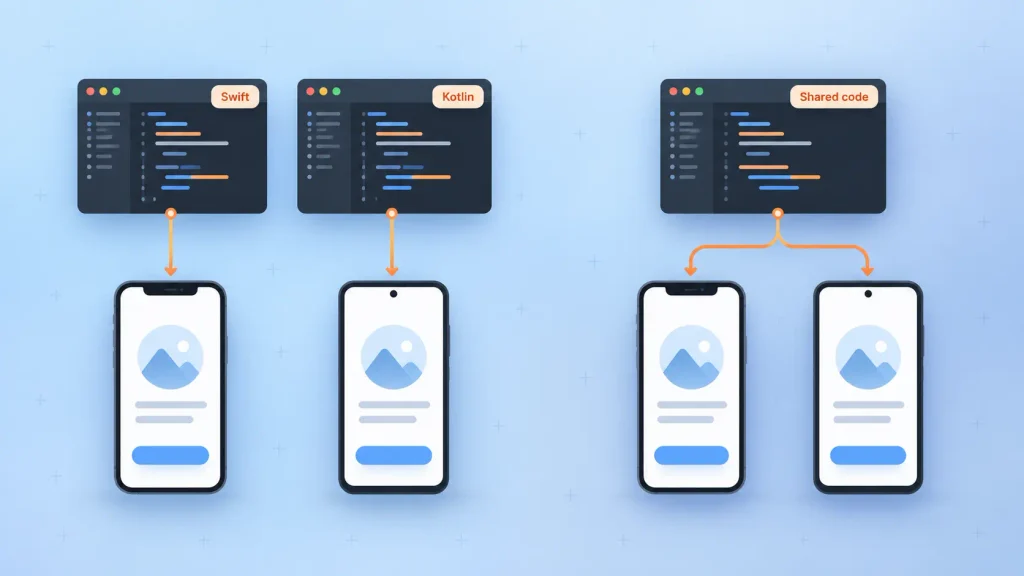
Here’s how the two compare on the points a decision-maker cares about:
| Codebase | Two, one per platform | One shared, plus small native modules |
| Time to first release | Slower, every screen built twice | Faster, one build for both stores |
| Upfront cost | Higher | Lower for most business apps |
| Performance | Highest, direct OS access | Near-native for lists, forms, checkout |
| New OS features | Available on release day | Weeks or months later via plugins |
| Look and feel | Matches each platform by default | Consistent across both platforms |
| Maintenance | Two update cycles | One update cycle |
| Hiring | Separate iOS and Android skills | One framework skill set |
Read the table as a trade: cross-platform buys you speed and one team, and native buys you control. If you’d like a second opinion on which side of that trade your roadmap falls, that’s the core of a mobile app consulting engagement.
Native App Development: Where It Wins and What It Costs You
Native is the choice when your app’s value depends on the phone itself. It costs more because you pay for two builds, but in some products nothing else gets you there.
Strengths
What you get from going native:
- Day-one platform features: when Apple or Google ships new platform-specific APIs, your team can use them immediately instead of waiting for a plugin update.
- The best performance ceiling: heavy animation, real-time video, AR, and graphics work run without a translation layer.
- A platform-perfect feel: gestures, navigation, and system behaviors match what iOS and Android users already expect.
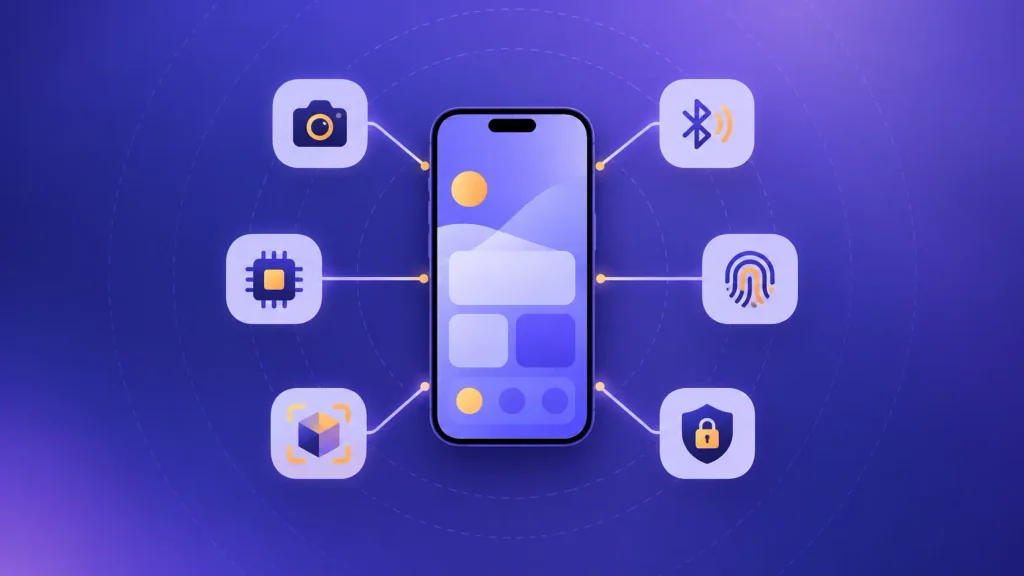
- Direct hardware and security access: camera pipelines, Bluetooth, biometrics, and the secure hardware storage on each device are first-class.
Trade-offs
The cost side is just as concrete. You build, test, and fix every feature twice, which usually means two specialist teams or one team doing double work. Your release cycle also doubles, and the two apps can drift apart when one platform gets a feature first.
When Native Is the Right Call
If you’re torn on native vs cross-platform app development, I’d suggest native when two or more of these describe your product:
- Your roadmap leans on new OS surfaces, such as widgets, wearables, CarPlay, or system assistants.
- Performance is the product, as in gaming, AR, video processing, or real-time tracking.
- You need on-device AI with low latency or strict privacy rules.
- You face audits in fintech or healthcare where hardware-backed security matters.
If you’re going this route on Apple first, a dedicated iOS development team is where the budget goes. And if Android is part of your plan, it helps to understand what the Android SDK gives a native team out of the box.
Cross-Platform App Development: Where It Wins and Where It Bites
Cross-platform wins when your app is mostly screens, lists, forms, and payments. That covers a large share of business apps, which is why adoption keeps climbing.
Strengths
The numbers back this up. Appfigures’ analysis of new app releases found that 15% of new apps and games in 2024 used Flutter or React Native, up from 7% in 2020. Those apps earned close to $8 billion in net revenue over the year.
What you gain:
- One codebase and one team: a single sprint plan and one QA cycle cover both stores.
- Shorter time to market: you can put a working product in front of iOS and Android users at the same time.
- Consistent branding: the same design shows up on both platforms without extra work.
- Simpler updates: a bug fix ships once, not twice.
The Native Escape Hatches You’ll Still Pay For
“One codebase” never means zero platform code. Push notifications, permissions, deep links, in-app purchases, and keyboard behavior still need platform-specific handling. Plugins can also break after an OS update, and your team waits for a fix or writes native code to work around it.
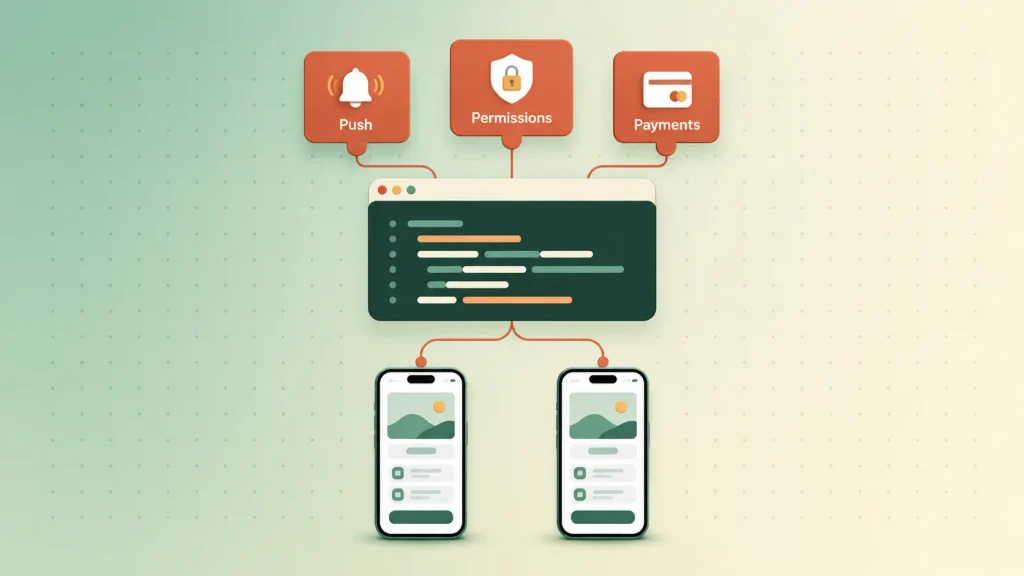
This is the part most cross-platform pitches skip. If you know a few features will need native code, it’s worth listing them before the first sprint, so nobody discovers them during release week.
Flutter vs React Native for Decision-Makers
Both frameworks are credible in 2026, so Flutter vs React Native usually comes down to your team and your design goals. Flutter draws its own interface, which gives you pixel-identical screens on both platforms. React Native renders real platform components and suits teams that already write React.
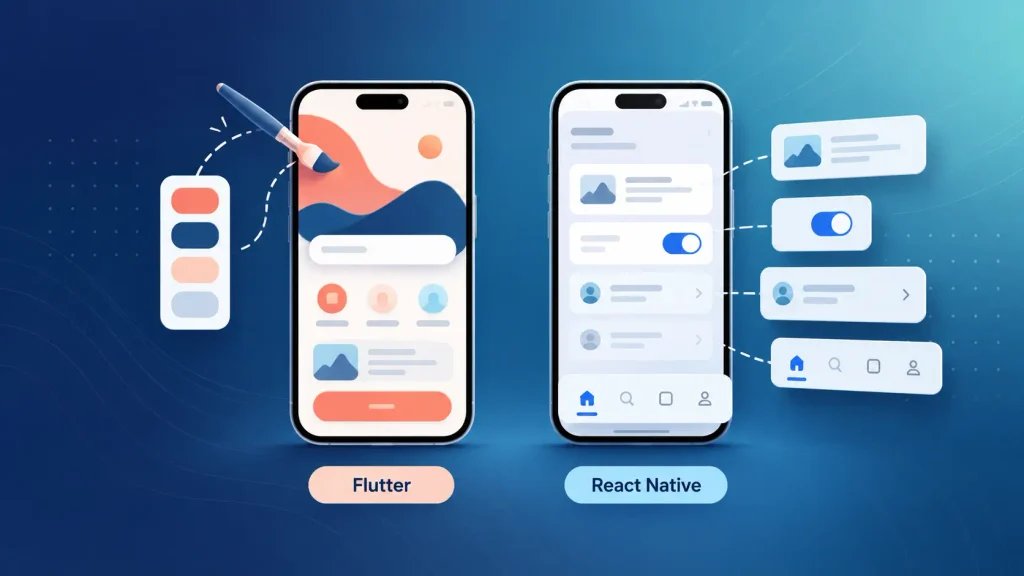
| Flutter | Dart | Custom, brand-first interfaces | Growing talent pool |
| React Native | JavaScript, TypeScript | Teams with React web skills | Largest talent pool |
Adoption is close, with a slight edge to Flutter. Appfigures’ SDK data showed Flutter in about 11% of apps released from January to October 2024 and React Native in just under 7%. If you’re weighing Flutter vs React Native, you can compare what a Flutter app development build looks like against a React Native app development build for your specific features. looks like against a React Native app development build for your specific features.
The Third Option: Kotlin Multiplatform and Hybrid Splits
You don’t have to pick a pure side anymore. Kotlin Multiplatform (KMP) lets you write networking, data handling, and business rules once in Kotlin, while each platform keeps a fully native interface in SwiftUI or Jetpack Compose.
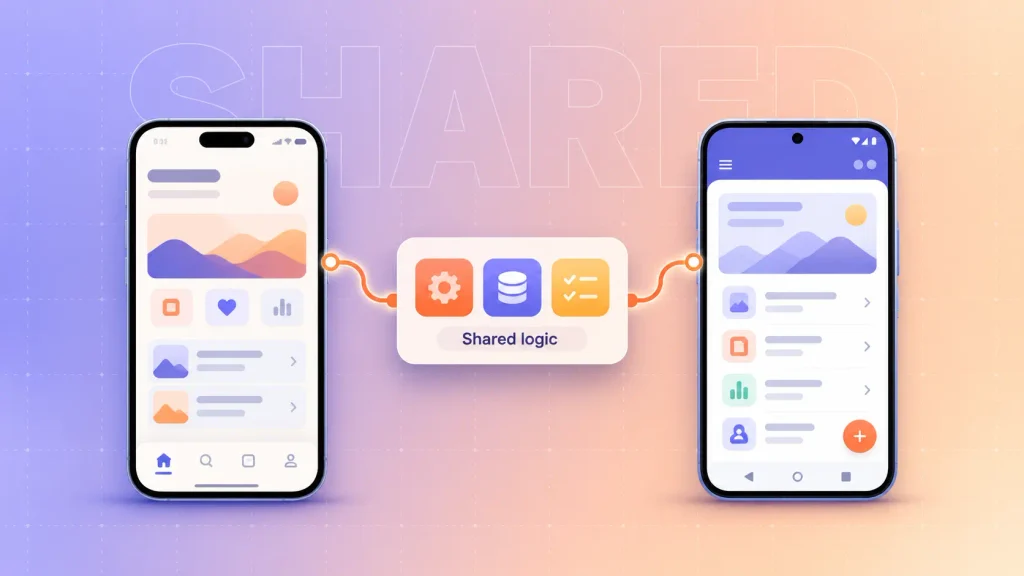
It’s no longer an experiment. According to the official Kotlin case studies, KMP is used by over 20,000 companies, and Bitkey by Block shares 95% of its mobile codebase with it. The Kotlin documentation’s production examples include Forbes, McDonald’s, Philips, and Cash App.
KMP fits a specific profile:
- Fintech and healthcare apps where pricing or rules engines must behave identically on both platforms.
- Consumer apps that need a native feel but carry a large logic layer.
- Existing native apps that want to share code gradually, one module at a time.
The catch is that you still build two interfaces, so KMP sits between native and cross-platform on cost. It also needs senior Kotlin skills, which are harder to hire than React developers.
Cost, Timeline, and Maintenance: Where the Numbers Actually Differ
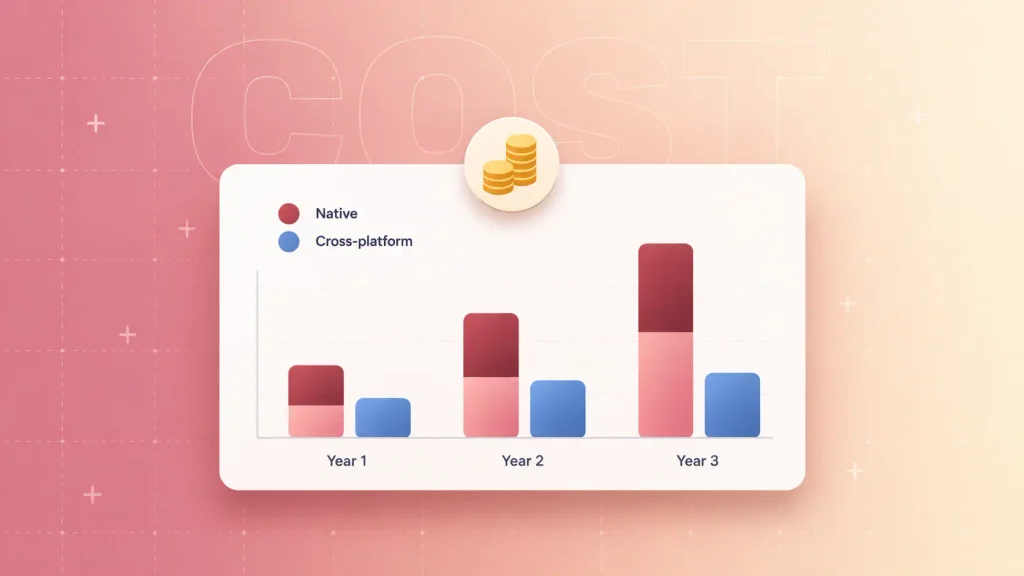
In native vs cross-platform app development, cross-platform is usually cheaper upfront, but the gap depends on how many native features your app needs. Agency estimates vary, so treat any single figure as a range rather than a quote.
So, is cross-platform cheaper than native for your app? Fora Soft’s 2026 native vs cross-platform breakdown gives a useful pattern:
- Content-heavy MVP: cross-platform runs about 30 to 40% cheaper.
- Feature-heavy app: the savings narrow to roughly 10 to 20% once bridge work and dual-platform QA are added.
- System-feature-heavy flagship: the savings can disappear entirely, because most features end up needing native modules anyway.
Maintenance is where native costs compound, since every bug fix and OS update lands twice. That’s why total cost of ownership over three years is a better yardstick than the first quote.
For a full breakdown of budget drivers beyond the native vs cross-platform choice, see our guide to mobile app development cost.
How to Choose: A Five-Question Decision Test
You can usually settle native vs cross-platform app development in one planning session. Work through these questions in order, and the first clear “yes” tends to decide it:
- Does your roadmap depend on new OS features or deep hardware access? If yes, lean native.
- Is this an MVP meant to test demand? If yes, cross-platform gets you to real users sooner.
- What does your team already know? A React team points to React Native, a Kotlin team to KMP, and two mobile specialists to native.
- Do both platforms carry equal business weight? If iOS drives most of your revenue, a native iOS app first can make sense.
- Is compliance on the roadmap? Audits in regulated industries are easier when you control the platform code directly.
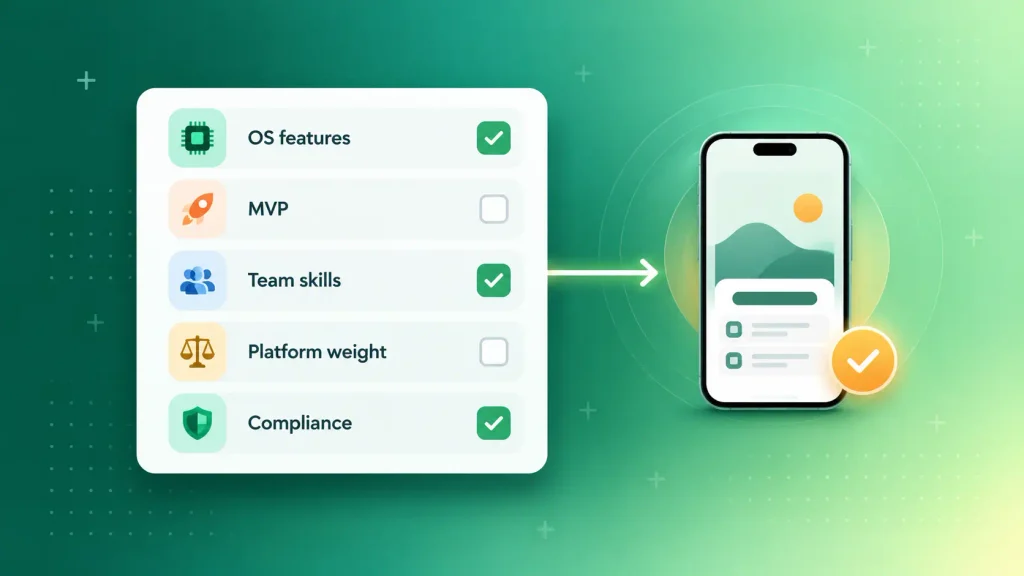
Here’s how those answers usually map to an approach:
| MVP, standard screens, tight budget | Flutter or React Native |
| Web team, React codebase | React Native |
| Brand-first consumer app | Flutter |
| OS-feature-heavy or performance-critical | Native |
| Shared rules engine, native UI needed | Kotlin Multiplatform |
If you land on cross-platform for a first version, a scoped mobile MVP development plan keeps the build focused on what you need to learn. The step-by-step guide to building a mobile app covers what happens after you pick a stack.
Do You Need a Mobile App at All?
Some products don’t need an app yet, so the cross-platform vs native question can wait. If people use your product occasionally, find it through search, or would only open it a few times a year, a responsive web app or a progressive web app (PWA) may serve you better.
Installing an app is friction. It’s worth asking whether your users would come back weekly before you fund two app store listings.
What Switching Later Really Costs
Switching from cross-platform to native later is possible, but it’s usually a rebuild, not a migration. The codebases aren’t compatible, so you rewrite screens and logic in Swift and Kotlin while keeping the old app alive.
That’s why the cost of switching deserves more attention than the cost of the first build. These signs tell you your current approach is reaching its limits:
- Most new features need native modules: your shared codebase is shrinking in practice.
- Framework upgrades keep slipping: each major version takes weeks and gets postponed.
- Platform-specific bugs dominate QA: the “one codebase” saving has turned into two bug surfaces.
- Users notice lag in the screens that matter most, such as checkout or live tracking.
There is a gentler path. The Kotlin Multiplatform case studies include teams that integrated shared code into existing apps in portions at a time, rather than starting over. If you think a switch is likely within two years, it’s worth designing for that option now.
Plenty of apps that stall share a few root causes, and stack choice is one of them. You can see the others in our breakdown of why mobile apps fail.
Questions to Ask Before an Agency Picks Your Stack
Many development firms recommend whatever their team builds best. That’s not dishonest, but it means you need to test their native vs cross-platform app development recommendation before you sign. These questions make the reasoning visible:
- “Which of our features will need native code?” A good partner names them specifically, before the first sprint.
- “What would make you recommend the other approach?” If they can’t describe the conditions, the recommendation may be habit.
- “How do you handle major OS and framework upgrades?” Ask who owns that work and how it’s priced.
- “What happens if we need to switch in two years?” Listen for a real plan, not reassurance.
- “Can we see a live app you built this way, and talk to its owner?” A reference call tells you more than a portfolio page.
- “Who owns the code and the developer accounts?” If ownership isn’t clear in the contract, walk away.
Asking these doesn’t require technical knowledge, only the confidence to wait for a straight answer. For more on what independent advice should cover, see what a mobile app consultant does.
How Boomdevs Solves the Native vs Cross-Platform Decision
Boomdevs starts with your product goals and roadmap, then recommends native, cross-platform, or a hybrid split based on performance needs, team capacity, and long-term maintenance. Because the same team can build what it recommends, there’s no handoff gap between advice and delivery.
That work runs through our mobile app consulting services, including cross-platform strategy and migration planning for teams with an existing app. Boomdevs brings 10+ years of experience and was named a Clutch Champion in Fall 2024.
If you want a clear recommendation for your feature list, you can book a free strategy call and get a stack decision you can defend to your board.
Frequently Asked Questions
Is hybrid app development the same as cross-platform?
Not quite. Hybrid apps run web code inside a native container, usually a WebView, while frameworks like Flutter and React Native render real native or engine-drawn interfaces. Hybrid works for simple internal tools, but it struggles with demanding consumer apps.
Is Flutter native or cross-platform?
Flutter is a cross-platform framework. It compiles to native machine code for each platform but draws its own interface instead of using each platform’s built-in components. Users often can’t tell the difference in standard business apps.
Is cross-platform app development cheaper than native?
Usually, yes, for the first build. The savings are largest for content-heavy MVPs and shrink as your app needs more native features. Over several years, maintenance and any future rewrite matter more than the upfront price.
Can I switch from cross-platform to native later?
Yes, but plan for a rebuild rather than a quick migration. The two codebases aren’t compatible, so screens and logic get rewritten. Kotlin Multiplatform offers a more gradual path if you want to share code step by step.
Which approach is best for a startup?
Most startups do well with cross-platform for their first version, because it reaches both stores on one budget. The exception is a startup whose core value depends on hardware, new OS features, or on-device AI, where native avoids a costly rebuild later.