- 1. Key Takeaways
- 2. What Is AI Analytics for Businesses?
- 3. Benefits of AI Analytics for Your Business
- 4. Real-World Use Cases: How Businesses Use AI Analytics
- 5. Types of AI Analytics Tools Businesses Use
- 6. How to Implement AI Analytics in Your Business
- 7. Challenges and Risks of AI Analytics (and How to Manage Them)
- 8. How Boomdevs Solves the AI Analytics Implementation Gap
Summarize with
Your team pulls the same report every Monday, then argues about what it means. By the time it reaches someone who can act, the moment it describes is already gone.
Meanwhile, a competitor spots the same shift days earlier and moves first. That gap compounds fast.
AI analytics for businesses closes it: software that reads your data nonstop and flags what matters before anyone opens a dashboard. Here’s what it does, what it costs, and how to start.
Key Takeaways
- AI analytics for businesses layers machine learning and natural language tools on top of the data you already have, turning it into forecasts and next-step recommendations instead of backward-looking reports.
- The clearest wins show up in fraud detection, demand forecasting, and personalization, where speed and pattern-spotting beat manual review.
- Most rollouts stall on messy data and unclear ownership, not on the AI itself.
- A narrow pilot, not a company-wide rollout, is almost always the right first move.
- Whether you build, buy, or partner for the work changes your cost and timeline more than the technology choice does.
What Is AI Analytics for Businesses?
AI analytics for businesses puts machine learning, natural language tools, and generative AI on top of the data you already collect, so the system spots patterns, forecasts what’s likely next, and suggests what to do about it on its own. AI analytics for businesses isn’t a replacement for your dashboards.
It’s a layer that reads them faster than a person can, and it keeps working after everyone’s logged off. This isn’t a fringe bet, either: the share of large organizations with a dedicated data or AI leader has grown from 12% in 2012 to over 83% by 2024, according to Wavestone’s long-running executive survey.
AI Analytics vs. Traditional Business Analytics
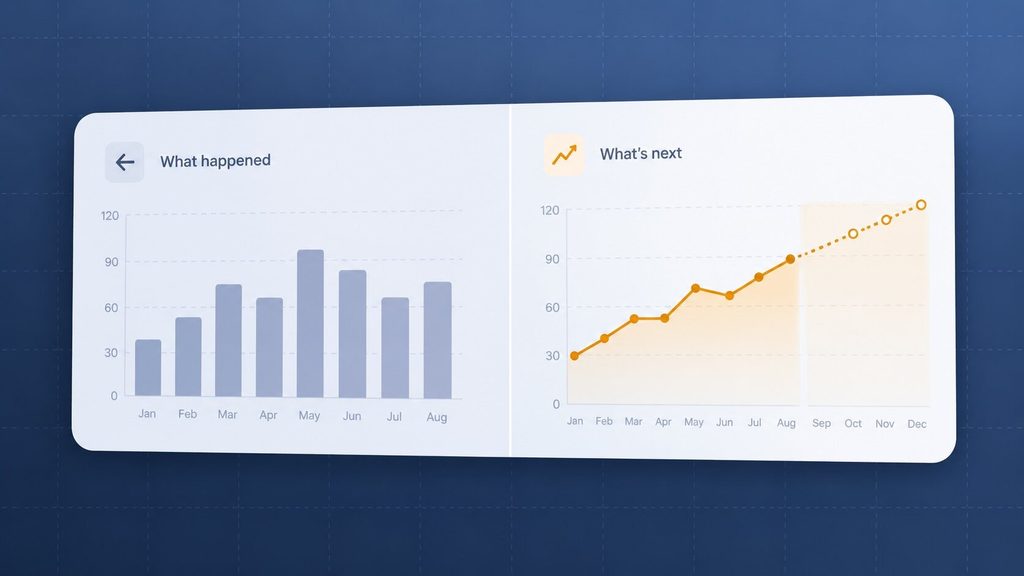
Traditional business intelligence (BI) tells you what already happened. AI analytics adds a layer that predicts what’s coming and suggests what you should do about it, working from unstructured data as easily as structured records. Here’s how the two actually differ:
| Aspect | Traditional Analytics | AI Analytics |
| Question it answers | What happened? | What’s likely to happen, and what should we do? |
| Data it handles | Structured, organized records | Structured and unstructured (text, images, logs) |
| How it works | Pre-built queries and dashboards | Models that adapt as the data changes |
| Speed to insight | Hours to weeks, tied to a report cycle | Minutes, often in real time |
| Who can run it | An analyst who writes the query | Anyone who can type a question in plain language |
Most businesses don’t swap traditional BI for AI analytics for businesses outright. They keep the dashboards for governance and layer AI on top for the questions dashboards can’t answer fast enough.
The Three Layers: Descriptive, Predictive, Prescriptive
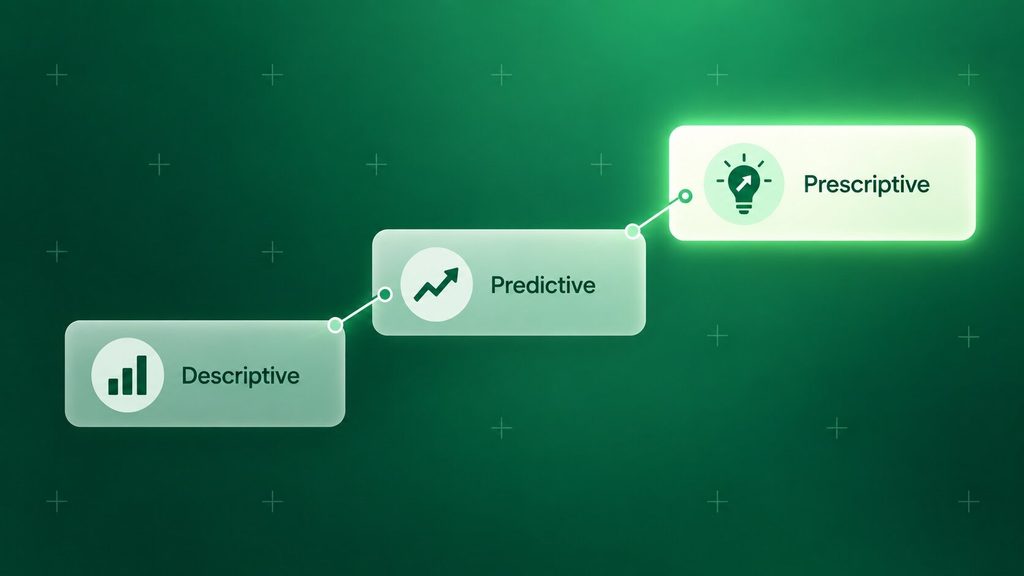
Every system delivering AI analytics for businesses, no matter which tool sits behind it, works across three layers. Knowing them helps you ask sharper questions when you’re evaluating a tool or a partner.
- Descriptive analytics: what happened. This is your standard dashboard, just faster to build and update.
- Predictive analytics: what’s likely to happen next, based on patterns in your historical data rather than a gut call.
- Prescriptive analytics: what you should actually do about it. Fewer tools reach this layer well, and it’s where the real decision-making value sits.
Here’s the catch worth knowing before you buy anything: a lot of products marketed as “AI-powered” only reach the descriptive layer with a chatbot bolted on top. It’s worth asking a potential partner exactly which layer their recommendation gets you to before you sign anything.
Benefits of AI Analytics for Your Business
The benefits of AI analytics for businesses show up wherever data-driven decision-making currently waits on someone pulling a report. Once a system is watching the data continuously, several things change at once.
- Faster decisions: patterns that used to take a data team days to surface show up in minutes, often before the trend is visible in a spreadsheet at all.
- Better forecasting: demand, churn, and cash flow predictions improve because the model updates itself as new data arrives, instead of running on last quarter’s assumptions.
- Earlier fraud and risk detection: transactions get scored against behavior patterns in real time, not caught during a monthly audit after the money is already gone.
- Personalization at scale: offers and recommendations adjust to each customer’s actual behavior instead of a broad segment average.
- Less time on report assembly: the hours analysts spend cleaning and formatting data shrink, freeing them to interpret results instead of producing them.
- Access for non-technical teams: natural language querying, sometimes called self-service analytics, lets someone in marketing or operations ask a question directly instead of filing a ticket with the data team.
This shift toward AI-driven insights is already showing up at scale, not just in sales decks. Gartner projects that by 2027, half of all business decisions will be augmented or automated by AI agents built for exactly this kind of decision support.
Real-World Use Cases: How Businesses Use AI Analytics
Abstract benefits are easy to list. Real examples of AI analytics for businesses show up across finance, retail, healthcare, and marketing, wherever a team needs to act faster than a manual report allows.
Finance and Fraud Detection
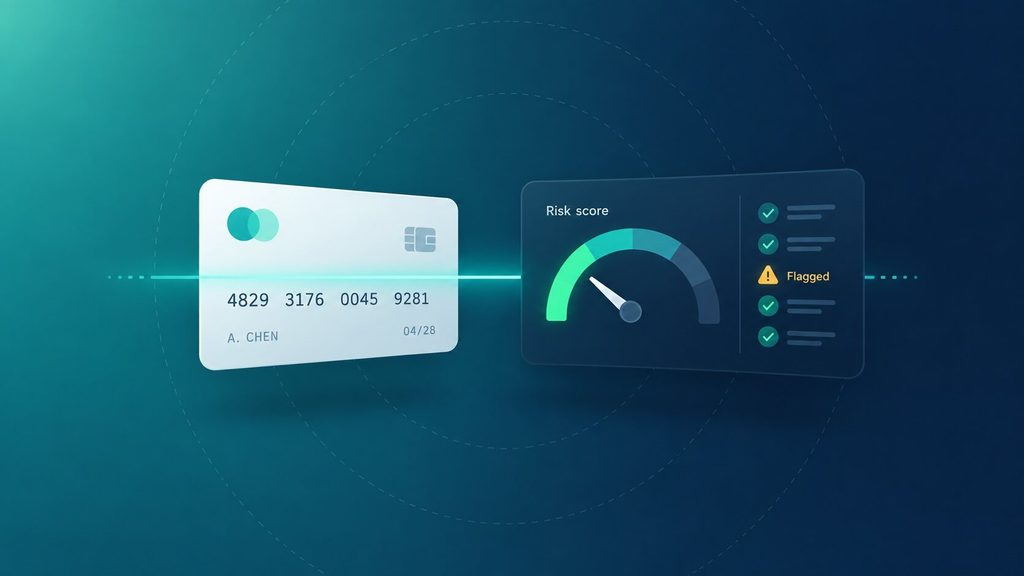
Payment platforms score every transaction against hundreds of behavioral signals before it clears, not after a customer disputes it. PayPal’s own risk systems evaluate more than 500 data points per transaction in real time, from device fingerprint to purchase history, to generate a risk score before a payment even completes.
That’s real-time analytics doing the one thing a monthly audit never could: catching the problem before the money moves. You don’t need PayPal’s transaction volume to use this pattern. A mid-sized e-commerce shop can apply the same logic to a much smaller dataset and still catch the chargebacks that quietly erode margin.
Retail and Supply Chain
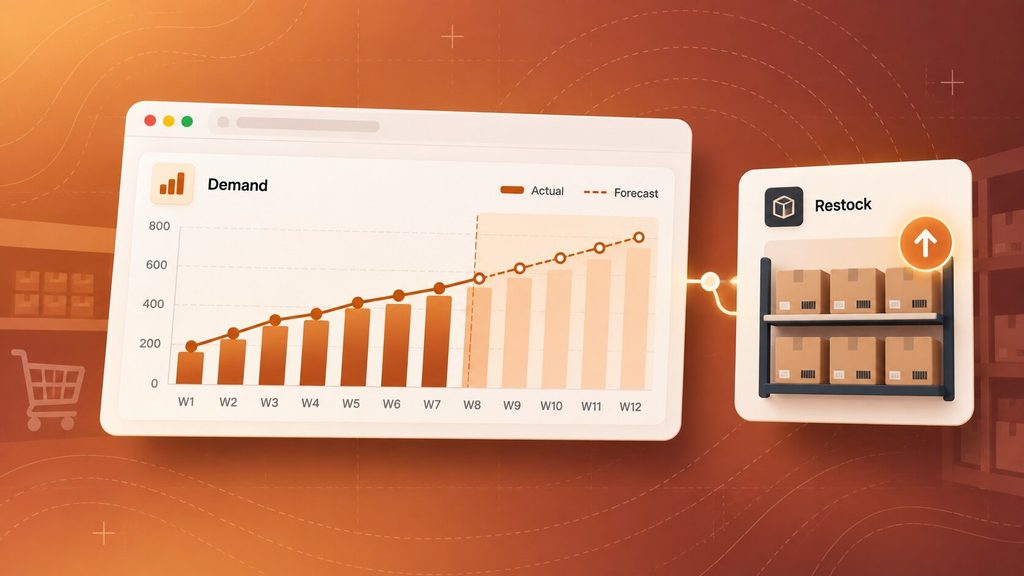
Retailers used to forecast demand by store and by season, updated maybe once a quarter. Walmart built a neural network in-house that predicts demand at the store level using weather, local events, and past sales, then rolled the same approach out across its international markets in 2025.
That’s machine learning analytics at retail scale, and the underlying idea scales down fine. A regional distributor doesn’t need Walmart’s data infrastructure to stop overordering slow-moving stock or running out of the items that actually sell.
Healthcare
Predicting which discharged patients are likely to return within a month lets care teams intervene before it happens instead of reacting after. NYU Langone’s NYUTron model reads unstructured physician notes directly and predicts 30-day readmission risk with roughly 80% accuracy, a real improvement over the standard models it replaced.
Customer Personalization and Marketing
You don’t need a Netflix-sized catalog to benefit from this. A regional retailer running AI-driven segmentation on its own loyalty program data can flag which customers are about to churn well before a person would notice the pattern in a spreadsheet, and act on it with a targeted offer instead of a generic email blast.
Small and Mid-Sized Businesses
Most of the case studies you’ll find are built around enterprise-scale data. That doesn’t rule your business out — AI analytics for businesses scales down fine. Cloud-based tools have brought the entry cost down, and the earliest wins for a smaller company usually come from the same place they come from at Walmart or PayPal: one specific, recurring decision that currently eats someone’s afternoon every week.
Types of AI Analytics Tools Businesses Use
The tools powering AI analytics for businesses sort into a few clear categories, and picking the wrong one is usually a mismatch of scale, not a bad product.
| Category | Best For | Example Tools |
| Augmented analytics copilots added to existing platforms | Teams already using a BI tool who want AI features without switching platforms | Power BI Copilot, Tableau Pulse |
| Conversational, ad hoc analysts | Quick one-off questions on a spreadsheet, no dedicated data team | ChatGPT Advanced Data Analysis, Julius AI |
| End-to-end AI-native BI platforms | Companies building a searchable, company-wide data layer from scratch | ThoughtSpot, Domo |
| Enterprise or warehouse-native | Teams already on a cloud data warehouse needing governed analytics at scale | Databricks, BigQuery with Gemini |
None of these tools make the decision for you. Picking, prioritizing, and acting on what the model surfaces is still a human job, and it’s the part businesses most often underestimate when budgeting for “adding AI” to their analytics.
If none of the categories above line up cleanly with how your systems are already wired together, that’s usually a sign the faster path is custom AI integration work rather than forcing a new platform on top of what you have.
How to Implement AI Analytics in Your Business
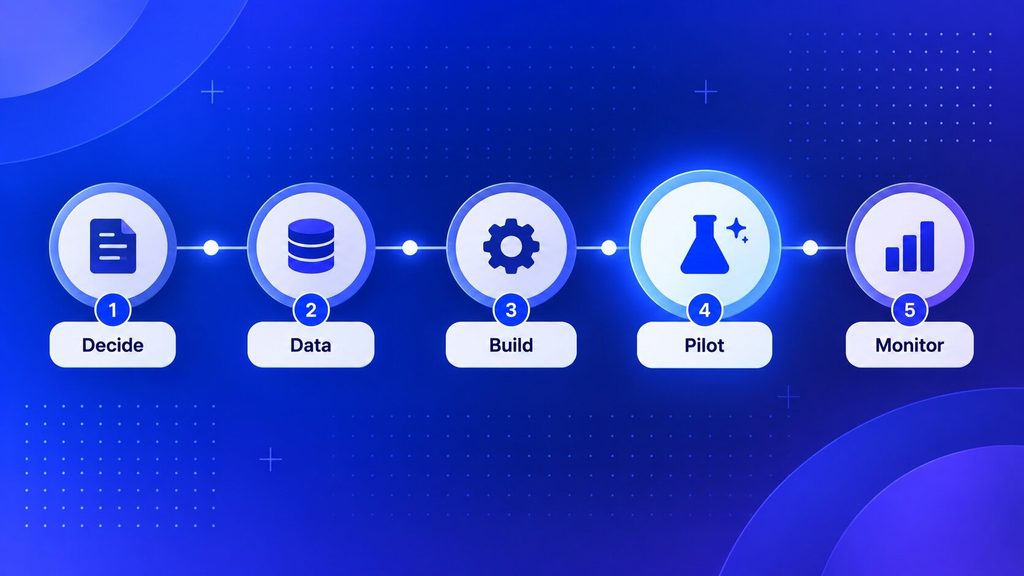
Implementing AI analytics for businesses has less to do with which model you pick and more to do with the order you do things in.
Define the Decision You Want AI to Improve
Start with a specific, recurring decision, not “we want to use AI.” Naming the decision first, whether it’s which leads to call today or how much stock to reorder, tells you exactly which data and which tool actually matter.
Audit and Prepare Your Data
A model trained on messy, inconsistent data produces confident wrong answers, not uncertain ones. Before you pick a tool, it’s worth checking whether your data actually meets a few basic conditions:
- Consistent formatting across the systems that hold it
- A clear owner who can answer questions about where it comes from
- Access that doesn’t require a support ticket every time someone needs it
Choose Build vs. Buy vs. Partner
This decision shapes your cost and timeline more than which model you end up using.
| Approach | Best When | Main Trade-off |
| Build in-house | You have, or can hire, a data team and a genuinely unusual data model | Slowest path, and you own every future retrain and bug |
| Buy an off-the-shelf tool | Your use case matches a common pattern, like dashboards or forecasting | Fast to start, but you’re locked into someone else’s roadmap |
| Partner with a consultant or dev studio | Your systems are custom, or you need results without hiring a full data team | Costs more upfront than a subscription, but less than building alone |
Pilot on One High-ROI Use Case
Resist the urge to roll this out everywhere at once. A single, narrow pilot with a clear before-and-after number, like time saved or errors caught, is what actually earns budget for the next phase.
Train Your Team and Monitor Results
The model doesn’t replace judgment; it changes what your team spends time on. Plan for people to validate outputs, not just consume them, and revisit the pilot’s numbers on a set schedule rather than assuming it keeps working the way it did on day one.
Challenges and Risks of AI Analytics (and How to Manage Them)
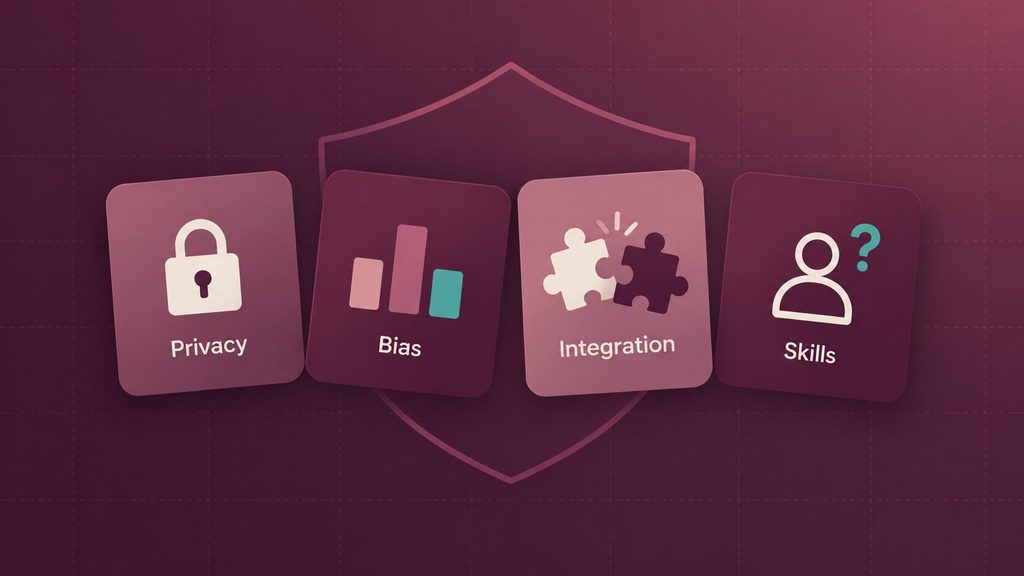
The main risks of AI analytics for businesses are data privacy exposure, data quality and bias, integration complexity, and the AI skills gap, and none of the upside above holds up without addressing them first.
Data Privacy and Security
Feeding customer or financial data into any AI system raises real exposure if that data isn’t handled carefully. You’ll want to confirm exactly where the data goes, who can see it, and whether the tool complies with regulations like GDPR before you connect anything to production systems.
Data Quality and Bias
A model trained on incomplete or historically biased data doesn’t produce uncertain outputs. It produces confident, wrong ones at scale. Basic data governance, meaning someone owns the audit of what the model is actually learning from, catches this before it reaches a customer or a regulator.
Generative AI analytics adds its own version of this risk, since a language model can sound confident while being wrong in ways a dashboard never could. It’s worth reading through the challenges generative AI projects tend to run into if any part of your analytics layer touches a language model directly.
Integration Complexity
Most businesses run on a patchwork of systems that were never designed to talk to each other. Plan for a phased rollout rather than a single cutover, and expect the integration work itself, not the AI model, to take up most of the timeline.
Skill Gaps
Qualified AI and data talent is genuinely scarce, and that’s unlikely to change soon. Training your existing team on the tool you’ve chosen usually closes the gap faster and cheaper than trying to hire your way out of it.
How Boomdevs Solves the AI Analytics Implementation Gap
Most of what slows an AI analytics for business project down isn’t the model. It’s the integration work, the data cleanup, and the build-versus-buy call nobody on your team has made before. That’s the part Boomdevs’ AI consulting work exists for: scoping the one decision worth automating first, then building the data analytics layer that actually connects to your existing systems instead of sitting next to them.
If you’re still weighing how to choose an AI consultancy or wondering why businesses bring in outside AI expertise instead of building alone, that’s a normal place to be. A short scoping conversation usually answers it faster than another week of internal debate.
Frequently Asked Questions
What Is AI Analytics for Businesses?
AI analytics for businesses is the use of machine learning and natural language tools on top of a company’s existing data to forecast outcomes and recommend actions, not just report on the past. It sits alongside traditional dashboards rather than replacing them, and it’s most useful wherever a decision currently waits on someone manually pulling a report.
Can Small Businesses Use AI Analytics?
Yes, small businesses can use AI analytics. Cloud-based tools have brought the entry cost down well below what enterprise deployments used to require. The bottleneck for a small business is usually data readiness and picking one clear use case, not budget or company size.
Is AI Analytics Different From Business Intelligence?
Traditional BI answers what already happened using dashboards and predefined reports. AI analytics adds a layer that predicts what’s likely to happen next and, at its most advanced, recommends what to do about it. Most businesses run both together rather than choosing one.
How Much Does It Cost to Implement AI Analytics?
It depends heavily on scope. A narrow pilot using AI features already built into a BI tool you own costs far less than a custom model integrated into your internal systems. The fastest way to get a real number is to scope one specific decision you want AI to improve, then price that project instead of pricing “AI analytics” as a category. Our breakdown of what an AI consulting engagement typically costs covers the variables in more depth.
What’s the Biggest Reason AI Analytics Projects Fail?
Poor data readiness, more often than a weak model. Fragmented, inconsistently labeled data produces unreliable predictions no matter how sophisticated the AI behind it is, and rolling out to the whole company before a pilot proves the value out is a close second cause of failed projects.