- 1. Key Takeaways
- 2. How Much Does Mobile App Development Cost in 2026?
- 3. What Drives Mobile App Development Cost?
- 4. What Each App Feature Adds to Your Cost
- 5. Where Your Budget Goes: Cost by Development Phase
- 6. Hidden Costs After Launch
- 7. What a Mobile App Really Costs Over Three Years
- 8. How to Estimate Your Own App Development Cost
- 9. How to Tell If an App Development Quote Is Realistic
- 10. How to Lower Your App Budget Without Cutting Quality
- 11. How Boomdevs Solves Unpredictable App Budgets
- 12. Frequently Asked Questions
- 13. Get a Realistic Number Before You Commit
Summarize with
Mobile app development cost runs from under $10,000 to well past $200,000, and most projects reviewed on Clutch land between $10,000 and $49,999.
That range alone won’t help you budget. Your actual mobile app development cost depends on your feature list, your platforms, your integrations, and where your team sits.
This guide breaks down each cost driver, the bills that arrive after launch, and how to tell if a quote is realistic before you sign.
Key Takeaways
- Typical spend: Most mobile apps reviewed on Clutch cost $10,000 to $49,999, while the average project comes in around $90,780.
- Biggest levers: Your feature list and platform choice move your mobile app development cost more than anything else. Two separate native apps roughly double the build.
- After launch: The build quote only covers year one. Store fees, hosting, third-party services, and your mobile app maintenance costs stay with you for the life of the app.
- Comparing quotes: Two quotes for “the same app” rarely describe the same scope, so compare the scope documents, not the totals.
How Much Does Mobile App Development Cost in 2026?
For a focused first version, the cost to build an app usually runs $10,000 to $50,000. Once payments, integrations, and an admin panel enter the picture, budgets tend to move into six figures.
Those bands come straight from Clutch’s mobile app pricing data, which groups reviewed projects into four brackets. Where you land depends on what the first release has to do, not on how polished it looks.
Cost by App Complexity
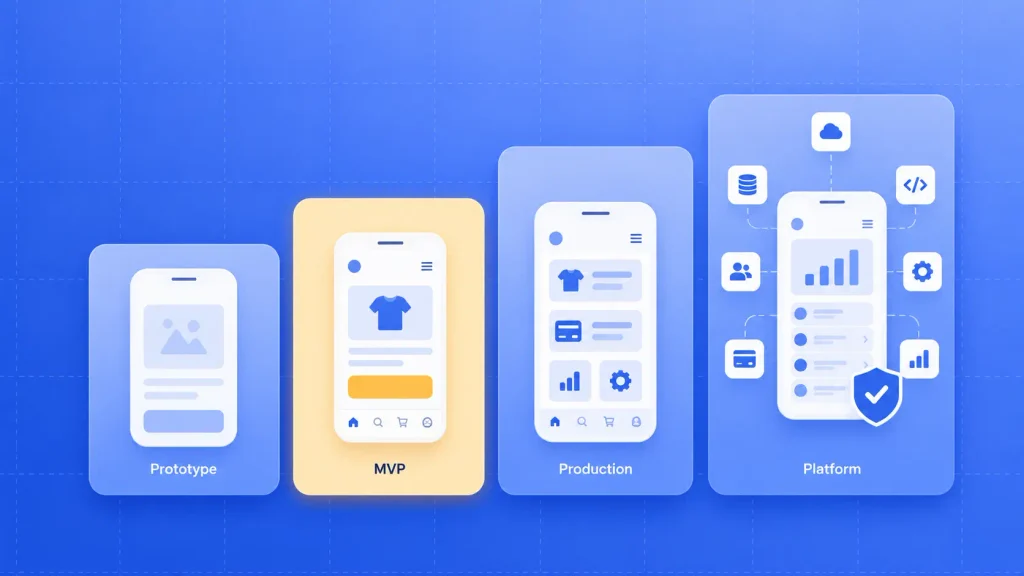
Here’s how those four budget bands usually map to the kind of app you can expect:
| Budget band | What usually fits | Typical shape |
| Under $10,000 | Prototype or single-purpose tool | Template UI, minimal backend |
| $10,000 to $49,999 | Focused MVP with one core flow | Login, core feature, basic admin |
| $50,000 to $199,999 | Production app with real business logic | Payments, integrations, admin panel |
| $200,000 and up | Multi-sided or regulated platform | Real-time features, compliance, enterprise systems |
The middle two bands cover most business apps. A good mobile app development team should be able to tell you which band your scope fits before writing a detailed quote.
Average App Development Cost
Clutch puts the average app development project at about $90,780, with an average timeline close to 11 months. That works out to roughly $8,188 per month of work.
Notice the gap, though. The average sits well above the most common bracket because a smaller number of large builds pull it upward.
So if you’re planning a first version, the $10,000 to $49,999 bracket is a more honest anchor than the average. The average tells you where apps end up after a few rounds of growth.
Why Every Cost Guide Gives You a Different Number
Search this topic, and you’ll find guides quoting floors of $5,000 and others starting at $40,000. Both can be technically right, because they measure different things.
Four reasons the published numbers drift so far apart:
- Whose rates: Agency guides often price at their own rate card, which skews toward the top of the market.
- Whose projects: Review data like Clutch’s covers projects of every size, including small builds by lean teams.
- What’s included: Some figures cover code only. Others fold in design, QA, project management, and launch.
- Build vs lifetime: A few guides count first-year running costs, and most don’t say which they’re showing you.
Use published app development pricing to sanity-check a quote, not to set your budget. Your real number comes from your scope, priced line by line.
What Drives Mobile App Development Cost?
Six things decide most of your mobile app development cost, and you control more of them than you might expect. Each one either adds hours, adds specialists, or adds work that continues after launch.
App Complexity and Feature Scope
Screen count matters less than logic. A 10-screen app with real-time sync can cost more than a 30-screen app that mostly displays content.
Complexity usually climbs when your app needs:
- Multiple user roles: Customers, staff, and admins each need their own flows and permissions.
- Real-time behavior: Live chat, tracking, or instant updates require always-on infrastructure.
- Offline mode: Syncing data that changed on a disconnected phone is surprisingly hard to get right.
- Business rules: Pricing logic, approvals, and edge cases take far more time than the screens showing them.
Each item you can push to version two takes real hours off the first build. That trade-off is where most of your budget control lives.
Platform Choice: iOS, Android, or Cross-Platform
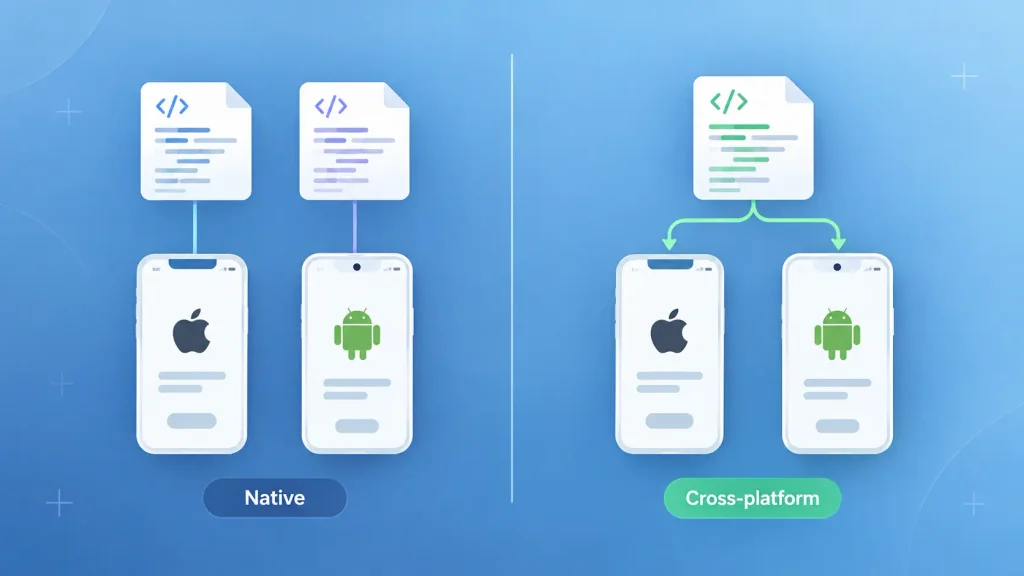
Your platform decision is the single biggest structural cost choice. According to Clutch, developers charge about the same hourly rate whether the target is iOS, Android, or cross-platform, but building two separate native apps doubles the overall price. Native iOS development and Android app development each need their own codebase, testing, and store release.
Here’s how the three main approaches compare:
| Approach | Relative cost | Best for | Trade-off |
| One native platform | Baseline | Testing demand with one audience | Misses users on the other store |
| Two native apps | About double | Hardware-heavy or graphics-heavy apps | Two codebases to maintain forever |
| Cross-platform | Usually below two native builds | Most business and consumer apps | Deep device features can be harder |
For most apps, the cross-platform app cost is lower, because one shared codebase built with Flutter or React Native gives you both stores without paying for everything twice. Native still earns its cost when you rely on advanced camera work, Bluetooth peripherals, or heavy graphics.
If Android is your main market, it helps to understand what the platform asks of developers. This beginner’s guide to Android development covers the basics in plain terms.
UI/UX Design Depth
Design spend scales with how far you move away from standard platform components. Stock buttons, lists, and navigation are fast to build. Custom layouts, motion, and branded interactions take longer to design and much longer to code.
That doesn’t mean custom design is a waste. Onboarding and core flows decide whether people stay past the first session, which is why good design for mobile screens deserves real budget even in an MVP.
A sensible split is custom work on the two or three screens that carry your product, and standard components everywhere else. Dedicated mobile UI/UX design work helps you decide which screens earn that custom treatment.
When you’re ready to turn those flows into polished visuals, an experienced app design team can handle the rest.
Backend and Third-Party Integrations
The part of your app users never see often costs the most. The backend stores data, runs business logic, sends notifications, and talks to every outside service you connect.
Integrations add up quickly:
- Payments: Gateways, subscriptions, refunds, and store billing rules.
- Maps and location: Search, routing, and live tracking.
- Business systems: CRMs, ERPs, booking tools, or inventory software.
- Communication: SMS, email, and push notification services.
Each one needs error handling, testing, and upkeep when the provider changes its API. A clean, well-documented API is quick to wire in. An old internal system with no documentation can eat weeks.
Security and Compliance Requirements
If your app handles health records, card payments, or personal data from EU users, compliance becomes its own line in the budget. It adds documented engineering work, audit-ready logging, and review cycles.
The rules you’re most likely to meet:
- GDPR: Applies when you collect personal data from people in the EU.
- HIPAA: Covers protected health information in the US.
- PCI DSS: Governs how card payment data is handled and stored.
Building compliance in from day one costs far less than retrofitting it after launch. If your industry is regulated, raise it in the very first scoping call.
Team Location and Engagement Model
Who builds your app, and how you pay them, shapes your app development pricing, because it sets the rate every hour gets multiplied by.
Clutch reports that most app development companies charge $25 to $49 per hour, with averages under $25 in India, $50 to $99 in Poland and Canada, and $100 to $149 in Australia.
The engagement model shapes your risk as much as your rate:
| Engagement model | How you pay | Watch out for |
| Freelancer | Hourly | Gaps in design, QA, or backend skills |
| Agency, fixed scope | Agreed price per phase | Change requests priced separately |
| Agency, time and materials | Hours actually worked | Final bill drifting past the estimate |
| Staff augmentation | Monthly per developer | You still own the product decisions |
Fixed scope suits a clearly defined first release. Time and materials works better once the app is live and priorities shift every few weeks.
If you already have a product lead and just need extra hands, mobile developer staff augmentation lets you add engineers without a full agency engagement.
What Each App Feature Adds to Your Cost
Every feature carries a different weight, and the same feature can be cheap or expensive depending on how far you take it. Per-feature dollar figures vary too much by team and rate to be useful, so the table below shows relative impact instead.
| Feature | Cost impact | What pushes it up |
| Login and accounts | Low | Social login, MFA, multiple roles |
| Push notifications | Low | Segmentation and scheduling |
| Payments and subscriptions | Medium | Multiple currencies, refunds, store billing |
| Maps and location | Medium | Live tracking and routing |
| Admin panel | Medium | Reporting depth and permissions |
| In-app chat | Medium to high | Real-time delivery, media, moderation |
| AI features | Medium to high | Retrieval over your data, agents, usage fees |
| Offline mode and sync | High | Conflict handling across devices |
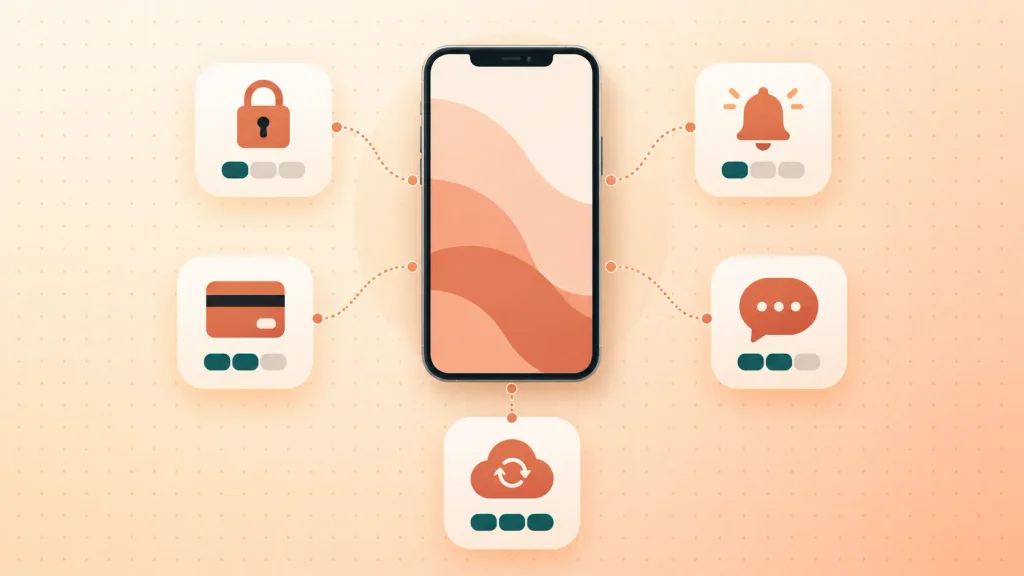
Use this to spot which two or three features will dominate your mobile app development cost. Then ask any team you talk to for a per-feature breakdown, so you can see what each one costs at their rate.
AI deserves a closer look because it bills twice. You pay once to build the feature, then again every time a user triggers it, since most AI models charge per request.
A single summary feature using a hosted model is fairly contained. An assistant that answers from your own content, or an agent that takes actions in other systems, is a much bigger job.
If you’re adding AI to an app you already have, it’s usually an AI integration project rather than a rebuild.
Where Your Budget Goes: Cost by Development Phase
Your money moves through five phases, and coding is only one of them. Skipping the early phases rarely saves anything, since unclear requirements resurface later as change requests.
Here’s what each phase pays for:
| Phase | What you’re paying for |
| Discovery and scoping | Goals, feature priorities, platform and stack choice |
| UI/UX design | User flows, wireframes, visual design, prototype |
| Development | Front end, backend, APIs, and integrations |
| QA and testing | Device testing, bug fixing, performance checks |
| Launch | Store listings, submission, and review fixes |
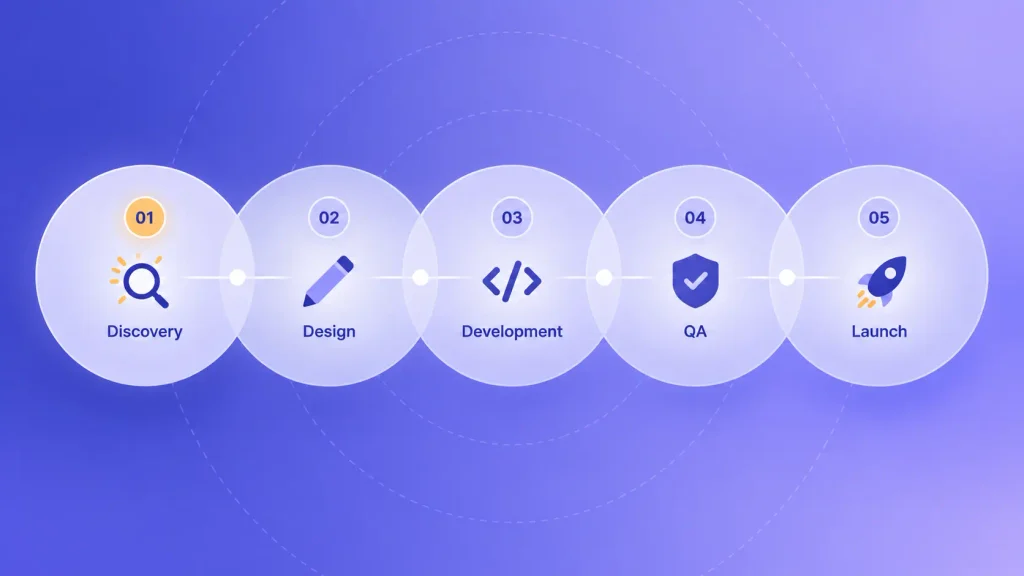
If you want the full walkthrough of each stage, this step-by-step guide to building a mobile app covers the process in depth.
Discovery is the phase most worth paying for. It’s also exactly where a mobile app consultant does their most valuable work, turning an idea into a scope that teams can price accurately.
Hidden Costs After Launch
Your mobile app development cost doesn’t end at launch. That’s when a second set of bills starts. None of them are hidden in the sneaky sense, but they rarely appear in a build quote.
Ongoing Maintenance and Updates
Apple and Google ship major OS updates every year, and your app has to keep up. Libraries need upgrading, security patches need applying, and real users will find bugs testing missed.
I’d suggest asking every team you talk to for a separate yearly mobile app maintenance cost estimate, with what it covers spelled out. That number matters as much as the build price.
Ongoing mobile app maintenance and support is what keeps an app from quietly breaking with each new phone and OS release.
Hosting and Third-Party Services
Most of your running costs scale with usage rather than staying flat. What feels negligible at launch can become a real monthly line once you have traction.
Expect recurring charges for:
- Cloud hosting: Servers, databases, and file storage that grow with your users.
- Analytics and crash reporting: Tools that tell you what’s breaking and where people drop off.
- Messaging services: SMS codes, transactional email, and push delivery.
- Maps and location APIs: Often billed per request.
- AI model usage: Charged per call, so it rises with engagement.
It’s worth modeling these at three user levels, such as launch, 10x, and 100x. That shows you which service will hurt first as you grow.
App Store Fees and Commissions
Both app stores charge to publish. Apple’s Developer Program costs $99 per year, while Google Play charges a one-time $25 registration fee.
Commissions matter more if you sell digital goods or subscriptions. Under Apple’s App Store Small Business Program, developers earning up to $1 million a year pay a 15% commission, while the standard rate is 30%.
If your revenue model depends on in-app purchases, build that cut into your pricing from the start. It changes your margins on every single sale.
What a Mobile App Really Costs Over Three Years
Your build quote is the only line in this budget that ever stops. Everything else keeps running, and some of it grows.
Here’s how the cost lines usually spread across the first three years:
| Cost line | Year 1 | Years 2 and 3 |
| Build | Full quote | New features billed separately |
| Store accounts | $99 Apple plus $25 Google | $99 Apple each year |
| Hosting and services | Small, grows with users | Grows with usage |
| Maintenance | Post-launch bug fixes | OS updates, patches, upgrades |
| iOS store commission | 15% or 30% of digital sales | Same |
| Version two features | Usually deferred | Your next roadmap |
The pattern is the point. Year one feels like the expensive year, but years two and three decide whether the app pays off.
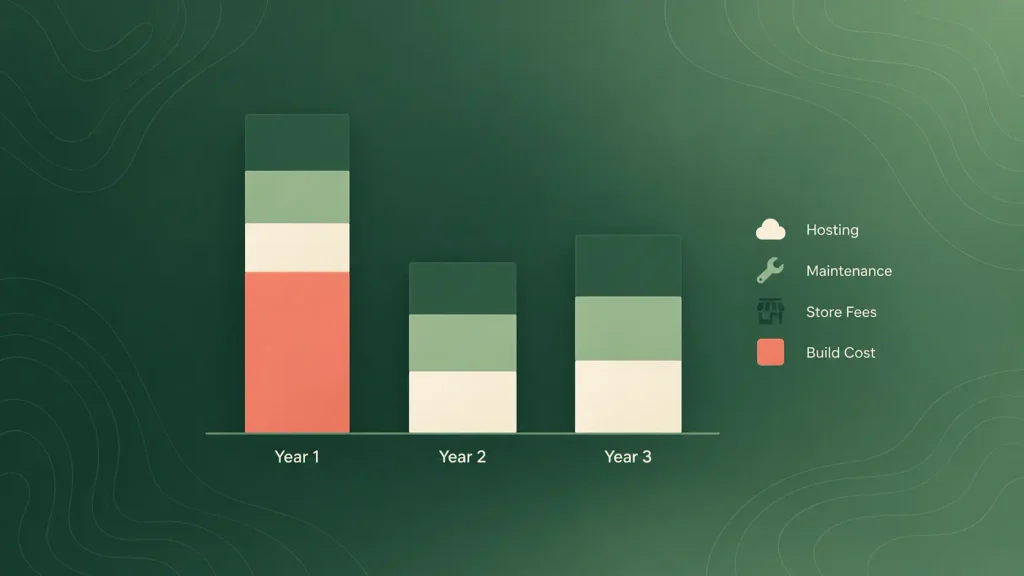
When you compare offers, it helps to ask each team what they’d expect to charge you in year two. Their answer tells you a lot about how they’ve built the thing.
How to Estimate Your Own App Development Cost
You can estimate the cost to build an app yourself before you talk to anyone. It won’t replace a proper quote, but it will tell you whether a quote is in the right neighborhood.
A simple estimating sequence:
- List your must-have features. Only what version one needs to prove the idea. Move everything else to a later list.
- Choose your platforms. One store, both stores natively, or one cross-platform codebase.
- Map features to hours. Development cost is hours multiplied by rate, so this is where the real work sits.
- Apply a realistic rate. Clutch’s typical agency range of $25 to $49 per hour is a sensible starting point.
- Add the post-launch lines. Store fees, hosting, and a yearly maintenance budget from the sections above.
- Keep a buffer for change. New ideas always appear mid-project, so leave room for them.
As a simple illustration, if your scope takes 1,000 hours at $40 per hour, the cost to build an app comes to $40,000 before any running costs. Change either number and the total moves fast.
Step three is the hard one if you’re not technical. A short mobile app consulting engagement can map your features to hours, so the estimate rests on something solid.
How to Tell If an App Development Quote Is Realistic
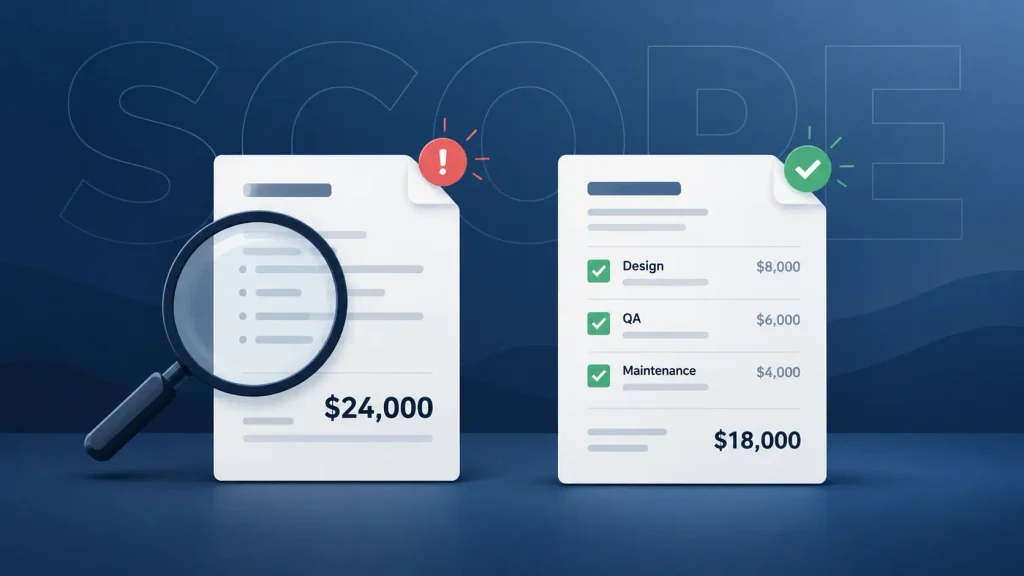
When two quotes show very different app development pricing, they’re almost never pricing the same work.
One team assumed a smaller scope, fewer tests, junior developers, or no backend at all.
Treat these as red flags:
- A price before questions: A firm number given before anyone understands your users or features.
- One lump sum: No breakdown by phase, feature, or role.
- Missing roles: No design, QA, or project management anywhere in the plan.
- Silence on launch day and after: No mention of store submission, maintenance, or hosting.
- Unclear ownership: If the contract doesn’t say you own the code and designs, walk away.
And these questions usually expose the gaps:
- What exactly is in scope, and what is deliberately left out?
- Who will do the work, and how senior are they?
- How do you price change requests once the build starts?
- What will you charge to keep the app running in year two?
Many expensive surprises trace back to planning gaps, the same ones behind why mobile apps fail. When quotes disagree wildly, and you can’t judge which is right, that’s one of the clearest signs you’d benefit from an independent review before you sign.
How to Lower Your App Budget Without Cutting Quality
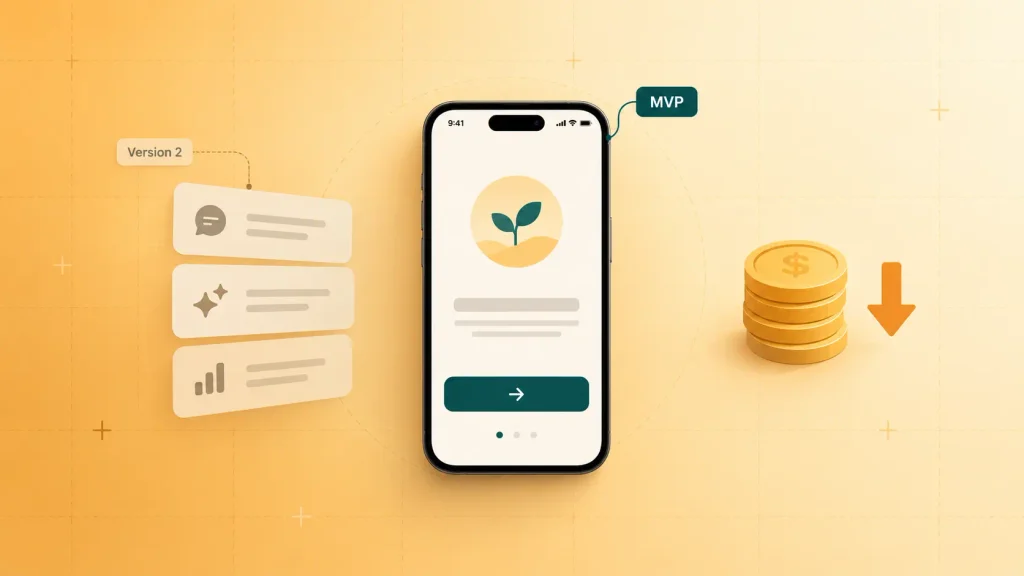
The cheapest app is the one where you build only what users will actually use. Most savings come from decisions made before development starts, not from squeezing rates.
Strategies that hold up in practice:
- Launch an MVP first. Ship the one flow that proves your idea, then let real usage decide what comes next. A mobile MVP keeps the first bill small and the learning fast.
- Default to cross-platform. Choose native only when a hard technical requirement demands it.
- Buy commodity features. Authentication, payments, chat, and analytics all exist as proven services that cost less than custom builds.
- Pay for discovery. A few weeks of scoping prevents the change requests that wreck budgets mid-build.
- Fix scope per phase. Agree a firm scope for each release, then reprice the next one with real data in hand.
None of these are lower quality. They just stop you paying for features nobody asked for yet.
How Boomdevs Solves Unpredictable App Budgets
Boomdevs runs mobile app consulting as a first phase: discovery, feasibility, platform choice, and a scoped plan you own outright. You know which budget band you’re in before any code gets written.
From there, the same team can carry the plan into iOS, Android, Flutter, or React Native development. With 10+ years of experience and 3.5K+ projects delivered, the team has seen most of the ways an app budget can go wrong.
Frequently Asked Questions
How much does a simple app cost?
A simple, focused app usually lands in the $10,000 to $49,999 bracket, which is the most common project size on Clutch. Builds under $10,000 tend to be prototypes or template-based tools. Adding payments or integrations typically pushes you into the next band.
How long does it take to build a mobile app?
App projects reviewed on Clutch average close to 11 months. A tightly scoped MVP can ship much faster. Integrations, compliance reviews, and changing requirements are what usually stretch the timeline.
How much does it cost to maintain an app?
Maintenance is an ongoing yearly budget, not a one-time fee. It covers OS compatibility updates, library upgrades, security patches, and bug fixes, plus hosting and store fees such as Apple’s $99 yearly membership. Ask any team you’re considering for a separate maintenance quote.
Is Flutter cheaper than native app development?
Usually, yes, if you need both iOS and Android. Flutter and React Native let one codebase serve both stores, while two native apps roughly double the build time, according to Clutch. Native can still be the better value for hardware-heavy or graphics-heavy apps.
How much does a simple app cost?
A simple, focused app usually lands in the $10,000 to $49,999 bracket, which is the most common project size on Clutch. Builds under $10,000 tend to be prototypes or template-based tools. Adding payments or integrations typically pushes you into the next band.
Get a Realistic Number Before You Commit
A wide range is where your research starts, not where your budget should end. The fastest way to a number you can trust is a clear scope, priced line by line.
If you’d like that scope, a platform recommendation, and an honest estimate, book a free strategy call with Boomdevs and let’s scope your app right.