


- 1. Key Takeaways
- 2. The Mobile App Development Process, Stage by Stage
- 3. How Long Does Each Stage of App Development Take?
- 4. Your Role at Each Stage: What the Team Needs From You
- 5. Agile vs Waterfall: Which Process Model Fits Your App?
- 6. Where the Mobile App Development Process Breaks Down
- 7. Red Flags in an Agency's Development Process
- 8. How Boomdevs Keeps Your Mobile App Development Process on Track
- 9. Frequently Asked Questions
Summarize with
You have three agency proposals open, and none of them agree. One promises a launch in eight weeks. Another wants a month of discovery first.
The third skips straight to design. Which plan is right for you? It’s hard to say until you know what a sound mobile app development process looks like.
This guide walks through all seven stages, what you should receive at each one, and the decisions that stay yours.
Key Takeaways
- The mobile app development process runs through seven stages: strategy, discovery, design, development, testing, launch, and post-launch iteration.
- Every stage should hand you something concrete to approve, such as a brief, a costed plan, a clickable prototype, or a working build.
- Discovery shapes your budget and timeline more than any other step in the mobile app development process. Skip it, and the same questions come back mid-build at a higher price.
- Most apps take roughly three to nine months from idea to launch, depending on scope and integrations.
- Plan a buffer for store review. A brand-new personal Google Play account needs a 14-day closed test before it can go live.
The Mobile App Development Process, Stage by Stage
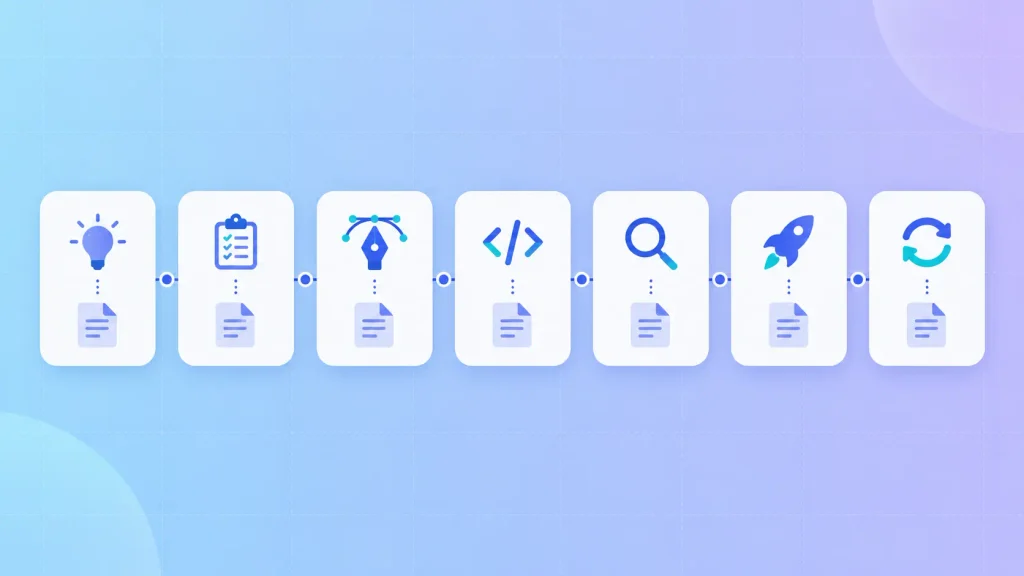
The mobile app development process moves through seven stages, from validating the problem to improving the live app. Each stage should end with a deliverable you can review and a clear call on whether to move forward.
That second part is what most guides leave out. A stage isn’t finished because the calendar says so. It’s finished when its gate is met.
Think of it as the mobile version of the software development life cycle (SDLC), with app store review bolted onto the end. Here’s the full app development lifecycle at a glance:
| 1. Strategy and validation | Problem, user, and success metric defined | One-page brief |
| 2. Discovery and planning | Features, architecture, and platform scoped | Ranked feature list, estimate, roadmap |
| 3. UX/UI design | Flows, wireframes, visual design, user tests | Clickable prototype, design system |
| 4. Development | Backend, APIs, and app built in sprints | A working build every sprint |
| 5. QA and testing | Functional, performance, security, device checks | Test results, beta feedback |
| 6. Launch | Store submission and phased release | App live on both stores |
| 7. Post-launch | Monitoring, fixes, new features | Release notes, usage data |
If a proposal can’t tell you what lands in that right-hand column at each stage, it’s worth asking before you sign anything.
Stage 1: Strategy and Validation
Every mobile app development process starts with a problem, not a feature list. At this stage, you pin down who the app is for, what they do today instead, and the one number that will tell you it’s working.
That number matters more than it looks. Bookings completed, hours saved, and repeat orders each point your team toward a different build.
It’s worth talking to a handful of real users before anyone draws a screen. A week here is cheap. Building something nobody needs is the most expensive mistake in the whole process.
Gate: You can state the problem, the user, and the success metric in three sentences, and someone outside the project agrees the problem is real.
Stage 2: Discovery and Planning
The mobile app discovery phase turns your idea into a plan someone can price. Your team breaks the idea into features, ranks them, maps every integration, and settles the architecture.
The platform decision lands here too. For most business apps shipping on iOS and Android, a cross-platform build with Flutter or React Native is the sensible default, while native still wins for hardware-heavy products. Our step-by-step guide to building a mobile app compares all four build approaches, so there’s no need to repeat that here.
A good discovery phase usually leaves you with:
- A ranked feature list: what ships in version one, and what waits for version two.
- Architecture notes: the backend, the data model, and every third-party service the app depends on.
- An integration plan: who owns API access, sandbox accounts, and credentials.
- A costed product roadmap: an estimate tied to that scope, not a guess from one sales call.
If this is your first release, a focused mobile MVP keeps version one small enough to finish. Some founders also bring in mobile app consulting for this stage, so the plan stays independent of whoever ends up building it.
Gate: Every version-one feature has a reason to exist, and the estimate is tied to that list.
Stage 3: UX/UI Design and Prototyping
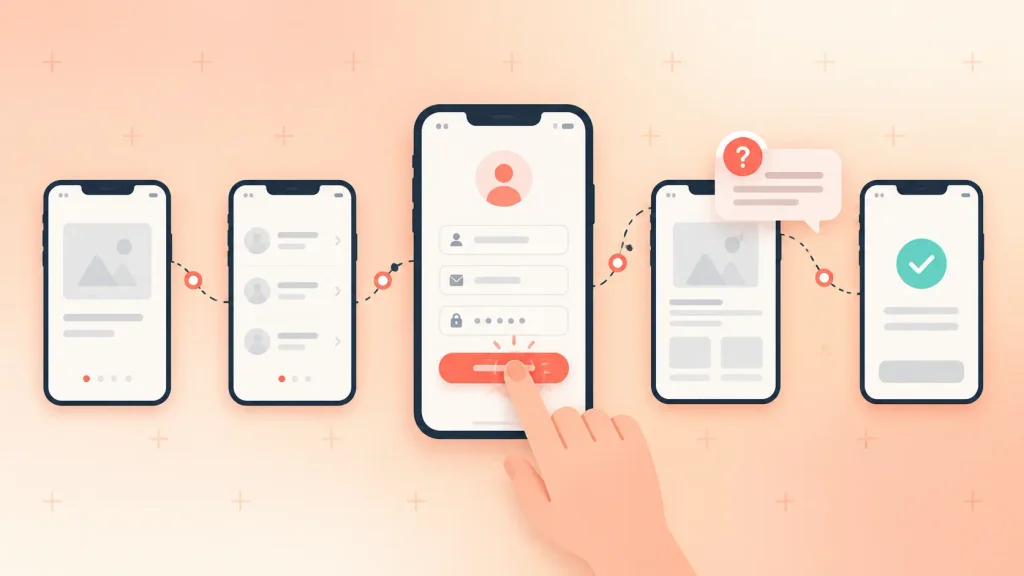
Design is where your app becomes something you can tap through. Designers map user flows and sketch wireframes, then build a visual design system and a clickable prototype.
The prototype is the cheapest place to catch a confusing flow. Moving a button in a design file takes minutes. Moving it after the code exists means rework across screens, tests, and sometimes the backend.
I’d suggest putting the prototype in front of five or so target users before development starts. Watch where they hesitate. You’ll learn more in one afternoon than in a week of internal reviews.
For a closer look at this stage, our UI/UX design process for startups goes step by step, and our mobile UI/UX design team handles it end to end.
Gate: Real users can complete the core task in the prototype without help.
Stage 4: Development in Sprints
Development is where the code gets written, usually in two-week sprints. Each sprint should end with a working build you can open on your own phone, not a status update.
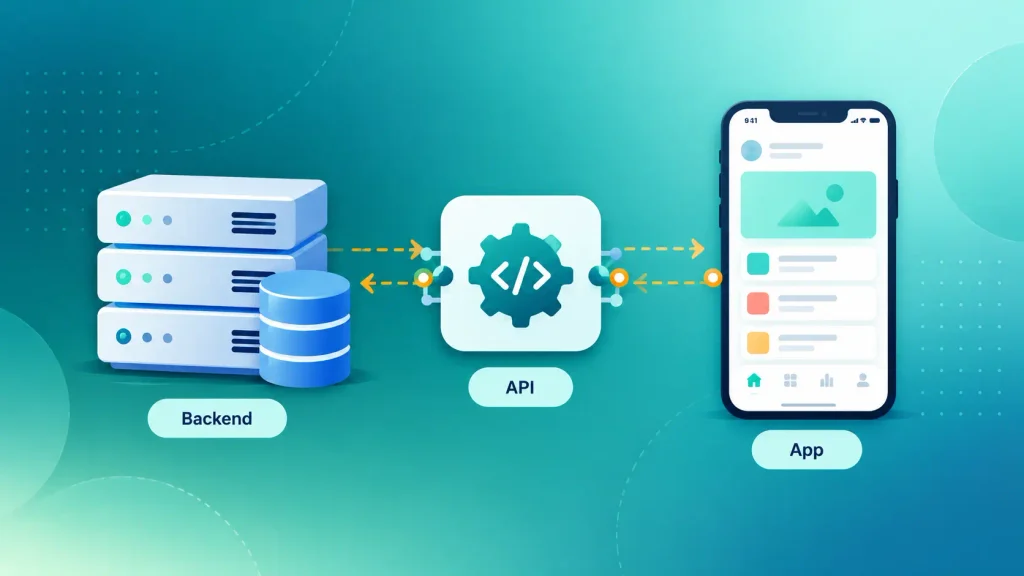
Behind the scenes, three pieces get built in parallel:
- The backend: servers, databases, authentication, and business logic.
- The APIs: the contracts that let the app and the backend talk to each other.
- The app itself: the screens and interactions your users touch.
A careful team builds the riskiest piece first. If your app depends on a payment provider or an old internal system, that integration should work in week two, not week ten.
This is also the moment to wire in analytics. Add tracking after launch and you lose the data from your first users, which is the data you’ll want most.
Gate: Every sprint demo shows working software, and the riskiest integration has been proven early.
Stage 5: QA and Testing
Testing checks whether your app holds up on real devices, real networks, and real people. Good teams test inside every sprint, then run a final round before launch.
A complete test plan covers:
- Functional testing: every feature behaves as specified.
- Performance testing: the app stays fast on weak networks and under load.
- Security testing: storage, login, and network traffic are protected. The OWASP MASVS makes a solid checklist.
- Device and OS testing: different screen sizes, older phones, and recent OS versions.
- Beta testing: a small group of real users, through TestFlight on iOS or a closed test on Google Play.
If QA only shows up as one block at the end of your mobile app development process, treat that as a warning. A bug found weeks later is far harder to trace than one caught in the sprint that created it.
Gate: Critical flows like sign-up and payment pass on your target devices, and beta feedback has been triaged.
Stage 6: Store Submission and Launch
Launch means getting through Apple’s and Google’s review, then releasing in a controlled way. It almost always takes longer than first-time founders plan for.
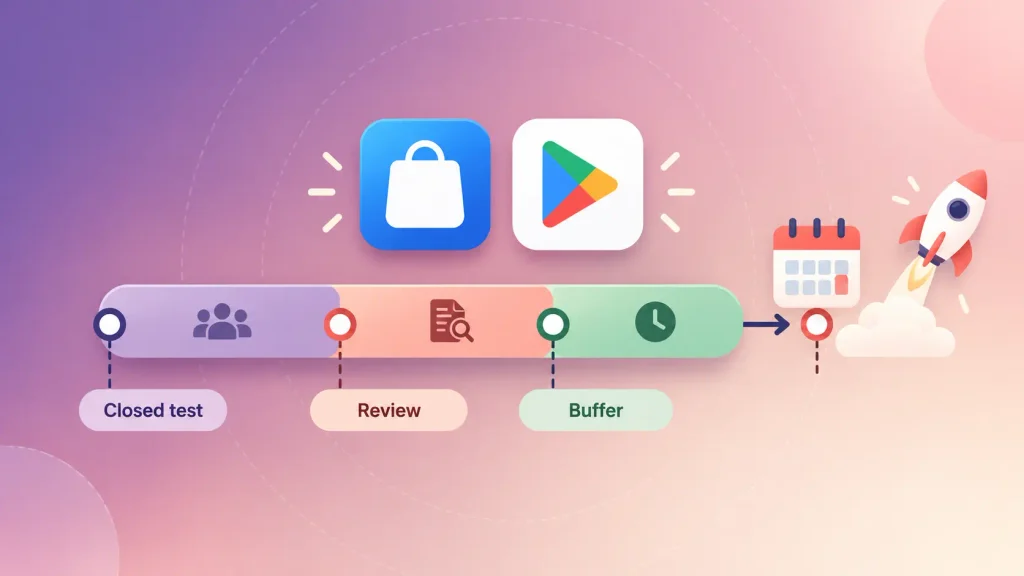
On Apple’s side, App Review aims to review at least 50% of submissions within 24 hours and 90% within 48 hours, according to Apple’s developer documentation. A rejection starts a fresh review, so reading the App Store guidelines early pays off.
Google adds a step plenty of teams miss. Personal developer accounts created after November 13, 2023 must run a closed test with at least 12 testers opted in for 14 straight days before applying for production access in the Google Play Console. Since the rule targets personal accounts, it’s worth deciding early which account type you’ll publish under.
A launch sequence that avoids most surprises:
- Open both developer accounts during development, not in launch week.
- Start the Google closed test as soon as the build is stable.
- Prepare store listings, screenshots, and privacy disclosures in parallel.
- Submit with at least a week of buffer before any public date.
- Release in phases, so any problem reaches a small group first.
That buffer feels overly cautious until your first rejection. Then it’s the reason your announcement still goes out on time.
Gate: The app is approved on both stores, and crash reporting is live before the first wave of users arrives.
Stage 7: Post-Launch Support and Iteration
Launch is the start of the product, not the end of the project. From here, your team watches crash rates, retention, and drop-off points, then ships fixes and features in regular releases.
Apple and Google release major OS updates every year, and any one of them can break something. Budgeting for ongoing mobile app maintenance and support keeps your app compatible and secure.
The features you cut in Stage 2 come back now. This time, you get to rank them with real usage data instead of opinions.
Gate: None. This stage loops for as long as the app is live.
How Long Does Each Stage of App Development Take?
Most apps take somewhere between three and nine months from idea to launch. Cynoteck’s 2026 guide puts simple apps at two to four months, standard apps at four to seven, and complex apps at seven to 12 months or more.
Stage by stage, here are the typical timelines one UK studio, Magora, publishes for its projects:
| Strategy and validation | Days |
| Discovery and planning | Two weeks, up to four for complex products |
| UX/UI design | One to three weeks |
| Development | Four to 14 weeks |
| Testing and launch | One to two weeks |
| Post-launch | Ongoing |
Treat these as one firm’s numbers, not a law. Development carries the widest range because integrations, user roles, and platform count all stretch it. On Android, a new personal account’s 14-day closed test can add two weeks by itself.
Can you go faster? Usually by cutting scope, not by squeezing the schedule. Magora estimates that compressing a 16-week plan into 10 weeks typically adds about 30% to the cost.
Your budget follows the same logic. Our breakdown of mobile app development cost shows how each scope decision moves the price.
Your Role at Each Stage: What the Team Needs From You
Your development partner writes the code, but you own the decisions that steer the mobile app development process. Most delays don’t come from engineering. They come from waiting on answers.
Magora suggests planning for a few hours a week from one person who can make decisions, with the heaviest load during discovery and at demos. Here’s what that looks like stage by stage:
| Strategy | Talk to users, set the metric | Is this problem worth solving? |
| Discovery | Rank features, grant system access | What ships in version one? |
| Design | Review flows, join user tests | Does the prototype solve the problem? |
| Development | Attend demos, answer quickly | Accept or change each sprint’s work |
| Testing | Recruit beta users, test core flows | Is it ready to submit? |
| Launch | Approve listings and policies | Release date and rollout pace |
| Post-launch | Review usage data | What gets built next? |
If no single name can sit in that right-hand column for every row, settle who it is before kickoff. When you don’t have the technical background to judge trade-offs, a mobile app consultant can sit beside you in that seat.
Agile vs Waterfall: Which Process Model Fits Your App?
For most apps, an Agile mobile app development process works better than Waterfall, because requirements shift once real users touch the product. Waterfall still earns its place when the scope is fixed and the rules are strict.
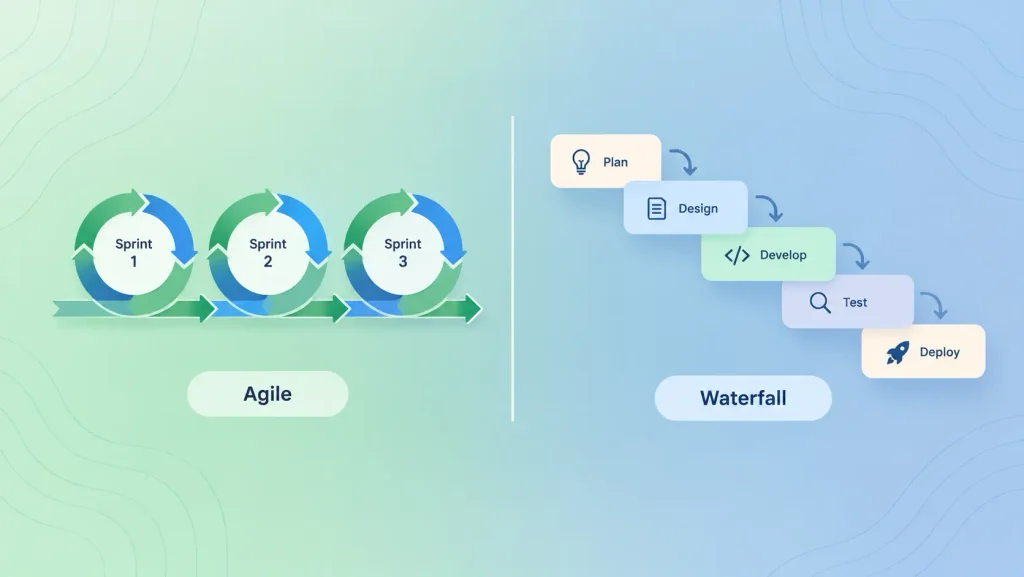
Here’s how the three common models compare:
| Agile (sprints) | MVPs, consumer apps, changing scope | Scope creep without a firm backlog owner |
| Waterfall | Fixed-scope, compliance-heavy builds | Problems surface late, at testing |
| Hybrid | Most funded first builds | Discipline needed at the handoff |
The hybrid is what I’d suggest for most first builds: a fixed-price discovery phase, then development in sprints against the backlog it produced. You get a firm estimate up front and room to adjust once you see working software.
Where the Mobile App Development Process Breaks Down
Projects rarely fail in one dramatic moment. They slip a week at a time, and usually at the same points:
- Scope creep: new ideas get added to the current sprint instead of a “later” list.
- Slow decisions: a demo ends with “let me check,” and the team waits a week.
- Late integration access: sandbox accounts and API keys get requested in month two instead of week one.
- Content as an afterthought: copy, images, and privacy policies show up after the screens are built.
- No launch buffer: a public date gets set with no room for a store rejection.
- Skipped discovery: the questions it would have answered return mid-build, at a higher price.
Every item here is cheap to prevent and expensive to fix late. For the problems that tend to appear after launch, see why mobile apps fail.
Red Flags in an Agency’s Development Process
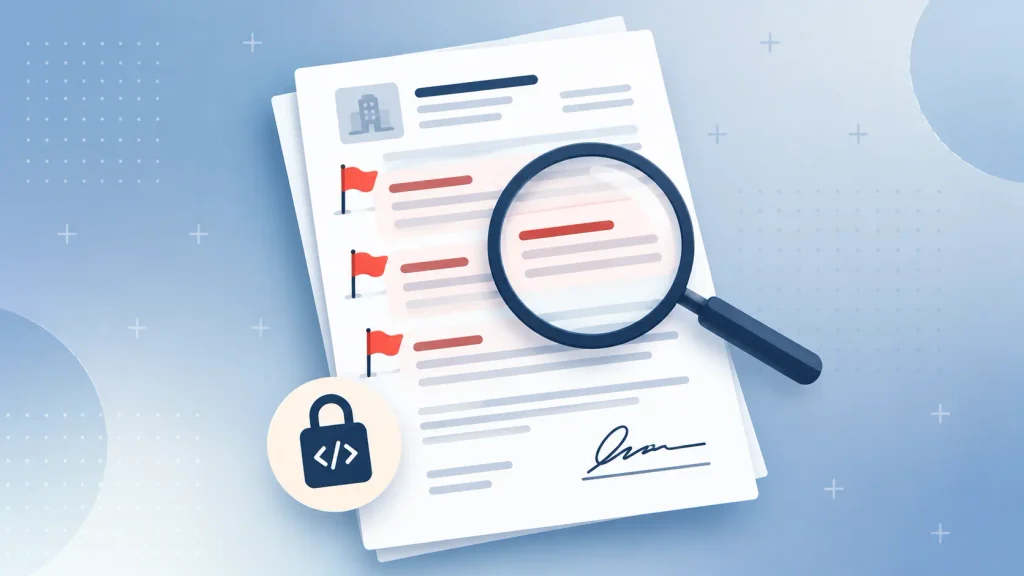
The mobile app development process an agency describes in its proposal is the process you’ll get. These four signals deserve a direct question before you sign:
- No discovery phase: a fixed quote after a single call means someone guessed your scope.
- No working demo each sprint: if you only ever see slides, you can’t tell what’s been built.
- QA scheduled only at the end: testing belongs inside every sprint.
- No plan after launch: maintenance, OS updates, and code ownership should all be in writing.
If ownership of the source code isn’t spelled out in the contract, walk away. Everything else on this list can be negotiated. That one can’t.
How Boomdevs Keeps Your Mobile App Development Process on Track
Most of the risk in this process sits in the first two stages, before a line of code exists. That’s where Boomdevs starts.
Through mobile app consulting, Boomdevs works through discovery with you: the feature priorities, architecture, integrations, and security decisions that set your budget and timeline. Analytics and compliance get planned before development, not patched in after launch.
Because consulting and engineering sit under one roof, the team that scopes your app can also build it. There’s no handoff gap between the plan and the code. Boomdevs brings 10+ years of experience and was named a Clutch Champion in Fall 2024.
Holding a proposal you’re not sure about? Book a free strategy call and we’ll walk through its process with you, stage by stage.
Frequently Asked Questions
What Are the Stages of Mobile App Development?
The seven stages are strategy and validation, discovery and planning, UX/UI design, development, QA and testing, store launch, and post-launch iteration. Some firms merge or split stages, so you’ll see lists of five to 10. What matters is that each stage ends with a deliverable you can review.
How Long Does the Mobile App Development Process Take?
Most apps take three to nine months from idea to launch. A focused MVP can ship faster, while apps with heavy integrations or compliance needs often run longer. Development is usually the longest single stage.
What Is the Most Important Stage of App Development?
Discovery. It sets the scope, architecture, and estimate that everything else depends on. Questions skipped here come back during development, when answering them costs far more.
How Long Does App Store Review Take in 2026?
Apple aims to review half of all submissions within 24 hours and 90% within 48 hours. Google Play review times vary, and new personal developer accounts must first run a 14-day closed test with at least 12 testers. A rejection adds another round, so plan a buffer.
Do I Need a Discovery Phase Before Development?
For almost any app beyond a simple prototype, yes. Discovery usually takes a few weeks and gives you a feature list, an architecture, and an estimate tied to real scope. Without it, quotes from different agencies can’t be compared fairly.