- 1. Key Takeaways
- 2. Why Four Types, and How They Stack
- 3. 1. Descriptive Analytics: What Happened?
- 4. 2. Diagnostic Analytics: Why Did It Happen?
- 5. 3. Predictive Analytics: What Will Probably Happen?
- 6. 4. Prescriptive Analytics: What Should You Do About It?
- 7. One Business Problem Through All Four Types
- 8. Are There More Than Four Types of Data Analytics?
- 9. Which Type of Data Analytics Does Your Business Need?
- 10. Build, Buy, or Embed: Getting Analytics Into Your Product
- 11. How AI Is Changing Each Type of Analytics
- 12. How Boomdevs Solves the Dashboard-to-Decision Gap
- 13. Frequently Asked Questions
Summarize with
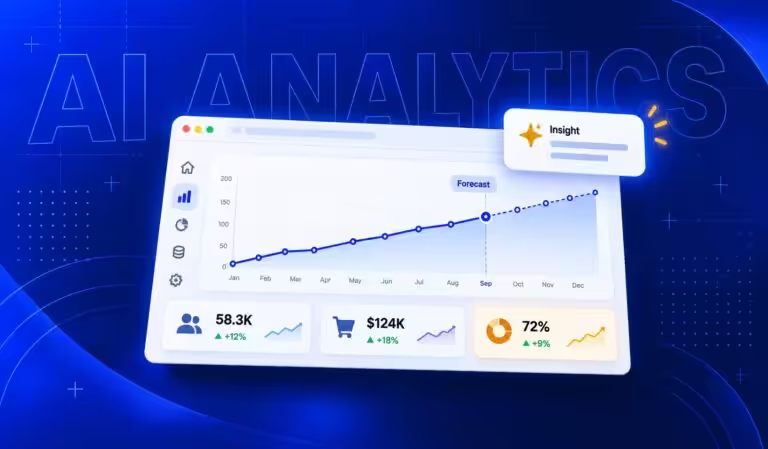
Your dashboard shows revenue dipped last month. You have plenty of data, but nobody on your team can explain why. Meanwhile, your board wants next quarter’s number.
That gap is what the four types of data analytics close: descriptive, diagnostic, predictive, and prescriptive. This guide follows the model most analytics teams already use, then adds what each type takes to build. Find the question you’re stuck on right now. That’s where you start.
Key Takeaways
- Descriptive analytics tells you what happened. Diagnostic tells you why. Predictive estimates what’s likely next. Prescriptive recommends what to do about it.
- Each type builds on the one before it. A prescriptive model running on messy descriptive data just automates bad decisions faster.
- The jump from diagnostic to predictive is where cost changes most. That’s usually the point where you need data science skills, not just a BI tool.
- Most early-stage companies get the best return from descriptive and diagnostic work done well, long before they need a forecasting model.
Why Four Types, and How They Stack
You’ll see the same four-part model in almost every analytics guide, BI tool, and course. It traces back to Gartner’s Analytic Ascendancy Model, which frames analytics as a climb from hindsight, through insight, to foresight.
The climb matters more than the labels. Every step answers a harder question, and every step asks more of your data, your people, and your budget.
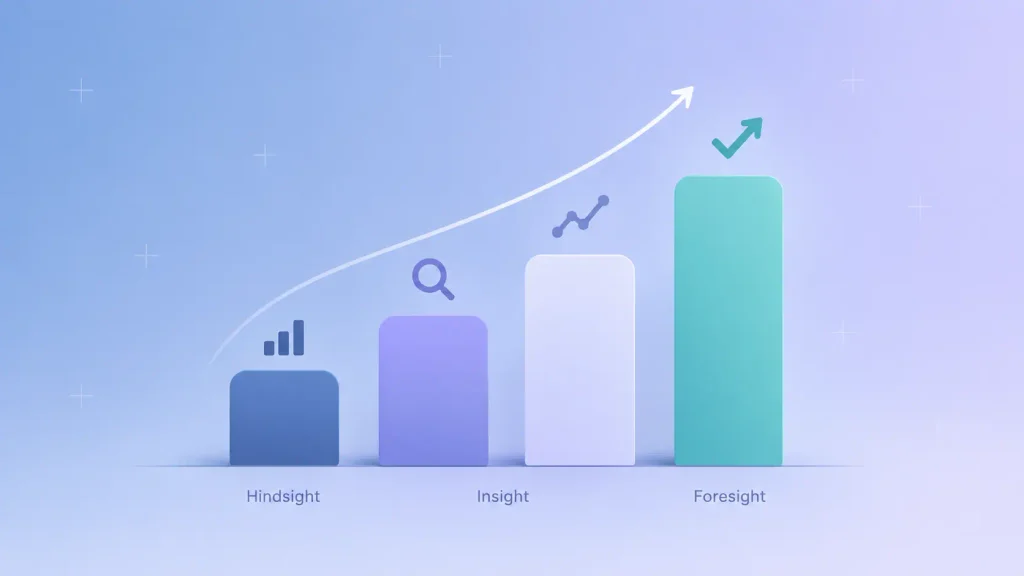
Here’s how the four compare at a glance:
| Type | Question it answers | Typical output | Who usually builds it |
| Descriptive | What happened? | KPI dashboards, reports | Analyst or BI developer |
| Diagnostic | Why did it happen? | Root cause breakdowns | Analyst with domain context |
| Predictive | What will probably happen? | Forecasts, risk scores | Data scientist or ML engineer |
| Prescriptive | What should we do? | Recommended actions | Data science plus engineering |
Read the last column carefully. It’s the one most guides leave out, and it’s the one that decides your budget.
1. Descriptive Analytics: What Happened?
Descriptive analytics turns raw records into numbers you can act on: last month’s revenue, this week’s signups, churn by pricing plan. If you have a dashboard you check every Monday, you already run descriptive analytics.
It’s also where most analytics work actually lives. Michigan State’s business analytics program notes that some professionals estimate 80% of business analytics is descriptive work built on aggregating past performance.
How Descriptive Analytics Works
The mechanics are simple, which is exactly why teams underrate them. You pull data from your product, CRM, and billing tools, clean it, and summarize it:
- Aggregation: totals, counts, and averages across a time period or segment.
- Summary statistics: means, medians, and spread, so one huge deal doesn’t distort your “typical” customer.
- Visualization: charts and dashboards in tools like Power BI, Looker Studio, Tableau, or Metabase.
That median point deserves a second look. A mean can make your average deal size look healthy while most deals are actually small, a skew that only shows up when you chart the full distribution.
Descriptive Analytics Examples
You’ll recognize most of these from your own reporting:
- Monthly recurring revenue and net revenue retention by plan.
- Sign-up-to-activation rates by acquisition channel.
- Support tickets resolved per week and average resolution time.
- Inventory levels and sell-through by product line.
Where Descriptive Analytics Falls Short
It tells you the dip happened. It can’t tell you why.
That limit is fine, as long as you don’t expect more from it. The mistake is building dashboard after dashboard when the question your team keeps asking is “why,” which is a diagnostic question.
2. Diagnostic Analytics: Why Did It Happen?
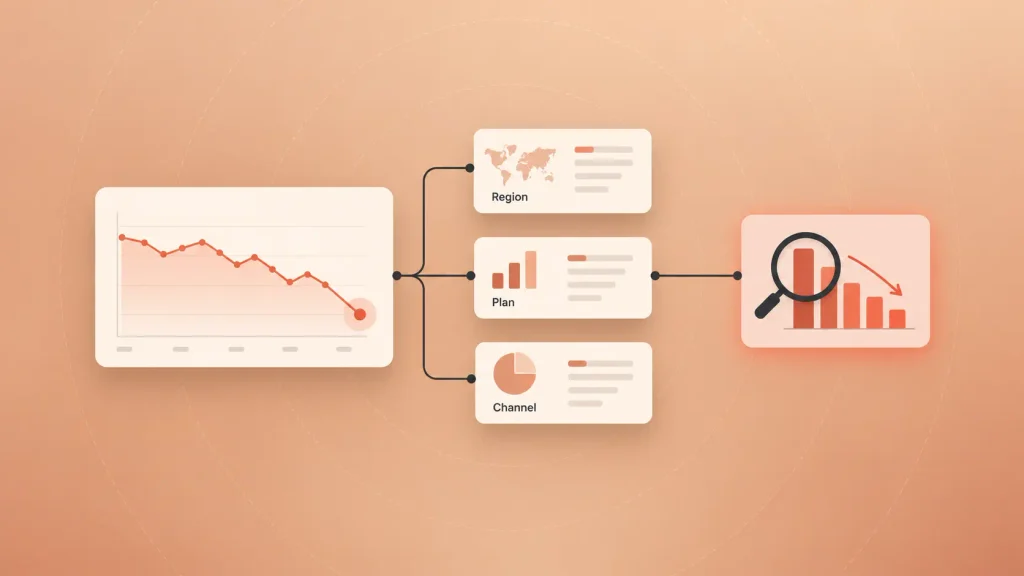
Diagnostic analytics takes a number that moved and breaks it apart until the cause shows up. Revenue dropped, so you split it by region, plan, channel, and cohort until one slice explains most of the change.
You’re still looking backward. The difference is that you’re asking the data questions instead of just reading it.
How Diagnostic Analytics Works
Most diagnostic work follows the same loop, in roughly this order:
- Spot the anomaly: a metric that moved more than normal variation explains.
- Segment and drill down: split the metric by dimensions like geography, device, plan, or signup month.
- Look for relationships: correlation analysis, cohort comparisons, and regression on the suspect variables.
- Test the explanation: check it against a second data source, or run a controlled experiment.
Step four is the one teams skip. It’s also the one that keeps you from fixing the wrong thing.
The Correlation Trap
Diagnostic analytics finds patterns, and patterns are not proof. As Domo’s analytics guide points out, confirming causation usually takes controlled testing, because two metrics moving together doesn’t mean one caused the other.
Here’s what that looks like in practice. Your churned customers all used a certain feature less, so you push that feature harder. But maybe they used it less because they were already leaving. An A/B test on a few accounts would tell you which story is true.
What Diagnostic Analytics Takes to Build
You need the same foundations as descriptive work, plus two things:
- Granular data: event-level records, not just monthly totals, so you can actually slice them.
- Domain context: someone who knows a pricing change shipped the same week conversions fell.
For most companies, that’s still a skilled analyst with a good BI tool. You don’t need a data science team yet.
3. Predictive Analytics: What Will Probably Happen?
Predictive analytics uses patterns in your historical data to estimate what’s coming: which customers are likely to churn, how much stock you’ll need in March, which leads are worth a call this week.
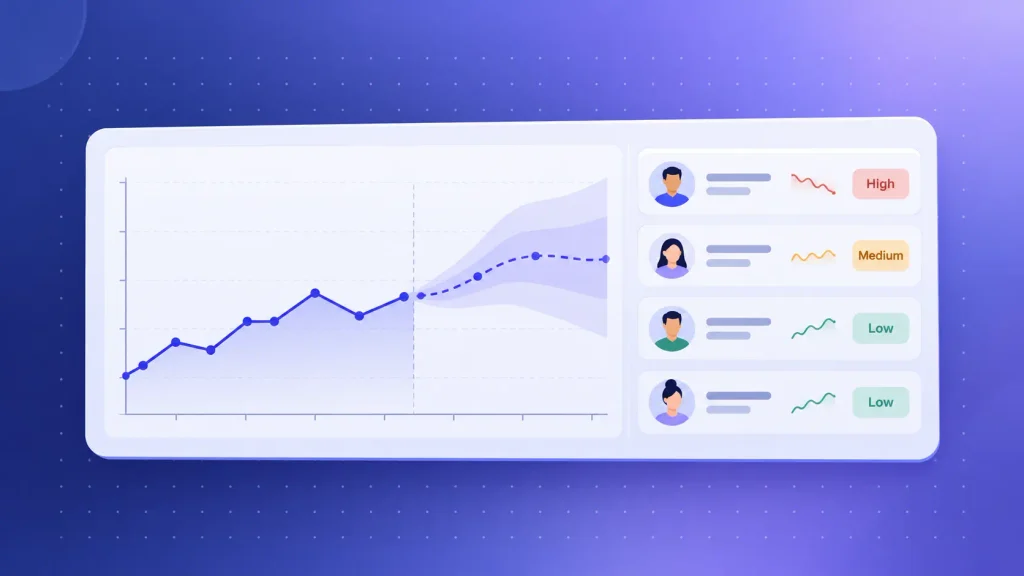
This is the step that crosses from hindsight into foresight. It’s also where cost and complexity jump, because you’re now training and maintaining models instead of building reports.
How Predictive Analytics Works
Instead of summarizing the past, you train a model on it. The model learns which signals came before an outcome, then scores new data against those signals.
The common techniques, from simplest to most demanding:
- Regression: predicts a number, like next quarter’s revenue, from related variables.
- Time series forecasting: models trend and seasonality, the right fit for demand and traffic.
- Classification: sorts records into outcomes, like “likely to churn” or “likely to convert.”
- Machine learning ensembles: combine many models when the patterns are too complex for one.
Predictive Analytics Examples
Predictive work earns its cost when one good forecast changes a real decision:
- Churn risk scoring: flags accounts that look like past churners while you can still save them.
- Demand forecasting: sets inventory and staffing levels before the busy season hits.
- Lead scoring: ranks prospects by likelihood to close, so your sales team calls the right people first.
- Fraud detection: scores transactions in real time against known fraud patterns.
Do You Need a Data Scientist?
Usually, yes, at least to build and validate the model. Domo’s guidance is that predictive models are most reliable when data professionals build and maintain them, with results surfaced to everyone else through governed dashboards.
You’ll also need clean historical data with labeled outcomes. A churn model can’t learn what churn looks like if you never recorded who churned and when.
If AI-driven features are part of your product roadmap, this is the layer where a partner for AI development usually comes in.
Where Predictive Analytics Falls Short
A forecast is a probability, not a promise. Treat it as a guarantee, and you’ll lose your stakeholders’ trust the first time reality lands outside the range.
Predictive models also struggle with anything new. As Coursera’s analytics overview notes, they can’t account for random events or information they’ve never seen, so a new competitor or a pandemic breaks them fast.
4. Prescriptive Analytics: What Should You Do About It?
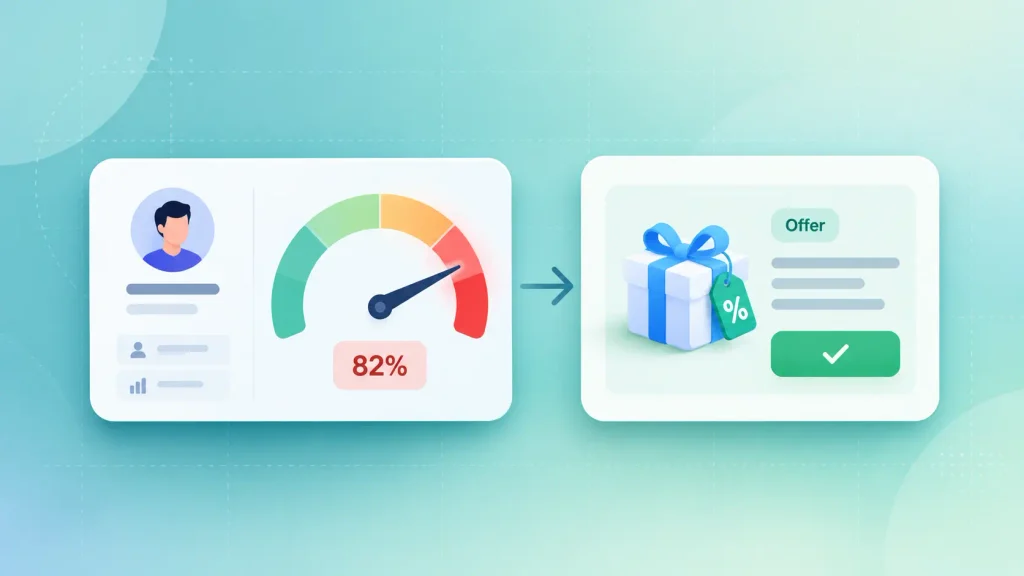
Prescriptive analytics takes a prediction and recommends the best action, given your goals and limits. A predictive model says demand will spike next month. A prescriptive model tells you how much to order, from which supplier, within your cash and storage limits.
It works by defining three things: an objective (maximize retention), constraints (a fixed discount budget), and an optimization method that searches for the best option inside those limits.
Predictive vs Prescriptive Analytics
These two get confused more than any other pair, so here’s the difference on one problem, customer churn:
| Predictive | Prescriptive | |
| Question | Who will churn? | What should we do about it? |
| Output | A risk score per account | A specific offer per account |
| Churn example | “Account X is high risk” | “Offer Account X an annual-plan discount” |
| Built on | Historical patterns | Predictions plus business rules |
That’s the whole shift. Predictive hands you a probability, while prescriptive hands you a decision.
Prescriptive Analytics Examples
You’ll find prescriptive logic wherever a decision repeats often enough to automate:
- Dynamic pricing: adjusts prices to demand while staying above your margin floor.
- Route optimization: plans delivery routes around traffic, fuel, and driver hours.
- Retention offers: picks the right offer for each at-risk account within a fixed budget.
- Inventory reordering: decides what to restock and when, based on forecast demand.
Where Prescriptive Analytics Falls Short
It’s the most demanding type to build. SoftTeco’s analysis calls it the most complex and most expensive type of analytics to implement, and that matches what you’ll see in practice.
It also needs to plug into how you actually operate. A recommendation that sits in a dashboard nobody opens has zero value. The real work is wiring it into your CRM, pricing engine, or ops tools, usually with a human approving decisions before they go live.
One Business Problem Through All Four Types
The four types make the most sense when you watch them work on the same problem. Say you run a B2B SaaS product and churn is creeping up.
Here’s how the work would unfold, in order:
- Descriptive: your dashboard shows monthly churn on your starter plan rose for three straight months. You know what happened.
- Diagnostic: you segment churned accounts and find most never connected their second integration in their first month. You have a likely why.
- Predictive: you train a model on that pattern and score current accounts. A few dozen look like past churners.
- Prescriptive: the system recommends a guided onboarding call for high-value accounts and an automated email sequence for the rest, within your customer success team’s capacity.
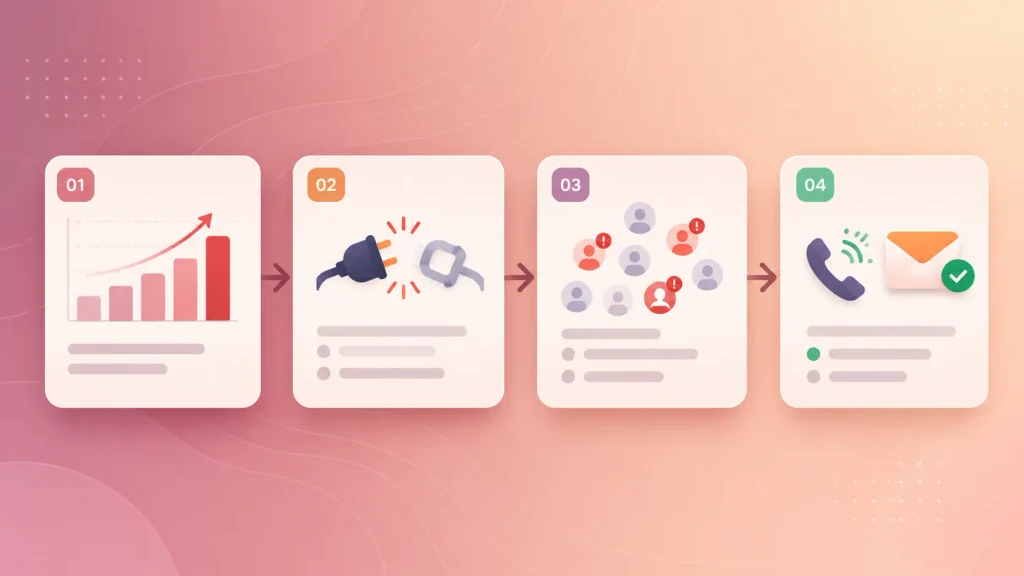
Notice that step three depends entirely on steps one and two. If your churn data had been wrong, every later step would have been wrong too.
Are There More Than Four Types of Data Analytics?
Yes. The four-type model is the business standard, but it isn’t the only one.
Statisticians Jeff Leek and Roger Peng use a six-type classification built around the question an analysis is trying to answer:
- Descriptive: summarizes a characteristic of a dataset.
- Exploratory: looks for patterns to generate a hypothesis, not test one.
- Inferential: checks whether a pattern in your sample holds for the wider population.
- Predictive: predicts an outcome for an individual person or unit.
- Causal: measures what happens to one variable, on average, when you change another.
- Mechanistic: shows exactly how one change produces another, mostly in engineering.
For a business decision-maker, the useful takeaway is the causal one. Proving cause needs a different setup from finding a pattern, which is exactly the correlation trap from the diagnostic section.
You’ll also hear terms like real-time analytics or augmented analytics. Those describe how analytics gets delivered (live data, AI assistance), not a new type. A real-time fraud alert is still predictive analytics, just running faster.
Which Type of Data Analytics Does Your Business Need?
The right type is the one that answers the question you’re actually stuck on. Not the most advanced one you can afford.
Match the Type to Your Question
You can usually work out the answer from the question itself:
- “What were our numbers?” You need descriptive analytics and a reliable dashboard.
- “Why did that number change?” You need diagnostic analytics and data granular enough to slice.
- “What’s likely to happen next?” You need predictive analytics and clean history with labeled outcomes.
- “What should we do about it?” You need prescriptive analytics and a clear objective with defined constraints.
If two of those sound familiar, start with the earlier one. It’s almost always the cheaper fix.
What to Prioritize at Each Stage
Your company’s stage changes what’s worth building. Here’s how I’d suggest weighing it:
| Stage | Prioritize | Hold off on |
| Pre-product-market fit | Clean event tracking, a few core KPIs | Forecasting models |
| Early traction | Descriptive dashboards, diagnostic drill-downs | Custom ML pipelines |
| Scaling | Predictive churn and demand models | Fully automated decisions |
| Mature or enterprise | Prescriptive optimization in core workflows | Rebuilding what already works |
The pattern is deliberate. Each stage earns the next one, and skipping ahead mostly buys you expensive models running on data you can’t trust.
Domo makes the same point bluntly: skipping maturity levels rarely works, and the full climb from descriptive to prescriptive usually takes years, not months.
Data Foundations to Get Right First
Before you invest in any analytics type, it’s worth checking that the basics underneath are solid:
- Consistent tracking: every key event (signup, activation, purchase, cancellation) is logged the same way, every time.
- One source of truth: “active user” and “conversion” mean the same thing in marketing’s report and finance’s.
- Data quality checks: missing values, duplicates, and test accounts get caught before they hit a dashboard.
- Clear ownership: someone is responsible for each core dataset, not just “the data team” in general.
- Privacy and compliance: you know which data is personal and who’s allowed to see it.
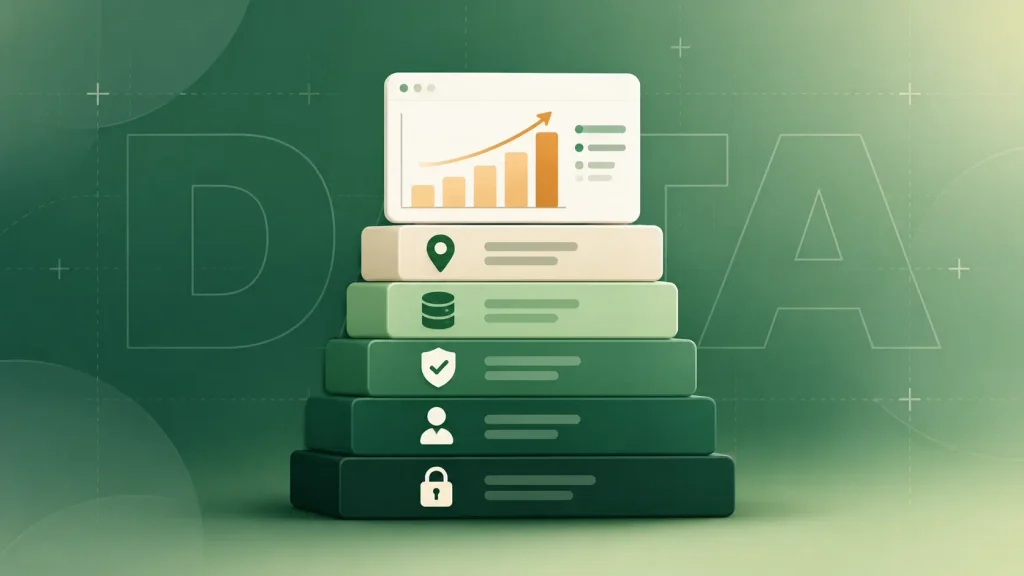
These foundations are the same ones that make business software development projects succeed or stall. If they’re shaky, fixing them is the highest-return analytics work you can do this quarter.
When you’d rather have a team set this up end to end, Boomdevs’ data analytics services cover everything from tracking plans to production dashboards.
Build, Buy, or Embed: Getting Analytics Into Your Product
Once you know which type you need, the next decision is how you get it. You have three real options:
| Option | Best for | Trade-off |
| Buy an off-the-shelf BI tool | Internal reporting and diagnostics | Limited to the data and logic it supports |
| Build custom analytics | Unique data or proprietary models | Higher upfront cost and ongoing upkeep |
| Embed analytics in your product | SaaS products whose customers want insights | It becomes a product feature you maintain |
For internal descriptive and diagnostic work, buying usually wins. ThoughtSpot reports that caregiving platform Wellthy doubled analyst output after moving business users to self-service analytics, freeing analysts for predictive work.
Building makes sense when your data or models are a competitive edge. The same trade-offs apply as with any custom software vs off-the-shelf decision: you pay more upfront for something that fits exactly.
Embedding is a different case. If your customers would pay for insights from their own data, analytics stops being an internal tool and becomes part of what you sell. That’s a product decision, closer to SaaS development than to reporting, and it’s increasingly where AI SaaS products set themselves apart.
How AI Is Changing Each Type of Analytics
AI isn’t a fifth type. It’s making each of the four faster and easier to reach for people without SQL skills.
Here’s where you’ll notice it most:
- Descriptive: natural-language questions like “show me churn by plan” instead of a ticket to an analyst.
- Diagnostic: automated anomaly detection that flags a metric before you’d have spotted it.
- Predictive: faster model building and testing, though validation still needs an expert.
- Prescriptive: recommendations that trigger actions directly in your tools, ideally with a human approving them.
The catch is trust. AI tools make it easy to get an answer and just as easy to get a confident wrong one, so governed metrics and human review matter more, not less.

For a deeper look at tools and use cases, the guide to AI analytics for businesses covers this topic in full.
How Boomdevs Solves the Dashboard-to-Decision Gap
Most companies don’t have a data shortage. They have a gap between the dashboards they built and the decisions those dashboards were supposed to support.
Boomdevs has delivered more than 3,500 projects for startups and enterprises, and the analytics work usually starts in the same place: fixing tracking and metric definitions, then building up one type at a time. If you’re not sure which type your next question needs, a short conversation with the Boomdevs data analytics team can map it out before you spend on tools.
Frequently Asked Questions
What Are the Four Types of Data Analytics?
The four types are descriptive, diagnostic, predictive, and prescriptive. Descriptive shows what happened, and diagnostic explains why. Predictive estimates what’s likely next, and prescriptive recommends what to do about it.
What Is the Difference Between Predictive and Prescriptive Analytics?
Predictive analytics forecasts an outcome, like which customers are likely to churn. Prescriptive analytics goes one step further and recommends an action, like which retention offer to send each customer. Prescriptive needs a predictive model plus your business goals and constraints.
Which Type of Data Analytics Should I Start With?
Start with descriptive analytics. Every other type depends on accurate records of what already happened. Once your core dashboards are trusted, diagnostic work usually delivers the next biggest return.
Can You Skip Straight to Predictive Analytics?
You can, but it rarely ends well. A predictive model trained on inconsistent or poorly tracked data will produce confident forecasts that are wrong. Getting descriptive and diagnostic work right first is almost always faster overall.
Do I Need a Data Scientist for Predictive Analytics?
For building and validating models, usually yes. Descriptive and diagnostic analytics can often be handled by a skilled analyst with a BI tool. Predictive and prescriptive models need statistical and machine learning expertise, in-house or through a partner.