- 1. Key Takeaways
- 2. How to Build an AI SaaS Product in 8 Steps
- Step 1: Pick One Workflow and Prove AI Beats the Alternative
- Step 2: Decide If You're Building AI-Native or AI-Augmented
- Step 3: Define "Good Enough" Output Before Writing Code
- Step 4: Check Your Data, Then Pick API, RAG, or Fine-Tuning
- Step 5: Design for Tenants, Scale, and Inference Cost From Day One
- Step 6: Build the MVP Around a Single AI Feature
- Step 7: Test the AI, Not Just the App
- Step 8: Launch With Pricing, Metering, and Readiness Gates
- 3. Build It Yourself, With AI Coding Tools, or With a Team?
- 4. What Team Do You Need to Build an AI SaaS Product?
- 5. How Much Does It Cost to Build an AI SaaS Product?
- 6. Designing UX for Output That's Sometimes Wrong
- 7. Common Mistakes That Stall AI SaaS Builds
- 8. How Boomdevs Helps You Build Your AI SaaS Product
- 9. Frequently Asked Questions
Summarize with
You have an AI demo that works. A few prospects tried it, and two asked when they can pay. Now you face a harder question.
What has to happen between that demo and a product people pay for every month? Answering it is the core of how to build an AI SaaS product that lasts.
Here’s the full path in eight steps. Each one ends with a gate, so you know when to move on.
Key Takeaways
- Building an AI SaaS product runs in eight steps: one workflow, product type, a quality bar, data and AI approach, architecture, a one-feature MVP, AI-specific testing, and launch with pricing.
- Start on a hosted model API. Add retrieval when answers need your customers’ data, and fine-tune only when you can measure the gap.
- Work out your cost per AI action before you set a price. Inference is the cost that grows with every user.
- Your MVP should ship one AI feature that finishes a real task, not a demo that does five things.
How to Build an AI SaaS Product in 8 Steps
The short answer to how to build an AI SaaS product is to prove one workflow first, then layer the AI, the product, and the business model on top in that order. Skip ahead, and you end up rebuilding.
Here’s the whole sequence at a glance:
| Step | What you decide | What you walk away with |
| 1. Pick one workflow | Which job AI does better | A validated problem |
| 2. Choose your product type | AI-native or AI-augmented | Your build order |
| 3. Define “good enough” | The quality bar | An eval set |
| 4. Data and AI approach | API, RAG, or fine-tuning | A model plan |
| 5. Architecture | Tenants, stack, cost controls | A technical blueprint |
| 6. Build the MVP | The one AI feature to ship | A usable product |
| 7. Test the AI | Pass or fail on real inputs | Launch confidence |
| 8. Launch and price | How you bill and when you ship | Paying users |
Every step leans on the one before it. Steps 1 to 3 cost almost nothing, and they’re the ones rushed builds tend to skip.
Step 1: Pick One Workflow and Prove AI Beats the Alternative
Your first step is choosing one workflow your users repeat often and dislike doing. Then you prove that AI handles it better than a rule or a person does.
That second part gets skipped. Plenty of tasks look like AI problems but run fine on a simple rule. A quick comparison keeps you honest:
| Approach | What it looks like | When it wins |
| Manual | A person does the task | Rare, high-judgment cases |
| Rule-based | If-this-then-that logic | Predictable, structured inputs |
| AI-assisted | A model drafts, decides, or extracts | Messy text, images, or varied inputs |
If rules can do the job, build with rules. AI earns its place only when inputs are too varied for a rulebook.
You’ll want to talk to real users before any design work starts. Watch them do the task, note where they lose time, and ask what a perfect result looks like.
If you can’t run that research in-house, a short AI consulting engagement can pressure-test the idea before you spend on a build.
Gate: you can describe the before and after of one task, and a handful of target users confirm they’d pay to make it go away.
Step 2: Decide If You’re Building AI-Native or AI-Augmented
This decision sets your build order. Get it wrong, and you’ll validate the wrong thing first.
An AI-native product stops existing when you remove the model, like a contract review tool or a clinical note assistant. An AI-augmented product works without AI, and the model makes one part faster or smarter.
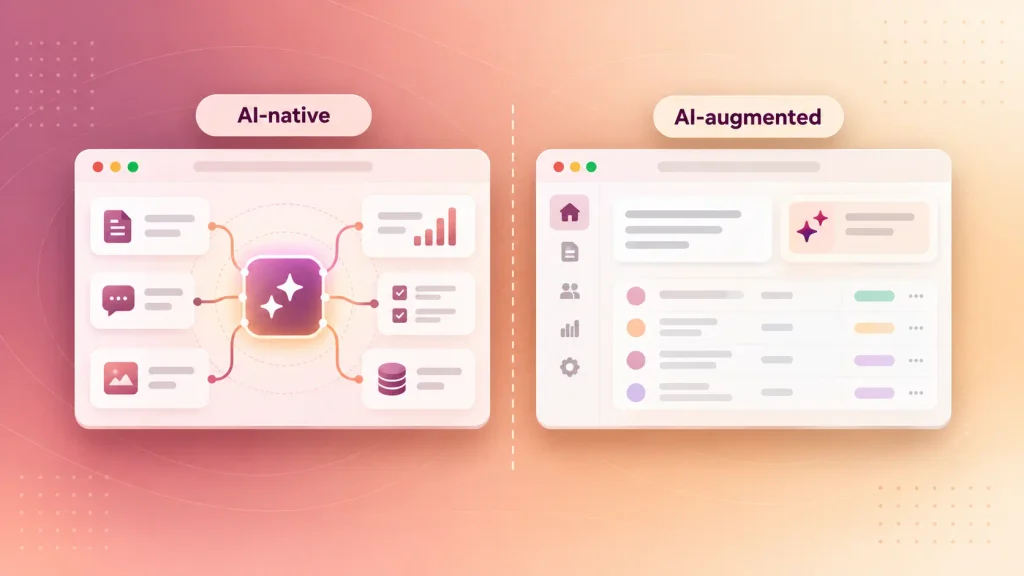
Both count as AI-powered SaaS. If you want a refresher on the category itself, here’s what makes software count as AI SaaS.
The difference changes what you test first:
- AI-native: you validate model quality before anything else. If the model can’t do the core job well enough, no interface will save the product.
- AI-augmented: you validate the workflow first, often with no AI at all. You add the model once users already rely on the product.
Most first-time founders are building AI-augmented products and treating them as AI-native. That’s how teams spend months tuning prompts for a workflow nobody has used yet.
Gate: you can say in one sentence which type you’re building and what gets validated first.
Step 3: Define “Good Enough” Output Before Writing Code
An AI feature is only as good as the bar you set for it. So you set that bar before you build, using real examples rather than a vague hope that the output “looks right.”
This bar becomes your eval set: a list of real inputs, each paired with the output you’d accept. It’s the single most useful file in an AI build. Here’s how to put one together:
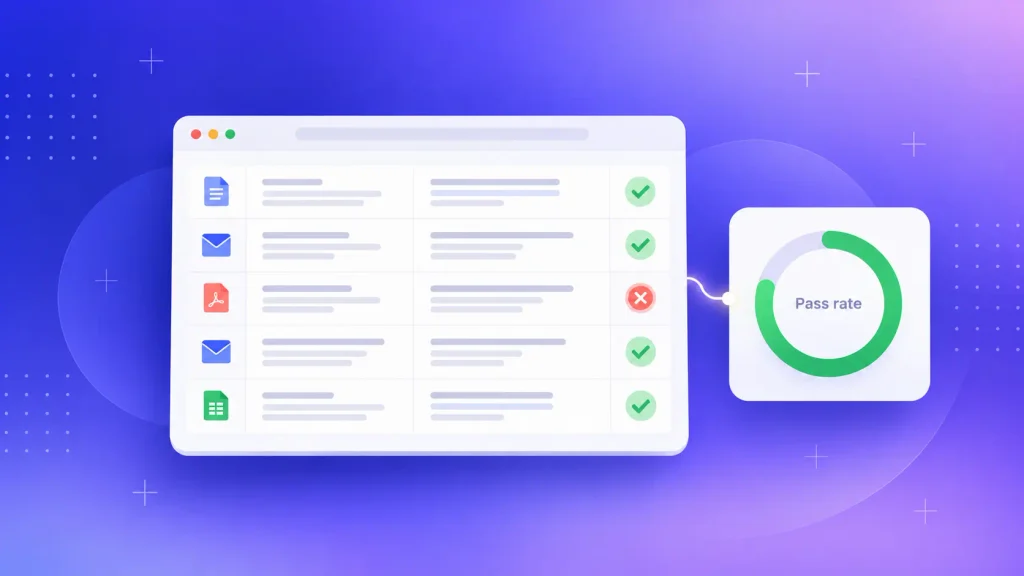
- Collect real inputs. Pull actual emails, documents, tickets, or records from target users, including the messy ones.
- Write the expected output. For each input, write what a good answer looks like, or at least what a wrong one looks like.
- Set a pass rate. Decide what share of cases must pass before you’d show the feature to a paying user.
- Price the failures. Work out what a wrong answer costs your user. A bad email draft is annoying. A wrong invoice total is a support ticket and maybe a refund.
That last point shapes everything after it. High-cost failures need human review built in from day one.
Gate: you have an eval set and a pass rate everyone on the team agrees on.
Step 4: Check Your Data, Then Pick API, RAG, or Fine-Tuning
Your data decides your AI approach, so check it first. Ask four plain questions:
- Do you have it? Historical records, documents, or user behavior the feature needs.
- Is it usable? Structured enough to search or feed to a model without weeks of cleanup?
- Can you legally use it? Customer data needs consent and contracts that allow AI processing.
- Who keeps it fresh? Stale data produces stale answers, so someone has to own the data pipeline.
Once you know what data you have, the approach usually picks itself:
| Approach | Use it when | Effort |
| Hosted model API | General reasoning, writing, or classifying is enough | Low |
| RAG (retrieval-augmented generation) | Answers must come from your customers’ own documents | Moderate |
| Fine-tuning | You need consistent tone, format, or domain vocabulary | High |
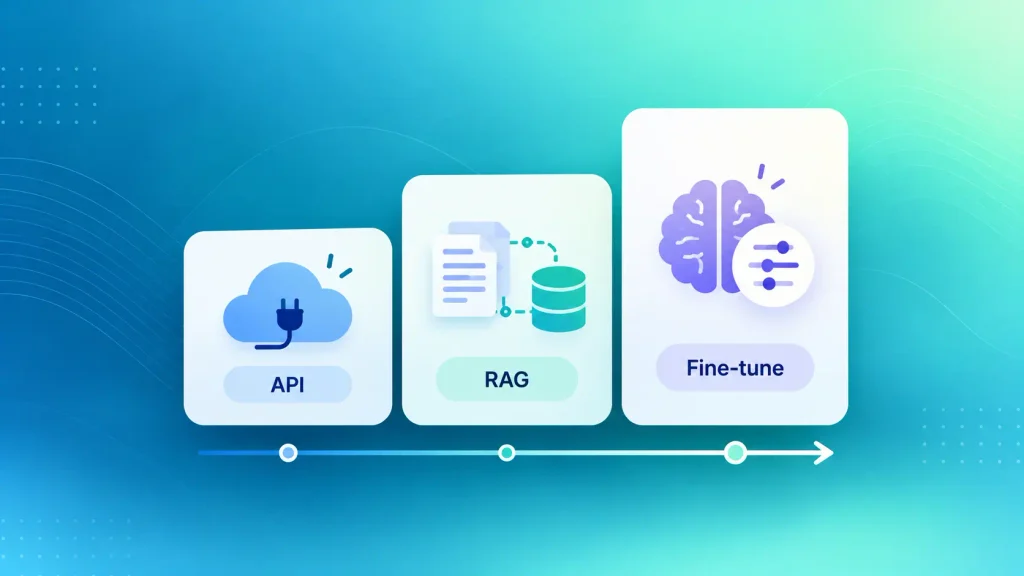
Most products start with LLM integration through an API, add RAG when answers need private data, and rarely need fine-tuning in year one. RAG usually means a vector database such as pgvector sitting next to your app data. We’ve covered the full API, RAG, and fine-tuning trade-offs in depth, so this step stays short.
Gate: you know your data is usable and you’ve picked one AI approach for the MVP.
Step 5: Design for Tenants, Scale, and Inference Cost From Day One
Architecture is where AI SaaS differs most from regular SaaS. Every customer’s data has to stay separate, and every model call costs money in a way a database query doesn’t.
A few decisions are far cheaper to make now than to retrofit later:
- Tenant isolation in the database: each customer’s records, embeddings, and chat history are scoped by tenant at the data layer, never by instructions in a prompt.
- A separate AI service: model calls live behind their own service, so you can change prompts or switch providers without touching the core app.
- Logging on every model call: you record tokens, latency, and cost per tenant from the first request.
- Usage metering: you count billable AI actions from launch, even if you don’t charge for them yet.
- Guardrails on tools: any action that moves money or deletes data needs human approval.
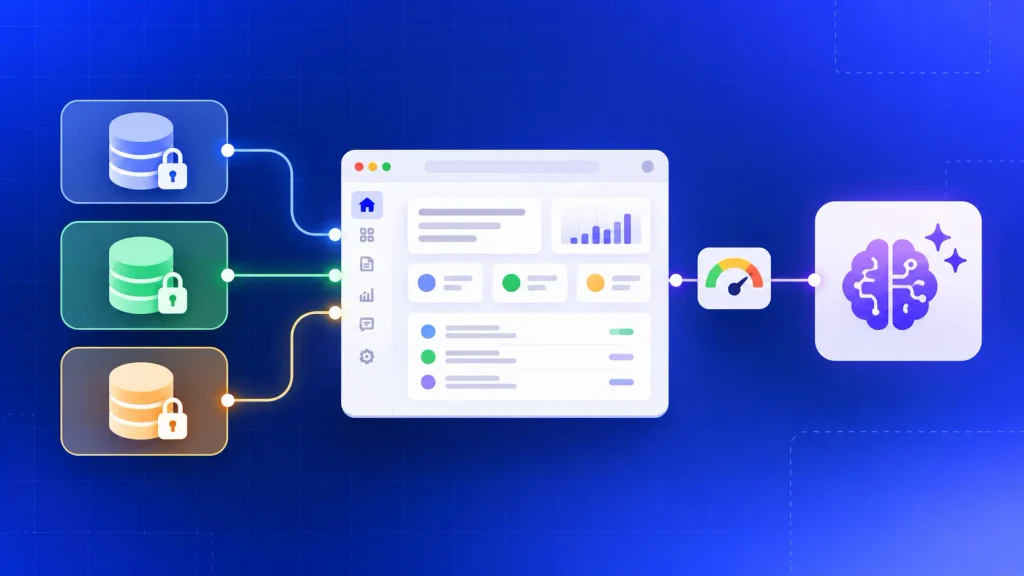
This is a checklist, not a spec. For the deeper version, see our breakdown of multi-tenant AI SaaS architecture and inference cost, which covers stack choices and caching in detail.
Gate: your team can explain how tenant data stays separate and how you’ll see the cost of each AI action.
Step 6: Build the MVP Around a Single AI Feature
Your AI SaaS MVP should do one AI job well enough that a real user finishes a real task with it. That’s the whole goal.
It’s tempting to ship five AI features to look impressive. Each extra feature adds prompts to maintain, evals to run, and costs to watch. Here’s what usually belongs in version one of an AI SaaS MVP:
- One AI feature that completes the core task
- Sign-up, login, and team accounts
- Billing, even if it’s a simple monthly plan
- Basic product analytics on how people use the AI feature
- A way for users to flag a bad answer
And here’s what can wait:
- A second or third AI feature
- Advanced personalization
- Infrastructure for traffic you don’t have yet
- Any feature that exists mainly for the pitch deck
If you’re working with an outside team, it’s worth asking how they’d scope this cut. A good SaaS MVP development partner will push back on scope, not just accept it.
Gate: a beta user can complete the core task in your AI SaaS MVP end to end without your team stepping in.
Step 7: Test the AI, Not Just the App
Testing an AI SaaS product means running two kinds of checks. One confirms the app works. The other confirms the model behaves.
Standard SaaS checks still apply:
- Features work as designed across browsers and devices
- Response times hold up under load
- Logins, permissions, and data encryption pass a security review
AI-specific checks are the ones teams forget:
- Eval pass rate: the feature hits the pass rate you set in step 3, on fresh inputs.
- Cross-tenant tests: one customer’s question can never pull back another customer’s data.
- Prompt injection: documents or messages that contain hidden instructions don’t change the model’s behavior.
- Fallbacks: the product still works, with a clear message, when the model provider is slow or down.
It’s worth running the evals on every change to a prompt or model, not only before launch. A small prompt edit can quietly break cases that passed last week.
Gate: evals pass, isolation tests pass, and you’ve seen the product survive a provider outage.
Step 8: Launch With Pricing, Metering, and Readiness Gates
Launch is the step where your pricing has to match your costs, which is why usage-based pricing deserves a hard look. A seat price on a product whose costs grow with usage is a margin problem waiting to happen.
Here are the four common pricing models for AI SaaS:
| Model | How it bills | Best when | Main risk |
| Per seat | Flat fee per user | AI use is light and predictable | Heavy users erase your margin |
| Usage-based | Per action, credit, or token | Usage varies a lot by customer | Customers can’t predict their bill |
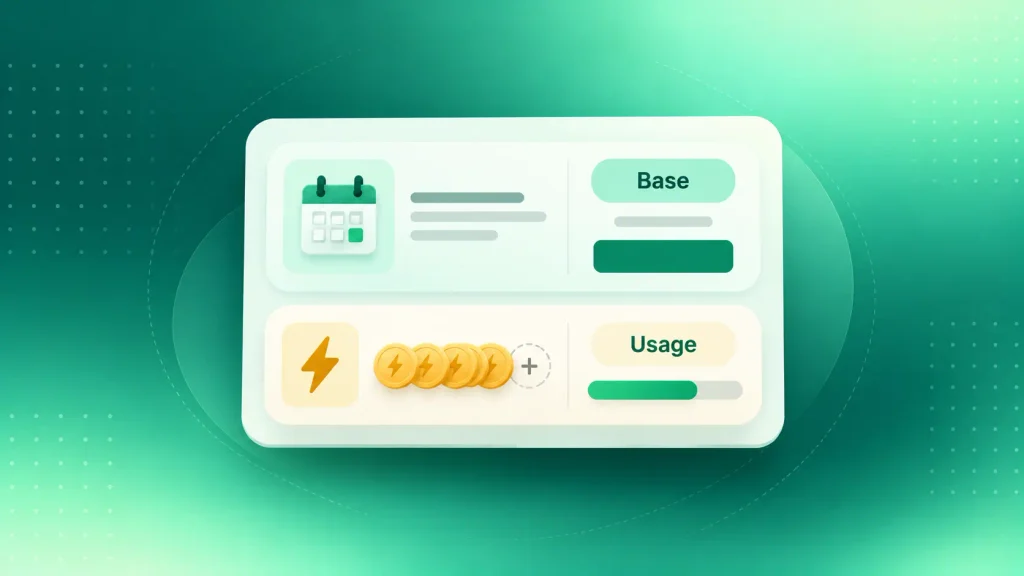
| Hybrid | Base fee plus usage credits | Most early AI SaaS products | More complex billing to build |
| Outcome-based | Per resolved task or result | You can define the outcome cleanly | Disputes over what counts |
Hybrid pricing is the safest default for a first launch. Your customers get a predictable base, and you’re covered when someone uses 10 times more AI than average.
Before you open the doors, run through these readiness gates:
- Your eval pass rate holds on real production inputs, not just test data.
- You know your cost per billable AI action at your current model tier.
- Cross-tenant leakage tests run automatically and pass.
- Monitoring alerts you when quality, latency, or cost drifts.
- Users have a clear way to report a bad answer, and someone reads those reports.
Launch is the start of the loop, not the end of the build. Real usage will expose failure cases your eval set missed, and those cases belong in the eval set next. That ongoing cycle of monitoring, evals, and prompt updates is often called LLMOps.
Build It Yourself, With AI Coding Tools, or With a Team?
How to build an AI SaaS product also depends on who builds it. Each path fits a different stage, budget, and level of risk.
AI coding assistants and app builders have made solo prototypes much faster. They haven’t removed the hard parts: tenant isolation, cost control, and testing a model that’s sometimes wrong. Here’s how the paths compare:
| Path | Best for | Where it hits a ceiling | Main risk |
| Solo with AI coding tools | Testing demand fast | Security, scale, multi-tenancy | Prototype code shipped as product |
| Freelancers | A narrow, well-defined build | Coordination across roles | Gaps no one owns |
| Product studio | A full MVP with one team | Long-term in-house knowledge | Choosing a team without AI experience |
| In-house team | A product that is your core business | Hiring speed and cost | Months lost before shipping |
A common pattern works well: prototype solo to prove demand, then bring in a team to build the production version. Just don’t confuse the two. A prototype that a dozen people liked is not a system a hundred paying customers can trust.
What Team Do You Need to Build an AI SaaS Product?
A focused AI SaaS MVP needs a small, cross-functional team rather than a big one. Some roles can be part-time, but each one needs an owner.
These are the roles that matter most on an AI SaaS team:
- Product owner: owns the workflow, the eval set, and what gets cut from scope.
- AI engineer: handles model integration, prompts, retrieval, and evals.
- Full-stack developers: build the app, the APIs, billing, and multi-tenancy.
- Product designer: designs flows for output that’s sometimes wrong.
- QA engineer: tests both the app and the model’s behavior.
- DevOps engineer (often part-time): sets up deployment, monitoring, and cost alerts.
You don’t need a data scientist for most first builds. That changes if you plan to train models on your own data. If you’re unsure whether to hire these roles or partner for them, here’s how to weigh in-house vs outsourced AI development.
How Much Does It Cost to Build an AI SaaS Product?
The cost to build an AI SaaS product splits into two parts. There’s what you spend once to build it, and what you spend every month to run it. Most founders budget the first and get surprised by the second.
Build Cost: What Actually Moves the Quote
Your build quote depends far more on scope than on the AI itself. Our AI product development cost guide puts most builds between $20,000 and $500,000+, and that spread comes from a few drivers:
- Number of AI features: each one adds prompts, evals, and monitoring.
- AI approach: an API integration costs far less than RAG, and RAG costs less than fine-tuning.
- Data work: cleaning, structuring, and piping data is often underestimated.
- Compliance: healthcare, finance, and EU markets add security and documentation work.
- Platforms: web-only is cheaper than web plus mobile at launch.
For the non-AI side of the build, our SaaS MVP cost breakdown walks through each line item.
Run Cost: The Line Item That Decides Your Margin
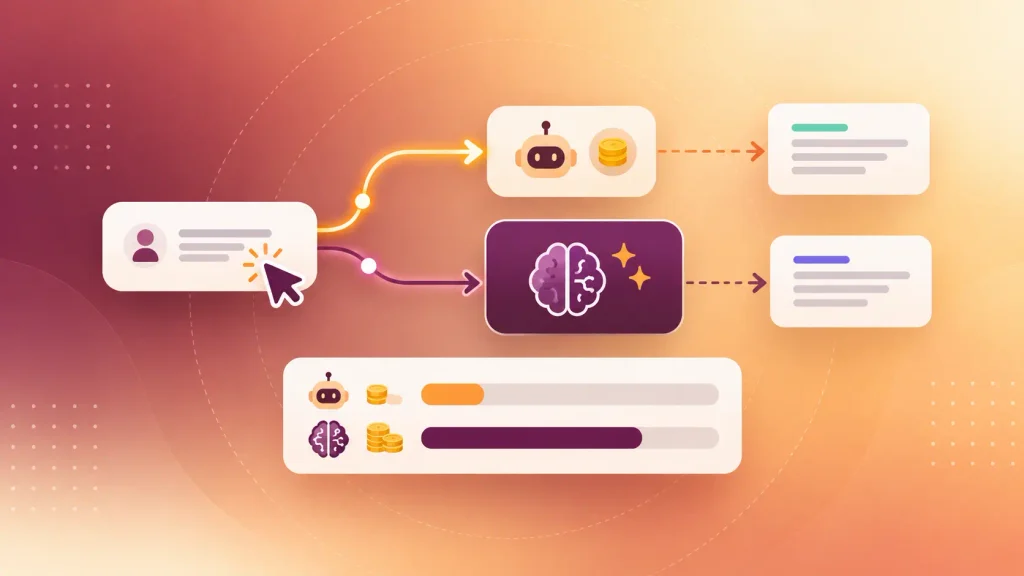
Inference cost grows with every user, and it’s why AI SaaS margins look different from classic SaaS. ICONIQ’s 2026 State of AI report found average gross margin on AI products rose from 45% in 2025 to a projected 53% in 2026. That’s improving, but it still leaves far less room than software founders are used to.
You can estimate your own run cost before you price anything. Here’s a simple way to work it out:
- Count model calls per action. One user action can trigger several calls once retrieval and tools are involved.
- Measure tokens per call. Log input and output tokens on real requests, not guesses.
- Apply your provider’s price. Multiply tokens by the per-token rate for the model tier you use.
- Add the hidden calls. Retries, failed attempts, and eval runs all cost money too.
- Compare to your price. Divide cost per action by what you charge per action.
The single biggest lever is model choice. Sending simple steps to a smaller, cheaper model and saving the large model for real reasoning can change your margin more than any other fix.
If you’d rather see a costed plan for your own idea, you can talk it through with the Boomdevs AI SaaS team before you commit to a build.
Designing UX for Output That’s Sometimes Wrong
AI output is probabilistic. It’s sometimes slow, sometimes wrong, and never fully predictable, so your interface has to plan for that rather than hide it.
Most AI-powered SaaS products that lose users don’t have a bad model. They have a bad experience around a decent one. These are the patterns that keep trust intact:
- Show progress while you wait: streaming text or a progress state beats a blank screen for 10 seconds.
- Show where answers come from: linking to the source document lets users check the AI’s work.
- Make corrections easy: an edit, undo, or regenerate button turns a wrong answer into a minor annoyance.
- Keep a human in the loop for high stakes: anything touching money, health, or legal terms gets a review step.
- Fail gracefully: when the model provider is down, the rest of the product should still work.

This is design work, not just engineering. A product design team that has shipped AI features will plan these states before the first screen is built.
Common Mistakes That Stall AI SaaS Builds
Most AI SaaS builds don’t fail on the model. They stall on cost, scope, and unclear value. Gartner predicts over 40% of agentic AI projects will be canceled by the end of 2027, citing escalating costs, unclear business value, and weak risk controls.
These six mistakes show up again and again:
- Starting with the model, not the problem. A clever demo looking for a use case rarely finds product-market fit.
- Shipping five AI features at once. Each one splits your attention and multiplies your costs.
- Building without an eval set. Without one, “it seems better” is the only quality measure you have.
- Pricing before knowing your cost per action. Heavy users can turn a healthy plan into a loss.
- Isolating tenants in the prompt. A prompt instruction is not a security boundary. The database is.
- Treating launch as the finish line. Models, prompts, and data all drift, so quality slips unless someone watches it.
Every one of these is cheap to avoid in steps 1 to 3 and expensive to fix after launch. For a closer look at where builds stall, see why AI product builds get stuck between demo and production.
How Boomdevs Helps You Build Your AI SaaS Product
If you’d rather not figure out how to build an AI SaaS product on your own, Boomdevs can take you from validated idea to launched product with one team. That covers strategy, design, AI integration, development, and post-launch tuning.
You’d get a team that has shipped this kind of product before. For Rooftop Saunas, Boomdevs built a modular SaaS booking platform in 90 days with five dedicated developers, replacing 100% of the manual work in their booking process.
Across 3.5K+ projects and recognition as a Clutch Champion, the pattern is the same: validate first, build narrow, and design for scale from the first sprint.
If you’re weighing a build now, you can book a free strategy call with Boomdevs. You’ll leave with a scoped plan for your first AI feature and a clear view of the cost to build an AI SaaS product like yours and run it.
Frequently Asked Questions
How Long Does It Take to Build an AI SaaS Product?
At Boomdevs, a focused AI SaaS MVP usually takes 8 to 12 weeks. A full-scale product with multiple integrations and custom AI pipelines takes 16 to 24 weeks. Your timeline depends most on data readiness and how many AI features you ship first.
Can You Build an AI SaaS Product Without Coding?
You can build a prototype without much coding using AI app builders and coding assistants. That’s a fast way to test demand. A product paying customers rely on still needs real engineering for security, tenant isolation, billing, and cost control.
Do You Need to Train Your Own AI Model?
Almost never for a first product. Most AI SaaS products start with a hosted model API and add retrieval for private data. Fine-tuning or training makes sense only when you can measure a quality gap that prompting and retrieval can’t close.
Can You Add AI to an Existing SaaS Product?
Yes, and turning an existing product into AI-powered SaaS is often the lower-risk route.
You pick one workflow inside your product where AI clearly saves users time, then follow the same steps: set a quality bar, test with real data, and meter usage from the start.
How Much Does an AI SaaS Product Cost to Run Each Month?
It depends on how many model calls each user action triggers and which model tier you use. Inference grows with usage, so your run cost scales with your user base. Logging cost per AI action from day one is the only reliable way to know your number.