


- 1. Key Takeaways
- 2. What Is AI-Driven Product Development?
- 3. How AI Changes Each Stage of the Product Development Lifecycle
- 4. What AI-Driven Product Development Actually Delivers
- 5. Risks You'll Need to Plan For
- 6. Where to Keep Humans in the Loop
- 7. How to Start: A 90-Day Plan for AI-Driven Product Development
- 8. Real Examples of AI-Driven Product Development
- 9. How Boomdevs Solves the AI Productivity Gap
- 10. Frequently Asked Questions
Summarize with
You bought your team AI coding seats last year. Everyone says they feel faster. Yet your release dates look the same as before.
That’s the most common result, and it’s fixable. AI-driven product development pays off when you change how the work flows, not just which tools your team uses.
This guide shows you where AI in product development earns its place, where it breaks, and how to start in the next 90 days.
Key Takeaways
- AI-driven product development puts AI to work at every stage, from discovery to launch, while your people set direction and approve what ships.
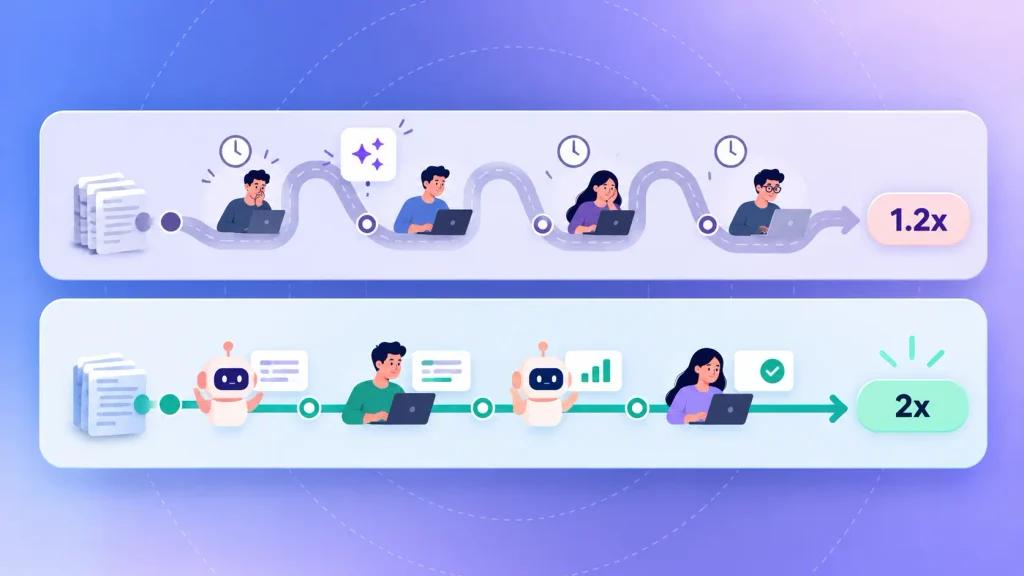
- Adding AI tools to an unchanged process gets you roughly 1.2x. Redesigning the lifecycle around AI agents gets roughly 2x, according to McKinsey.
- Once AI writes more of the work, checking it becomes the bottleneck, so review and testing need their own budget.
- The safest start is one stage, one baseline metric, and a 90-day pilot.
What Is AI-Driven Product Development?
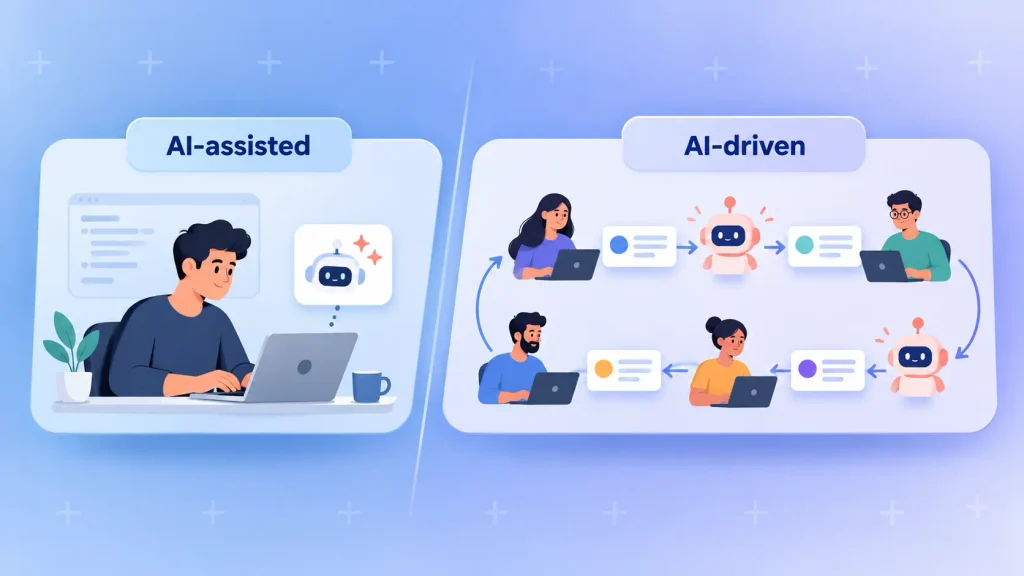
In AI-driven product development, AI does real work at every stage of building your product. It reads research, drafts specs, writes code and tests, and watches production. You still decide what gets built and what ships.
You’ll also see it called AI-powered product development. Scope is what separates it from “using some AI tools.” One developer with a coding assistant is AI-assisted. A team that rebuilt its handoffs so agents can pick up the work is AI-driven.
The AI Technologies Behind It
You don’t need to know the internals of AI-powered product development. It does help to know which kind of AI handles which job:
- Generative AI: drafts specs, user stories, designs, code, and test cases from plain-language prompts.
- AI agents: take a written task, work through several steps on their own, and hand back a result such as a draft pull request.
- Machine learning: spots patterns in usage data, predicts churn, or flags code that’s likely to break.
- Natural language processing: reads support tickets, reviews, and interview transcripts at a volume no researcher could.
Most teams start with generative AI and agents. That’s where the ready-made tools are, and where you’ll see results soonest.
AI-Driven Development vs Building an AI Product
These two get mixed up constantly, and they lead to very different budgets. AI-driven development changes how you build. An AI product changes what you build: take the AI out, and there’s no product left.
Here’s how they compare side by side:
| What AI changes | Your team’s workflow | The product your users get |
| Who it’s for | Any product team | Teams whose core value is AI |
| Example | Agents drafting tests for a booking app | A copilot that answers users’ questions |
| Main risk | Unreviewed code reaching production | Model accuracy and drift |
Plenty of teams run both tracks at once. If you’re on the second one, the AI product development process guide walks through the build stages, and you can see how Boomdevs handles AI product development from strategy to launch.
How AI Changes Each Stage of the Product Development Lifecycle
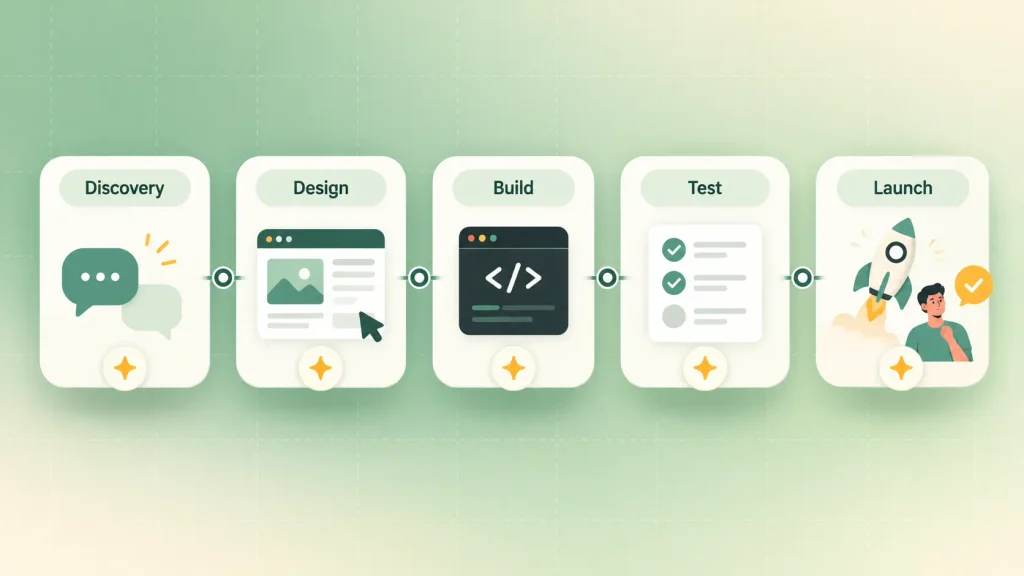
In an AI product development lifecycle, AI helps at every stage, just not evenly. It’s strongest where the work is reading, drafting, or checking against clear rules. It’s weakest where you need judgment about people.
Here’s a quick map before the detail:
| Discovery | Synthesizes interviews, tickets, reviews | Can’t replace talking to customers |
| Design | Turns specs into clickable prototypes | Generic patterns, weak brand fit |
| Build | Drafts code, refactors, writes docs | Code that drifts from your architecture |
| Testing | Generates broad test suites fast | Judging which failures matter |
| Launch | Flags anomalies and sentiment early | Deciding what to do about them |
The pattern is consistent. AI is quick at producing and summarizing, while the calls that need context stay with you.
Discovery and Research
Discovery is where AI in product development earns its keep fastest. Agents can read interview transcripts, support tickets, and public forums together, then surface patterns a person would need days to find.
In McKinsey’s work with Sonar, research agents synthesized transcripts, forums, and market signals in minutes rather than days. The catch is the inputs. If you haven’t talked to customers, AI will simply summarize your assumptions back to you.
Design and Prototyping
Rapid prototyping is the big shift here. AI design tools can turn a written spec into a clickable prototype in hours rather than days.
That changes your feedback loop, because customers react to something that behaves like a product. Taste is still the weak spot. AI-generated interfaces lean toward familiar patterns, so you’ll want a designer deciding what makes your product feel like yours.
Build
Coding is where most teams start, and where most of the hype lives. Assistants and agents draft features, write boilerplate, and refactor old code.
In GitHub’s controlled study, developers finished a defined coding task 55% faster with Copilot. That was one tidy task, though, and real codebases are messier. The guide to AI in software development covers build-stage tooling in more depth.
Testing and QA
Testing is one of the clearest wins for AI-powered product development. AI generates broad test suites quickly and keeps them current as your code changes, which closes a gap most small teams carry for years.
More tests don’t mean better judgment, though. Someone still has to decide which failures matter to your users and which are noise.
Launch and Post-Launch
After release, AI reads early signals faster than any weekly report. It can summarize feedback, group bug reports, and flag odd usage within hours.
The next move stays human. AI tells you what changed. It rarely tells you why your users care.
What AI-Driven Product Development Actually Delivers
AI-driven product development can make your team noticeably faster, but only under specific conditions. How big the gain gets depends far more on your process than on the model you pick.
The Gains Are Real but Conditional
When it works, the benefits show up in three places:
- Speed: At Sonar, teams that redesigned their lifecycle around AI raised pull request throughput by up to 2.2x and cut cycle time by up to 3.4x, according to McKinsey.
- Iteration: You reach user feedback earlier, because prototypes and betas arrive sooner, which shortens your time-to-market.
- Scope: Small fixes get cheap enough that deferred work (missing tests, overdue refactors, the internal tool nobody could justify) finally gets done.
New products are often the easiest place to see AI-driven product development pay off. A startup MVP carries little legacy code for AI to misread, so the gains show up faster.
Why Most Teams Stall at 1.2x
McKinsey frames the gap in horizons. AI added to discrete tasks inside your existing process is worth about 1.2x, while a lifecycle redesigned around agents, with people guiding and validating, is worth about 2x. Most organizations are still experimenting with tools and haven’t made that second move.
There’s a measurement trap too. In a 2025 randomized trial, METR found experienced developers took 19% longer on real tasks when AI was allowed, even though they believed it had sped them up.
Two lessons follow from that:
- Your team’s sense of speed isn’t data. Measure cycle time before and after, rather than asking how it feels.
- The redesign matters more than the tool. Clear written specs and shared templates give agents something solid to act on.
To be fair to the tools, METR ran its trial on large open-source projects the developers had worked on for years. The result won’t hold everywhere. The lesson is to measure instead of assuming.
Risks You’ll Need to Plan For
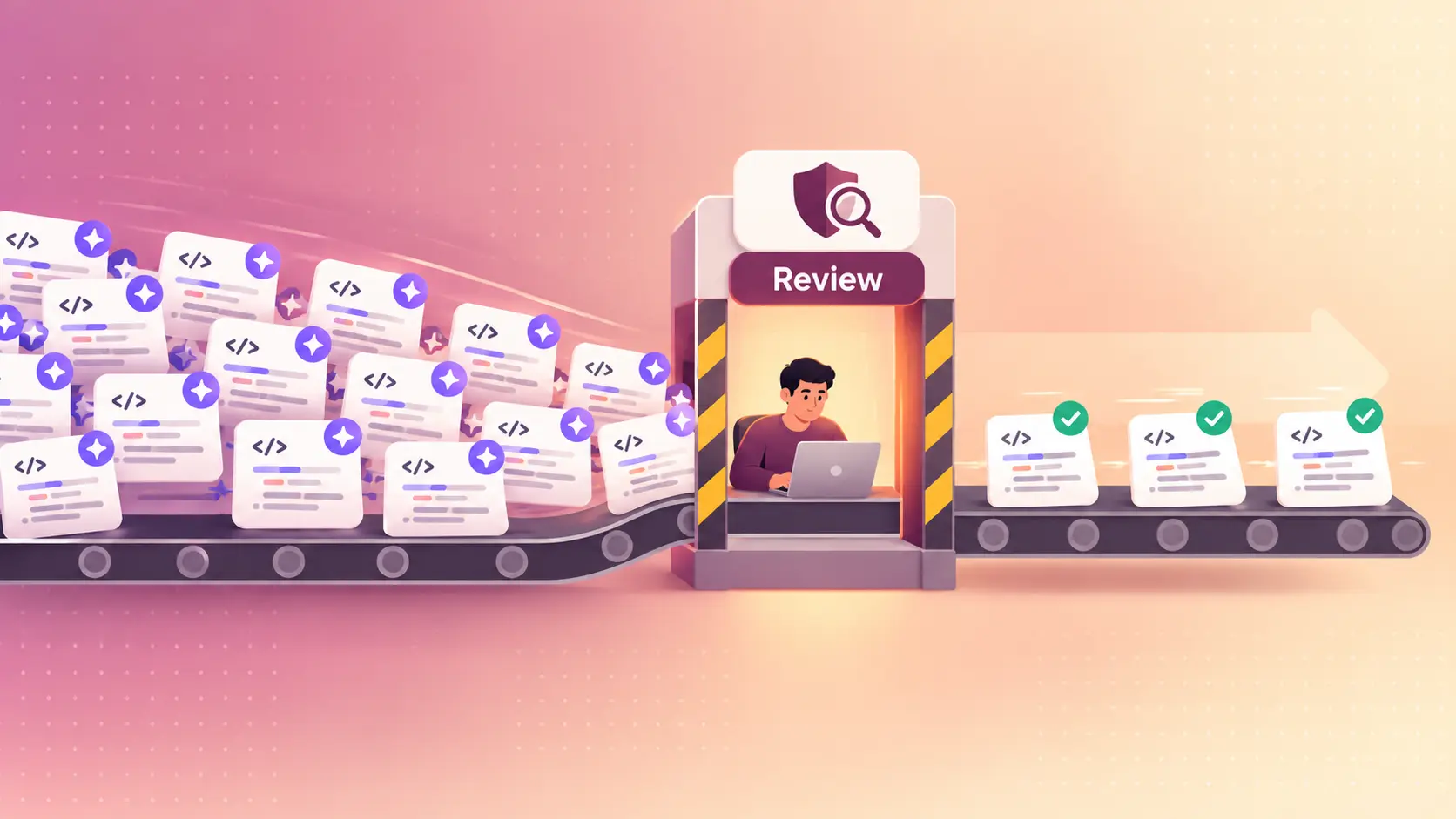
Every speed gain from AI-driven product development comes with a checking cost. If you don’t plan for it, the risks surface after launch, when they’re most expensive to fix.
These are the ones worth budgeting for:
- Security gaps: Veracode’s 2026 report found AI-generated code passes security tests only about 56% of the time, virtually unchanged from the year before.
- Trust in the output: In Stack Overflow’s 2025 Developer Survey, 46% of developers said they don’t trust the accuracy of AI output, up from 31% a year earlier.
- Review bottlenecks: When AI multiplies what your team produces, review becomes the slowest step. McKinsey’s Sonar case names this shift from generation to verification as the next constraint.
- Data readiness: Agents can only reason over data they can reach. Siloed or messy data gives you shallow output, whatever model you use.
- Bias and AI governance: Biased data carries straight into your product, and AI rules keep tightening. Regulated products need a compliance plan before the architecture is set.
None of these is a reason to wait. They’re reasons to fund review and testing alongside generation. The breakdown of AI product development challenges goes deeper on the build-side risks.
Where to Keep Humans in the Loop
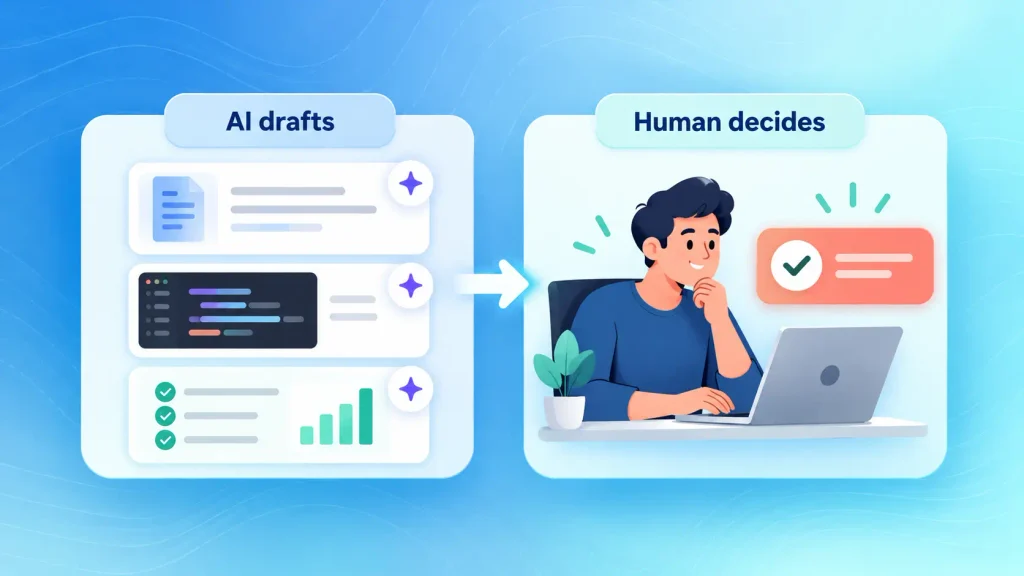
AI should draft, sort, and check. Your team should decide. A simple rule helps here: the more a call depends on context outside the data, the more it needs a person.
Here’s how that human-in-the-loop split works across the decisions that matter most:
| What to build next | Summarize signals and requests | Choose the problem worth solving |
| Feature spec | Draft stories and acceptance criteria | Confirm scope and edge cases |
| Code changes | Write the first draft | Review, approve, merge |
| Release go or no-go | Report test and risk results | Make the call |
| Security and compliance | Flag likely issues | Own the sign-off |
If you can’t name who approves each of these today, that’s the first gap to close. Close it before you add more agents, not after.
How to Start: A 90-Day Plan for AI-Driven Product Development
The safest way in is small and measured: one stage, one metric, one quarter. You’ll have hard numbers before you commit more budget.
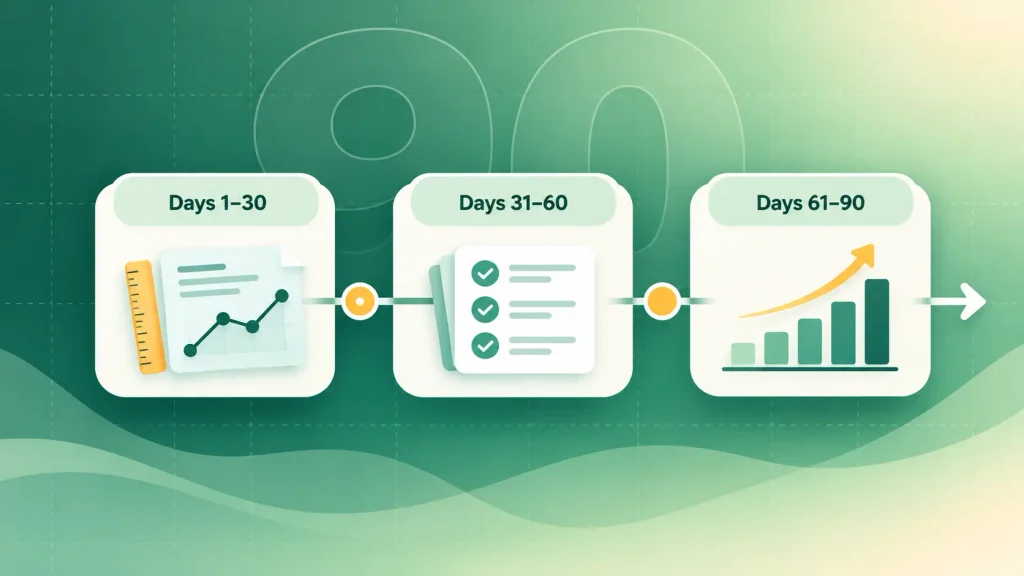
Days 1 to 30: Set a Baseline and Pick One Stage
You can’t prove a gain you never measured. Before anything changes, I’d suggest recording a few numbers:
- Cycle time: how long a ticket takes to reach production.
- Review wait: how long pull requests sit before someone picks them up.
- Change failure rate: the share of releases that need a fix or rollback.
- Manual hours: time spent on research synthesis, test writing, or documentation.
Then pick the stage where work waits longest. For many teams, that’s discovery or testing, not coding.
Days 31 to 60: Standardize Your Inputs and Run the Pilot
This step decides your results, because agents act on written context. At Sonar, teams required every epic to name the target user, the job to be done, the pain point, and the definition of finished. Clearer inputs produced better agent output.
It’s worth giving everyone in the pilot the same tools. Mixed personal setups make results impossible to compare. The roundup of AI development tools is a reasonable place to build a shortlist.
Days 61 to 90: Measure, Then Decide Whether to Scale
Now compare your numbers against the baseline. The order you read them in matters:
- Quality first. If defects or security findings went up, fix review capacity before anything else.
- Speed second. Look at cycle time and review wait, not how fast the team feels.
- Scale one stage at a time. Add the next stage only once the first one holds steady.
A pilot that shows little change still teaches you something. It usually points to unclear inputs rather than the wrong tool, and an outside AI consulting review can help you find that gap faster.
Real Examples of AI-Driven Product Development
The clearest examples come from teams that changed their workflow, not just their tooling:
- Sonar’s lifecycle redesign: Three teams worked with McKinsey to build agents for research, backlogs, tests, and code, and saw pull request throughput rise by up to 2.2x.
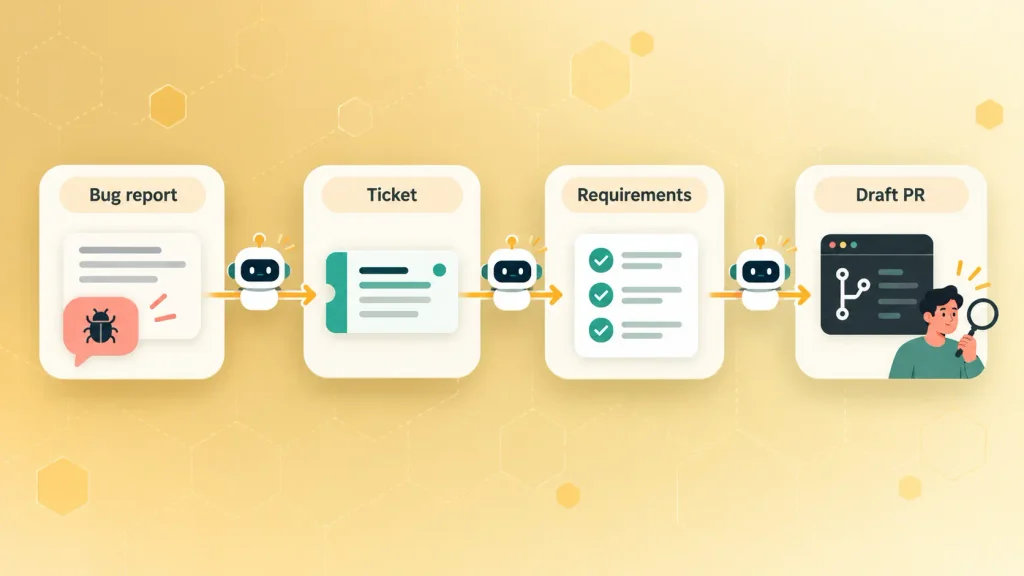
- Sonar’s agentic workflow: One chain of agents took a bug report from a chat channel, created a Jira ticket, clarified requirements, and generated a draft pull request on its own.
- GitHub’s Copilot study: Developers using Copilot finished a defined coding task 55% faster than those working without it.
Look at what the biggest result had attached to it: a process change. The tool on its own was never the whole story.
How Boomdevs Solves the AI Productivity Gap
After 3.5K+ projects, Boomdevs sees the same pattern again and again. AI helps most when the process around it is designed on purpose, so that’s where the work starts.
Depending on where you are, it usually takes one of three paths:
- Strategy first: an AI consulting engagement to pick the stage, set your baseline, and plan the pilot.
- Add AI to what you have: AI integration into your existing product and workflows, without a rebuild.
- Build something new: full AI product development for products where AI is the core value.
Every path keeps people at the two points that matter most: choosing what to build and approving what ships.
If you’d like a clear read on where AI fits in your own lifecycle, you can book a free strategy call and leave with a pilot plan you can act on.
Frequently Asked Questions
Is AI-Driven Product Development Worth It for a Startup?
Usually, yes, if you start small. Startups carry less legacy code, so AI has less context to misread. The bigger risk is skipping discovery because building feels cheap. If you’re budgeting a build, the AI product development cost guide breaks down the numbers.
How Do You Measure ROI on AI in Product Development?
Set a baseline first. Then track cycle time, throughput, review wait time, and change failure rate against it, plus cost per feature if you can. Self-reported speed isn’t enough, since METR’s trial showed developers can misjudge their own pace.
Do You Need In-House AI Experts to Get Started?
No. Most teams start with off-the-shelf models and standard agent tools. In-house expertise matters more once you build custom models. If you’re weighing the options, it helps to compare in-house vs outsourced AI development.
Which AI Tools Should Product Teams Use?
Start with tools for the stage you’re piloting: agentic coding environments for build, AI test generation for QA, and research synthesis tools for discovery. Give the whole team one shared set. The inputs you feed those tools matter more than which brand you choose.
Will AI Replace Product Managers and Developers?
Not on current evidence. Roles shift toward guiding agents and reviewing their output. In the Sonar pilot, people took on “agent manager” duties and role boundaries blurred, but humans still set direction and approved the work.