- 1. Key Takeaways
- 2. Software Modernization Strategies: Which Approach Should You Choose?
- 3. What Does Software Modernization Actually Mean?
- 4. How Do You Know When Software Needs Modernization?
- 5. How to Build a Software Modernization Strategy Step by Step
- Step 1: Define the business outcomes
- Step 2: Build an application and dependency inventory
- Step 3: Assess business value and technical health
- Step 4: Choose a strategy for each application
- Step 5: Define the target state
- Step 6: Plan data and integration modernization
- Step 7: Prioritize the work into waves
- Step 8: Run a pilot before scaling
- Step 9: Plan coexistence, cutover, and rollback
- Step 10: Decommission what is no longer needed
- 6. What Should a Software Modernization Roadmap Include?
- 7. Common Software Modernization Challenges and Mistakes
- 8. How Do You Measure Software Modernization Success?
- 9. Where Does AI Fit Into a Software Modernization Strategy?
- 10. Should You Modernize In-House or Work With a Development Partner?
- 11. Final Thoughts: Modernize for What Your Software Needs to Do Next
- 12. Frequently Asked Questions
Summarize with
Your software does not need to fail before it becomes a problem. It may still run while every change becomes slower and riskier.
That is when a software modernization strategy becomes a strategic decision. The key question is what to keep, change, replace, or retire.
Key Takeaways
- Software modernization does not always mean a rebuild or full cloud migration.
- Different applications can need different modernization strategies.
- Business value and technical health should guide each decision.
- Phased modernization reduces risk and creates room for learning.
- Success should improve business, delivery, reliability, or operations.
Software Modernization Strategies: Which Approach Should You Choose?
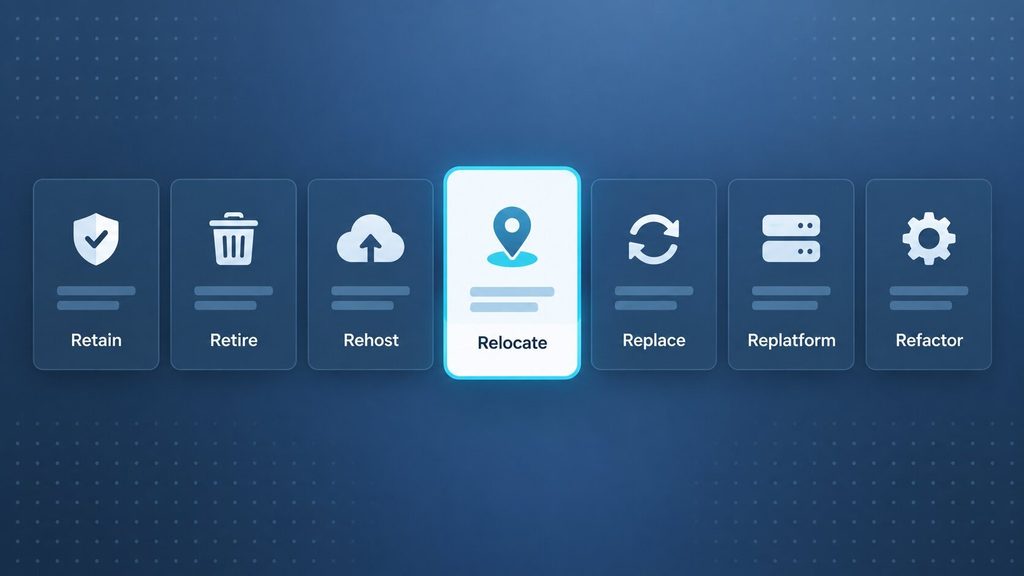
How do you choose a software modernization strategy? A well-planned software modernization strategy usually weighs value, technical condition, dependencies, risk, and future needs.
AWS describes seven common cloud migration strategies, known as the 7 Rs. This application modernization framework can also support application rationalization across a mixed portfolio.
| Strategy | What it means | Best fit |
| Retain | Keep largely unchanged | Stable system still fits the business |
| Retire | Decommission the application | System is redundant or no longer needed |
| Rehost | Move with minimal code changes | Infrastructure move is the immediate goal |
| Relocate | Move the existing environment | Compatible infrastructure relocation is available |
| Replace / Repurchase | Adopt a different product | A suitable SaaS or packaged product exists |
| Replatform | Change parts of the underlying platform | Need platform benefits without a full redesign |
| Refactor | Improve selected code or components | Code or component friction is concentrated |
| Rearchitect | Redesign major system boundaries | Architecture blocks required capabilities |
| Rebuild | Create a new implementation | Current codebase is no longer a practical base |
Retain or retire when change adds little value
Modernization does not mean changing every system. A healthy application can stay if it still fits the business.
Retirement can also be the right decision. It removes systems that no longer justify their cost or risk.
Rehost, relocate, or replatform for lower-change moves
These options reduce application change during an infrastructure or platform move. They can solve hosting or lifecycle problems quickly.
They do not fix every application-level issue. Architecture debt, weak tests, or brittle integrations may remain.
Refactor or rearchitect when the structure blocks progress
Refactoring improves selected code or components. Rearchitecture changes deeper system boundaries and design decisions.
Choose these paths when the current structure limits delivery, scalability, reliability, or integration.
Replace or rebuild only with a strong case
Replacement makes sense when a suitable product already solves the capability. It can remove unnecessary custom ownership.
A rebuild is a larger commitment. Use it when the current foundation cannot support the required future state.
If rebuilding is justified, preserve proven business rules. A custom software development approach should not copy every legacy detail by default.
How do you narrow the choice?
It can help to begin with the problem you are trying to solve. The best fit is often the smallest change that can solve it.
These fan-out questions can help before committing:
- What business capability must be preserved?
- Is the main problem infrastructure, code, architecture, or product fit?
- How much downtime can the business tolerate?
- Can old and new components run together?
- Can your team operate the target architecture?
- Does a commercial product already solve the need?
- What would rollback look like?
It is also useful to compare the cost of change with the cost of staying. That view can include support, risk, delivery friction, and future constraints.
One portfolio can use several strategies
A modernization program does not need one standard treatment. Different applications can earn different decisions.
For example, you might retain a stable finance tool. You could replatform reporting, refactor a customer portal, replace HR software, and retire an unused workflow system.
The goal is consistent decision-making. The technical method can vary by application.
What Does Software Modernization Actually Mean?
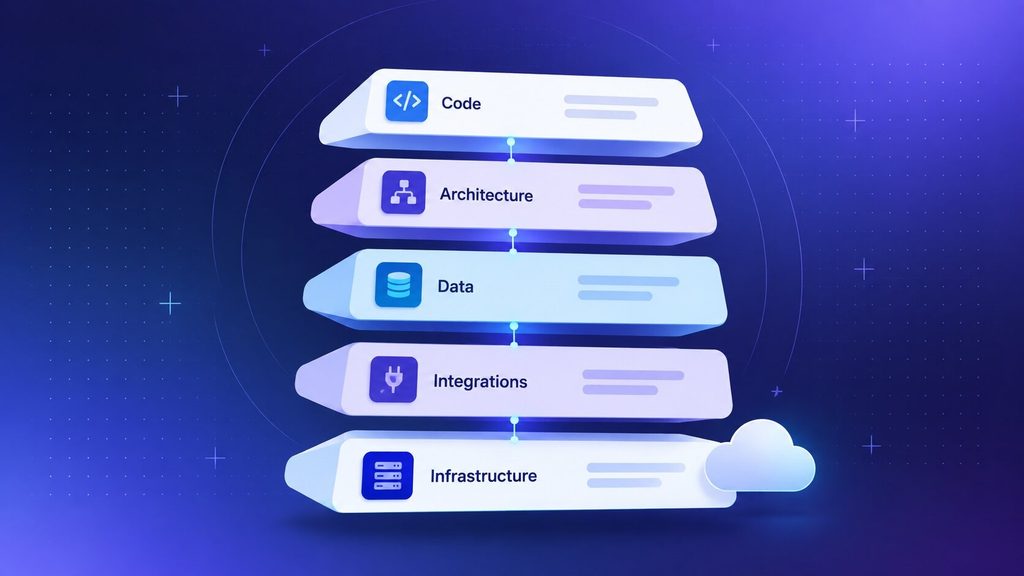
A software modernization strategy is broader than moving an application to the cloud. Legacy application modernization can update or replace code, architecture, infrastructure, and integrations.
Modernization can touch many layers:
- Application code
- Architecture
- Databases
- APIs and integrations
- Infrastructure
- Security
- Deployment pipelines
- Observability
- User experience
- Documentation and maintainability
Cloud migration can be part of this work. It does not automatically improve the application itself.
Modernization vs. cloud migration
Cloud migration mainly changes the hosting or operating environment. A cloud modernization strategy can also change the application around that move.
A rehost may move software quickly. The same code, dependencies, and delivery problems can still remain.
Modernization vs. digital transformation
Digital transformation is broader than application modernization. It can change processes, products, business models, and customer experiences.
Legacy system modernization can support that change when old systems become a constraint. It remains one part of a wider transformation program.
How Do You Know When Software Needs Modernization?
When should you commit to a software modernization strategy? Age alone is a weak signal. A mature system can still be reliable and useful.
The stronger signal is misalignment. The software no longer supports business needs safely, efficiently, or economically.
Common warning signs include:
- Small changes need too much engineering effort.
- Critical technologies are difficult to support or upgrade.
- Integrations rely on brittle or manual processes.
- Important knowledge sits with only a few people.
- Releases are slow or hard to roll back.
- Performance or scaling limits affect users or operations.
- New features need repeated workarounds.
Turn these symptoms into evidence. Name the actual constraint instead of saying the system simply feels old.
When should you avoid unnecessary modernization?
Modernizing only because a system is old can add unnecessary risk. Stable software can remain valuable for years.
Retain it when the risk is acceptable and future needs are limited. Modernize when the constraint is real, and the outcome is clear.
How to Build a Software Modernization Strategy Step by Step
How do you modernize legacy software? An application modernization roadmap can connect technical decisions to business outcomes.
Step 1: Define the business outcomes
Planning often works better when it begins with what must improve. A preferred architecture can come later.
Possible goals include faster releases, better reliability, easier integration, stronger security, or lower operational complexity.
Measurable goals can make the result easier to judge later. A baseline also makes progress easier to compare.
Step 2: Build an application and dependency inventory
An application portfolio assessment can begin with the systems in scope. Useful details include ownership, users, environments, databases, APIs, and major dependencies.
Dependency mapping can also cover third-party services, data flows, deployment processes, and security constraints. Hidden dependencies often shape the final sequence.
AWS portfolio guidance emphasizes current-state discovery and dependency mapping. It also recommends grouping applications into migration waves.
Step 3: Assess business value and technical health
A software modernization assessment usually needs only a small set of consistent criteria. An overly detailed score can become harder than the decision itself.
Business value can include:
- Strategic importance
- Revenue or operational dependency
- User impact
- Future roadmap relevance
Technical health can include:
- Maintainability
- Supportability
- Testability
- Security posture
- Reliability
- Performance
- Deployment friction
- Dependency risk
High-value systems with poor technical health often deserve earlier attention. Low-value systems with poor health may be better retirement candidates.
A simple modernization strategy matrix can speed up the discussion:
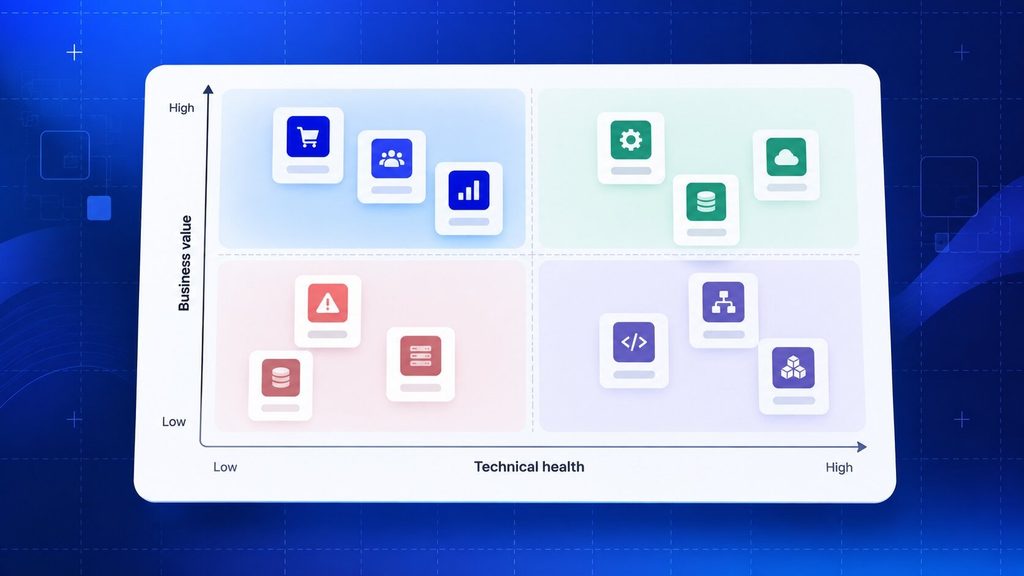
- High value + strong health: retain or improve selectively.
- High value + weak health: prioritize modernization.
- Low value + strong health: keep only if the capability is still needed.
- Low value + weak health: consider retirement or replacement.
The matrix works best as a guide, not a final answer. Dependencies can raise the priority of an otherwise low-value system.
Step 4: Choose a strategy for each application
The assessment can support the least disruptive software modernization strategy that still meets the goal. The most ambitious path is not always the best fit.
Rehost or replatform may be enough for infrastructure problems. Refactoring fits code-level friction. Rearchitecture fits deeper structural limits.
Replacement can work for standard capabilities. Rebuilding should require a stronger case.
Before finalizing the choice, test three things. Check migration risk, team capability, and time pressure.
A technically elegant option can still be wrong. The organization must be able to deliver and operate it.
Step 5: Define the target state
Describe what the modernized system needs to become. Keep the design tied to real requirements.
Cover application boundaries, infrastructure, databases, APIs, identity, integrations, deployment, monitoring, recovery, testing, and security.
The target does not need to look impressive. It needs to be operable by the team.
Architecture trends alone are a weak reason to add complexity. Cloud-native modernization can still use microservices or events when the requirements justify them.
Those patterns tend to fit best when their operational cost is justified. Otherwise, a modular monolith or simpler platform may be the better target.
Step 6: Plan data and integration modernization
Data and integrations often control the sequence. Identify ownership, duplication, synchronization, and compatibility needs early.
Also decide how old and new systems will exchange data during transition. This is where many cutovers become difficult.
If the legacy core must stay, a software integration layer can reduce immediate pressure. It may remove a bottleneck without forcing a full rebuild.
A clear transition data path can reduce ambiguity. The source of truth may also change by phase, so that ownership is worth documenting.
Also define reconciliation and failure handling. Data drift can damage trust even when the new application works correctly.
Step 7: Prioritize the work into waves
A software modernization roadmap can group work by value, complexity, dependency, and risk. Phased modernization often makes that plan easier to validate.
A practical first wave should teach you something. It should not place the most critical system at unnecessary risk.
Later waves can address shared foundations and higher-value applications.
Step 8: Run a pilot before scaling
A pilot can test more than code. It can validate delivery, data movement, monitoring, security, ownership, and rollback.
A useful pilot is usually meaningful but manageable. That balance creates learning without making every unknown a business emergency.
Step 9: Plan coexistence, cutover, and rollback
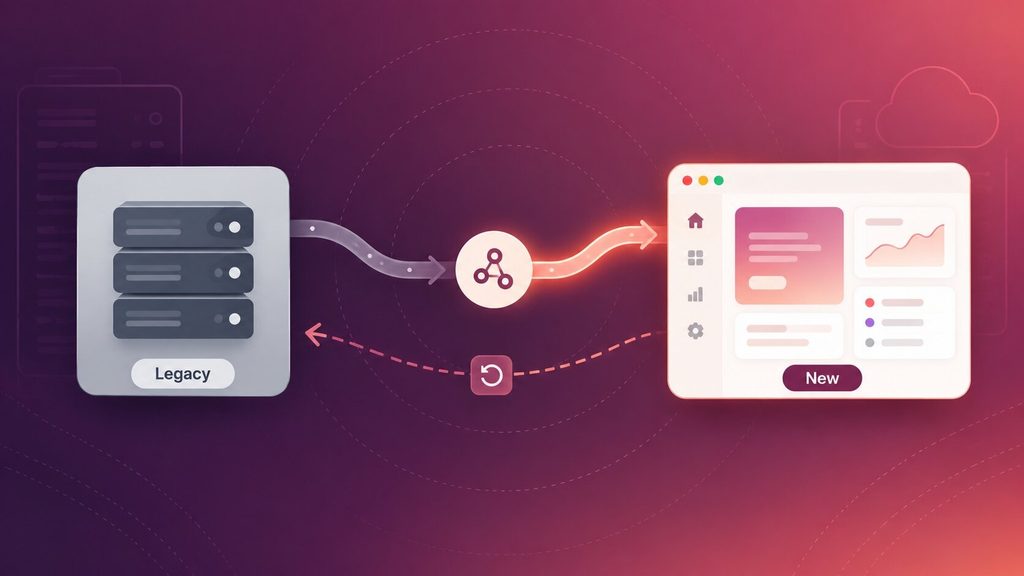
Old and new components often need to run together. That coexistence period is easier to manage when it is planned early.
AWS documents the strangler fig pattern for incremental monolith modernization. It moves functionality away from the legacy system over time.
Other options include parallel environments, API facades, and controlled cutovers. Rollback criteria are easier to use when they are defined before production traffic moves.
A specific rollback plan can define the trigger, owner, decision window, and recovery path.
Testing rollback before the critical cutover can expose gaps early. A written plan may not be enough if the team has never used it.
Step 10: Decommission what is no longer needed
Modernization is not finished when the new version launches. The old state must also be removed safely.
A decommissioning plan can cover data retention, user migration, monitoring, access removal, infrastructure shutdown, license cleanup, and documentation updates.
Otherwise, you can end up supporting both systems for years.
What Should a Software Modernization Roadmap Include?
The strategy explains the decisions. The roadmap turns them into executable work.
Each roadmap item should show ownership, dependencies, validation, and fallback. That makes the roadmap useful during change.
| Roadmap layer | Include |
| Business | Outcomes, scope, priorities, success criteria, constraints |
| Portfolio | Application inventory, owners, dependencies, criticality, strategy |
| Architecture | Target state, data ownership, integrations, security, observability |
| Delivery | Waves, milestones, testing, cutover, rollback, owners |
| Operations | Monitoring, runbooks, training, support, decommissioning |
A roadmap also needs decision gates. Each wave should have clear entry and exit criteria.
Define what must be true before the next wave starts. This prevents schedule pressure from replacing technical judgment.
Review the roadmap as assumptions change. Dependencies, staffing, business priorities, and vendor constraints can move during a long program.
Common Software Modernization Challenges and Mistakes
Most software modernization strategy failures are not caused by missing technology. They come from weak decisions, sequencing, or ownership.
These common mistakes are worth watching for:
- Modernizing without a clear business outcome.
- Using one strategy for every application.
- Ignoring hidden dependencies and data flows.
- Choosing a target architecture that the team cannot operate.
- Moving technical debt without addressing it.
- Leaving rollback planning until the end.
- Keeping old systems alive after migration is complete.
A modern architecture can still become a burden. Complexity needs to earn its place.
Dependencies deserve extra attention. A forgotten report, batch job, or database consumer can block a cutover.
Data migration is another common trap. Teams often discover quality or ownership issues later than expected.
Knowledge transfer matters too. A system is not truly modernized if only the project team understands how to operate it.
How Do You Measure Software Modernization Success?
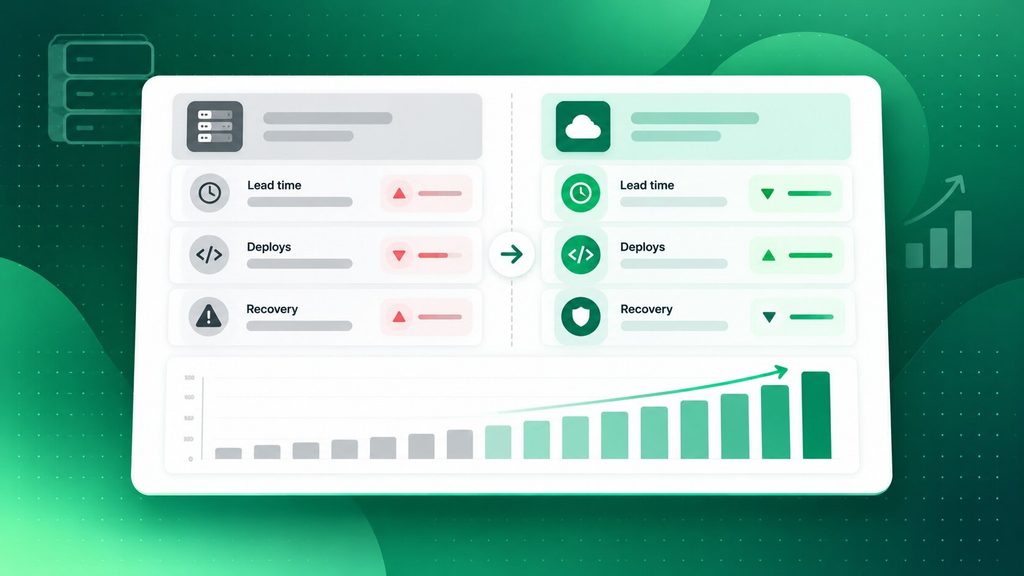
Migration completion alone does not show success. It is more useful to measure whether the system and business actually improved.
Useful measures can include:
- Business: process time, new capability support, user experience, and relevant unit cost.
- Engineering: change lead time, release effort, rework, and maintenance burden.
- Operations: availability, incident frequency, recovery, capacity, and infrastructure efficiency.
- Program: applications modernized, legacy dependencies removed, waves completed, and remaining risk.
DORA now uses five software delivery performance metrics. They cover throughput and instability.
Those five are change lead time, deployment frequency, failed deployment recovery time, change failure rate, and deployment rework rate.
A before-and-after baseline can help show where the metrics fit. The goal is to show improvement, not simply a newer stack.
One universal score rarely fits every application. A customer-facing platform and an internal archive may need different success measures.
Trends across several release cycles are more useful than a single good week. They give a better view of whether modernization improved delivery.
Where Does AI Fit Into a Software Modernization Strategy?
AI can support parts of modernization. Useful areas include code understanding, documentation, test creation, and dependency analysis.
It can also assist code transformation. Human review still matters for business rules, security, architecture, and migration risk.
Microsoft places AI later in its modernization roadmap. Assessment, prioritization, phased execution, and modern delivery practices come first.
If AI is on the product roadmap, better data access and integration boundaries can help. A working system may not need a rebuild just to be called AI-ready.
Should You Modernize In-House or Work With a Development Partner?
In-house modernization can work well when the system is understood. Your team also needs the right skills and enough capacity.
External help becomes more useful when knowledge is fragmented. It can also help when dependencies, risk, or technology generations are unclear.
Internal delivery may fit when:
- Architecture and dependencies are well documented.
- Critical knowledge exists inside the team.
- Required skills are already available.
- The team can modernize without neglecting the live product.
Outside support may help when:
- Legacy knowledge is disappearing.
- Several technology generations are involved.
- Dependencies are poorly understood.
- The migration carries significant business risk.
- You need an independent assessment before committing.
Boomdevs offers legacy application modernization services for this type of work. Software development consulting can also help with assessment and roadmap decisions.
A useful first step is deciding what should change and why. Vendor and stack choices can follow that decision.
If you work with a partner, clear ownership can help. Your team should still understand the target architecture, migration plan, and operating model.
Final Thoughts: Modernize for What Your Software Needs to Do Next
A software modernization strategy works best when it removes a real constraint. A newer architecture is not the goal by itself.
The portfolio is often the best starting point. It helps reveal where business value and technical risk intersect.
From there, the least disruptive strategy is often the better fit. Phased delivery can make each decision easier to validate.
A simple path keeps the program grounded: assess, prioritize, choose, design, pilot, modernize, validate, retire, and improve.
Frequently Asked Questions
What is a software modernization strategy?
A software modernization strategy is a plan for how existing applications should evolve. It combines business priorities with technical assessment.
The plan can recommend retention, retirement, migration, refactoring, rearchitecture, replacement, or rebuilding.
What are the 7 Rs of application modernization?
AWS uses seven common cloud migration strategies. They are retire, retain, rehost, relocate, repurchase, replatform, and refactor or re-architect.
Other modernization frameworks may use different labels. Some also include rebuild as a separate option.
Should you refactor or rebuild legacy software?
Refactor when valuable business logic and much of the system can stay. Improve the parts that create the most friction.
Rebuild when the current foundation cannot support the required future state. Compare risk, dependencies, and preservation cost first.
How do you prioritize applications for modernization?
Prioritization can begin with business importance and technical health. Dependencies, risk, effort, and timing can refine that view.
High-value systems with poor technical health often need earlier attention. Low-value systems may be better retirement candidates.
Is cloud migration the same as software modernization?
No. Cloud migration changes where or how an application runs.
Modernization can also change code, architecture, databases, integrations, security, delivery practices, and user experience.