- 1. Key Takeaways
- 2. What Is the Custom Web Design Process?
- 3. Custom Web Design vs Templates: Which One Actually Wins?
- 4. The Custom Web Design Process: Nine Steps from Idea to Launch
- 5. How Long Does the Custom Web Design Process Take?
- 6. How Much Does a Custom Website Cost in 2026?
- 7. The 2026 Web Design Toolstack: Design, Dev, and AI
- 8. Designing for AI Search: GEO in the Web Design Process
- 9. SEO, Speed, and Accessibility: Build It In, Do Not Bolt It On
- 10. Frequently Asked Questions
- How Long Does a Custom Web Design Project Take?
- Do I Really Need a Custom Website, or Is a Template Enough?
- What Is “Vibe Coding” in 2026?
- How Much Should a Small Business Spend on a Website?
- Will My Website Work on Mobile Automatically?
- What Are Core Web Vitals, and Why Do They Matter?
- Is SEO Included in the Web Design Process?
Summarize with
The custom web design process is the staged workflow a designer or agency follows to build a website around one brand’s goals, audience, and tech stack, instead of dropping content into a pre-made theme. It usually runs through discovery, wireframing, visual design, content, development, integrations, testing, launch, and ongoing support. Done well, it produces a faster, more original site that you actually own and can grow. (If you’d rather see this run on your own project than read about it, our web design and development services page covers how we structure it end to end.)
That last part is the whole point. A template gets you online this afternoon. A custom build gets you a site engineered to load fast, rank, convert, and still make sense two years from now when your business looks different.
Here is how the process really works in 2026, what each stage costs and takes, and the newer pieces (AI search, vibe coding, Core Web Vitals) that most older guides skip.
Key Takeaways
- The custom web design process typically spans nine stages, from discovery to post-launch maintenance, and takes a few weeks to a few months.
- Budget roughly $500 to $5,000 for a freelance custom build and $5,000 to $30,000+ for an agency, per Leadpages’ 2026 pricing guide.
- Custom design wins on speed, SEO control, and scalability; templates win on upfront cost and turnaround.
- In 2026, the process now bakes in Core Web Vitals targets and GEO (getting cited by AI answer engines), not just classic SEO.
- Mobile is the default: about 64% of global web traffic came from phones as of mid-2025, per StatCounter data.
What Is the Custom Web Design Process?
The custom web design process is a repeatable set of stages a team moves through to design and build a website from the ground up, shaped by research into your users and your business rather than a theme’s built-in layout. Think of it less as “picking a design” and more as solving a specific problem: who visits, what they need to do, and what has to happen behind the scenes to make that easy.
A template flips that order. You inherit someone else’s structure and bend your content to fit it. Custom flips it back: the structure follows your content and your goals.
Why does that matter for a real business? Because the design is doing quiet work you never see. Visitors form a first impression of a page in about 50 milliseconds, according to Lindgaard and colleagues’ oft-cited study, and Stanford’s Web Credibility research found that 46.1% of people judge a site’s trustworthiness on visual design alone, ahead of the actual content. You do not get a second draft of that half-second.
Custom Web Design vs Templates: Which One Actually Wins?
Custom design gives you a unique, fast, scalable site you control, while templates give you speed and a low upfront price at the cost of originality and performance headroom. Neither is “better” in a vacuum. The right pick depends on your budget, timeline, and how much the site has to do.
Here is the honest trade-off, side by side.
| What You Are Comparing | Custom Web Design | Templates / DIY Builders |
| Brand fit | Built around your identity, one of a kind | Recognizably shared with other sites |
| Performance | Lean code, tuned for speed | Often carries unused code that slows load |
| Scalability | Grows with new features and traffic | Capped by the template’s structure |
| SEO and GEO control | Full control of markup, schema, and structure | Limited, inconsistent under the hood |
| Upfront cost | Higher: $500 to $30,000+ | Lower: roughly $10 to $99 per month |
| Timeline | A few weeks to a few months | Hours to a few days |
| Best for | Businesses that rank, sell, or scale online | Testing an idea or a simple presence |
If you are validating a side project this weekend, a builder is the sensible call. If your site is a real revenue channel, the template’s ceiling shows up fast, usually right when you want a feature it was never built to support.
The Custom Web Design Process: Nine Steps from Idea to Launch
The custom web design process breaks into nine clear stages, each one feeding the next. Skipping ahead (jumping to visuals before you have a sitemap, say) is where projects quietly go over budget. Here is the full sequence.

1. Discovery and Strategy
Define why the site exists before anyone touches a pixel. Set measurable goals (leads, sales, sign-ups), map the audience, study competitors, and agree on what success looks like. This is the cheapest stage to get right and the most expensive to skip.
2. Information Architecture and Wireframing
Sketch the skeleton next. A sitemap decides what pages exist and how they connect; low-fidelity wireframes block out each page’s layout and hierarchy without color or polish. Getting structure approved here saves painful redesign work later. (We’ve written a more detailed walkthrough of how to create a wireframe for a website if you want to see what this stage actually looks like in practice.)
3. Visual and UI Design
Now the site gets its face. Designers apply your brand, typography, color, and imagery to the wireframes and produce a high-fidelity, clickable prototype. You review real screens, not guesses, and sign off before a line of production code exists.
Suggested visual: a side-by-side of a gray wireframe and the finished visual design, so non-technical stakeholders see what changes between stages.
4. Content and On-Page SEO
Words carry the ranking. Write clear, search-aware copy, map each page to a target query, and gather real photography or video instead of stock where you can. Content built during design (not bolted on after) reads better and structures cleaner for search. (We go deeper on this in how SEO fits into the web development process, including schema markup and the technical side most content guides skip.)
5. Front-End and Back-End Development
Developers turn the approved design into a working site. The front end (HTML, CSS, and a framework like React, Vue, or Astro) builds what users see; the back end (Node.js, PHP, Python, or a headless CMS) handles data, forms, and logic. Clean code here is what keeps the site fast in stage seven.
6. Systems and E-commerce Integration
Wire the site into the tools that run the business. That can mean a CRM like Salesforce or HubSpot, a payment and checkout stack, booking software, an email platform, or analytics. Each integration is a place bugs hide, so it gets tested on its own before launch. For stores specifically, this is usually the most failure-prone stage; it’s why we treat e-commerce web design as its own specialty rather than a variant of a standard brochure build. More complex integrations, a custom booking engine, a bespoke CRM sync, tend to fall under custom software development rather than the website build itself.
7. Quality Assurance, Speed, and Accessibility
Break the site on purpose before your visitors do. QA checks broken links, forms, cross-browser behavior, and mobile responsiveness, then measures performance against Google’s Core Web Vitals: Largest Contentful Paint under 2.5 seconds, Interaction to Next Paint under 200 milliseconds, and Cumulative Layout Shift under 0.1. This is also where accessibility (readable contrast, alt text, keyboard navigation) and privacy basics (a real cookie consent flow and privacy policy) get verified.
8. Launch and Redirects
Go live carefully. Point the domain to the new site, set up 301 redirects from old URLs so you keep your rankings, confirm analytics and tracking fire, and submit a fresh sitemap. A rushed launch that drops redirects can erase years of SEO overnight.
9. Maintenance and Growth
Launch day is a milestone, not a finish line. Security patches, performance monitoring, content updates, and iterative improvements keep the site healthy and compounding. The best sites treat this stage as where the ROI actually shows up.
How Long Does the Custom Web Design Process Take?
A custom website usually takes a few weeks to a few months, depending on scope and how fast feedback comes back. A simple brochure site can wrap in two to four weeks. A larger build with e-commerce, custom features, or many stakeholders runs two to three months, sometimes more.
The single biggest variable is not the code. It is revision cycles. Slow or scattered client feedback stretches timelines further than any technical challenge, which is why the discovery stage (and clear sign-offs at each step) pays for itself.
How Much Does a Custom Website Cost in 2026?
A custom website in 2026 costs roughly $500 to $5,000 with a freelancer and $5,000 to $30,000 or more with an agency, according to Leadpages’ 2026 breakdown. Complex e-commerce or enterprise builds climb well past that. The gap comes down to who does the work and how much of it is custom.
Here is where the money goes:
- DIY builders: about $10 to $99 per month, plus premium themes or plugins. Fastest and cheapest, with the least control.
- Freelancers: $500 to $5,000 for a basic custom site, sometimes higher for larger scope. You get real customization without agency overhead, but usually less post-launch support.
- Agencies: $5,000 to $30,000+, because you are paying for a team (strategy, design, development, SEO, project management) rather than one person.
- Ongoing costs: domain ($10 to $20 a year), managed hosting, and maintenance, which commonly runs $50 to $200 per month for a custom site.
One thing worth naming: AI tools have started pulling the low end down. Platforms now automate first-draft layouts and copy, so the human time (and cost) concentrates on strategy and refinement instead of grunt work. That shift is real, but it lowers the floor, not the ceiling. A complex custom build still needs people.
Want a realistic scope and number for your project? Get a free custom web design roadmap with a stage-by-stage estimate, no sales call required.
The 2026 Web Design Toolstack: Design, Dev, and AI
Modern teams lean on a familiar core of design and development tools, now joined by a fast-growing layer of AI builders. The stack below reflects what most professional workflows actually use this year.
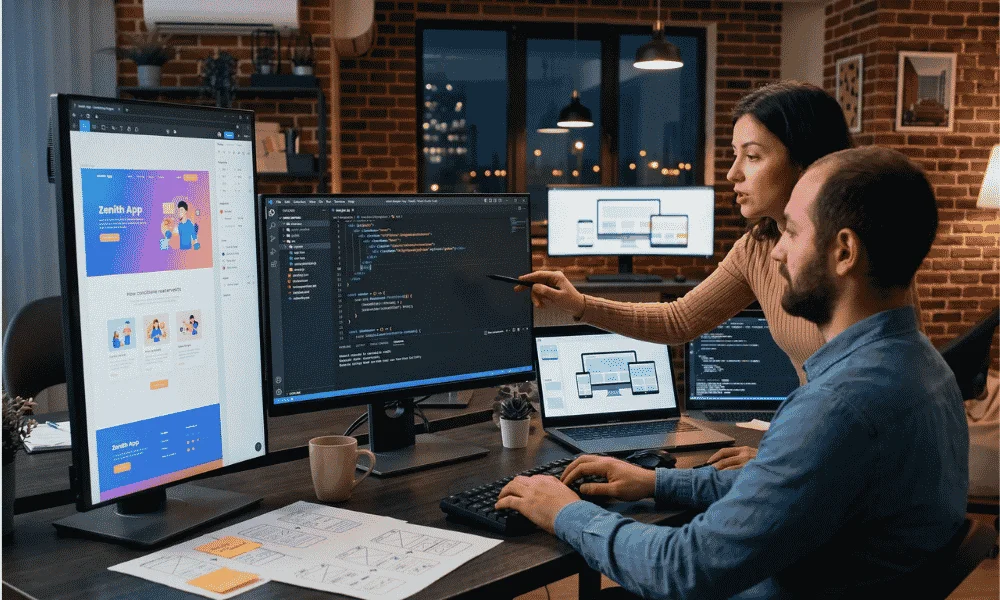
- Design and prototyping: Figma leads, with moodboards and design systems feeding into it.
- Front-end frameworks: React, Vue, and Astro; back-end work runs on Node.js, PHP, or Python.
- CMS platforms: WordPress remains the workhorse; Shopify and headless setups cover e-commerce. Webflow and Framer have also become a legitimate middle path between a template and a fully custom codebase; that’s the territory our Webflow design and development services sit in.
- Testing and QA: BrowserStack for cross-browser checks, Google Lighthouse for performance, plus bug-tracking tools for client feedback.
The genuinely new category is “vibe coding,” building software mostly by describing it to an AI. In 2026 this is mainstream, split into two camps. App builders like Lovable, Bolt, and v0 by Vercel generate working interfaces or full apps from prompts, aimed at non-developers. AI code editors like Cursor and Claude Code sit inside a developer’s workflow and assist with real production code. If you’re weighing where AI actually belongs in a build beyond scaffolding, that’s closer to what our generative AI service work covers, on-site assistants, content generation, and AI features baked into the product rather than just the build process.
A caveat most sales pages leave out: prompt-generated code is great for prototypes and demos, but teams routinely rebuild the production version by hand. Treat these tools as an accelerator for the early stages, not a replacement for the whole process.
Designing for AI Search: GEO in the Web Design Process
GEO (Generative Engine Optimization) is the practice of structuring a site so AI answer engines like ChatGPT, Perplexity, Google’s AI Overviews, and Gemini cite it inside their answers. In 2026 it is no longer optional, and it changes how you design pages, not just how you write them.

The reason is a shift in how people search. Google’s AI Overviews now appear on roughly a quarter of searches, and Gartner has projected a 25% drop in traditional search volume as buyers ask AI directly. When the engine answers in one box and cites two or three sources, your goal moves from “rank in the ten blue links” to “be one of the cited sources.”
The good news for designers: the structures AI engines prefer are the ones good design already favors. The Princeton, Georgia Tech, and IIT Delhi study that named the field found GEO tactics can lift a page’s visibility in AI answers by up to 40%, with the biggest gains from adding statistics, citing sources, and clear quotation.
In practice, that means building pages that:
- Open each section with a direct, self-contained answer an engine can lift.
- Use clean headings, short paragraphs, lists, and tables so machines can parse them.
- Back claims with sourced, linked statistics.
- Carry schema markup (FAQ, article, organization) so facts are machine-readable.
Fold this into stages four and seven of the process, and you are optimizing for readers, Google, and AI in one pass.
SEO, Speed, and Accessibility: Build It In, Do Not Bolt It On
A high-performing custom site balances how it looks with how it is built underneath, and the technical work is far cheaper to do during the build than to retrofit after launch. Three pillars matter most.

Speed. Core Web Vitals are a confirmed Google ranking signal, and while they act more as a tiebreaker than a primary factor, they tip close races. Past three seconds of load time, bounce rates climb sharply, and studies of web performance link even a one-second delay to a measurable drop in conversions. Custom code, tuned images, and good hosting are how you hit the thresholds.
Mobile. With about 64% of global traffic on phones, mobile is the primary design target, not an afterthought. Every layout decision starts small-screen first.
Accessibility. Descriptive alt text, strong color contrast, and keyboard-navigable elements widen your audience and reduce legal risk. They also happen to reinforce SEO and GEO, since the same semantic markup that helps a screen reader helps a crawler.
Build all three in from day one and the site launches healthy instead of needing a rescue three months later.
Ready to scope a build that ranks and converts? Book a free 30-minute scoping call with our consulting team and get a fixed-scope estimate back within one business day.
Ready to scope a build that ranks and converts? Book a free 30-minute scoping call and get a fixed-scope estimate back within one business day.
Frequently Asked Questions
How Long Does a Custom Web Design Project Take?
Most custom projects take a few weeks to a few months. A simple site can be done in two to four weeks, while a complex build with e-commerce or many stakeholders runs two to three months. The pace of client feedback is usually the biggest factor.
Do I Really Need a Custom Website, or Is a Template Enough?
Templates are fine for testing an idea or a simple presence on a tight budget. A custom site is worth it once the website is a real revenue channel, because it gives you faster load times, full SEO control, and features a template cannot support.
What Is “Vibe Coding” in 2026?
Vibe coding means building software mostly by describing it to an AI in plain language. Tools like Lovable, Bolt, and Cursor turn prompts into working interfaces or code. They shine for prototypes, though production builds are often rebuilt by hand for quality.
How Much Should a Small Business Spend on a Website?
A small business can start with a DIY builder for $10 to $99 a month, hire a freelancer for $500 to $5,000, or work with an agency for $5,000 to $30,000 or more. The right number depends on how much the site needs to do.
Will My Website Work on Mobile Automatically?
Most modern sites are responsive, but custom design tunes each element specifically for small screens. That matters because roughly 64% of web traffic now comes from mobile devices, so a phone visitor is your most likely visitor.
What Are Core Web Vitals, and Why Do They Matter?
Core Web Vitals are three Google metrics for loading speed (LCP), responsiveness (INP), and visual stability (CLS). They are a ranking signal, and passing them keeps visitors from bouncing. Aim for LCP under 2.5 seconds, INP under 200 milliseconds, and CLS under 0.1.
Is SEO Included in the Web Design Process?
Foundational SEO is: meta tags, heading structure, clean markup, and a sitemap all get built in. Ongoing SEO and content marketing after launch are usually a separate, recommended effort if you want to compete in a crowded market.