- 1. Key Takeaways
- 2. What Are the Main Benefits of AI Chatbots for Businesses?
- 3. How Do AI Chatbots Reduce Customer Service Costs?
- 4. Can AI Chatbots Actually Increase Sales and Revenue?
- 5. AI Chatbot vs Rule-Based Bot: What’s the Difference?
- 6. What ROI Can You Expect From an AI Chatbot?
- 7. How Different Industries Use AI Chatbots
- 8. Risks and Limitations to Plan For
- 9. How to Implement an AI Chatbot: A 5-Step Framework
- 10. Frequently Asked Questions
Summarize with
What are the benefits of using AI chatbots for businesses? The core benefits of AI chatbots for businesses are round-the-clock availability, near-instant replies, lower support costs, and more recovered revenue, all without hiring more people. A well-scoped bot takes the repetitive questions that eat your team’s day, things like order status, password resets, and return policies, and hands the messy or emotional cases to a human. Your staff gets to spend their hours on work that actually needs judgment.
This guide is written for owners and decision-makers weighing the spend, not for developers. It leans on real numbers, names every source, and flags where the hype outruns the evidence. If you’re further along and already scoping a build, our generative AI service page covers what a custom GPT-based chatbot deployment actually involves.
Key Takeaways
- A widely cited 2017 IBM Watson Blog estimate puts the potential cost reduction from chatbot deployment at up to 30%, a figure still repeated across the industry today, mostly through deflecting routine tickets rather than cutting staff.
- The per-contact math is lopsided: research from Juniper Research on banking and healthcare deployments puts an AI-handled interaction near $0.50 to $0.70, against a human-agent contact that other sources price anywhere from about $4 to $25 depending on channel and industry. Treat the exact multiple as directional, not a fixed constant, since estimates vary widely by source.
- On the revenue side, speed wins deals. Answering a lead within five minutes makes you 21 times likelier to qualify it than waiting 30, per the MIT and InsideSales Lead Response Management study.
- The savings are real but not instant. Expect a calibration quarter before a bot hits a steady containment rate, so treat month-one dips as normal.
- A chatbot augments your team; it does not replace it. The setups that work in 2026 are hybrid, with a clean human hand-off built in from day one.
What Are the Main Benefits of AI Chatbots for Businesses?
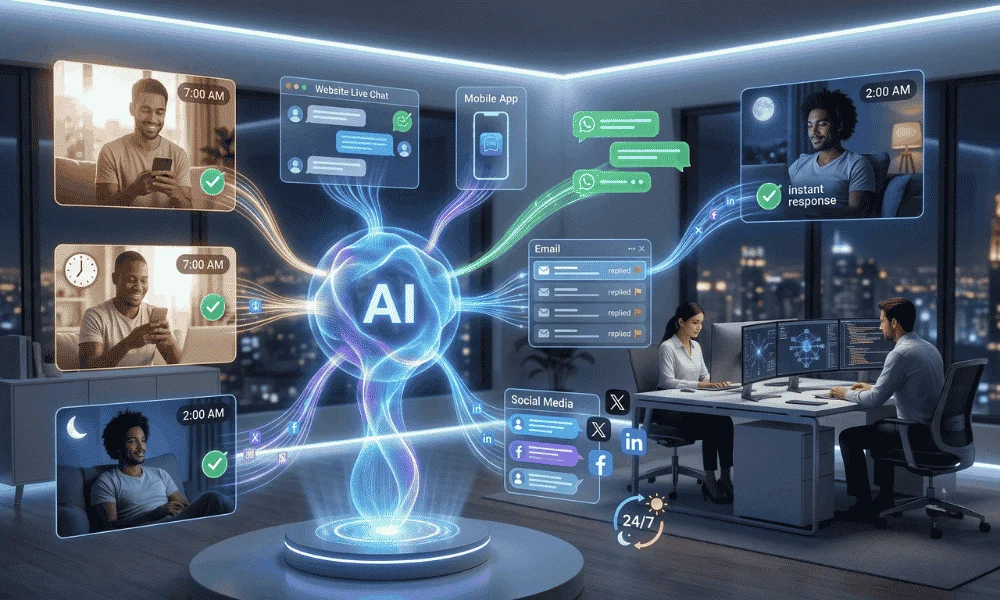
The headline benefit of AI chatbots is coverage: a chatbot answers at 2 a.m. on a holiday just as fast as it does at noon on a Tuesday. Customers increasingly expect that. Zendesk’s own CX Trends 2026 report found that 74% of consumers now expect service to be available 24/7, and 88% expect faster responses than they did a year ago.
Then there’s scale without headcount. One bot can hold thousands of conversations at once and never gets slower during a launch-day rush. For well-scoped, well-maintained deployments, industry benchmarks (see the ROI section below) put steady-state containment in the 55% to 70% range, which is exactly the volume that used to force seasonal hiring. Some vendors and forecasters project this climbing much higher over time, but treat those longer-range projections as forecasts, not present-day averages.
Speed is the quieter win. Modern bots reply in seconds, not the minutes or hours a queue can stretch to. That responsiveness is what most people actually want; surveys consistently show buyers reach for a bot to skip the wait, not because they dislike humans.
The point that matters for your P&L: none of this requires a bigger team. It requires a smaller, better-aimed one. That’s really the core answer to “what are the benefits of using AI chatbots” for any business weighing the investment.
How Do AI Chatbots Reduce Customer Service Costs?
AI chatbots can reduce customer service costs by roughly 30% in a well-run deployment, a figure that traces back to a 2017 IBM Watson Blog post (“How Chatbots Can Help Reduce Customer Service Costs by 30%”) and is still the number most vendors and analysts cite today. The savings come mainly from deflected tickets, not from firing people. Here is where the money actually moves:
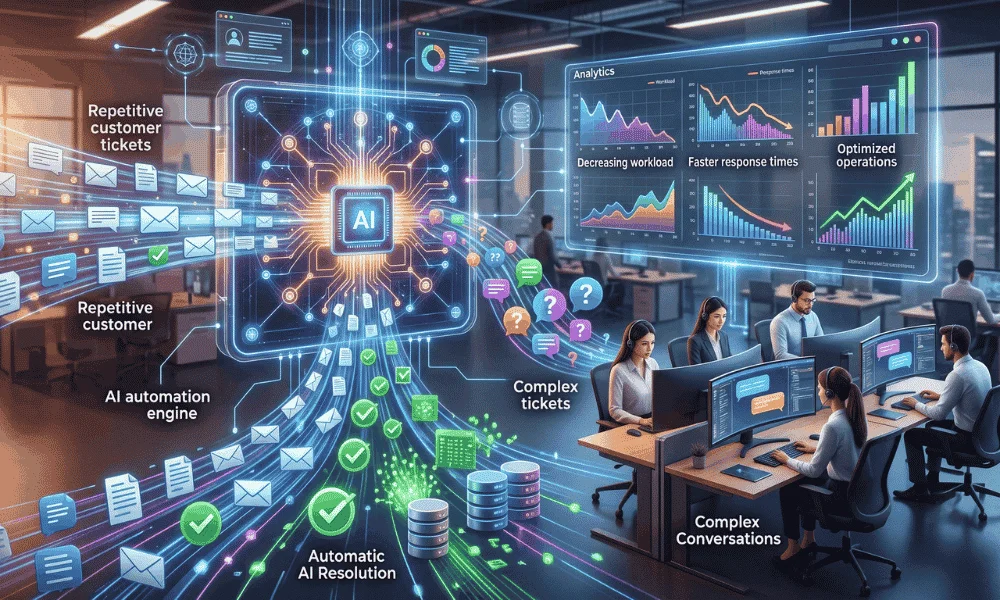
- Cheaper per contact. An AI reply costs a fraction of a human one. Juniper Research’s banking and healthcare analysis estimates roughly $0.50 to $0.70 per AI-handled query, against a human-agent contact that other industry sources price anywhere from about $4 to $25 depending on the channel and sector. The exact multiple varies a lot by source and industry, so use it as a directional range rather than a precise figure for your business.
- Fewer routine tickets reach a human. Bots resolve the high-volume, low-judgment stuff: order tracking, “where’s my refund,” store hours. That is the bulk of most support queues.
- No seasonal hiring scramble. Traffic spikes get absorbed by software, so you stop recruiting and onboarding temporary agents every peak.
- One bot, many languages. A single deployment can serve customers in dozens of languages, which trims the cost of standing up separate regional support desks.
One caution worth stating plainly. Savings only materialize when the bot is grounded in an accurate knowledge base and measured on how many issues it fully contains, not just how many it deflects. Bolt a bot onto a broken workflow and you get failed self-service, repeat contacts, and higher costs, which is why a chunk of deployments report flat results.
See how much a chatbot could save your team: map your top support costs first.
Can AI Chatbots Actually Increase Sales and Revenue?
Yes, and the mechanism is mostly about speed and timing rather than clever sales scripts. A chatbot works like a salesperson who never sleeps, greeting a visitor the moment they land and qualifying intent before the moment passes.
That timing is the whole game in lead generation. The MIT and InsideSales Lead Response Management study, the source most “5-minute rule” claims trace back to, found that contacting a lead within five minutes rather than 30 makes you about 21 times more likely to qualify it. A human team rarely hits five minutes at 11 p.m. A bot always does.

On the ecommerce side, in-session chat is quietly one of the best cart-recovery tools available. Around 70% of online carts get abandoned, a rate the Baymard Institute has tracked as stable for years. A chatbot can catch hesitation at checkout and answer the objection (shipping cost, sizing, returns) before the shopper leaves. Stores using AI-driven recovery recover meaningfully more than email-only setups, with DigitalApplied’s 2026 data putting the lift at 15% to 20% more carts recovered.
For a concrete example: skincare brand Tatcha reported strong results from an AI shopping assistant. Its vendor, Alhena AI, says the tool influenced 11.4% of Tatcha’s total site revenue, alongside a 3x conversion rate and a 38% higher average order value. Treat vendor case studies as directional rather than gospel, but the direction is consistent across the category.
AI Chatbot vs Rule-Based Bot: What’s the Difference?
An AI chatbot uses machine learning and natural language processing (NLP) to read intent and context, so it can handle a question phrased in a way nobody scripted. A rule-based bot follows fixed “if this, then that” paths and stalls the moment a user goes off-script or makes a typo. The table below lays out where that difference bites. And it’s really the heart of the benefits of AI chatbot builders over traditional methods like hand-coded decision trees.
| Feature | Rule-Based Chatbot | AI Chatbot (Conversational AI) |
| Understanding | Follows rigid decision trees; a typo or an unexpected phrasing can break it | Uses NLP to read intent, context, and messy real-world wording |
| Personalization | One scripted answer for everyone | Adapts to the user’s history and behavior |
| Learning | Static; every change is a manual edit | Improves from real conversations over time |
| Best fit | Simple FAQs, basic data capture, tight budgets | Sales, lead qualification, and nuanced support |
| Typical cost | Lower upfront, often a modest monthly fee | Higher, especially for custom enterprise builds |
Rule-based bots are not obsolete. For a narrow, predictable task (a booking form, a store-hours lookup) they are cheap and perfectly fine. The trouble starts when customers ask anything the script did not anticipate, which, in practice, they always do. Modern no-code AI chatbot builders have narrowed that cost gap considerably, which is a big part of why so many small businesses now skip rule-based tools entirely and go straight to an AI-powered builder. Whether a builder is enough depends on what your bot must do, and this breakdown on choosing between a chatbot builder and a custom build helps you decide.
What ROI Can You Expect From an AI Chatbot?
Return on investment builds in phases, and the honest version is less tidy than a marketing chart suggests. A bot rarely delivers its full savings in week one, because its knowledge base needs tuning against real conversations before it reliably contains issues on its own.
Here is how that typically unfolds, drawing on containment benchmarks reported in a 2026 industry cost analysis from Bluetweak (an analyst blog, not a peer-reviewed study, so treat the ranges as illustrative rather than definitive):
| Phase | What Is Actually Happening | What to Watch |
| First 30 days | The model calibrates; containment sits below its steady state and CSAT may dip before it recovers | Week-on-week containment improving, escalation rate in range |
| Around 90 days | Well-scoped tier-one bots reach roughly 55% to 70% containment | 30% to 40% lower cost per resolved contact on automated ticket types |
| Maturity | Savings stabilize near the 30% cost-reduction mark widely cited since IBM’s original estimate | Sustained containment, rising self-service satisfaction |
A quick illustrative calculation, using the widely cited 30% figure as a rough guide, not a promise: on a $100,000 annual support budget, a 30% reduction is about $30,000 saved a year, before you count any revenue the bot recovers at checkout. Your real number depends on ticket mix and how well the bot is grounded, so run it against your own volumes rather than trusting a generic multiplier. If you’d rather have someone model that math against your actual ticket data before committing budget, that’s the kind of scoping work our consulting services team does up front.
The forward trend is hard to ignore, though it’s worth being precise about what’s a forecast versus what’s happening today. Gartner predicts that by 2029, agentic AI will autonomously resolve 80% of common customer service issues without human intervention, driving roughly a 30% cut in operational costs, according to its 2025 forecast reported by IBM. That’s a projection for the end of the decade, not a current-state average, so don’t treat the 80% figure as something most deployments are hitting now.
How Different Industries Use AI Chatbots
The use cases shift by sector, but the through-line is the same: kill the repetitive admin, and make the customer journey instant. A few of the clearest applications:
- Ecommerce: product discovery, order tracking, and in-session cart recovery. This is where the revenue upside is most direct, given the ~70% cart abandonment baseline noted above.
- Healthcare: appointment booking and reminders. Automated and AI-driven reminders consistently cut no-shows, with peer-reviewed studies and deployments landing in a 20% to 39% range. One Arizona health center, El Rio Health, reported a 32% drop in no-shows and about $100,000 more in monthly revenue after adding AI voice and SMS reminders.
- Banking: balance checks, statements, and card queries. Adoption here is aggressive; industry statistics roundups (including Azumo’s 2026 compilation, drawing on CoinLaw’s banking-adoption research) put integration at roughly 88% to 92% of Tier-1 North American banks, with a large share of routine interactions now automated.
- Real estate: capturing and qualifying leads the instant they arrive, day or night, so an after-hours inquiry does not go cold before an agent sees it.
- Education: fielding the flood of routine student questions about deadlines, enrollment, and forms, which pulls a real load off administrative staff.
Notice the pattern. In every sector, the bot owns the predictable questions and the clock, while people keep the cases that need a human.
Risks and Limitations to Plan For
The real limitations are worth naming before you buy. The two that trip businesses up most are hallucinations, where a bot states something confidently wrong, and emotional or complex queries it simply cannot carry.
Grounding fixes the first. Tie the bot’s answers to a verified knowledge base and your own product data, so it retrieves facts instead of inventing them. Then keep that base fresh; accuracy decays if nobody updates it after the launch glow fades. Hallucinations aren’t unique to chatbots, either; our breakdown of common generative AI challenges covers the same root causes (unverified outputs, weak data, unclear ROI) across every GenAI use case, not just customer support.
The second is a design choice, not a technology gap. Build a hybrid model where the bot handles the routine 60% to 80% and detects frustration or high-stakes questions early, then hands off to a human with the full chat history attached. A customer should never have to repeat themselves to the person the bot escalates to.
Data privacy sits underneath all of it. If you operate under GDPR, DPDP, or similar rules, confirm your provider’s compliance posture and how customer data is stored and processed before a single conversation goes live.
How to Implement an AI Chatbot: A 5-Step Framework
Deployment goes smoothly when you treat it as a scoped project, not a switch you flip. Five steps cover it:
- Audit your interactions. Pull the 10 to 20 questions your team answers most. Those recurring tickets are your bot’s first job and your fastest payback.
- Define success up front. Set concrete targets, for example a 50% cut in routine tickets or replies inside 10 seconds, so you can tell later whether it worked.
- Build the knowledge base. Centralize your manuals, FAQs, policies, and product data. This is what grounds the bot and prevents the hallucinations covered above.
- Launch where customers already are. Deploy across the channels they use (your website, WhatsApp, Instagram) rather than forcing them to a new one.
- Keep a human in the loop. Set clear “red flag” triggers (anger, legal or billing disputes, repeated failed answers) that escalate to a person instantly, with context passed along.

Most no-code platforms get a basic bot live quickly, sometimes in an afternoon, once your knowledge base is ready. The ongoing work is the tuning: review real transcripts monthly and feed the gaps back in.
Ready to start? Map your top 10 support questions and see where a bot pays off fastest.
Frequently Asked Questions
How Much Does an AI Chatbot Cost for a Small Business?
Pricing splits sharply by approach. No-code platforms aimed at small businesses commonly start at a modest monthly subscription, while custom, integration-heavy enterprise builds run far higher. The per-conversation economics are what matter most: an AI interaction is a fraction of a live-agent contact, so even a modest plan can pay for itself on volume alone.
Will a Chatbot Replace My Customer Service Team?
No. A chatbot handles repetitive, high-volume questions so your people can focus on complex, high-value cases. In practice that tends to reduce agent burnout rather than headcount, because the tedious tickets stop landing in the queue. The strongest 2026 setups are explicitly hybrid.
Do I Need a Developer to Set One Up?
Not for most small-business use cases. This is really where the benefits of AI chatbot builders over traditional methods show up most clearly: a no-code platform lets you launch a working bot by connecting your knowledge base and pointing it at your site or messaging channels, without writing a line of code or maintaining a custom decision tree. Developers become useful when you need deep integrations, for instance wiring the bot into a custom CRM or payment stack; that’s the point where it’s worth talking to a team that does custom software development rather than stretching a no-code plan past what it’s built for.
Are AI Chatbots Secure for Customer Data?
They can be, if you choose the provider carefully. Look for enterprise-grade controls (encryption, access controls, recognized security certifications) and confirm compliance with the privacy rules that apply in your region, such as GDPR or DPDP. Security is a vendor-selection question, so ask it before you commit.
How Do I Stop a Chatbot From Giving Wrong Answers?
Ground it in your verified product data and knowledge base so it retrieves real facts instead of guessing, then review actual conversation transcripts on a schedule and patch the gaps. Accuracy is a maintenance habit, not a one-time setting.
What Happens When the Chatbot Gets Stuck?
A well-designed bot detects frustration or a question outside its scope and escalates to a human, passing the full chat history so the customer never repeats themselves. If a bot has no clean escalation path, that is a red flag about the platform, not the technology.